Are you tired of lag ruining your multiplayer gaming experience? You’re not alone.
When every millisecond counts, a slow or unstable connection can turn an epic match into pure frustration. But what if you could unlock your gaming modem’s full potential and enjoy smooth, lag-free gameplay? You’ll discover simple yet powerful ways to optimize your gaming modem.
By making a few smart adjustments, you’ll gain faster speeds, lower ping, and a more reliable connection—giving you the edge over your opponents. Ready to take your multiplayer gaming to the next level? Let’s dive in.
Choose The Right Modem
Choosing the right modem is the foundation of a smooth multiplayer gaming experience. Your modem acts as the gateway between your home network and the internet, so its quality and features directly affect your gameplay. Picking a modem that fits your needs and setup can reduce lag, improve connection stability, and give you an edge over competitors.
Check Compatibility With Isp
Not all modems work with every internet service provider (ISP). Before buying, verify that your chosen modem is compatible with your ISP’s network. Using an incompatible modem can lead to connection drops or slower speeds, which ruin multiplayer sessions.
Visit your ISP’s website or call customer service to get a list of approved modems. This simple step saves you from headaches and wasted money. Think about how frustrating it would be to set up your new modem only to find it doesn’t work with your service.
Prioritize Gaming-specific Features
Some modems come with features designed specifically for gaming. Look for options like Quality of Service (QoS) settings that prioritize gaming traffic over other internet use. This ensures your game data gets through fast, even when others in your home are streaming or downloading.
Other useful features include low latency modes and advanced packet filtering. These reduce lag spikes and keep your connection steady during crucial multiplayer moments. If you’ve ever lost a match because your connection froze, these features will make a noticeable difference.
Consider Future-proof Technologies
Technology evolves fast, and your modem should keep up. Investing in future-proof tech like DOCSIS 3.1 or support for Wi-Fi 6 means your modem won’t become outdated quickly. This saves you from needing to upgrade every year or two.
Think about your gaming setup a year from now. Will your modem still handle higher speeds or new gaming consoles? Choosing a modem with the latest standards ensures you get the best performance today and tomorrow.
Position Your Modem Strategically
Positioning your gaming modem correctly can improve your multiplayer experience. A well-placed modem sends a stronger, more stable signal. This reduces lag and connection drops during gameplay. Small changes in location can make a big difference. Focus on clear paths for the signal and avoiding common obstacles.
Avoid Physical Obstructions
Physical barriers block wireless signals. Walls, furniture, and large objects weaken the connection. Place your modem in an open area without thick walls nearby. Avoid hiding it in cabinets or behind electronics. Keep it away from metal objects that reflect signals. A clear line of sight helps the signal travel freely.
Reduce Interference From Other Devices
Other electronics can cause signal interference. Cordless phones, microwaves, and baby monitors use similar frequencies. Keep your modem away from these devices. Separate it from other wireless gadgets by several feet. This lowers the chance of signal disruption. A clean signal improves game responsiveness and reduces lag.
Elevate For Better Signal Distribution
Raising your modem helps spread the signal evenly. Place it on a shelf or table, not on the floor. Higher placement avoids obstacles and improves coverage. The signal travels downward and outward more effectively. Elevation also helps reach multiple gaming devices without drops. Small lifts create a stronger, more reliable connection.
Update Firmware Regularly
Updating your gaming modem’s firmware regularly keeps it running smoothly during multiplayer sessions. Firmware updates fix bugs, improve speed, and enhance security. This simple task helps prevent connection drops and lag spikes.
Benefits Of Firmware Updates
- Fixes known bugs that cause crashes or slowdowns
- Improves connection stability and reduces lag
- Enhances security to protect from cyber threats
- Adds new features or compatibility improvements
- Optimizes performance for smoother gaming
How To Check For Updates
Access your modem’s settings via its IP address in a web browser. Look for the “Firmware” or “System Update” section. Check the current version and compare it with the latest available on the manufacturer’s website. Follow instructions carefully to download and install updates.
Automate Firmware Maintenance
Many modems allow automatic updates. Enable this option in your modem’s settings. This ensures your device stays updated without manual checks. Automatic updates reduce downtime and keep your gaming experience consistent.
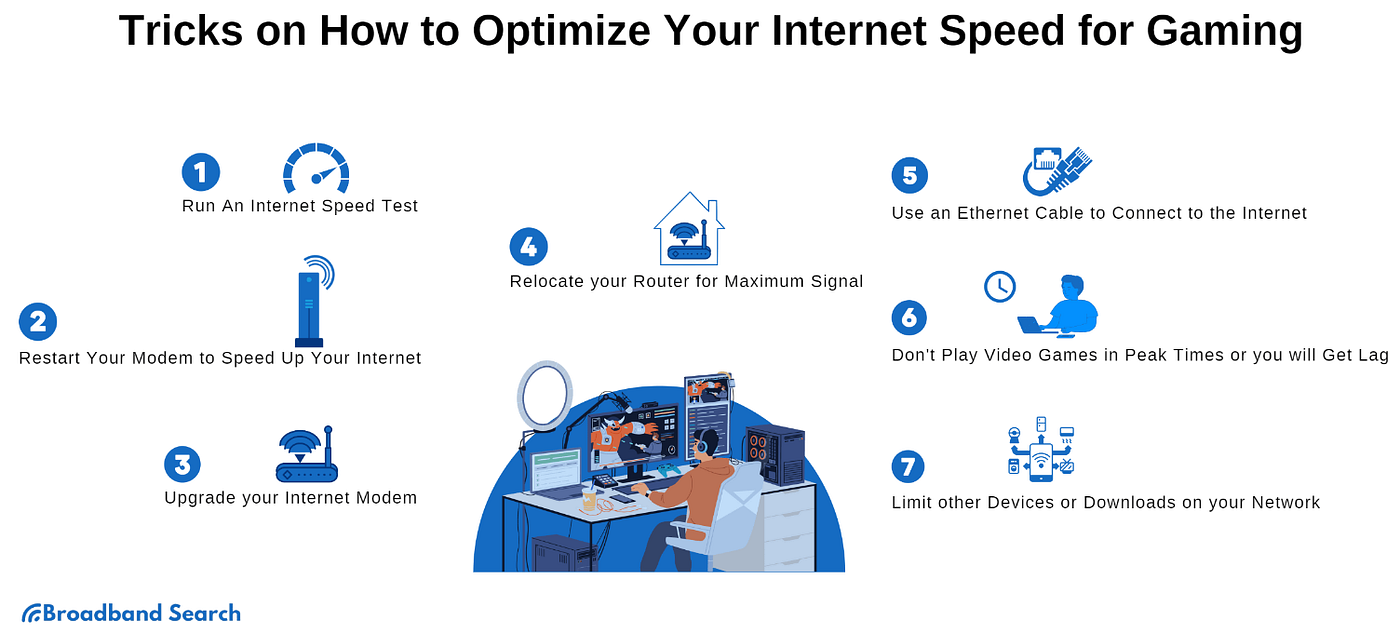
Credit: medium.com
Configure Quality Of Service (qos)
Configuring Quality of Service (QoS) helps improve your gaming experience. It controls how your modem handles different types of internet traffic. By setting QoS properly, you reduce lag and avoid interruptions during multiplayer games.
Prioritize Gaming Traffic
Set your modem to give gaming data higher priority. This means game packets get sent faster than other types of traffic. Your modem often lets you select specific games or ports to prioritize. This reduces delays and keeps your connection stable.
Limit Bandwidth For Background Apps
Background apps use internet even if you are not aware. Streaming, updates, and downloads can slow your game speed. Use QoS settings to limit bandwidth for these apps. This frees more internet speed for your multiplayer gaming sessions.
Set Up Device Prioritization
Assign higher priority to the devices you use for gaming. This way, your console or PC gets better internet access. Other devices, like phones or tablets, get lower priority. Device prioritization ensures your gaming device runs smoothly without interruptions.
Optimize Network Settings
Optimizing your network settings is crucial for a smooth multiplayer gaming experience. Small tweaks can reduce lag, improve response times, and keep your connection stable. Let’s dive into some practical ways to fine-tune your gaming modem’s network settings.
Select The Best Dns Servers
Your DNS server acts like a phone book for the internet, translating website names into IP addresses. Choosing a faster, more reliable DNS can cut down on the time it takes to connect to game servers.
Try switching to public DNS providers like Google DNS (8.8.8.8 and 8.8.4.4) or Cloudflare DNS (1.1.1.1). You can test their speeds using simple tools like “DNS Benchmark” or “Namebench” to see which one responds quickest from your location.
Have you ever noticed how some games take longer to load or connect? Changing your DNS could be the fix you didn’t know you needed.
Adjust Mtu Size
MTU (Maximum Transmission Unit) determines the largest packet size your network can handle. Setting the right MTU size helps prevent packet fragmentation, which causes delays and dropped data.
Most gaming connections work well with an MTU size of 1400 to 1500 bytes. If you experience frequent lag spikes or disconnects, try lowering the MTU in your modem’s settings and observe the difference.
Curious about how to find your optimal MTU? You can test it by pinging your router with different packet sizes or use online guides specific to your modem model.
Enable Upnp For Seamless Connectivity
Universal Plug and Play (UPnP) allows your modem to open ports automatically for your gaming devices. This feature reduces manual setup and improves connection quality during multiplayer sessions.
Without UPnP, you might face issues like NAT type restrictions, which limit your ability to join certain game lobbies or communicate with other players. Enabling UPnP on your modem often resolves these problems instantly.
Have you checked if UPnP is enabled on your router? It’s usually a simple toggle in your modem’s web interface but can make a huge difference in your gaming experience.
Secure Your Connection
Securing your gaming modem is essential to maintain a smooth and uninterrupted multiplayer experience. Without a strong defense, your connection can be vulnerable to hackers, bandwidth thieves, or unwanted interruptions. Taking a few simple but crucial steps can protect your network and improve your overall gaming performance.
Use Strong Passwords
Weak passwords are an open invitation to unauthorized users. Choose a complex password that combines uppercase and lowercase letters, numbers, and symbols. Avoid common words or easily guessable sequences like “123456” or “password.”
Think about your favorite game or character and mix it with numbers and special characters. For example, instead of “Gamer123,” try something like “G@m3r42X!” It’s easier to remember when you personalize it but hard for others to crack.
Enable Wpa3 Or Wpa2 Encryption
Encryption protects the data traveling between your devices and the modem. WPA3 is the latest and most secure option. If your modem doesn’t support WPA3, use WPA2 instead.
Check your modem’s settings to enable these encryption protocols. This small step ensures that outsiders can’t eavesdrop or hijack your connection during intense multiplayer battles.
Regularly Monitor For Unauthorized Access
Even the best passwords and encryption can’t guarantee full protection if you don’t keep an eye on your network. Regularly check your modem’s device list to spot unfamiliar connections.
If you see any unknown devices, immediately change your password and consider updating your firmware. Staying vigilant helps you catch intruders before they affect your gaming sessions.
Test And Monitor Performance
Testing and monitoring your gaming modem’s performance is crucial for a smooth multiplayer experience. Without regular checks, you won’t know if your connection is holding up during intense gameplay. Staying on top of your network’s health helps you spot issues early and fine-tune your setup effectively.
Use Speed And Ping Tests
Speed tests show how fast your connection really is, while ping tests reveal the delay between your device and the game server. Both numbers matter because even a fast connection can feel laggy if the ping is high. Try tools like Ookla Speedtest or PingTest.net to get quick and accurate results.
Run these tests at different times of day to see if your internet slows down during peak hours. If you notice a big gap between your expected and actual speeds, your modem settings or ISP plan might need an update. What surprising results might you find by testing your connection right now?
Monitor Network Stability
Network stability means consistent performance without sudden drops or interruptions. Even a brief disconnect can ruin your multiplayer session. Use apps or built-in router tools to track uptime and packet loss over hours or days.
Logging this data shows patterns you might miss otherwise, like frequent drops during specific times or after certain actions. If your modem’s interface is confusing, simple software like PingPlotter can help visualize stability issues. How often does your connection really dip without you noticing?
Adjust Settings Based On Results
Once you know your modem’s strengths and weaknesses, tweak its settings to improve your gameplay. Prioritize gaming traffic by enabling Quality of Service (QoS) and allocate more bandwidth to your gaming device. This reduces lag during critical moments.
Consider changing your Wi-Fi channel if tests show interference or switching to a wired Ethernet connection for better stability. Keep testing after each change to see what works best. What small adjustment could make a big difference in your next multiplayer match?
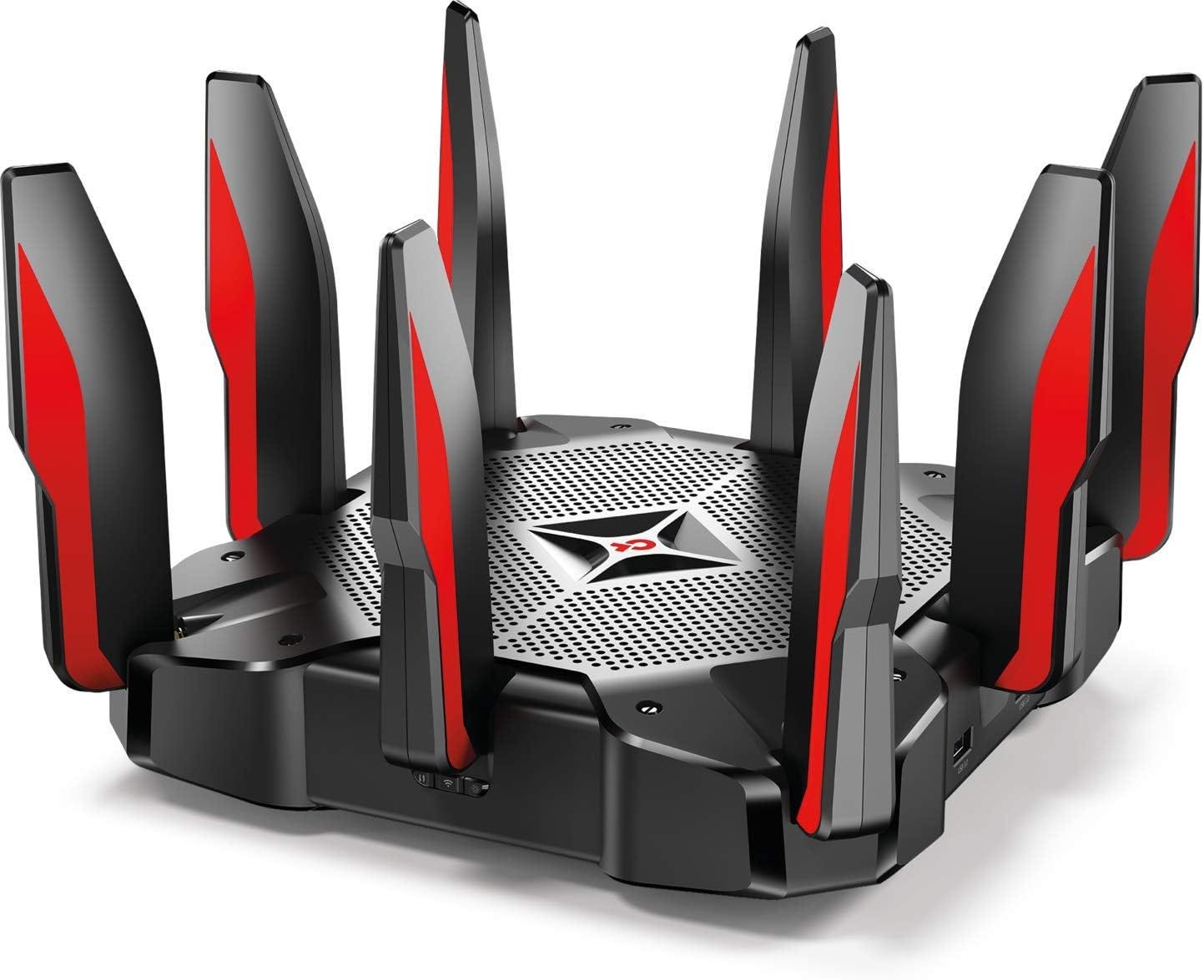
Credit: medium.com

Credit: helpdeskgeek.com
Frequently Asked Questions
How Can I Reduce Latency In Gaming Modem?
To reduce latency, ensure your modem firmware is updated. Use a wired connection instead of Wi-Fi for stable performance. Prioritize gaming traffic through Quality of Service (QoS) settings. Avoid network congestion by scheduling downloads during non-gaming hours. These steps can significantly improve your multiplayer gaming experience.
What Is Qos In Gaming Modem?
QoS, or Quality of Service, prioritizes gaming traffic over other data. It helps reduce latency and lag. By setting QoS rules, gaming packets get priority. This ensures a smoother multiplayer experience. Adjust your modem’s QoS settings to optimize performance for gaming.
How Do I Optimize My Modem For Gaming?
Optimize your modem by updating firmware and enabling QoS settings. Use a wired connection for stability. Minimize interference by placing the modem centrally. Limit connected devices during gameplay. These steps ensure an enhanced multiplayer gaming experience with reduced lag.
Does Modem Placement Affect Gaming Performance?
Yes, modem placement affects performance. Place it centrally and elevated to reduce interference. Avoid obstacles like walls and electronics. This ensures a stronger signal and reduced latency. Proper placement is crucial for an optimal multiplayer gaming experience.
Conclusion
Optimizing your gaming modem helps reduce lag and improves connection. Simple steps like updating firmware and setting QoS priority make a big difference. Choose a good location for your modem to avoid interference. Use wired connections when possible for better stability.
Regular checks keep your network running smoothly. Small changes can lead to a better multiplayer experience. Stay patient and adjust settings as needed. Your gaming sessions will become more fun and less frustrating. Keep these tips in mind for stronger, faster gameplay every time.