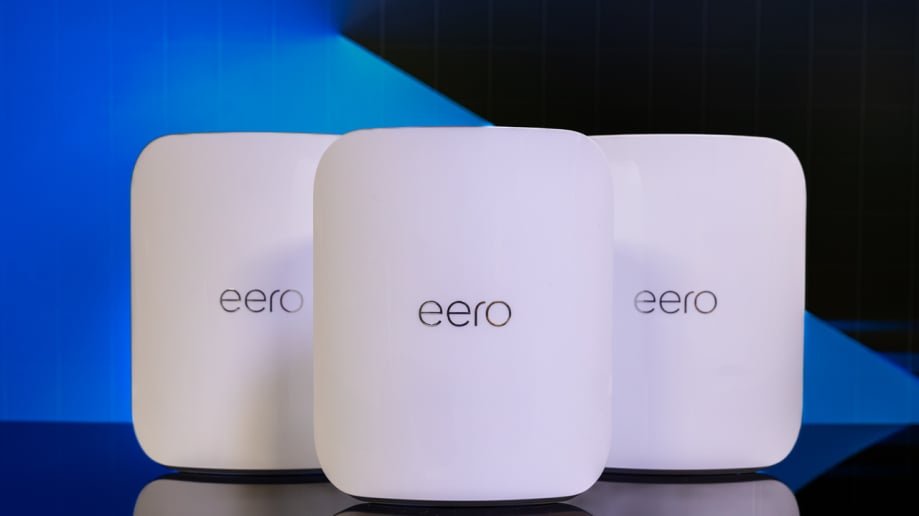
Struggling with slow WiFi in some rooms? You want fast, reliable internet without spending a fortune.
Picking a budget-friendly mesh WiFi system can solve your problems and keep your wallet happy. But with so many options out there, how do you choose the right one for your home? You’ll discover simple tips to find the best mesh WiFi that fits your needs and budget.
Keep reading to make sure you get strong WiFi everywhere—without overspending.
Benefits Of Mesh Wifi
Mesh Wifi systems help spread internet signals evenly across your home. They use several devices that work together to give better coverage.
This technology is useful for bigger homes or places with many walls. It makes sure your devices stay connected without losing speed.
Seamless Coverage
Mesh Wifi creates a strong signal everywhere in your home. It stops dead zones where internet is weak or missing.
All mesh devices connect smoothly. Your phone or laptop switches to the best signal without you noticing.
- Works well in large homes
- Covers multiple floors
- Eliminates weak signal areas
Easy Scalability
You can add more mesh devices to expand your network. This helps when your coverage needs grow over time.
Adding new units is simple. It does not require complicated setup or extra wiring.
- Add devices to cover new rooms
- Improve connection in outdoor spaces
- Upgrade your network step-by-step
Improved Network Speed
Mesh Wifi systems reduce slow internet spots. They balance the load so all devices get good speed.
This helps with streaming videos, online games, and video calls without interruptions.
- Better speed in every corner
- Handles many devices at once
- Stable connection for work and play
Key Features To Consider
Choosing a budget-friendly mesh WiFi system requires attention to certain features. These features affect how well the system works in your home or office.
Consider each key feature carefully to get the best value for your money without sacrificing performance.
Coverage Area
Check the coverage area to make sure the mesh system can cover your entire space. Larger homes need more coverage than small apartments.
Look for systems that mention square footage or number of rooms they support. This helps avoid weak signal spots.
Number Of Nodes
Nodes are the individual units that spread your WiFi signal. More nodes mean better coverage and fewer dead zones.
- Small areas often need 2 nodes
- Medium spaces may require 3 nodes
- Large homes or offices might need 4 or more nodes
Speed And Bandwidth
Speed and bandwidth show how fast and how many devices the system can handle. Fast internet keeps streaming and gaming smooth.
| Speed Rating | Best For |
| AC1200 | Basic web browsing and small homes |
| AC2200 | Streaming and multiple devices |
| AX3000 (WiFi 6) | High speed and many devices |
Security Features
Security keeps your network safe from hackers and unwanted access. Look for built-in protection features.
- WPA3 encryption for stronger security
- Automatic firmware updates
- Guest network options to protect your main network
- Parental controls to manage device access
Budget-friendly Brands
Choosing a mesh WiFi system can be tricky on a tight budget. Many brands offer affordable options that still work well. This guide helps you find budget-friendly brands with good features.
Look for brands that balance price and performance. Checking customer reviews can also help you make the right choice.
Affordable Options
Some brands focus on low-cost mesh WiFi systems. These options suit small homes or apartments. They often include basic features but cover the essentials.
- TP-Link Deco series
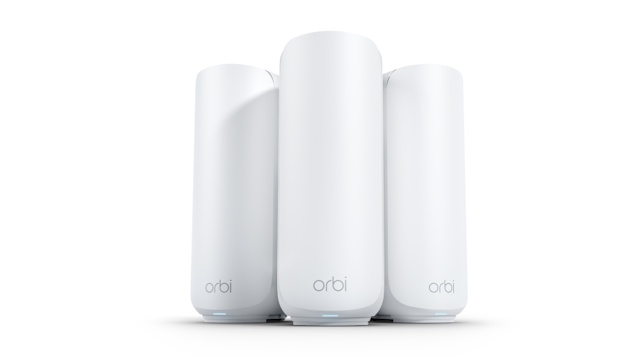
- Netgear Orbi RBK13
- Google Nest Wifi (single pack)
- Tenda Nova series
- Linksys Velop Mini
Reliable Performance
Price should not mean poor connection. Some budget brands offer steady WiFi with good speed and range. Look for dual-band or tri-band systems for better results.
| Brand | WiFi Bands | Max Speed | Coverage Area |
| TP-Link Deco M4 | Dual-band | 1167 Mbps | 5,500 sq ft |
| Netgear Orbi RBK13 | Dual-band | 1,200 Mbps | 3,000 sq ft |
| Tenda Nova MW3 | Dual-band | 1,200 Mbps | 4,000 sq ft |
| Linksys Velop Mini | Tri-band | 2,200 Mbps | 3,000 sq ft |
Customer Reviews
Reading reviews helps find real user experiences. Look for patterns in feedback about setup, speed, and support.
- TP-Link Deco users like easy setup and stable signal.
- Netgear Orbi owners praise its coverage in medium homes.
- Tenda Nova buyers mention good value for the price.
- Linksys Velop reviews highlight fast speeds and simple app control.

Credit: www.reddit.com
Shopping Tips
Picking a budget-friendly mesh WiFi system can be tricky. You want good coverage without spending too much.
Focus on key areas when shopping. This helps you find the best value for your money.
Compare Prices And Features
Look at different brands and models. Check what features come with each price point.
| Feature | Basic Model | Mid-Range Model | High-End Model |
| Coverage Area | 1000 sq ft | 2000 sq ft | 3000 sq ft |
| Number of Units | 2 | 3 | 4 |
| Speed | Up to 300 Mbps | Up to 600 Mbps | Up to 1200 Mbps |
| Parental Controls | No | Yes | Yes |
Look For Deals And Discounts
Check online stores and local shops for sales. Discounts help lower the price without losing quality.
- Sign up for store newsletters for special offers
- Use coupon codes during checkout
- Watch for holiday and seasonal sales
- Compare prices on different websites
Check Warranty And Support
Make sure your mesh WiFi system comes with a good warranty. Support can save you money if there is a problem.
- Look for at least one year of warranty coverage
- Check if support is available online and by phone
- Read reviews to see if customers get good help
Setup And Optimization
Setting up a budget-friendly mesh WiFi system can improve your home internet. Optimization helps make the network fast and reliable.
Understanding key steps like node placement, updates, and using apps will help you get the best results.
Ideal Node Placement
Place mesh nodes where the WiFi signal is weak but still reachable. Avoid thick walls and metal objects.
Good placement spreads the signal evenly and reduces dead zones in your home.
- Keep nodes in open areas, not inside cabinets
- Place nodes halfway between your router and far devices
- Avoid placing nodes near microwaves or cordless phones
- Try to keep nodes on the same floor when possible
Firmware Updates
Regular firmware updates keep your mesh WiFi secure and stable. Updates also fix bugs and add improvements.
Check for updates in the system settings or the app provided by the manufacturer. Install updates as soon as they become available.
- Updates improve network speed and reliability
- They protect your network from new security risks
- Keeping firmware current helps avoid connection problems
Network Management Apps
Use network management apps to control your mesh WiFi. These apps help you monitor devices and optimize settings easily.
Apps can show device usage, speed tests, and allow parental controls or guest access.
- View connected devices and their data use
- Run speed tests to check network health
- Set limits or schedules for certain devices
- Manage guest networks safely

Credit: www.pcmag.com
Credit: www.pcgamer.com
Frequently Asked Questions
What Factors Affect The Price Of Mesh Wifi Systems?
The price depends on coverage area, number of units, brand, and features. More units and advanced features usually increase cost. Budget-friendly options balance essential features with affordable prices without compromising performance.
How To Ensure Good Coverage With A Budget Mesh Wifi?
Place nodes strategically in high-traffic areas for better signal. Avoid physical obstructions like walls and large furniture. Opt for systems with easy expansion to add more nodes if needed.
Are Budget Mesh Wifi Systems Reliable For Streaming?
Yes, many budget mesh WiFi systems support stable streaming. Look for units with dual-band or tri-band technology. Ensure the system handles multiple devices simultaneously without speed drops.
Can I Expand A Budget Mesh Wifi Network Later?
Most budget mesh WiFi systems allow easy expansion. You can add extra nodes to extend coverage. Check compatibility before buying to avoid mixing different system brands or models.
Conclusion
Choosing a budget-friendly mesh WiFi takes some thought. Focus on coverage, speed, and ease of use. Compare features and prices before you buy. Think about your home size and devices. A good mesh system keeps your internet strong everywhere. This helps you work, stream, and browse without interruptions.
Take your time to find the right fit. A smart choice saves money and improves your WiFi experience. Start with these tips and enjoy better internet at home.


