
Struggling with slow Wi-Fi or dead zones in your home? You’re not alone.
Picking the best budget mesh Wi-Fi for 2025 can feel overwhelming with so many options out there. But what if you could find a reliable, affordable system that keeps every corner of your space connected without breaking the bank? This guide will help you cut through the noise and make a smart choice that fits your needs and budget.
Keep reading, and you’ll discover exactly what to look for to boost your internet experience effortlessly.
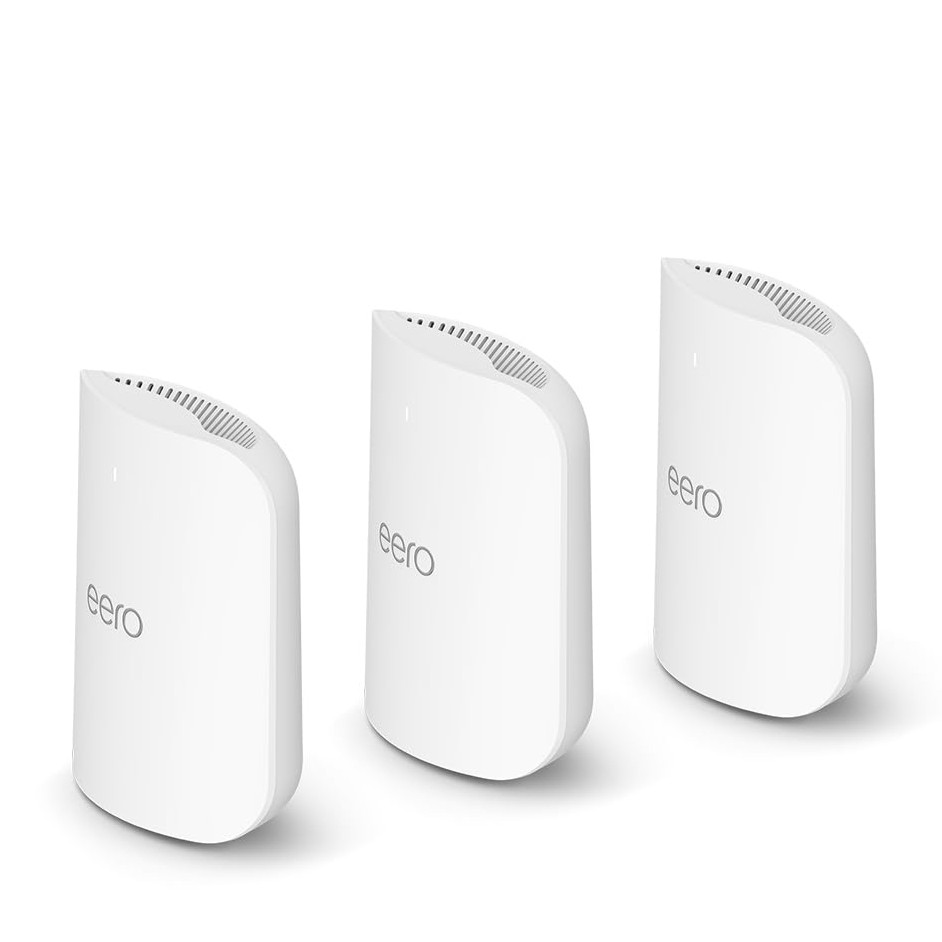
Credit: www.tomsguide.com
Why Choose Mesh Wifi
Mesh wifi offers a modern way to connect your home or office. It spreads wifi signals evenly to cover large spaces.
This system helps avoid weak spots and slow connections that happen with some traditional routers.
Benefits Over Traditional Routers
Traditional routers use one device to send wifi signals. This can cause weak signals far from the router.
- Mesh wifi uses multiple devices called nodes to cover all areas.
- It provides a stable connection in every room.
- Devices switch automatically to the strongest signal node.
- Easy to expand by adding more nodes if needed.
- Better for large or multi-story buildings.
Ideal Home And Office Setups
Mesh wifi works well in homes with many rooms and thick walls. It helps avoid dead zones.
| Setup Type | Recommended Mesh Nodes | Why It Works |
|---|---|---|
| Small Home | 2-3 | Covers 1-2 floors with good signal strength |
| Large Home | 4-6 | Eliminates dead spots in multiple rooms and floors |
| Office Space | 3-5 | Supports many devices and steady coverage |
| Open Plan Areas | 2-4 | Ensures strong wifi without signal loss |
Key Features To Look For
Choosing the right budget mesh WiFi system can improve your home internet experience. Focus on features that matter most for your needs.
Below are key aspects to consider before buying a mesh WiFi system in 2025.
Coverage Area And Range
Check the total coverage area the mesh system can handle. Larger homes need wider range and more nodes.
Look for mesh systems that support easy expansion with additional units. This helps cover dead zones in your home.
Speed And Bandwidth
Speed is important for streaming, gaming, and video calls. Choose systems that support high bandwidth and fast data transfer.
- Check the maximum WiFi speed in Mbps or Gbps.
- Look for dual-band or tri-band options for better performance.
- Consider WiFi 6 or newer standards for future-proofing.
Device Capacity
Think about how many devices will connect at the same time. More devices need better device management and capacity.
| Device Count | Recommended Mesh System Type |
| Up to 10 devices | Basic dual-band mesh |
| 10 to 30 devices | Tri-band mesh with higher capacity |
| More than 30 devices | Advanced WiFi 6 mesh with load balancing |
Ease Of Setup And Management
Easy setup saves time and avoids frustration. Look for systems with simple apps or web interfaces.
Good features to check for:
- Step-by-step setup guides in the app
- Remote management from your smartphone
- Automatic firmware updates
- Parental controls and guest networks
Top Budget Mesh Wifi Brands In 2025
Choosing the right mesh wifi system can improve your internet at home. Budget options now offer good speed and coverage. This guide looks at top brands in 2025 for budget mesh wifi.
We focus on affordable yet reliable options, performance details, and what customers say. This will help you pick a system that fits your needs and budget.
Affordable Yet Reliable Options
Some brands offer low-cost mesh wifi with steady performance. These brands balance price and quality well. Here are some top choices for budget mesh wifi in 2025.
- TP-Link Deco series
- Google Nest Wifi
- Netgear Orbi RBK13
- Amazon Eero 6
- Linksys Velop
Performance Comparison
Comparing speed, coverage, and ease of setup helps find the best mesh wifi. The table below shows key specs for top budget mesh wifi brands in 2025.
| Brand | Max Speed (Mbps) | Coverage (sq ft) | Number of Units | Price Range ($) |
| TP-Link Deco | 1200 | 5000 | 3 | 100-150 |
| Google Nest Wifi | 1600 | 4400 | 2 | 130-180 |
| Netgear Orbi RBK13 | 1200 | 4500 | 2 | 130-170 |
| Amazon Eero 6 | 900 | 4000 | 3 | 120-160 |
| Linksys Velop | 1300 | 4200 | 2 | 140-190 |
Customer Feedback Highlights
Customers often share their experiences online. Common points include ease of use, signal strength, and value for money. Below are frequent comments from users.
- TP-Link Deco praised for simple setup and stable connection.
- Google Nest Wifi liked for design and quick response times.
- Netgear Orbi RBK13 noted for wide coverage but some setup issues.
- Amazon Eero 6 appreciated for good speed and app controls.
- Linksys Velop valued for flexible placement and solid performance.
How To Assess Your Needs
Choosing the right budget mesh WiFi in 2025 can be simple. Start by understanding your specific needs. This will help you select a system that fits your home and lifestyle.
Assessing your needs involves looking at various factors. These include home size, internet usage patterns, and the number of devices you connect.
Home Size And Layout
Your home’s size and layout can affect WiFi performance. Larger homes need more coverage. Walls and floors can block signals.
- Small apartment: One router might be enough.
- Medium home: Consider two nodes for better coverage.
- Large house: Multiple nodes might be necessary.
Internet Usage Patterns
How you use the internet also matters. Streaming and gaming need faster speeds. Basic browsing is less demanding.
Number Of Connected Devices
More devices require more bandwidth. Make sure your mesh system can handle all your devices at once.
| Device Type | Bandwidth Needs |
| Smartphone | Low |
| Smart TV | Medium |
| Gaming Console | High |
Tips For Getting The Best Deals
Choosing the right budget mesh WiFi can save money and improve your home network. Knowing where to look helps you find great prices.
Look for deals during special times and consider options like refurbished products or bundles. These tips help you get the best value.
Seasonal Sales And Discounts
Many stores offer discounts during holidays and special events. Black Friday, Cyber Monday, and back-to-school sales often have good offers.
Check prices regularly and set alerts to catch the best sales. Early shopping can help you avoid missing out on deals.
- Look for holiday sales like Black Friday
- Shop during end-of-season clearance events
- Sign up for newsletters to get discount alerts
Refurbished And Open-box Units
Refurbished and open-box mesh WiFi units cost less than new ones. They are checked to work well and often come with a warranty.
This option lets you buy quality products at lower prices. Make sure to buy from trusted sellers to avoid problems.
- Check for warranty on refurbished units
- Buy from reputable stores or websites
- Inspect open-box items carefully if buying in person
Bundle Offers With Isps
Some internet providers offer mesh WiFi systems at a discount when you sign up for their service. Bundles can lower your overall cost.
Review the terms before choosing a bundle. Sometimes monthly fees or contract length affect the deal’s value.
- Ask your ISP about mesh WiFi bundles
- Compare bundled price to buying separately
- Check contract details before committing
Credit: www.engadget.com
Common Mistakes To Avoid
Choosing the best budget mesh WiFi for 2025 can be tricky. Many people make mistakes that affect performance.
Knowing common errors helps you pick the right mesh WiFi. Avoid these mistakes for a better experience.
Ignoring Compatibility Issues
Not all mesh WiFi systems work with every device. Check compatibility before buying.
Devices like older routers may not support newer mesh systems. This leads to poor connection.
- Check device specifications
- Verify compatibility with your ISP
- Ensure support for your home devices
Overlooking Firmware Updates
Firmware updates keep your mesh WiFi secure. Many skip this step and face issues.
Updates improve performance and fix bugs. Ignoring them can lead to connectivity problems.
- Check for updates regularly
- Install updates as soon as possible
- Enable automatic updates if available
Neglecting Security Features
Security is crucial for any WiFi system. Many overlook important security features.
Without proper security, your network is vulnerable. This can lead to unauthorized access.
- Enable strong encryption
- Use a secure password
- Regularly check security settings
Setup And Optimization Tricks
Setting up a budget mesh WiFi system correctly improves your internet speed and coverage. Small changes in placement and settings can make a big difference.
This guide shares easy tips on placing nodes, using firmware and apps, and fixing common problems.
Ideal Node Placement
Place your mesh nodes in open areas away from thick walls and metal objects. This helps signals travel better and covers more space.
- Put the main node near your internet source.
- Space nodes evenly to avoid overlap but keep connection strong.
- Avoid placing nodes near microwaves or cordless phones.
- Place nodes at about chest height for best signal spread.
- Test signal strength before fixing the nodes permanently.
Firmware And App Usage
Use the mesh system’s app to update firmware and control settings. Updated firmware fixes bugs and improves performance.
| Task | How to Do It |
| Check Firmware Version | Open app, go to settings, select firmware update |
| Update Firmware | Follow app instructions, keep device powered |
| Monitor Network | Use app dashboard to check node status |
| Change Settings | Adjust WiFi name, password, and guest access |
Troubleshooting Common Issues
If your mesh WiFi has slow speeds or connection drops, try these fixes first.
- Restart nodes by unplugging and plugging back in.
- Move nodes closer if the signal is weak.
- Check app for alerts or error messages.
- Reset mesh system if problems persist.
- Contact support with your system model and issue details.

Credit: www.pcmag.com
Frequently Asked Questions
What Is A Budget Mesh Wifi System?
A budget mesh WiFi system offers reliable wireless coverage at an affordable price. It uses multiple devices to expand WiFi range, reducing dead zones. These systems are ideal for homes needing strong, consistent internet without overspending.
How To Choose The Best Budget Mesh Wifi In 2025?
Focus on coverage area, speed, and device compatibility. Look for easy setup, security features, and firmware updates. Compare user reviews and brand reputation to find the best value for your budget.
Does Budget Mesh Wifi Affect Internet Speed?
Budget mesh WiFi can slightly reduce speed due to signal hopping. However, quality systems maintain fast and stable connections. Proper placement of nodes helps minimize speed loss and ensures smooth browsing and streaming.
Can I Expand My Budget Mesh Wifi Later?
Yes, most budget mesh WiFi systems support adding extra nodes. This flexibility helps extend coverage as your space or needs grow. Check compatibility before purchasing additional units to ensure seamless integration.
Conclusion
Choosing the best budget mesh WiFi means balancing speed, range, and price. Focus on the number of units and coverage area. Check for easy setup and reliable connections. Read user reviews to see real experiences. Remember, a good mesh system keeps your whole home online without breaks.
Take your time and pick the one that fits your needs best. A strong, steady WiFi signal makes life easier every day.


