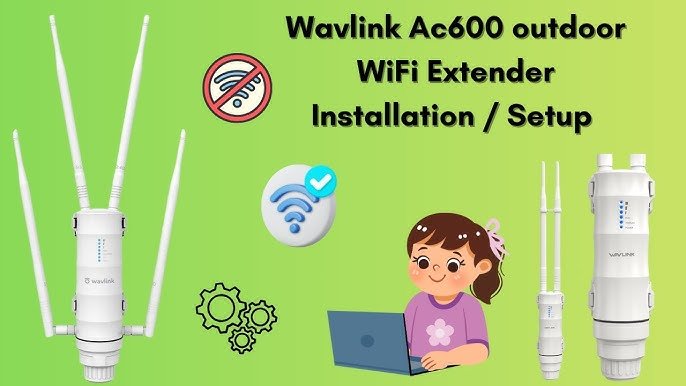
Struggling to keep a strong WiFi signal across your entire outdoor space? You’re not alone.
Many people face the frustration of spotty internet when trying to enjoy their backyard, patio, or garden. The good news is, powering an outdoor WiFi extender can change that. Imagine seamless streaming, uninterrupted online gaming, or even working from your garden office without a hitch.
In this guide, you’ll discover simple steps to boost your outdoor internet connection. You don’t need to be a tech expert to get it right. Ready to transform your outdoor space into a connectivity haven? Let’s dive in and make your WiFi woes a thing of the past.

Credit: manuals.plus
Choosing The Right Power Source
Using standard electrical outletsis the most common way to power an outdoor WiFi extender. It is simple and reliable. Make sure the outlet is weatherproofor protected from rain and dust. Use outdoor-rated extension cords if needed. Always check the voltage and power requirements of your device.
Power over Ethernet (PoE)lets you send power and data through one cable. This reduces the need for extra wiring. PoE is ideal for outdoor setupswhere power outlets are scarce. The cable must be long enough and protected from the weather. PoE injectors or switches are required to supply power.
Battery-powered optionsoffer portability and flexibility. They are useful for places without power access. Batteries need regular charging or replacement. Some models have solar panel support for longer use. Battery packs vary in capacity, so choose one that fits your needs.

Credit: www.youtube.com
Setting Up Poe For Outdoor Extenders
Choosing the right PoE adapteris key for outdoor WiFi extenders. Look for adapters that match your extender’s power needs and support the same PoE standard, such as IEEE 802.3af or 802.3at. This ensures safe and reliable power delivery.
Running Ethernet cables outside needs care. Use outdoor-rated cablesthat resist water, sun, and temperature changes. Bury the cables or use conduit to protect them from damage and reduce signal loss.
Weatherproof connections keep your setup safe from rain and dust. Use waterproof junction boxesand seal connectors with silicone gel or tape. This stops moisture from damaging the extender and keeps the connection strong.
Solar Power Solutions
Solar panelsmust match the wifi extender’s power needs. Small panels with 5 to 20 watts work well. Look for panels that give steady power even on cloudy days. Choose durable, weather-resistantpanels for outdoor use. Polycrystalline or monocrystalline panels are common choices.
Use a batteryto store solar energy. This ensures the extender runs at night or on dull days. A charge controllerprotects the battery from overcharging and power surges. Match battery voltage with your extender’s input voltage, usually 12V or 5V.
- Place panels facing southin the northern hemisphere for best sunlight.
- Keep panels free from shade and dirt.
- Angle panels between 30° to 45°, depending on your latitude.
- Secure all wiring to avoid damage from wind or animals.

Credit: m.youtube.com
Using Power Banks And Ups
Portable power banksprovide a simple way to power outdoor WiFi extenders temporarily. They are light and easy to carry. Choose a power bank with enough capacity (measured in mAh)to run the extender for hours. Keep in mind that the extender’s power needs should match the power bank’s output voltage and current. Power banks work well for short trips or places without electricity.
Uninterruptible Power Supplies (UPS)offer steady power and protect against outages. A UPS can keep your WiFi extender running during power cuts. They store energy in a battery and switch on immediately if the main power fails. This ensures stable and continuous connectionoutdoors.
- Charge power banks fully before use.
- Store UPS batteries in a cool, dry place.
- Test devices regularly to confirm they work properly.
- Use compatible chargers to avoid damage.
- Keep cables and connections clean and dry.
Ensuring Safety And Reliability
Outdoor WiFi extenders face harsh weather like rain, snow, and sun. Protecting them from moistureis key. Use weatherproof enclosuresand seal all cable connections tightly. This stops water from entering and causing damage.
Surge protection keeps your device safe from electrical spikes. Connect the extender to a grounded outlet. Use surge protectorsdesigned for outdoor use. This prevents damage from lightning or power surges.
Regular checks keep the extender working well. Inspect cables for wear or cracks. Clean dust and debris from vents and cases. Tighten any loose connections. Doing this every few months improves reliabilityand performance.
Frequently Asked Questions
How Do I Power An Outdoor Wifi Extender Safely?
Use a weatherproof power adapter or Power over Ethernet (PoE). Ensure connections are sealed to prevent moisture damage. Follow manufacturer instructions for voltage and current to avoid electrical hazards.
Can I Use A Solar Panel To Power Outdoor Wifi Extenders?
Yes, solar panels can power outdoor WiFi extenders. Use a compatible solar charger with a battery backup to ensure consistent power during low sunlight.
What Is The Best Power Source For Outdoor Wifi Extenders?
Power over Ethernet (PoE) is the best option. It delivers power and data through one cable, minimizing wiring and ensuring stable connectivity outdoors.
How Far Can I Place A Wifi Extender From The Power Source?
WiFi extenders powered by PoE can be up to 100 meters (328 feet) from the power source. For standard power adapters, distance depends on cable length and voltage drop.
Conclusion
Powering your outdoor WiFi extender is simple and important. Use the right power source to keep it running well. Place the extender where it gets enough electricity and stays safe from weather. Check cables and connections often to avoid problems.
A stable power supply helps your WiFi reach farther and stay strong. Enjoy better internet outdoors with a well-powered extender. Keep these tips in mind for smooth and steady WiFi outside your home.


