Are you tired of lag ruining your gaming experience? Imagine being on the brink of a major victory in your favorite game, and suddenly, everything freezes.
Frustrating, right? Latency can be a gamer’s worst enemy, disrupting the flow and precision needed for a winning streak. But what if you could change that with just the right gaming modem? You’ll discover simple yet effective ways to minimize latency, ensuring smoother gameplay and giving you the competitive edge you’ve been dreaming of.
Ready to transform your gaming sessions into seamless adventures? Let’s dive in and explore how you can optimize your setup for peak performance.
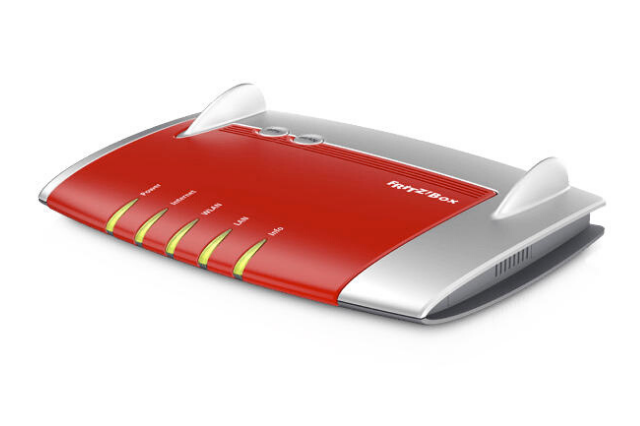
Credit: aptus.ie
Gaming Modem Basics
A gaming modem plays a vital role in reducing latency during online play. It connects your home network to the internet and manages data flow. A good modem offers faster and more stable connections, which lowers lag and improves gameplay. Understanding the basics helps you choose the right device for smooth gaming experiences.
Key Features For Low Latency
- High-speed data transfer to handle gaming traffic efficiently
- Quality of Service (QoS) to prioritize gaming packets over other traffic
- Low jitter for stable and consistent connections
- Support for the latest internet standards like DOCSIS 3.1
- Multiple channels for better data throughput and reduced congestion
Modem Vs Router For Gaming
A modem connects your home to the internet. It translates signals from your internet provider.
A router connects devices inside your home network. It manages traffic between them and the modem.
For gaming, both are important. The modem affects internet speed and latency. The router controls local traffic.
Using a dedicated gaming modem can reduce delays from the provider’s side. Pairing it with a quality router ensures smooth device communication.

Credit: www.privateinternetaccess.com
Latency Factors In Online Gaming
Latency plays a big role in online gaming. It affects how fast your game reacts to your commands. Many things cause latency, but some are more important than others. Understanding these factors helps lower delays and improve gameplay.
Network Delays Explained
Network delays happen when data moves between your device and the game server. Each step takes time. This delay is called latency or ping. The longer the data travels, the higher the latency.
Delays come from:
- Data travel distance
- Router processing speed
- Network traffic congestion
- Packet loss or errors
Lower delays mean faster game response. Good gaming modems reduce these delays by processing data quickly and managing traffic better.
Impact Of Isp And Server Location
Your Internet Service Provider (ISP) affects latency. Some ISPs have faster, more stable routes to game servers. Others may cause more delay due to poor routing or slow infrastructure.
Server location matters too. The closer the game server, the less distance data must travel. This short distance cuts latency significantly.
Choosing a gaming modem that works well with your ISP can help. It ensures better connection quality and lower lag. Also, picking game servers near your location improves gameplay speed.
Choosing The Right Gaming Modem
Choosing the right gaming modem is key to lowering latency. A good modem ensures smooth gameplay and faster response times. It connects your gaming device to the internet without delays or interruptions.
Several factors affect how well a modem performs with your gaming setup. Picking the best one means checking compatibility, speed, and special features designed for gaming.
Compatibility With Isp
Your modem must work with your internet service provider (ISP). Each ISP supports certain modem models and standards. Using an unsupported modem can cause slow speeds or connection drops.
Check your ISP’s website for a list of compatible modems. Confirm the modem supports your type of internet connection, like cable, DSL, or fiber.
Speed And Bandwidth Considerations
Modems come with different speed ratings and bandwidth limits. Higher speeds help reduce lag and improve gaming performance. Select a modem that matches or exceeds your internet plan’s speed.
Look for modems supporting the latest standards such as DOCSIS 3.1 for cable. These handle higher bandwidth and multiple devices better.
Built-in Gaming Optimizations
Some modems include features that prioritize gaming traffic. These help reduce latency and improve connection stability during play.
- Quality of Service (QoS) to manage bandwidth
- Low latency modes for faster data transfer
- Advanced security to prevent attacks that slow connection
Choosing a modem with gaming optimizations creates a smoother and more responsive gaming experience.
Credit: helpdeskgeek.com
Optimizing Modem Settings
Optimizing your gaming modem settings can significantly lower latency and improve your online experience. Small tweaks inside your modem’s configuration help make connections faster and more stable. It is important to focus on key areas that directly impact speed and responsiveness.
Firmware Updates
Firmware controls how your modem works. Keeping it updated fixes bugs and enhances performance. Check your modem’s manufacturer website regularly for new firmware releases. Many modems allow automatic updates, which keep your device current without effort.
Updating firmware ensures compatibility with the latest network technologies. This can reduce delays and prevent connection drops during gaming sessions. Always follow the instructions carefully to avoid issues during installation.
Quality Of Service (qos) Setup
Quality of Service, or QoS, lets you prioritize gaming traffic over other types of data. This reduces lag by giving gaming packets faster routes through your network. Access your modem’s settings and locate the QoS section to enable it.
Set your gaming device or game application as a high priority. You can also limit bandwidth for other devices or apps that use a lot of data. This focus helps maintain smooth gameplay and lowers the chance of interruptions.
Channel Selection And Frequency
Choosing the right channel and frequency band minimizes interference from other networks. Most modems operate on 2.4 GHz and 5 GHz bands. The 5 GHz band usually offers faster speeds and less congestion, ideal for gaming.
Use your modem’s interface to scan for the clearest channel. Avoid crowded channels where many neighbors connect. Switching channels can reduce packet loss and improve connection stability.
Wired Vs Wireless Connections
Choosing between wired and wireless connections affects gaming latency significantly. Wired connections use cables to connect your gaming device directly to the modem. Wireless connections use Wi-Fi signals to connect without cables.
Wired connections usually offer lower latency and a more stable connection. Wireless connections provide convenience and mobility but can suffer from interference and signal loss. Understanding these differences helps reduce lag and improve your gaming experience.
Advantages Of Ethernet
- Stable connection with minimal interference
- Consistent low latency ideal for fast-paced games
- Faster and more reliable data transfer speeds
- Less signal drop or packet loss compared to Wi-Fi
- Simple plug-and-play setup for most devices
Ethernet cables keep your data flowing smoothly. This reduces delays and keeps your game responsive.
Improving Wireless Stability
- Place your modem near your gaming device
- Use the 5 GHz Wi-Fi band for faster speeds
- Reduce interference from other electronic devices
- Update modem firmware for better performance
- Limit the number of devices connected to Wi-Fi
Strong Wi-Fi signals lower lag and prevent disconnections. These tips help make your wireless gaming smoother and more stable.
Additional Speed Boost Tips
Boosting your gaming experience goes beyond just having a powerful gaming modem. There are several smart ways to further reduce latency and enjoy smoother gameplay. These additional speed boost tips can help you make the most out of your connection without needing expensive upgrades.
Reducing Background Traffic
Background apps and downloads can silently eat up your bandwidth, causing lag during critical gaming moments. Check your device for any automatic updates, cloud backups, or streaming services running in the background and pause them while gaming.
On a home network, other users might be streaming videos or downloading large files. Communicate with your household or use your router’s Quality of Service (QoS) settings to prioritize gaming traffic over other activities.
Using Gaming Vpns
You might think VPNs slow down your connection, but gaming VPNs are designed differently. They can reduce latency by providing a more direct route between your device and the game server, especially if your ISP’s routing isn’t optimized.
Choose a VPN with servers close to your game’s server location and low ping rates. Test the connection before committing to avoid accidentally increasing lag.
Regular Network Maintenance
Just like your gaming rig, your network needs regular checkups. Restart your modem and router periodically to clear temporary issues and improve performance.
Check for firmware updates for your modem and router. Manufacturers often release patches that fix bugs and boost speed. Also, regularly inspect cables and connections to ensure there’s no physical damage affecting your speed.
Frequently Asked Questions
What Is A Gaming Modem And How Does It Reduce Latency?
A gaming modem is designed to optimize internet traffic for gaming. It reduces latency by prioritizing gaming data packets and minimizing network interference, resulting in faster response times and smoother gameplay.
How Can Firmware Updates Improve Gaming Modem Performance?
Firmware updates fix bugs and enhance modem features. Regular updates ensure compatibility with new games and improve latency by optimizing network protocols and stability.
Does Wired Connection Help Reduce Latency With A Gaming Modem?
Yes, wired connections offer more stable and faster data transfer than Wi-Fi. Connecting your gaming device directly to the modem reduces packet loss and lowers latency.
Can Quality Of Service (qos) Settings Lower Gaming Latency?
QoS prioritizes gaming traffic over other internet activities. Enabling QoS on your gaming modem ensures games get bandwidth first, reducing lag and improving overall gameplay experience.
Conclusion
Reducing latency with a gaming modem improves your online play. A good modem cuts delays and keeps your connection steady. Choose one that fits your internet speed and gaming needs. Keep your modem’s firmware updated for best results. Place the modem close to your gaming device.
Small steps make big differences in your gaming experience. Enjoy smoother gameplay and less lag with these tips. Play smarter, not harder.