Your gaming modem is the heart of your online experience. But have you ever thought about how secure it really is?
Without proper protection, your connection could be vulnerable to hackers, slowdowns, or interruptions during crucial game moments. Imagine losing a match because someone else is messing with your network. That’s why securing your gaming modem isn’t just smart—it’s essential. You’ll discover simple yet powerful steps to keep your modem safe and your games running smoothly.
Ready to take control of your gaming setup and protect what matters most? Let’s dive in.

Credit: www.ign.com
Choose A Gaming Router
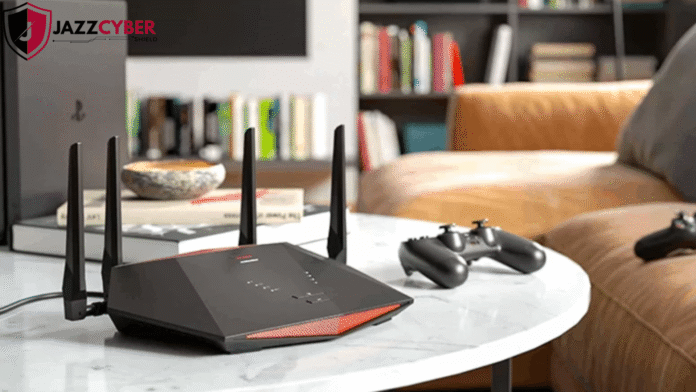
Choosing the right gaming router is essential for securing your gaming modem and ensuring a smooth, uninterrupted experience. A good gaming router does more than just connect your devices; it protects your network from threats and optimizes performance. Let’s look into the key factors that make a gaming router stand out in both security and speed.
Features That Boost Security
Security features in a gaming router protect your network from hackers and malware. Look for routers with built-in firewalls and automatic firmware updates. These help block unauthorized access and keep your device’s software up to date without you having to check constantly.
Some routers also offer advanced encryption protocols like WPA3, which provide stronger protection than older versions. You can find models with intrusion detection systems that alert you to suspicious activity on your network. Have you ever experienced random disconnections or lag caused by someone else using your Wi-Fi? Security features in gaming routers help prevent that.
Prioritize Speed And Stability
Speed and stability are just as important as security for a gaming router. A stable connection reduces lag and packet loss during critical moments in your game. Routers with Quality of Service (QoS) settings allow you to prioritize gaming traffic over other internet uses.
Choose routers with dual-band or tri-band capabilities to spread out your devices and reduce interference. High-speed ports, like gigabit Ethernet, ensure your wired connections are lightning fast. Think about your gaming setup—does your current router handle multiple devices without slowing down? Upgrading to a gaming router can make a noticeable difference.
Update Firmware Regularly
Keeping your gaming modem’s firmware up to date is one of the easiest yet most effective ways to protect your network. Firmware updates fix security holes, improve performance, and sometimes add new features that can enhance your gaming experience. Ignoring these updates leaves your modem vulnerable to attacks and can cause connection issues during critical gaming moments.
Check For Manufacturer Updates
Visit your modem manufacturer’s website regularly or use their support app to check for the latest firmware versions. You might find updates that address specific bugs or security threats affecting your model. Don’t wait for a notification—actively searching ensures you’re not missing important patches.
For example, I once skipped checking for updates and experienced frequent disconnections during online matches. After installing the latest firmware, the problem vanished. That experience showed me how vital it is to stay proactive about updates.
Enable Automatic Updates
Many modern gaming modems allow you to turn on automatic firmware updates. This feature saves you the hassle of manual checks and installs updates as soon as they’re available. Enabling this option means your modem stays secure without you needing to lift a finger.
Before enabling automatic updates, double-check that your modem is connected to a stable power source and network to prevent interruptions during the update process. Have you set your modem to update automatically yet? It could be the easiest security step you take today.
Set Strong Passwords
Setting strong passwords is a key step to secure your gaming modem. Weak passwords leave your network open to hackers and slow down your gaming experience. Strong passwords protect your connection and keep your data safe.
Use unique, hard-to-guess passwords for both your router and Wi-Fi network. Avoid common words, simple patterns, or personal information. Change default passwords immediately after setup.
Create Complex Router Passwords
Your router’s admin password controls access to settings. Create a complex password with:
- At least 12 characters
- Upper and lowercase letters
- Numbers and special symbols
Do not use simple passwords like “password123” or “admin.” Use a password manager to store and generate strong passwords.
Secure Wi-fi With Wpa3
Use WPA3 encryption to protect your Wi-Fi network. It is the latest security protocol offering better protection than WPA2. WPA3 prevents unauthorized access and secures your data transmission.
Check your router settings to enable WPA3. If your router does not support WPA3, upgrade the firmware or consider a newer model.
Credit: blog.jazzcybershield.com
Configure Network Settings
Configuring network settings is key to securing your gaming modem. It limits who can access your network and controls the way devices connect. Proper settings protect your data and ensure smooth gameplay without interruptions. Adjusting these settings is simple and effective in boosting security.
Disable Remote Management
Remote management allows access to your modem from outside your home. This feature can be risky if left enabled. Disabling it stops hackers from changing settings remotely. Access your modem’s control panel and look for the remote management option. Turn it off to block outside access. This step keeps your modem safe from unwanted interference.
Use Guest Networks For Visitors
Guest networks provide a separate connection for visitors. This keeps your main gaming network safe from unknown devices. Set up a guest network through your modem’s settings. Limit the access time and bandwidth for guests. This stops visitors from accessing your personal files or slowing your gaming speed. It is a simple way to protect your main network.
Enable Firewall Protection
Enabling firewall protection is a crucial step to keep your gaming modem safe from unwanted intrusions. A firewall acts as a gatekeeper, monitoring the traffic that enters and leaves your network. It blocks suspicious activities and helps maintain a smooth, secure gaming experience.
Activate Built-in Router Firewall
Most gaming modems come with a built-in firewall that you can turn on easily. Check your router’s settings page by typing its IP address into your browser. Once logged in, look for the firewall or security section and activate the firewall feature.
Turning on this default firewall adds a strong layer of protection without slowing down your connection. It filters incoming data packets and stops many common cyber threats. Have you ever wondered how some gamers avoid constant lag and attacks? Their firewall is often the unsung hero.
Consider Additional Security Software
While the built-in firewall is a good start, adding extra security software can boost your defense. Programs like dedicated firewall apps or security suites offer advanced features such as real-time monitoring and automatic threat removal.
You can find software tailored for gamers that balances protection and performance. This extra layer helps catch threats the router’s firewall might miss. What if your firewall could adapt instantly to new hacking attempts? Some software solutions offer that level of responsiveness.

Credit: www.popsci.com
Monitor Network Traffic
Monitoring network traffic is essential for securing a gaming modem. It helps detect unusual activities that may harm your connection. Watching the data flow keeps your gaming sessions smooth and safe. This practice also protects personal information from hackers and unauthorized users.
Identify Unfamiliar Devices
Check the list of devices connected to your network regularly. Look for any names or addresses that you do not recognize. Unknown devices might be trying to access your modem without permission. Remove or block these devices to keep your network safe.
Use your modem’s admin panel or a network monitoring app. These tools show all connected devices and their activity. Note the devices you trust. This makes spotting strangers easier in the future.
Set Up Alerts For Suspicious Activity
Enable notifications for any unusual network behavior. Alerts can warn you of new devices or sudden spikes in traffic. Early warnings allow quick action before damage occurs.
Many gaming modems support alert features in their settings. Turn on email or push notifications to stay informed. This helps maintain control and security without constant checking.
Use Vpn For Privacy
Using a VPN for your gaming modem boosts your online privacy and security. A VPN hides your real IP address. This stops hackers and trackers from finding your location. It creates a secure tunnel for your internet data. This keeps your gaming sessions safe from snooping and attacks.
VPNs also help reduce risks like DDoS attacks. These attacks can disrupt your gameplay and cause lag. With a VPN, your connection is shielded, making such attacks less likely.
Benefits Of Vpns In Gaming
- Protects personal data from hackers and spies
- Prevents DDoS attacks that can slow down or crash games
- Masks your real IP to avoid location tracking
- Allows access to region-locked games and content
- Improves connection security on public Wi-Fi networks
Select Reliable Vpn Providers
Choose a VPN provider known for strong security and speed. Look for these features:
- High encryption standards
- No-log policy to protect your privacy
- Fast servers with low latency
- Wide server locations around the world
- Easy setup and clear instructions
Test the VPN’s performance before using it for serious gaming. A good VPN should not cause noticeable lag or slow your connection.
Secure Connected Devices
Securing devices connected to your gaming modem is key for safe gameplay. Each device can be a target for hackers or malware. Protecting consoles and PCs helps keep your games and personal data safe. Regular care and smart habits reduce risks and improve performance.
Update Gaming Consoles And Pcs
Keep your gaming consoles and PCs up to date. Updates fix security holes and improve system stability. Game developers release patches to protect against new threats. Enable automatic updates to avoid missing important fixes. Outdated software invites hackers and causes performance problems.
Install Antivirus And Anti-malware
Use antivirus and anti-malware software on all gaming devices. These tools scan for harmful files and block attacks. Choose trusted programs with good reviews and regular updates. Run scans often to detect hidden threats. Protecting devices this way stops malware from spreading through your network.
Limit Port Forwarding
Limiting port forwarding on your gaming modem is a key step to keep your network safe. Every open port is a potential gateway for hackers. If you don’t control which ports are open, you risk exposing your system to unwanted attacks.
Open Only Necessary Ports
Only open ports that your game or application explicitly needs. For instance, many popular games require specific ports to connect to their servers. Opening extra ports just in case can create vulnerabilities.
Check your game’s documentation or official support site to find the exact ports. If you’re unsure, keep them closed until you confirm they’re needed. This practice cuts down on potential entry points for cyber threats.
Use Upnp With Caution
Universal Plug and Play (UPnP) can automatically open ports for your devices, making setup easier. But this convenience comes with risks—malicious software can exploit UPnP to open ports without your knowledge.
If you choose to use UPnP, monitor your network regularly to spot any unusual port activity. Consider disabling UPnP when you’re not gaming or if you don’t need automatic port management. Are you comfortable letting devices open ports on your network without oversight?
Frequently Asked Questions
How Can I Secure My Gaming Modem From Hackers?
Secure your gaming modem by updating its firmware regularly. Use strong, unique passwords and enable WPA3 encryption. Disable remote management and limit device access to trusted users only.
Why Is Firmware Update Important For Gaming Modems?
Firmware updates fix security vulnerabilities and improve device performance. Regular updates protect your gaming modem from new threats and ensure stable connections.
What Encryption Should I Use For My Gaming Modem?
Use WPA3 encryption if available, as it offers the strongest security. If not, WPA2 is the next best option to protect your network data.
How To Prevent Unauthorized Access To My Gaming Modem?
Change default login credentials and create strong passwords. Enable network firewalls and disable remote access features. Regularly monitor connected devices for any unknown users.
Conclusion
Securing your gaming modem is essential for a safe experience. Start by updating firmware regularly. Use strong, unique passwords to protect your network. Enable network encryption for added security. Keep an eye on connected devices. Regularly check for unfamiliar devices.
Limit access to trusted users only. Change default settings to boost security. Disable features you don’t need. Stay informed about new security threats. Simple actions can prevent major issues. A secure modem means a worry-free gaming session. Enjoy your games with peace of mind.
Stay safe online!