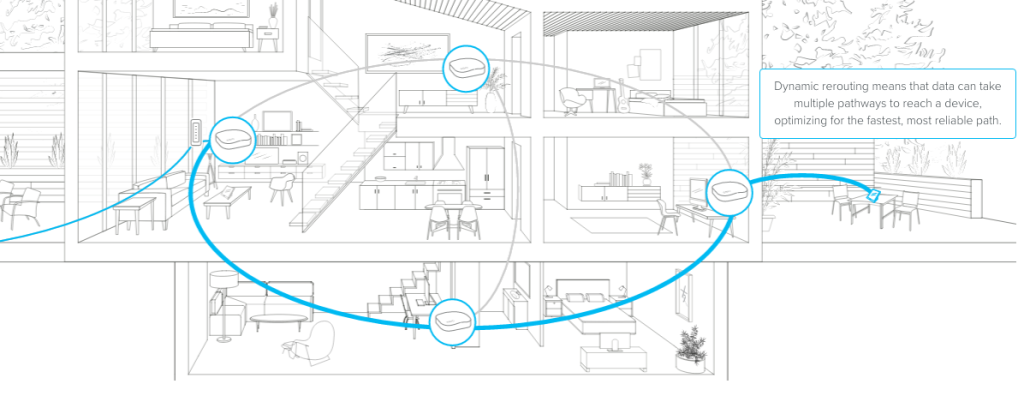
Struggling with slow WiFi or dead zones in your small apartment? You’re not alone.
A strong, reliable internet connection is key for everything you do—streaming, working, gaming, or just staying connected. Setting up mesh WiFi can be the simple fix you need. It’s designed to cover every corner of your space with seamless internet, no matter where you are.
You’ll discover easy steps to set up mesh WiFi in your apartment, so you can enjoy fast, consistent online access without the frustration. Ready to boost your WiFi and say goodbye to buffering? Let’s dive in.
Credit: andrerochaos.medium.com
Choosing The Right Mesh Wifi System
Setting up mesh wifi in a small apartment improves internet coverage. Picking the right system helps avoid weak signals.
Choosing the best mesh wifi depends on your apartment’s size and needs. Focus on features that fit your space.
Assessing Apartment Size And Layout
Knowing your apartment’s size helps select the right mesh wifi system. Small spaces may need fewer nodes to cover well.
Consider walls and furniture that block signals. Open layouts allow better wifi reach than many closed rooms.
- Measure total square feet of your apartment
- Note thick walls or metal appliances
- Check if wifi needs to reach balconies or storage areas
Key Features To Look For
Look for mesh wifi systems with easy setup and strong coverage. Good features improve your internet experience.
Speed and security matter. Choose systems with fast connection and protection against threats.
- Simple mobile app for setup and control
- Dual-band or tri-band support for better speed
- Automatic updates for security
- Guest network option for visitors
- Parental controls if needed
Popular Mesh Wifi Brands
Some brands offer reliable mesh wifi systems for small apartments. They have good reviews and features.
These brands provide different models to fit various budgets and needs.
- Google Nest Wifi
- Netgear Orbi
- TP-Link Deco
- Amazon Eero
- Linksys Velop
Preparing Your Apartment For Installation
Setting up mesh WiFi in a small apartment improves internet coverage. Preparing your space well helps the installation go smoothly.
This guide covers important steps before placing your mesh routers. It ensures your network works efficiently from the start.
Identifying Optimal Router Placement
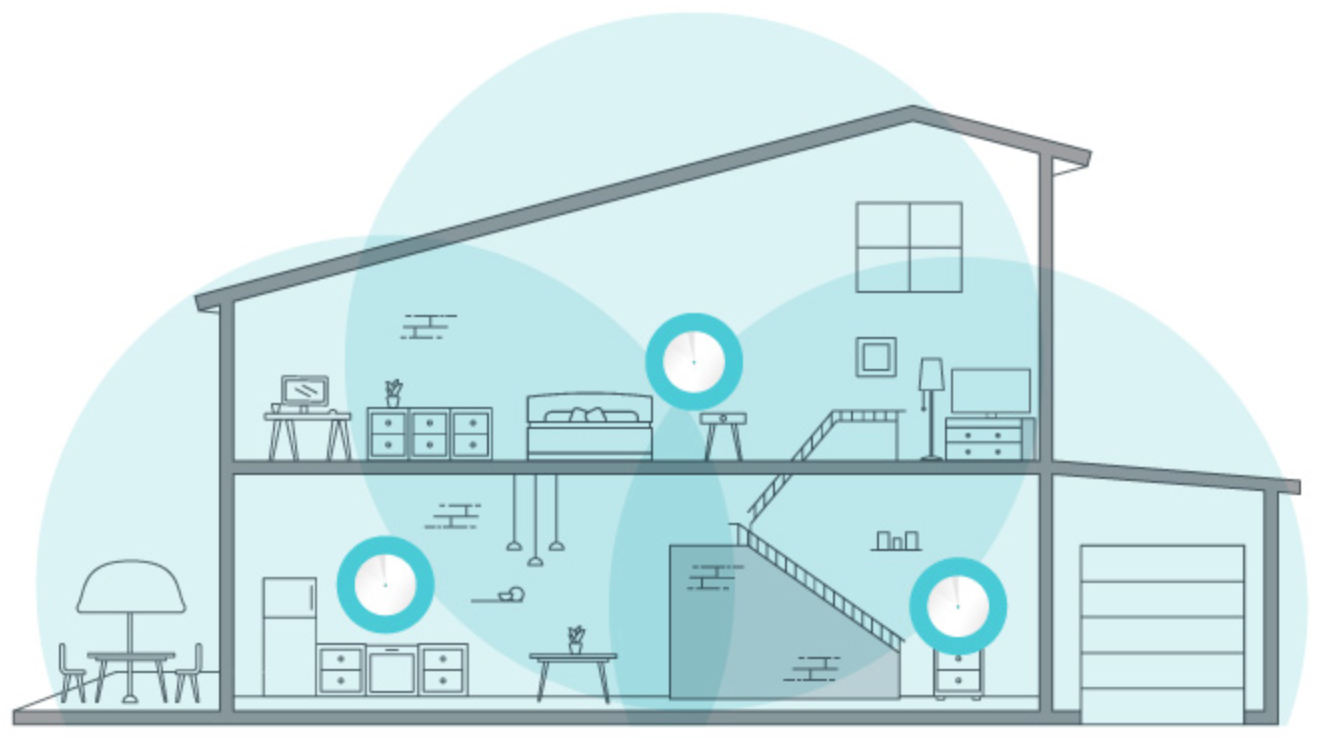
Place your main router in a central spot for the best signal. Avoid corners or behind large furniture.
Position satellite units in open areas where signals can travel without blockages. Keep devices visible and off the floor.
- Choose a central location for the main router
- Keep satellites in open, elevated spots
- Avoid thick walls and metal objects
- Space satellites evenly for good coverage
Minimizing Interference Sources
WiFi signals weaken when near electronics that emit radio waves. Identify and move these items away from your routers.
Common interference sources include microwaves, cordless phones, and Bluetooth devices. Keep your mesh system clear of these.
- Avoid placing routers near microwaves
- Keep distance from cordless phones
- Limit Bluetooth device use nearby
- Reduce thick walls or metal objects nearby
Checking Existing Internet Setup
Know your current internet connection type before installing mesh WiFi. Check your modem and cables.
Ensure your internet plan supports the speeds you want. Confirm your modem works well with mesh routers.
- Identify your modem and internet type
- Check if your modem supports mesh networks
- Verify internet speed matches your needs
- Prepare necessary cables for connection
Setting Up The Mesh Wifi Network
Setting up a mesh wifi network can improve internet coverage in your small apartment. It helps reduce dead zones and keeps your connection strong.
Follow simple steps to connect the main router, add satellite nodes, and use the setup app. This will get your mesh network running smoothly.
Connecting The Main Router
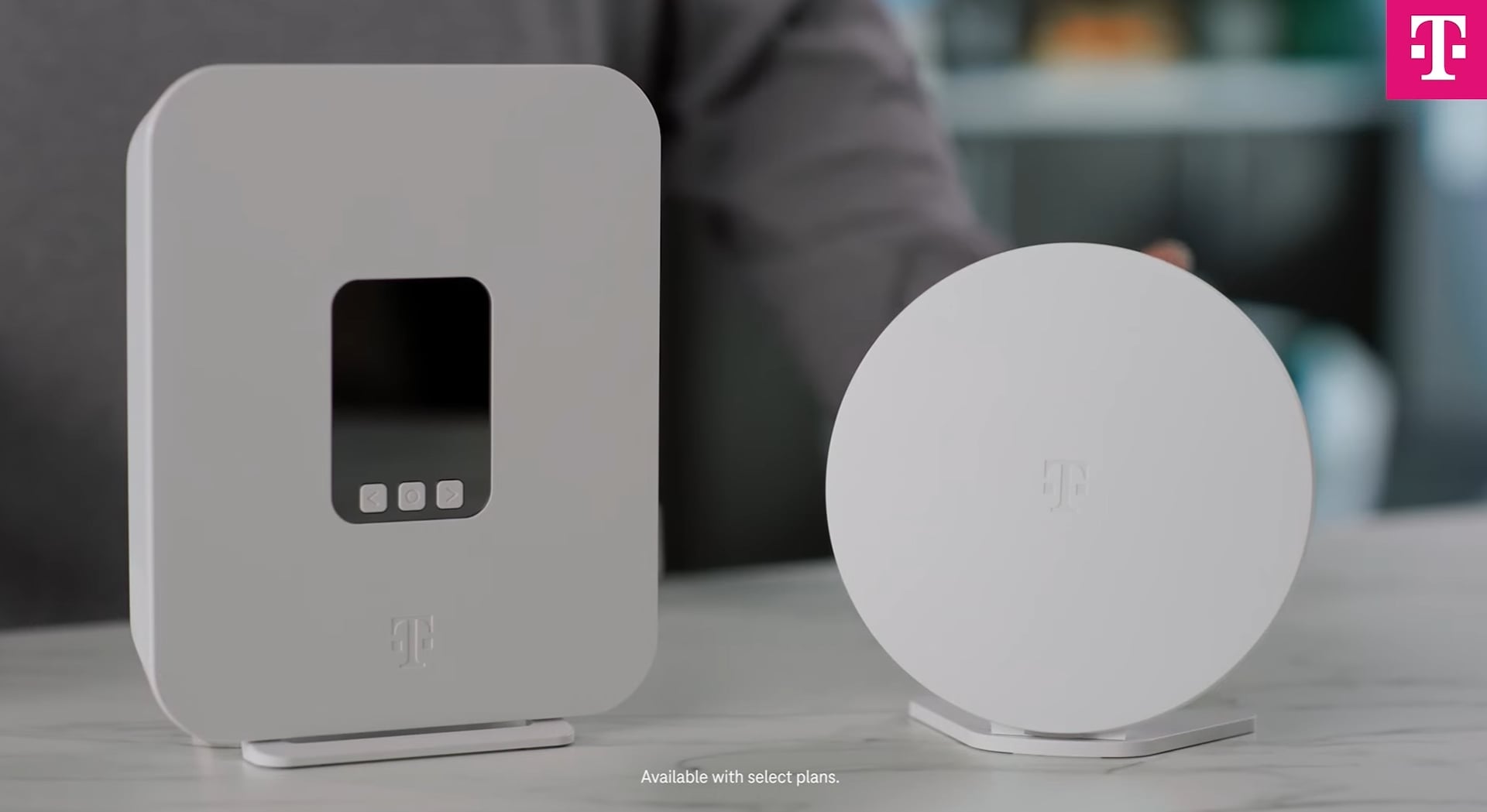
Start by placing the main router near your modem. Connect it using an Ethernet cable for the best speed. Plug in the power and turn it on.
Make sure the router’s lights show it is powered and connected. This router will send the wifi signal to your other devices.
Adding Satellite Nodes
Place satellite nodes around your apartment. Put them in open spaces, not inside cabinets or behind furniture. This helps the signal travel better.
Keep each node within range of the main router or another node. This creates a strong, linked network that covers your whole apartment.
- Place nodes on different floors if you have them
- Avoid walls and large metal objects
- Keep nodes visible and easy to access
Using The Setup App
Download the mesh wifi setup app on your phone or tablet. The app guides you step-by-step through the installation process. It helps connect the main router and nodes.
Use the app to name your network and set a password. It also checks signal strength and updates your system automatically.
- Follow on-screen instructions carefully
- Test each node’s connection in the app
- Update firmware when prompted for better performance
Optimizing Network Performance
Setting up mesh WiFi in a small apartment helps you get better coverage. To get the best speed and reliability, you need to optimize your network.
This guide covers key ways to improve your mesh WiFi’s performance for smooth internet use.
Configuring Wifi Channels
Wifi channels can interfere with each other if many networks use the same one. Choosing the right channel reduces this problem.
- Scan nearby networks to find less crowded channels.
- Use 5 GHz band channels for faster speeds and less interference.
- Set each mesh node to different channels if possible.
- Check your router’s admin panel for automatic channel selection features.
Updating Firmware Regularly
Firmware updates fix bugs and improve device performance. Keeping your mesh system updated keeps your network secure and fast.
| Update Type | Benefits |
| Security Patch | Protects against new threats |
| Performance Boost | Increases speed and stability |
| Bug Fix | Fixes errors and crashes |
Managing Connected Devices
Too many devices on your network can slow it down. Managing connected devices helps keep your mesh WiFi running smoothly.
Try these tips to manage devices:
- Limit guest access to reduce load.
- Disconnect devices not in use.
- Use Quality of Service (QoS) settings to prioritize important devices.
- Regularly check device list and remove unknown connections.
Troubleshooting Common Issues
Setting up mesh WiFi in a small apartment can improve your internet coverage. Sometimes, you may face issues like slow speeds or connection drops. This guide helps you fix these common problems quickly.
Follow the tips below to keep your mesh WiFi working smoothly. You will also learn how to reset your system if needed.
Dealing With Slow Speeds
Slow internet speeds can happen for many reasons. Your devices might be too far from the mesh nodes. Or, other electronics could cause interference.
- Move your mesh nodes closer to each other.
- Place nodes away from microwaves or cordless phones.
- Limit the number of devices connected at once.
- Check for software updates on your mesh system.
- Restart your modem and mesh router to refresh connections.
Fixing Connection Drops
Connection drops can interrupt your internet use. Causes include weak signals or overloaded networks. You can fix this by adjusting your setup.
| Cause | Fix |
| Node too far from main router | Move node closer to main router |
| Interference from other devices | Change node location away from electronics |
| Too many devices connected | Disconnect unused devices |
| Old firmware | Update mesh system software |
Resetting The Mesh System
If problems persist, resetting your mesh system can help. Resetting clears errors and restores default settings.
- Find the reset button on your main mesh router.
- Press and hold the button for 10 seconds using a paperclip.
- Wait for the device to restart and the lights to stabilize.
- Reconfigure your mesh network using the app or web interface.

Credit: dongknows.com
Credit: www.t-mobile.com
Frequently Asked Questions
What Is Mesh Wifi And Why Use It In Small Apartments?
Mesh WiFi uses multiple nodes to create seamless coverage. It eliminates dead zones and improves connection speed in small apartments. This ensures strong, reliable internet throughout your space without signal drops.
How Many Mesh Wifi Nodes Are Needed For A Small Apartment?
Typically, 2 to 3 nodes cover a small apartment effectively. Place one near the router and others in distant rooms. This setup maximizes coverage and maintains fast speeds throughout.
Where Should I Place Mesh Wifi Nodes In My Apartment?
Place nodes centrally in each room, away from walls and electronics. Avoid corners or behind furniture to reduce interference. Proper placement ensures optimal signal distribution and stronger WiFi connection.
Can Mesh Wifi Work With My Existing Router?
Yes, mesh WiFi systems often work alongside existing routers. You can set the mesh as an access point or replace the router entirely. This flexibility helps improve your current network easily.
Conclusion
Setting up mesh WiFi in a small apartment improves your internet connection. It spreads the signal evenly across all rooms. Placement of nodes matters for best coverage. Choose spots with fewer walls and obstacles. Follow simple steps to connect devices easily.
Your internet will feel faster and more stable. Enjoy smooth streaming, gaming, and browsing everywhere. A good mesh system fits small spaces well. Keep your network secure with strong passwords. This setup makes daily online tasks much better. Try it today for a stronger WiFi experience.


