Imagine you’re in the middle of an intense gaming session, and just as you’re about to reach a new level, your connection falters. Frustrating, right?
This is where a dual-band WiFi extender can become your gaming ally. It promises to boost your internet speed and reduce lag, giving you the competitive edge you need. But how exactly do you use a dual-band WiFi extender effectively for gaming?
In this guide, you’ll discover simple steps to optimize your gaming experience. Stay with us, because these insights could be the game-changer you’ve been searching for. Let’s level up your gameplay!

Credit: www.youtube.com
Benefits Of Dual Band Wifi Extenders
Dual band wifi extendershelp improve your internet connection for gaming. They offer two frequency bands: 2.4 GHz and 5 GHz. This allows better speed and wider coverage in your home. The 5 GHz band provides fast speeds for gaming, while 2.4 GHz covers longer distances.
These extenders reduce interferencefrom other wireless devices. This means fewer interruptions and a more stable connection. They help avoid slowdowns caused by crowded wifi signals.
The result is an enhanced gaming experience. You get smoother gameplay with less lag. Games load faster and your online matches stay connected without drops. A dual band wifi extender makes gaming more enjoyable and reliable.
Choosing The Right Extender
Check if the extender matches your router’s brand and model. Some extenders work better with certain routers. This helps avoid connection problems.
Look for dual band support, which means it works on both 2.4 GHz and 5 GHz. The 5 GHz band is faster and less crowded. Choose extenders with strong signal strength and good range. Features like beamformingcan focus the signal for better gaming.
Place the extender in a spot where the router’s signal is strong. Avoid walls or metal objects that block signals. It should be close enough to the gaming device for a fast connection but far enough from the router to boost coverage.
Setting Up Your Dual Band Extender
Connect your dual band extender close to your main router first. Use the extender’s app or web interface to find your existing WiFi network. Enter the password carefully to link the extender with your router. This step ensures your gaming devices get a stronger and wider signal.
Set up the 2.4 GHz bandfor longer range but slower speed. Use the 5 GHz bandfor faster speed but shorter range. Choosing the right band can help reduce lag during gaming sessions.
| Band | Speed | Range | Best for |
|---|---|---|---|
| 2.4 GHz | Slower | Longer | General use, far devices |
| 5 GHz | Faster | Shorter | Gaming, streaming, close devices |
Keep your extender’s firmware up to date. Check the settings panel for updates regularly. Use strong passwords to protect your network. These steps keep your connection safeand stablefor smooth gaming.

Credit: manuals.plus
Optimizing Extender Settings For Gaming
Prioritizing gaming traffichelps reduce lag and keep gameplay smooth. Use your extender’s Quality of Service (QoS) settings to give priority to your gaming devices. This means your console or PC will get faster data over other devices on the network.
Channel selection tipsfocus on picking the best WiFi channels to avoid interference. Choose channels that are less crowded in your area. The 5 GHz band usually has more channels and less interference than 2.4 GHz.
Reducing latencyis key for fast gaming response times. Place your extender closer to your gaming device and router. Avoid walls and metal objects that can block signals. Also, use wired connections if possible for lower delay.
Troubleshooting Common Issues
Signal dropscan cause gaming lag and frustration. Keep the extender close to your router for a strong signal. Avoid walls and large objects between devices. Restart the extender to refresh connections. Check for interference from other electronics like microwaves or cordless phones.
Slow speeds affect game performance. Connect to the 5GHz bandfor faster data transfer. Limit the number of devices using the extender. Update the extender’s firmware to improve speed and stability. Clear background apps on your gaming device to save bandwidth.
Connectivity problemsoften occur due to wrong settings. Ensure the extender is connected to your main WiFi network. Use the correct WiFi password for the extender setup. Reset the extender if it won’t connect after changes. Move the extender to a spot with a stable router signal.

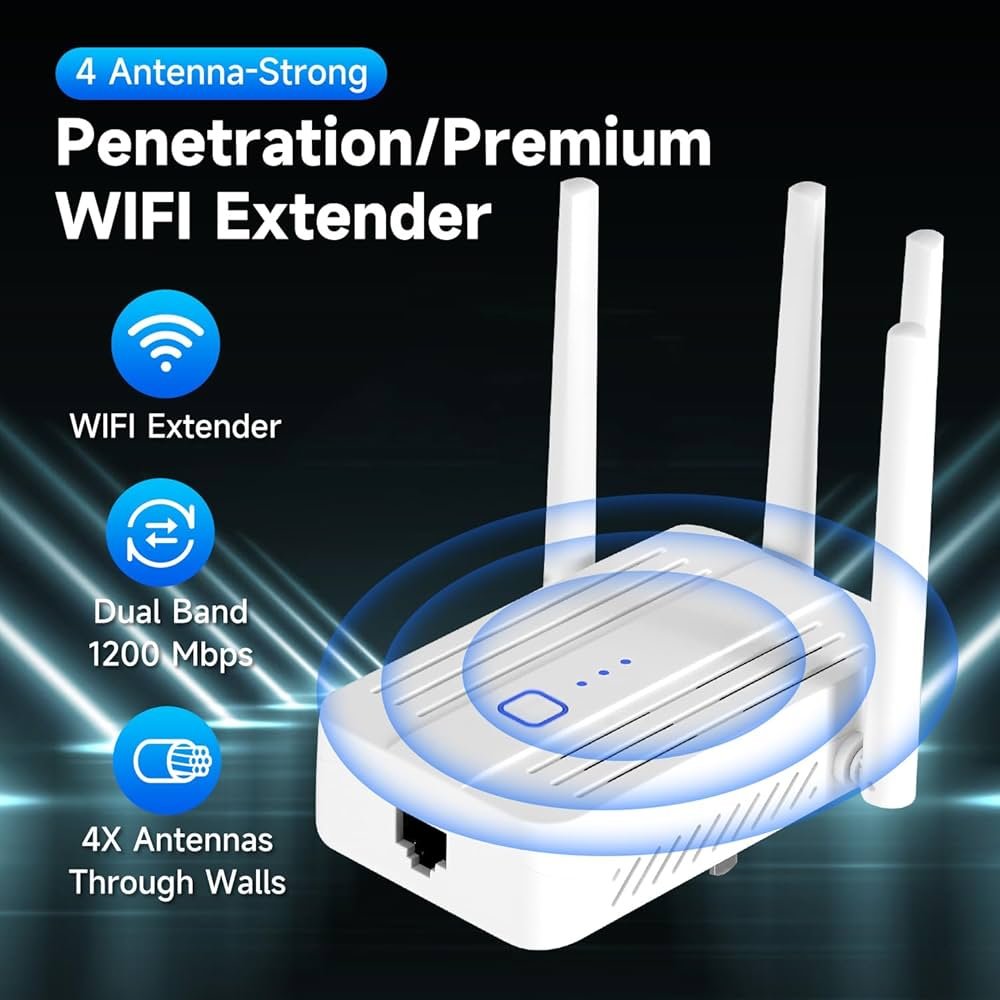
Credit: www.amazon.ca
Additional Tips To Boost Gaming Performance
Using a wired connectionlike an Ethernet cable can give you a more stable and faster gaming experience. It avoids the delays that wireless signals sometimes cause.
Try to reduce the number of devicesconnected to your network during gaming. Too many devices can slow down your internet and cause lag.
Check your network regularly to spot issues early. Use simple tools to see your internet speed and connection quality. Fix problems quickly to keep your games smooth.
- Connect gaming consoles or PCs directly via Ethernet
- Limit streaming or downloads on other devices
- Restart your router and extender often to refresh connections
- Use apps or software to monitor ping and speed
Frequently Asked Questions
What Is A Dual Band Wifi Extender?
A dual band WiFi extender boosts both 2. 4 GHz and 5 GHz signals. It improves range and speed for devices like gaming consoles. This helps reduce lag and connection drops during online gaming sessions.
How Does A Dual Band Extender Improve Gaming?
It offers faster speeds and less interference by using two frequency bands. Gamers get stable connections with lower latency. This enhances gameplay quality and prevents lag spikes in multiplayer games.
Where Should I Place My Wifi Extender For Gaming?
Place the extender midway between your router and gaming device. Ensure it gets a strong router signal and covers your gaming area well. Avoid physical obstructions for the best performance.
Can A Dual Band Extender Reduce Gaming Lag?
Yes, by providing a stronger and more reliable WiFi connection. It minimizes packet loss and signal interference, which are common causes of lag. This results in smoother gameplay and faster response times.
Conclusion
Using a dual band WiFi extender can improve your gaming experience. It helps reduce lag and keeps your connection stable. Place the extender where your signal is weak but still reachable. Connect your gaming device to the 5GHz band for faster speeds.
The 2. 4GHz band covers a wider area but is slower. Regularly check and update the extender’s settings. This simple tool can make online games smoother and more fun. Try these tips and enjoy better gameplay today.


