Imagine a world where your internet connection is seamless, uninterrupted, and lightning-fast. Sounds like a dream, right?
With the right setup, this could be your reality. If you’re tired of those pesky dead zones in your home, where the WiFi signal seems to vanish, you’re not alone. Many people struggle with maintaining a consistent internet connection throughout their homes.
But there’s good news: you can transform your internet experience by using Ethernet with a dual band WiFi extender. Why settle for buffering and lag when you could be enjoying smooth streaming, online gaming, and rapid downloads? By understanding how to effectively use Ethernet with a dual band WiFi extender, you can unlock the full potential of your network. This guide will walk you through the process, step by step, ensuring you get the most out of your internet setup. Stick around and learn how to make buffering a thing of the past.

Credit: www.youtube.com
Benefits Of Using Ethernet With Dual Band Wifi Extender
Using Ethernet with a Dual Band Wifi Extenderoffers several benefits for your internet experience.
Improved Connection Stabilitymeans your devices get a steady and reliable signal. Ethernet reduces the chance of dropped connections.
Higher Data Transfer Speedscome from wired connections, which are often faster than wireless. This is great for streaming and downloads.
Reduced Interference and Latencyhappen because Ethernet avoids the wireless noise common in busy networks. This helps lower delays for smoother online activities.

Credit: www.amazon.ca
Choosing The Right Dual Band Wifi Extender
Choose a dual band WiFi extenderthat works with your router brand and model. Check the extender’s specifications to confirm compatibility. This ensures smooth setup and better performance.
Look for an extender with an Ethernet port. This port allows you to connect devices directly with a cable. It is useful for devices that need stable and fast internetlike smart TVs or gaming consoles.
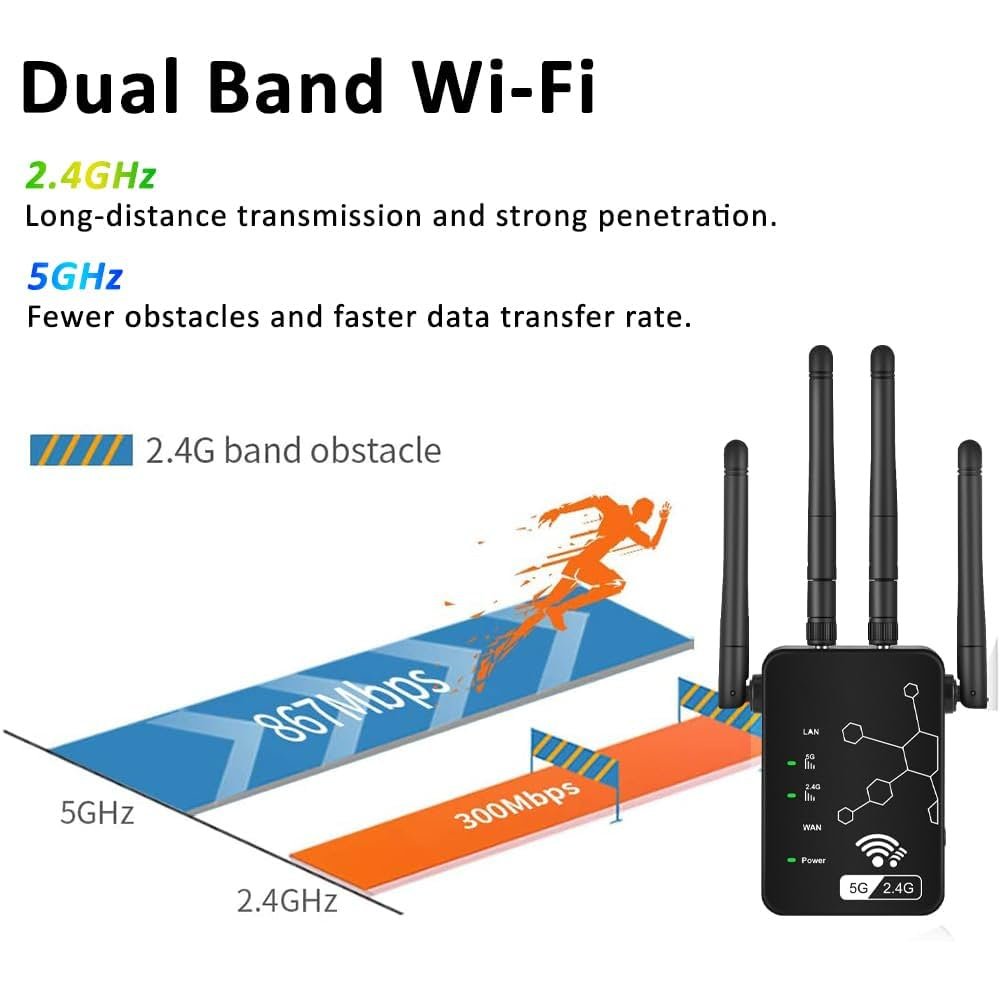
- Supports both 2.4 GHz and 5 GHz bands for better coverage
- Has at least one Ethernet port for wired connections
- Easy to set up with your current router
- Good customer reviews on compatibility and performance
Setting Up Your Wifi Extender With Ethernet
Place the wifi extender where the signal is still strong. Avoid walls and large metal objects. This helps cover more area with a good signal.
Connect one end of the Ethernet cable to the extender’s Ethernet port. Plug the other end into the router’s Ethernet port. This makes a stable wired connection.
Open the extender’s setup page on your device. Enter the network name and password if needed. Enable Ethernet as the connection type for faster speeds.

Credit: www.amazon.ca
Troubleshooting Common Connection Issues
Slow speedsoften happen due to interference or distance from the extender. Place the extender closer to your router for a stronger signal. Avoid walls or large objects that block the signal. Restart the extender and router to refresh the connection. Check your internet plan speed to match your needs.
Connection dropsmay result from firmware issues or poor signal quality. Update the extender’s firmware for better performance. Ensure the extender is not overheating by placing it in a cool spot. Avoid running many devices at once, as this can overload the network.
Checking cable and port integrityhelps maintain a stable Ethernet connection. Look for any visible damage on cables. Test the Ethernet cable by swapping with a known good one. Make sure the ports on the extender and router are clean and free of dust. Securely plug in cables to avoid loose connections.
Tips To Maximize Speed And Performance
Using high-quality Ethernet cablesensures faster and more stable connections. Choose cables labeled Cat5e or higherfor best results. Cheap or old cables can slow down your network speed.
Regularly updating the firmwareof your WiFi extender fixes bugs and improves performance. Check the extender’s settings page or manufacturer’s site for updates. Updated firmware helps the device work smoothly.
Avoid wireless channel conflictsby selecting channels with less interference. Use apps or tools to find free channels on your WiFi network. This reduces signal overlap and boosts connection stability.
Frequently Asked Questions
What Is The Role Of Ethernet In Dual Band Wifi Extenders?
Ethernet provides a stable wired connection to the extender. It reduces interference and improves network speed and reliability. This helps extend WiFi coverage effectively, especially for devices far from the router.
How Do I Connect Ethernet To A Dual Band Wifi Extender?
Use an Ethernet cable to connect the extender’s Ethernet port to your router or device. This setup boosts connection stability and enhances data transfer rates over WiFi.
Can Ethernet Improve Dual Band Extender’s Wifi Performance?
Yes, Ethernet offers a direct and faster link to the network. It reduces wireless congestion, improves speed, and ensures consistent internet access through the extender.
Is Ethernet Necessary For Dual Band Wifi Extender Setup?
Ethernet is not mandatory but highly recommended. It enhances connection quality and reduces latency, especially for streaming, gaming, or work-from-home setups.
Conclusion
Using Ethernet with a dual band WiFi extender improves internet speed and stability. It helps devices connect without interruption or delay. Setting it up is simple and saves you from weak WiFi signals. You can enjoy better streaming, gaming, and browsing at home.
Choose the right Ethernet cable and follow steps carefully. This small change makes a big difference in your network. Try it today to feel the improvement yourself.


