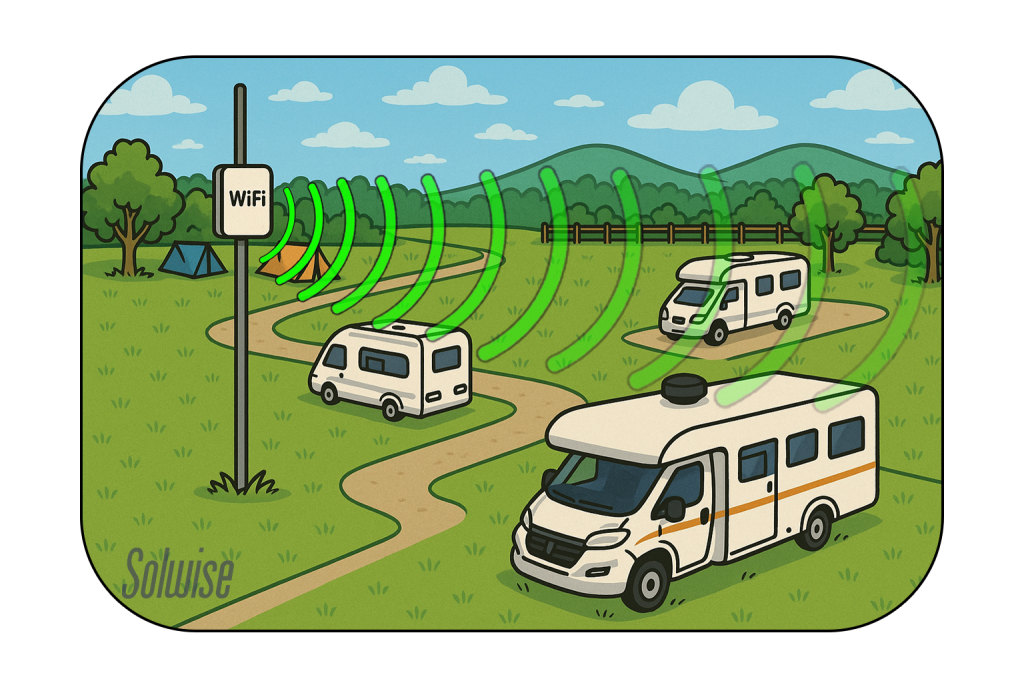
Are you tired of weak WiFi signals ruining your time at the RV park? You’re not alone.
When you rely on the internet for work, entertainment, or staying connected, a poor connection can be frustrating. But here’s the good news: an outdoor WiFi booster can change everything. Imagine streaming your favorite shows, video calling friends, or working smoothly without interruptions.
You’ll learn exactly how to use an outdoor WiFi booster in your RV park to get stronger, faster internet right where you need it. Keep reading, and you’ll soon enjoy reliable WiFi no matter where you park.
Choosing The Right Booster
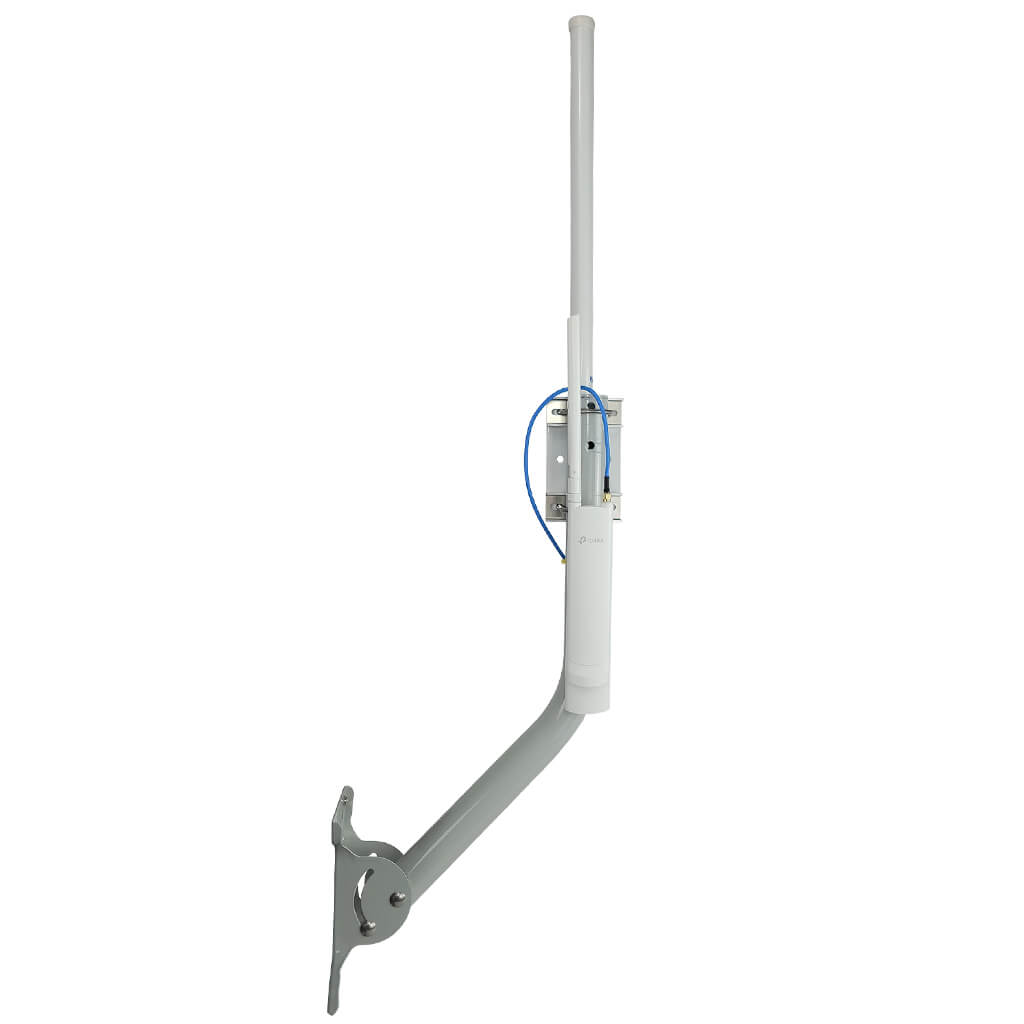
Outdoor WiFi boosterscome in different types. Some use directional antennasto focus signal from one point. Others use omnidirectional antennasto catch signals from all around. Choose the type based on your RV park layout and signal source.
Key features to check include signal range, speed support, and weather resistance. A good booster should also have easy installationand stable connection. Look for models that can handle outdoor conditions well.
| Feature | Why It Matters |
|---|---|
| Signal Range | Ensures connection over longer distances |
| Speed Support | Keeps internet fast for streaming or work |
| Weather Resistance | Protects booster from rain, wind, and dust |
| Easy Installation | Simple setup saves time and effort |
Confirm that the booster is compatiblewith the RV park’s network type. Some parks use public WiFi, others use private networks. The booster must support the park’s frequency bands and security settings.
Credit: simplewifi.com
Setting Up Your Booster
Place the outdoor WiFi booster where it can get the strongest signal. Higher spots like poles or walls work best. Avoid places blocked by trees or buildings. The clearer the line of sight to the WiFi source, the better the connection.
Use weatherproof mounts to keep the booster safe outside. Secure it tightly so wind won’t move it. Make sure cables are connected well and protected from rain. Check the booster often for any dirt or damage.
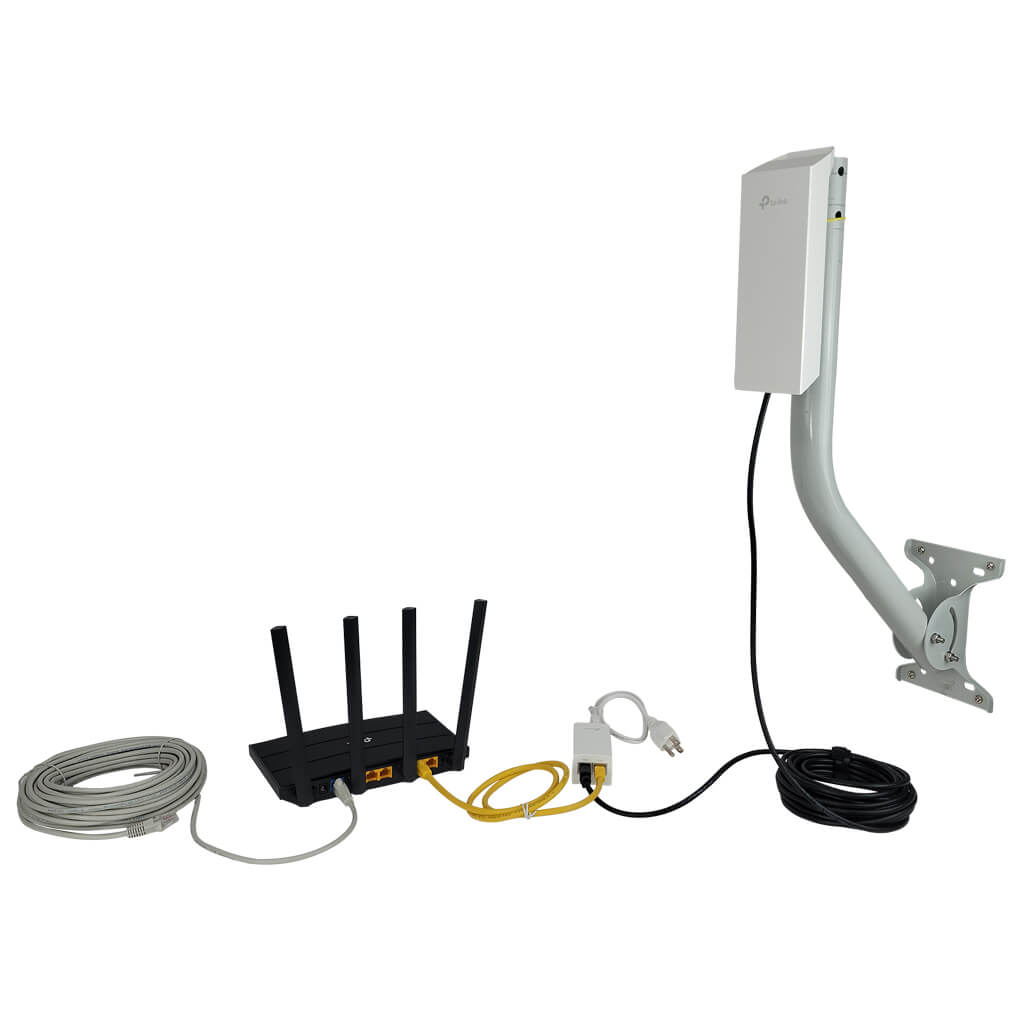
Connect the booster to your RV’s network using the provided cables or WiFi settings. Follow the booster’s guide to link it to your RV router or device. Test the connection inside the RV to see if the signal is stronger and stable.
Optimizing Signal Reception
Choose a spot for the booster with a clear view of the signal source. Trees, walls, and other obstacles can block or weaken signals. Keep the booster away from devices that create electronic noise.
Adjust the booster settings to match the signal strength. Use low gain in strong signal areas to avoid overload. Increase gain in weak signal spots for better reception.
- Place external antennas high and in open areas.
- Point antennas toward the nearest WiFi source.
- Use weatherproof antennas for outdoor use.
- Check antenna connections regularly for secure fit.
Credit: simplewifi.com
Troubleshooting Common Issues
Weak signal problemsoften happen due to obstacles like trees or buildings blocking the WiFi signal. Try moving the booster to a higher spot or closer to the RV’s WiFi source. Check if the antenna is properly connected and pointing towards the router or hotspot. Using a WiFi app can help find the best signal spot.
Connection dropsmay be caused by interference from other devices or too many users on the network. Restarting the booster and router can refresh the connection. Make sure the booster’s firmware is up to date. Avoid placing the booster near microwaves, cordless phones, or large metal objects that can block signals.
Booster not powering onusually means a power supply issue. Check that the power cable is firmly plugged in and the power source works. Try a different outlet or power adapter if possible. Look for a reset button on the booster and press it gently to restart the device.
Maintaining Your Wifi Booster
Keep the wifi booster clean by removing dirt and dust often. Dirt can block signals and slow down connection. Check the booster for damage or loose parts regularly. Fix small issues early to avoid bigger problems.
Update the firmware to improve performance and security. Firmware updates fix bugs and add new features. Visit the maker’s website or use the booster’s app to check for updates.
Protect the booster from rain, sun, and wind. Use covers or place it under shelter if possible. Avoid placing it where water can pool. Proper protection helps the booster last longer and work better.

Credit: simplewifi.com
Maximizing Internet Speed In Rv Parks
Choosing less crowded networkshelps boost internet speed. Connect to WiFi with fewer users. This reduces slowdowns and lag.
Scheduling usage for off-peak hoursimproves performance. Try using the internet early morning or late night. These times have less traffic.
Combining boosters with other devices can help. Use a wifi extenderalongside your booster. This spreads the signal better across your RV.
| Tip | Benefit |
|---|---|
| Choose less crowded networks | Faster internet with fewer users on the network |
| Use internet during off-peak hours | Better speed when fewer people are online |
| Combine boosters with extenders | Stronger and wider WiFi coverage in the RV park |
Frequently Asked Questions
How Do Outdoor Wifi Boosters Work In Rv Parks?
Outdoor WiFi boosters capture weak signals and amplify them. They enhance signal strength, allowing better internet connectivity in RV parks. This helps you enjoy faster, more reliable WiFi for streaming, browsing, or working remotely while camping.
Where Should I Place My Outdoor Wifi Booster In An Rv Park?
Place your outdoor WiFi booster where it receives the strongest signal. Usually, this is near the RV park’s WiFi source, elevated and unobstructed by walls or trees. Proper placement maximizes signal strength and overall internet performance.
Can Outdoor Wifi Boosters Support Multiple Devices Simultaneously?
Yes, most outdoor WiFi boosters can support multiple devices at once. They distribute the amplified signal evenly, ensuring stable internet connections for all your devices inside the RV.
Is An Outdoor Wifi Booster Easy To Install In An Rv Park?
Yes, outdoor WiFi boosters are generally easy to install. Most models come with simple mounting kits and clear instructions. You just need to position the booster correctly and connect it to your devices.
Conclusion
Boost your RV park internet with an outdoor WiFi booster. Enjoy seamless browsing and streaming. Installation is easy and enhances your connection. No more frustration from weak signals. Experience better online activities at the park. Share your adventures without delay.
Stay connected wherever you park your RV. A reliable WiFi booster is essential for travelers. It ensures a smooth, enjoyable online experience. Consider investing in one for your next adventure. Stay online effortlessly and make the most of your travels.
Happy surfing and safe travels!


