Picture this: you’re settled in for a night of binge-watching your favorite series, popcorn in hand, when suddenly, your streaming is interrupted by endless buffering. Frustrating, right?
You might be wondering if there’s a solution to your streaming woes. Enter the dual band WiFi extender. But is it truly the better option for seamless streaming? If you’re tired of sluggish internet speeds and annoying interruptions, you’re in the right place.
We’ll unravel the mysteries of dual band WiFi extenders and discover if they can transform your streaming experience. Get ready to dive into a world where buffering is a thing of the past and your shows play smoothly, just like they should.
Credit: www.screenbeam.com
Dual Band Wifi Extenders Explained
Dual band WiFimeans a device can use two frequencies: 2.4 GHzand 5 GHz. The 2.4 GHz band covers a larger area but has slower speeds. The 5 GHz band offers faster speeds but covers less distance. Dual band WiFi gives you the best of both worlds.
WiFi extenders help spread your internet signal to places your router can’t reach well. They catch your WiFi signal and send it further, making your connection stronger in dead zones. This helps avoid slow or dropped connections.
| Feature | Single Band Extender | Dual Band Extender |
|---|---|---|
| Frequency | Only 2.4 GHz | 2.4 GHz and 5 GHz |
| Speed | Slower | Faster |
| Coverage | Wider area | Good balance of speed and coverage |
| Best Use | Basic internet use | Streaming and gaming |
Benefits For Streaming
Dual band WiFi extendershelp improve internet speedby using two frequency bands. This reduces slowdowns and keeps your streaming smooth. The 5 GHz band offers faster speeds, while the 2.4 GHz band covers longer distances. This mix keeps your connection stableand strong.
Bufferingis a common issue during streaming. A dual band extender cuts down buffering by giving a steady signal. It balances devices on different bands, so no one device slows the network.
More devices can connect without losing speed. Dual band extenders spread devices over two frequencies, which means better coverage for all. This is great for homes with many gadgets.
Speed Boost Factors
Dual band WiFi extendersuse two frequency bands: 2.4 GHz and 5 GHz. The 2.4 GHz band covers a larger area but is slower. The 5 GHz band offers higher speeds but covers less distance. Streaming quality often improves with the 5 GHz band due to less interference.
Interference affects signal strength and speed. Devices like microwaves and cordless phones can cause problems on the 2.4 GHz band. Walls and furniture also weaken signals. A strong, clear signal helps keep streaming smooth.
Router compatibility matters. Some routers work better with dual band extenders. Using devices from the same brand can improve connection. Check if your router supports both bands for best results.

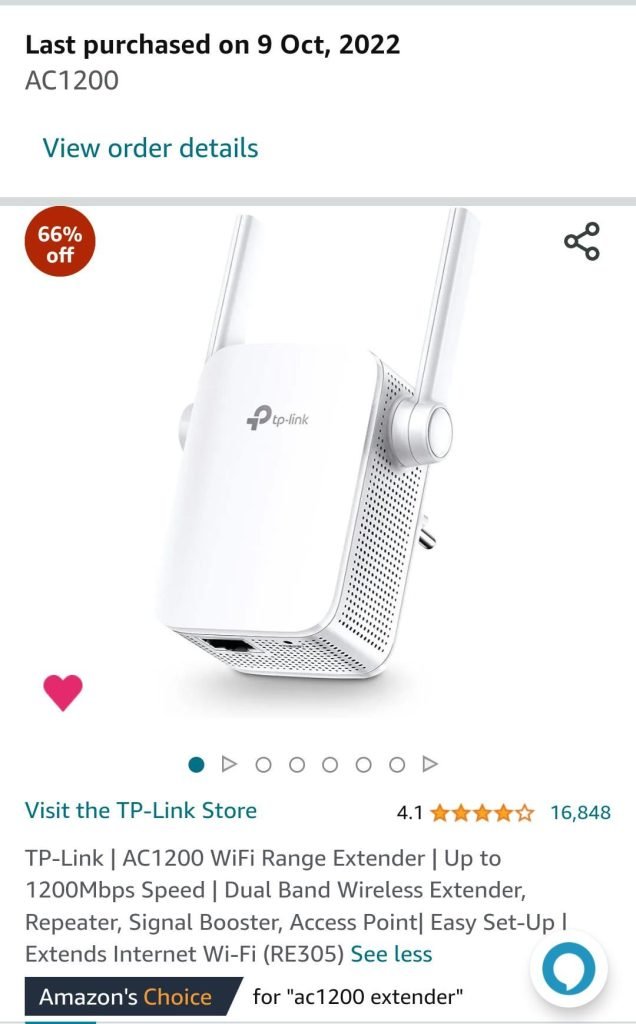
Credit: www.amazon.ca
Choosing The Right Extender
Streaming needsdiffer for each user. A dual band WiFi extender offers two frequency bands: 2.4 GHz and 5 GHz. The 2.4 GHz band covers longer distances but is slower. The 5 GHz band is faster but covers less distance. For heavy streaming, the 5 GHz band works best. For light streaming or many devices, 2.4 GHz can help.
Placing the extender in the right spot is key. Place it where the main router’s signal is still strong. Avoid walls and large metal objects between devices. Higher placement, like on shelves, often improves signal. Test a few spots to find the best one.
| Budget Range | Features | Best Use |
|---|---|---|
| Low | Basic dual band, limited range | Light streaming, small spaces |
| Medium | Better speed, wider coverage | Regular streaming, multiple devices |
| High | Fastest speeds, smart features | Heavy streaming, large homes |
Common Issues And Fixes
Connection dropscan happen due to weak signals or interference. Try moving the extender closer to your router. Walls and furniture may block the signal. Also, avoid placing the extender near other electronics that cause interference.
Slow speeds despite extendermight mean the extender is too far from the router. Check the WiFi band you are using. The 2.4 GHz band has longer range but slower speed. The 5 GHz band is faster but covers less area. Choose the right band for your needs.
Firmware updateskeep your extender working well. They fix bugs and improve performance. Visit the extender’s website or use its app to check for updates. Update regularly to avoid problems.
Credit: www.engadget.com
Frequently Asked Questions
What Is A Dual Band Wifi Extender?
A dual band WiFi extender boosts two frequency bands, 2. 4 GHz and 5 GHz. It improves signal strength and reduces interference, offering faster and more reliable internet for streaming and gaming.
How Does Dual Band Improve Streaming Quality?
Dual band extenders separate traffic between 2. 4 GHz and 5 GHz bands. This reduces congestion and interference, providing smoother and buffer-free streaming experiences on multiple devices simultaneously.
Is Dual Band Better Than Single Band For Streaming?
Yes, dual band extenders offer better performance than single band. They provide faster speeds, more stable connections, and less interference, ideal for high-quality streaming and multiple device usage.
Can Dual Band Extenders Support 4k Streaming?
Absolutely. Dual band extenders deliver higher speeds and stable connections necessary for 4K streaming. They reduce buffering and ensure smooth playback on compatible streaming devices.
Conclusion
Dual band WiFi extenders help reduce buffering and improve streaming quality. They offer better speed by using two frequencies at once. This means fewer interruptions during your favorite shows or movies. Choose one based on your home size and device needs.
Remember, a strong signal means smoother streaming. Investing in a dual band extender can make a real difference. Enjoy your streaming without constant pauses or delays. It’s a simple way to boost your WiFi experience at home.


