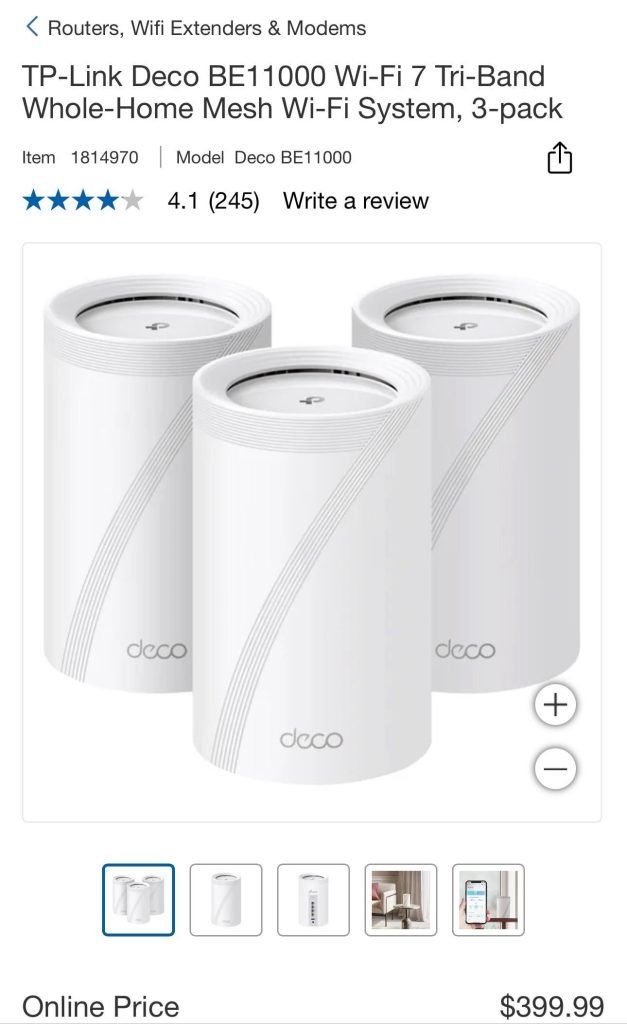
Are you tired of slow internet or dead zones in your two-story home? You’re not alone.
Many homeowners wonder if mesh WiFi is the key to seamless coverage throughout every room and floor. Imagine walking from your basement to your attic without losing connection or buffering. Sounds great, right? You’ll discover if mesh WiFi is truly necessary for your home and how it can transform your online experience.
Keep reading to find out if this solution fits your needs and budget perfectly.

Credit: www.pcmag.com
Challenges Of Wifi In Two-story Homes
Wifi signals often struggle in two-story homes. The signal must travel through floors and walls. This can cause weak or lost connections.
Understanding common problems helps improve your wifi setup. Let’s look at the main challenges in two-story houses.
Signal Obstacles On Multiple Floors
Wifi signals lose strength as they pass through floors. The signal travels best in open spaces. Each floor adds a barrier that slows the signal down.
- Distance between router and device increases
- Floors block or weaken the signal
- Wireless signals do not pass easily through dense materials
Common Dead Zones
Dead zones are areas with little or no wifi signal. These spots often appear in corners, basements, or rooms far from the router.
| Area | Reason for Dead Zone |
| Basement | Signal blocked by floor above |
| Far corners | Signal weakens over distance |
| Behind thick walls | Signal cannot penetrate well |
Impact Of Building Materials
Building materials affect wifi strength. Some materials block signals more than others. Knowing these helps in router placement.
| Material | Effect on Wifi |
|---|---|
| Concrete | Blocks most signals |
| Brick | Strongly reduces signal |
| Wood | Minor signal loss |
| Glass | Allows signals through |
Credit: blog.eero.com
Traditional Wifi Vs Mesh Wifi
Wifi is important for a two-story home. Choosing the right system can improve your connection.
Traditional wifi uses one router. Mesh wifi uses multiple devices to cover your whole house.
Limitations Of Single Router Setups
Single routers have limits in big or multi-floor homes. The signal weakens with walls and floors.
Dead spots or slow speeds often happen upstairs or far from the router.
- Signal drops in distant rooms
- Walls and floors block signals
- Limited coverage area
- One point of failure if the router stops working
How Mesh Networks Work
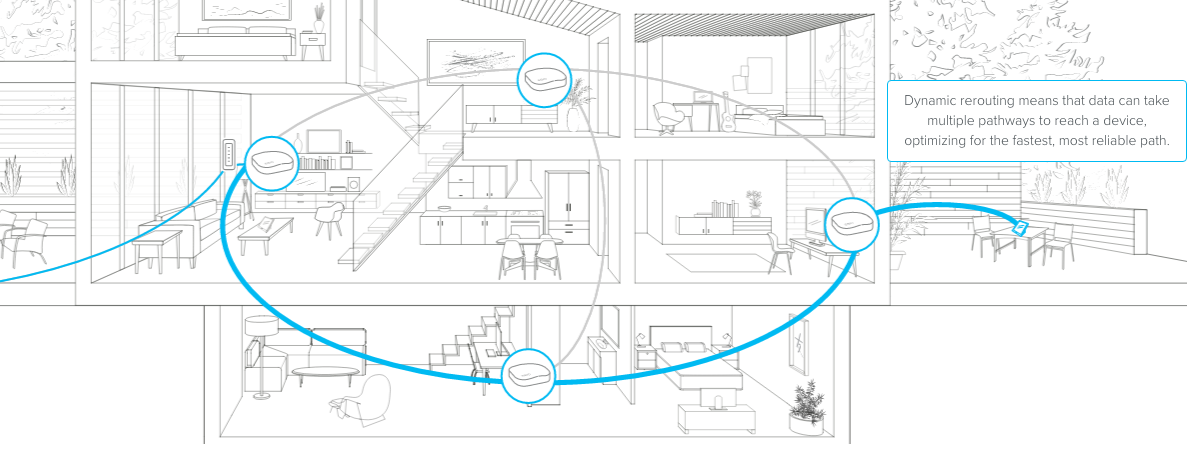
Mesh networks use several devices called nodes. These nodes work together to share wifi.
Nodes talk to each other to spread the signal evenly across your home, upstairs and downstairs.
- Multiple nodes create a large wifi area
- Nodes connect to each other automatically
- Devices switch to the strongest node
- Easy to add more nodes if needed
Benefits Of Mesh Systems
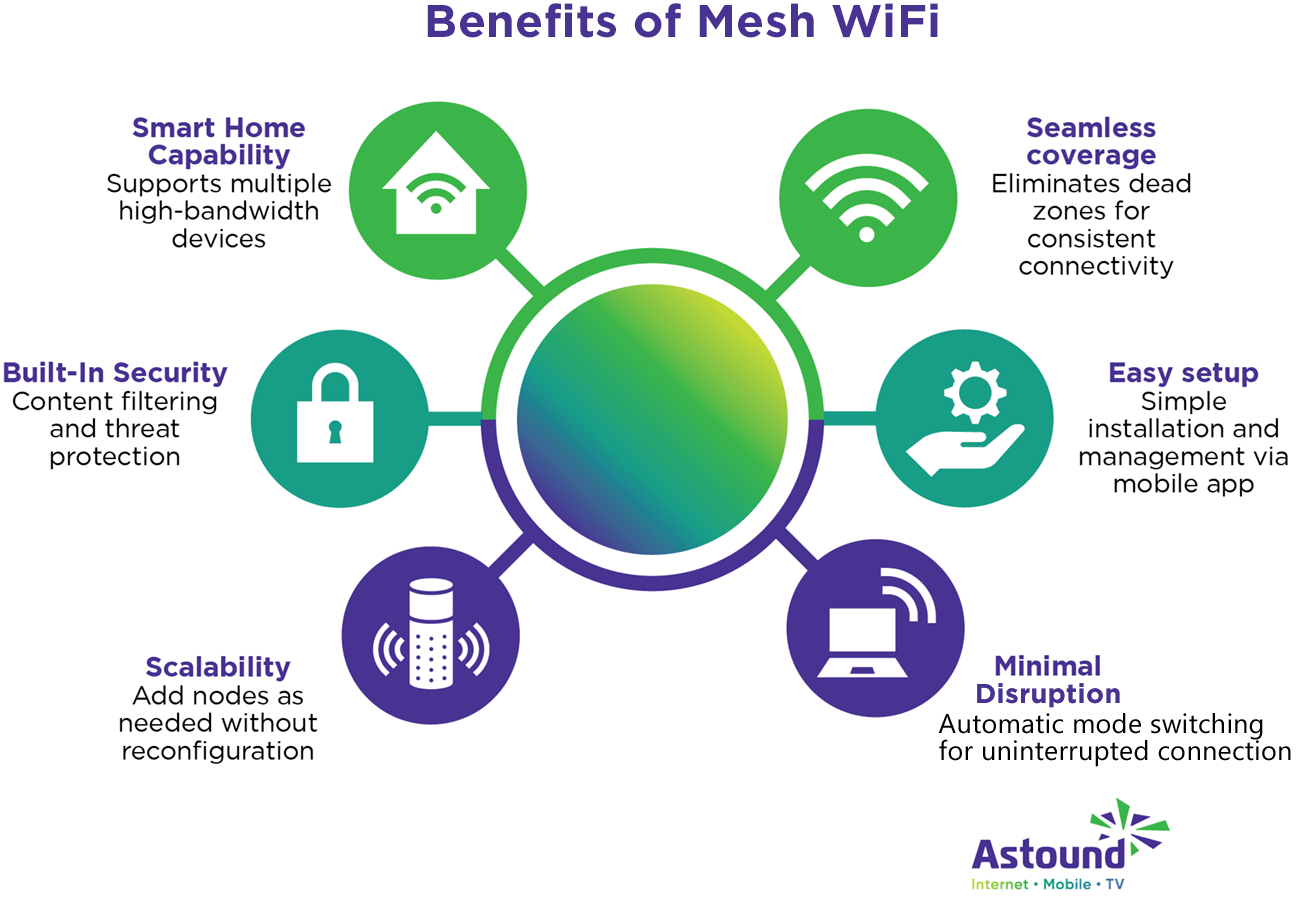
Mesh systems give better coverage in two-story homes. They reduce dead spots and keep speeds steady.
They are easy to set up and manage. You do not need special skills to control the network.
- Strong wifi everywhere in the house
- Simple setup and control
- Automatic updates and security
- Flexible and scalable network
Assessing Your Home’s Wifi Needs
Having good wifi in a two-story home can be tricky. Walls and floors can block signals.
It’s important to check what your home needs before choosing a mesh wifi system.
Size And Layout Considerations
The size of your home affects wifi coverage. Large homes need stronger signals.
Two-story homes have floors that can weaken the wifi signal between levels.
- Thick walls block wifi signals
- Open spaces allow better signal flow
- Stairs and floors reduce signal strength
Device Density And Usage
The number of devices in your home changes your wifi needs. More devices need better coverage.
Streaming videos, online games, and video calls use more wifi power than simple web browsing.
- Smartphones, tablets, and laptops all connect at once
- Smart home devices add to the wifi load
- High use activities require strong, steady signals
Internet Speed Requirements
Internet speed affects how fast data moves through your wifi network. Faster speeds need better wifi.
If your internet plan is slow, a mesh system may not improve speed much.
- Check your internet plan speed
- Match wifi system to your speed needs
- High-speed plans benefit most from mesh wifi
When Mesh Wifi Makes Sense
Mesh wifi can improve internet coverage in homes with multiple floors. It helps connect devices smoothly in every room.
Understanding when mesh wifi is useful can help you decide if it fits your two-story home.
Eliminating Dead Zones
Dead zones are areas with weak or no wifi signal. In two-story homes, walls and floors can block wifi signals.
Mesh wifi uses multiple devices to spread the signal evenly. This reduces dead zones in far or blocked rooms.
- Places wifi nodes on each floor
- Extends signal to hard-to-reach rooms
- Provides better coverage without extra wiring
Seamless Roaming Between Floors
With mesh wifi, your devices switch automatically to the strongest signal. This happens smoothly when you move between floors.
This means no dropped connections or slowdowns as you walk around your home.
- Automatic handoff between wifi nodes
- Consistent connection for calls and streaming
- No need to reconnect manually
Simplified Network Management
Mesh wifi systems usually come with easy-to-use apps. These apps help you control your network from one place.
You can check device connections, set schedules, and update the system with a few taps.
- One app for all wifi nodes
- Easy to add or move nodes
- Monitor network health and usage
Alternatives To Mesh Networks
Mesh WiFi systems are popular for large homes. They provide good coverage on multiple floors. But mesh networks are not the only solution.
This article explores other ways to improve WiFi in a two-story home. These options can help extend your signal and reduce dead spots.
Range Extenders And Boosters
Range extenders catch your router’s signal and rebroadcast it. Boosters work similarly but may offer stronger signals. These devices can reach far corners of your home.
- Easy to set up and affordable
- Placed between router and weak signal area
- May reduce internet speed slightly
- Works well for smaller coverage gaps
Powerline Adapters
Powerline adapters use your home’s electrical wiring to carry internet data. You plug one adapter near your router and another in the room with weak WiFi.
| Feature | Description |
| Setup | Plug into electrical outlets |
| Speed | Can match wired Ethernet speeds |
| Range | Depends on wiring quality and distance |
| Best for | Rooms with poor WiFi but power outlets |
Upgrading To A More Powerful Router
A stronger router can send signals farther and handle more devices. Newer models offer better technology and wider coverage. This option may reduce the need for extra devices.
- Choose a router with dual-band or tri-band support.
- Look for models with high antenna gain.
- Place the router centrally on the main floor.
- Update firmware regularly for best performance.
Setting Up Mesh Wifi For Two-story Homes
A mesh WiFi system can improve internet coverage in a two-story home. It uses multiple nodes to ensure strong signals everywhere.
Proper setup is crucial for optimal performance. Let’s explore how to set up a mesh WiFi system effectively.
Optimal Node Placement
Placing nodes in the right spots ensures a strong WiFi signal. The main node should be near your internet source.
Additional nodes should be placed halfway between the main node and areas with weak signals.
- Avoid placing nodes near metal objects or thick walls.
- Keep nodes off the floor for better coverage.
- Use the app provided to test signal strength in various spots.
Wired Backhaul Options
Wired backhaul improves the speed and stability of your mesh network. It connects nodes using Ethernet cables.
This setup reduces wireless interference and enhances performance. Consider running cables between floors if possible.
- Use Cat 5e or Cat 6 cables for best results.
- Check if your mesh system supports wired backhaul.
- Plan cable routes to avoid tripping hazards.
Security And Maintenance Tips
Keeping your mesh WiFi secure is important. Use strong passwords and update firmware regularly.
Maintenance ensures your network runs smoothly. Check for software updates and restart nodes occasionally.
- Enable network encryption like WPA3 if available.
- Change default passwords to unique ones.
- Monitor connected devices for unusual activity.
Cost Vs Performance: Is It Worth It?
Deciding if a mesh WiFi system is necessary for a two-story home can be tricky. It often boils down to cost versus performance.
Understanding the initial investment and potential long-term benefits helps in making an informed decision.
Initial Investment Considerations
Setting up a mesh WiFi system requires an upfront cost. The price varies based on the brand and number of nodes needed.
- Basic systems start around $150
- Premium options can exceed $500
- Additional nodes may be purchased separately
Long-term Benefits
Mesh WiFi systems offer strong and consistent coverage throughout the house. They adapt to changes and reduce dead zones.
Consider the cost savings on improved connectivity versus frequent router replacements.
Comparing Different Mesh Brands
There are several brands to choose from, each offering unique features and price points.
| Brand | Price Range | Features |
| Brand A | $200 – $400 | Easy setup, parental controls |
| Brand B | $150 – $350 | High speed, guest network |
| Brand C | $250 – $500 | Advanced security, app control |
Credit: www.astound.com
Frequently Asked Questions
What Is Mesh Wifi And How Does It Work?
Mesh WiFi is a system of multiple devices that spread WiFi evenly. It uses nodes to cover large or multi-story homes. This setup reduces dead zones and improves signal strength on every floor.
Do Two-story Homes Need Mesh Wifi For Coverage?
Yes, two-story homes often face WiFi dead zones. Mesh WiFi ensures consistent signal throughout both floors. It outperforms traditional routers by covering hard-to-reach areas effectively.
How Does Mesh Wifi Improve Internet Speed Upstairs?
Mesh WiFi nodes communicate to deliver strong signals. This reduces interference and signal loss between floors. As a result, internet speed remains stable and fast upstairs.
Is Mesh Wifi Better Than Range Extenders For Two-story Homes?
Mesh WiFi offers seamless coverage without signal drops. Range extenders can reduce speed and create multiple networks. For two-story homes, mesh WiFi provides a smoother, more reliable connection.
Conclusion
A mesh WiFi system can improve internet coverage in a two-story home. It helps reduce dead zones and keeps your connection strong. Traditional routers may not reach every corner well. Mesh networks use multiple devices to spread the signal evenly.
This makes browsing, streaming, and gaming smoother upstairs and downstairs. Consider your home size and internet needs before choosing. A good WiFi setup means less frustration and better online experiences. Mesh WiFi is a smart choice for many two-story houses.


