Are you wondering if a router under $100 can handle your streaming needs without constant buffering or lag? Choosing the right router is key to enjoying smooth videos, whether you’re binge-watching your favorite shows or catching live events.
But can an affordable router really deliver the speed and reliability you need? Keep reading to find out what to look for and how to get the best streaming experience without breaking the bank. Your next binge-watch depends on it!
Budget Routers And Streaming
Many budget routers under $100 offer decent streaming capabilities. They handle streaming videos smoothly, ensuring a pleasant viewing experience without frequent interruptions. Choose wisely, considering speed and coverage needs for optimal performance.
Key Features To Consider
- Speed:Look for routers with at least 300 Mbps for smooth streaming.
- Dual-band support:Offers both 2.4 GHz and 5 GHz bands for less interference.
- Range:Good coverage to avoid buffering in different rooms.
- Number of devices:Should handle multiple devices without slowing down.
- Quality of Service (QoS):Lets you prioritize streaming traffic over other activities.
Common Limitations
Budget routers may struggle with high-definition streams. This happens because of lower speeds or weaker signals. They might also drop connections if many devices use the network at once.
Some models lack advanced features like MU-MIMO or beamforming. These help improve device connections and signal strength. Also, cheaper routers often have less memory and weaker processors.
For basic streaming, a router under $100 can work well. But heavy users might face slowdowns or interruptions. Check the router’s specs carefully before buying.

Credit: www.zdnet.com
Streaming Requirements
Streamingneeds a good internet connection with enough bandwidth. For HD video, about 5 Mbpsper stream is needed. For 4K, it jumps to 25 Mbps. Routers under 100 dollars often support these speeds but may struggle with multiple devices.
Latencymeans delay. Lower latency means smoother streaming and less buffering. Stability also matters; a stable connection avoids drops and interruptions. Budget routers can be less stable if many devices connect at once.
- Device Compatibility:Most routers under 100 support common devices like phones, tablets, and smart TVs.
- Check if the router supports dual-band Wi-Fifor better performance.
- Some may lack the latest Wi-Fi standards, which affects speed and range.
Performance Of Routers Under 100
Routers under 100 dollars usually offer decent speed capabilitiesfor streaming. Most support speeds up to 300-600 Mbps, enough for HD or even 4K videos. Streaming on one or two devices works fine, but multiple streams may slow down the connection.
Range and coveragevary by model. These routers often cover a small to medium home well, about 100-150 feet. Walls and furniture can reduce this range. For larger homes, a more powerful router might be needed.
The number of simultaneous connectionsa router supports is important. Budget routers handle around 5-10 deviceswithout major slowdowns. Streaming, browsing, and smart home devices can all connect, but heavy use might cause lag.

Credit: www.popularmechanics.com
Top Routers Under 100 For Streaming
Affordable routers under $100 can support smooth streaming for most users. Choosing the right model ensures good speed and stable connection. Many budget routers offer features that meet basic streaming needs without extra cost.
Best Overall
Reliable speedand strong signalmake this router great for streaming. It supports multiple devices without lag. Easy to set up and has good range for most homes. Perfect for HD and 4K streaming.
Best For 4k Streaming
This router offers fast Wi-Fi speedsand low latency. It handles large video files smoothly. Good for homes with many devices streaming at once. Supports latest Wi-Fi standards for better performance.
Best Budget Option
Affordable but still offers decent speedfor streaming. Ideal for small homes or apartments. Simple design, easy to use. Suitable for streaming HD videos without buffering.
Tips To Optimize Streaming On Budget Routers
Place your routerin a central spot for better coverage. Avoid walls and metal objects that block signals. Keep it high, like on a shelf, to reach devices easier.
Always update your router’s firmware. Updates fix bugs and can improve speed. Check the router’s app or website for the latest version.
- Change Wi-Fi channelto avoid interference from neighbors.
- Use 5 GHz bandfor faster speeds if your router supports it.
- Turn off unused devices to free up bandwidth.
- Set Quality of Service (QoS)to prioritize streaming traffic.
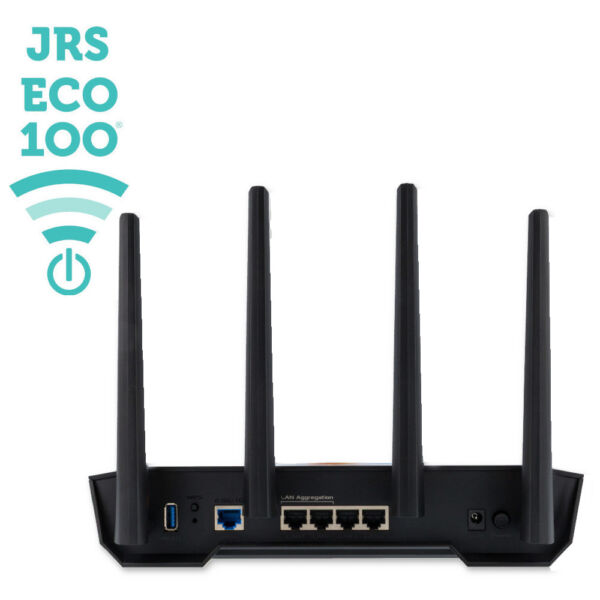
Credit: www.jrseco.com
When To Upgrade Beyond $100
Slow internet can mean router issues. Buffering during videos is a big sign. Devices losing connection often shows router overload. If the Wi-Fi range is small, that’s another clue. Old routers might not handle many devices. Check if your router can manage streaming. Basic routers might not keep up with smart homes. If these happen, consider upgrading.
Better routers offer faster speeds. They have a stronger signal. They can handle more devices at once. Streaming becomes smooth with them. Gaming feels better too. They cover a larger area. They have better security features. Investing in a good router saves frustration. It’s worth it for a better experience.
Frequently Asked Questions
Is A Router Under $100 Good For Streaming?
Yes, routers under $100 can handle streaming well. They offer decent speeds and stable connections for HD content. However, for 4K or multiple devices, investing in higher-end models may provide better performance and fewer interruptions.
Can A Budget Router Support Multiple Streaming Devices?
Budget routers support multiple devices but may struggle with heavy traffic. They handle basic streaming fine but might cause buffering if many devices stream simultaneously. For multiple users, consider routers with higher bandwidth and advanced features.
What Features Matter In Routers Under $100 For Streaming?
Key features include dual-band Wi-Fi, good range, and stable speed. Look for 802. 11ac standard, QoS support, and reliable brand reputation. These features ensure smooth, uninterrupted streaming experiences on budget routers.
Will A $100 Router Handle 4k Streaming Smoothly?
A $100 router can manage 4K streaming if it supports high speeds and stable connections. However, some budget models might lag during peak usage or with multiple devices. Prioritize speed and range for seamless 4K playback.
Conclusion
Choosing a router under $100 can work well for basic streaming needs. These routers handle standard video quality without many issues. For heavy streaming or multiple devices, better models might help. Most users find affordable routers enough for casual use.
Check the router’s speed and features before buying. A simple, reliable router keeps your shows running smoothly. Streaming doesn’t always need expensive gear. Think about your internet plan and device count too. A budget router can offer good value and decent performance.