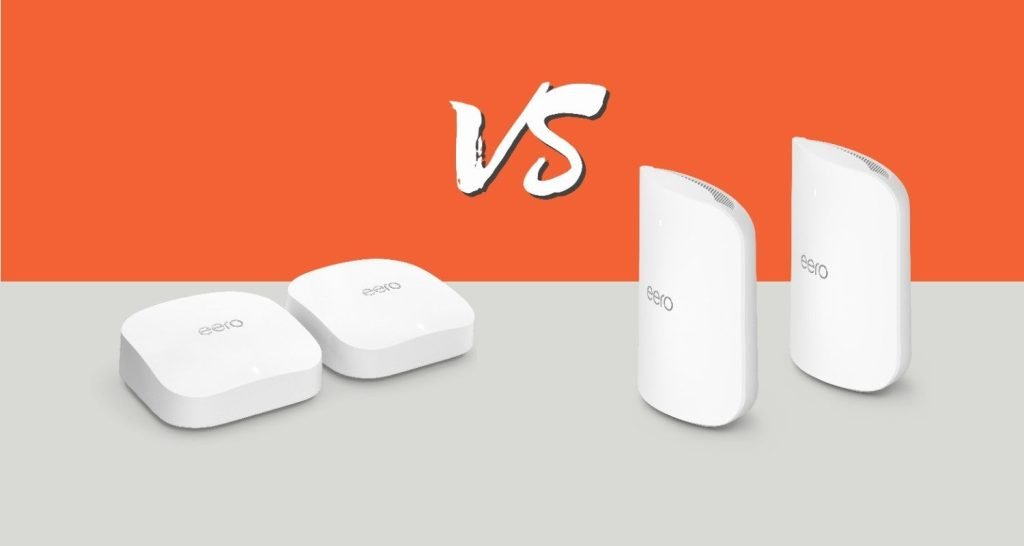
Are you thinking about upgrading your home WiFi with the latest Wifi 6E mesh system? You might be wondering if your current devices will still work smoothly with it.
The idea of mixing old and new technology can be confusing—and worrying. Will your existing gadgets slow down your network? Or will the new mesh system keep everything running fast and reliable? Keep reading to find out how Wifi 6E mesh handles backward compatibility and what it means for your home setup.
This information could save you time, money, and frustration.

Credit: www.youtube.com
Wifi 6e Technology Basics
Wifi 6E is the latest update to Wifi technology. It uses new frequency bands to improve wireless connections.
This technology helps devices connect faster and handle more data at once. It adds support for the 6 GHz band.
Key Features Of Wifi 6e
Wifi 6E adds new features that make wireless networks better. It works on the 6 GHz band, which is less crowded.
- Access to the 6 GHz frequency band
- More channels available for faster speeds
- Reduced interference from other devices
- Supports higher data rates for better performance
- Improved latency for real-time applications
Differences From Wifi 6
Wifi 6E is similar to Wifi 6 but with key changes. The biggest change is the use of the 6 GHz band.
| Feature | Wifi 6 | Wifi 6E |
| Frequency Bands | 2.4 GHz and 5 GHz | 2.4 GHz, 5 GHz, and 6 GHz |
| Number of Channels | Up to 160 MHz wide | More 160 MHz channels available |
| Interference | More crowded bands | Less crowded 6 GHz band |
| Device Support | Older and newer devices | Requires compatible 6E devices |
| Speed | High | Higher with 6 GHz band |
Mesh Network Fundamentals
Wifi 6E Mesh systems are the latest in wireless technology. They use multiple devices called nodes to spread the internet signal evenly.
Understanding how mesh networks work helps you decide if Wifi 6E is right for your home or office.
How Mesh Networks Work
Mesh networks use many nodes to create a strong, wide wireless signal. Each node talks to others to pass data along.
This setup avoids dead spots and keeps your connection stable as you move around.
- Nodes connect wirelessly to share internet
- Devices connect to the nearest node for fast speeds
- The network adjusts automatically if one node fails
Benefits Of Mesh Systems
Mesh systems give you better coverage than a single router. They work well in large or multi-story buildings.
They also keep your internet strong and reduce slow spots. This makes streaming and gaming smoother.
- Wide coverage across large areas
- Stable connection with fewer dropouts
- Easy to add more nodes for extra range
- Simple setup and management
Backward Compatibility Explained
Wifi 6E is the newest wifi technology that adds a new frequency band. It helps improve speed and reduce interference.
Many people wonder if Wifi 6E mesh systems work with older wifi devices. This depends on compatibility rules.
Compatibility With Older Wifi Standards
Wifi 6E supports the 2.4 GHz, 5 GHz, and a new 6 GHz band. Older wifi devices use 2.4 GHz or 5 GHz only.
- Wifi 6E routers can connect with older devices using 2.4 GHz or 5 GHz bands.
- Older devices cannot use the new 6 GHz band.
- This means older devices will not get the speed or benefits of 6 GHz.
- Mesh systems with Wifi 6E can still serve older devices without issues.
Device Support And Limitations
Not all devices support Wifi 6E. Devices must have hardware that works with the 6 GHz band.
| Device Type | Supports 6 GHz Band | Backward Compatible |
| Wifi 6E Enabled Devices | Yes | Yes |
| Wifi 6 Devices | No | Yes (2.4/5 GHz) |
| Wifi 5 and Older Devices | No | Yes (2.4/5 GHz) |
Wifi 6e Mesh Compatibility Details
Wifi 6E is the latest advancement in wireless technology. It offers faster speeds and improved connectivity. But is it compatible with older systems?
Understanding how Wifi 6E integrates with existing mesh networks is important. Let’s explore its compatibility and impact on network performance.
Integrating Wifi 6e With Existing Mesh Systems
Wifi 6E can work with older mesh systems, but there are considerations. Compatibility depends on the specific hardware and firmware versions.
- Check if your current mesh system supports Wifi 6E.
- Update the firmware of your mesh devices for better compatibility.
- Consider adding dedicated Wifi 6E nodes for optimal performance.
Performance Impact On Mixed Networks
Mixing Wifi 6E with older Wifi standards may affect network speed. Devices on different bands may experience varied performance levels.
| Network Type | Expected Speed |
| Wifi 6E Only | High |
| Mixed Wifi 6E and Wifi 5 | Moderate |
| Wifi 5 Only | Lower |
Ensuring devices that support Wifi 6E are prioritized can help. This way, they can take full advantage of the new standard’s capabilities.
Setting Up A Wifi 6e Mesh Network
Wifi 6E is the newest Wi-Fi standard. It uses the 6 GHz band for faster speeds and less interference.
Setting up a Wifi 6E mesh network can improve coverage in your home. It lets multiple devices connect smoothly.
Choosing Compatible Devices
Not all devices work with Wifi 6E. You need routers and nodes that support the 6 GHz band.
Wifi 6E mesh systems often work with older Wi-Fi devices. This is called backward compatibility.
- Use Wifi 6E routers and mesh nodes for full benefits
- Older devices will connect but use slower bands
- Check your devices support 6 GHz for best speed
Configuration Tips For Optimal Performance
Place mesh nodes in open areas to avoid signal blocks. Walls and furniture can reduce Wi-Fi strength.
Set up your network to use the 6 GHz band for Wifi 6E devices. This band is less crowded and faster.
- Update router firmware before setup
- Use the mesh app to manage devices easily
- Separate 2.4 GHz, 5 GHz, and 6 GHz bands if possible
- Test signal strength in different rooms

Credit: www.netgearstore.in
Troubleshooting Compatibility Issues
WiFi 6E mesh networks offer new features but may have compatibility problems. Troubleshooting helps fix connection and performance issues.
Understanding common problems and updating software can improve your mesh network experience.
Common Problems And Solutions
Devices with older WiFi standards may face issues connecting to a WiFi 6E mesh. This can cause slow speeds or dropped connections.
- Older devices might not detect the 6 GHz band used by WiFi 6E.
- Interference can occur if devices try to connect to unsupported bands.
- Mesh nodes may fail to communicate if firmware is outdated.
- Incorrect mesh setup can cause network instability.
Try connecting older devices to 2.4 GHz or 5 GHz bands if the 6 GHz band is not supported. Check your mesh settings for band steering options.
Firmware And Driver Updates
Keeping firmware and drivers updated is key for compatibility. Updates fix bugs and add support for new features.
| Device | Firmware Update Needed | Driver Update Needed |
| WiFi 6E Mesh Router | Yes | Usually No |
| Client Device (Laptop, Phone) | Sometimes | Yes |
| Older Mesh Node | Yes | Sometimes |
Visit manufacturer websites for the latest updates. Use automatic update tools if available to keep your devices current.
Future Of Wifi Mesh Networks
Wifi 6E is the latest technology in mesh networks. It promises faster and more reliable connections. But is Wifi 6E backward compatible? This is a key question for users with older devices.
Understanding compatibility helps in planning future networks. As technology advances, knowing what to expect is important. Let’s explore the future of Wifi mesh networks.
Upcoming Standards And Innovations
New standards in Wifi technology are on the horizon. They aim to provide better speed and coverage. These innovations will change how we use the internet.
Developers are working on improvements. These will make networks more efficient. Future standards will support more devices with ease.
- Better range and coverage
- Faster data transfer rates
- Support for more devices
What To Expect From Wifi 7 And Beyond
Wifi 7 is the next step in wireless technology. It promises even faster connections. Users will experience less lag and more stability.
Future Wifi versions aim to support smart homes and cities. They will handle more complex tasks with ease. This will make everyday life smoother and more connected.
| Feature | Wifi 7 | Future Versions |
| Speed | Faster | Even faster |
| Devices Supported | More | Many more |
| Stability | High | Very high |

Credit: www.amazon.ca
Frequently Asked Questions
Is Wifi 6e Mesh Backward Compatible With Older Devices?
Yes, WiFi 6E mesh systems support backward compatibility. They work with WiFi 5 and older standards but won’t provide 6E speeds on those devices.
Can Wifi 6e Mesh Improve Speeds On Non-6e Devices?
WiFi 6E mesh can improve coverage and stability for non-6E devices but won’t boost their maximum speed beyond their standard.
Do Wifi 6e Mesh Systems Require New Routers?
WiFi 6E mesh systems use new routers to access the 6 GHz band. Older routers cannot utilize the 6E features.
Will Wifi 6e Mesh Reduce Interference On Older Devices?
WiFi 6E mesh operates on the 6 GHz band, reducing interference for all devices by offloading traffic from crowded 2. 4 GHz and 5 GHz bands.
Conclusion
Wifi 6E mesh works with older Wifi devices. It supports previous Wifi versions like Wifi 5 and Wifi 6. This means you can use older gadgets without problems. But to enjoy faster speeds, use Wifi 6E devices. Your network will still be stable and reliable.
Choosing Wifi 6E mesh helps future-proof your home internet. It offers better coverage and less interference. Upgrading is simple and does not force you to replace all devices. So, Wifi 6E mesh is a smart choice for mixed device homes.


