Are you tired of dead zones and slow internet in your smart home? Your devices deserve a strong, reliable connection no matter where they are.
That’s where mesh WiFi steps in—transforming your home into a seamless network zone. Imagine walking from room to room without losing signal or buffering your favorite shows. This guide will show you how mesh WiFi can unlock the full potential of your smart home, making your life easier and more connected.
Keep reading to discover how to boost your home’s connectivity like never before.
Benefits Of Mesh Wifi
Mesh wifi systems help improve your home internet connection. They use multiple devices to create one strong network.
This technology works well in smart homes with many connected devices. It makes sure all areas get good wifi coverage.
Eliminating Dead Zones
Dead zones are areas in your home where wifi signals are weak or missing. Mesh wifi covers these spots by using several nodes.
Each node sends wifi signals to nearby areas. This helps devices stay connected everywhere in your home.
Consistent Signal Strength
Mesh wifi keeps your internet speed steady as you move around. The system switches connections between nodes smoothly.
- Reduces slow or dropped signals
- Supports video calls and streaming without interruptions
- Maintains strong connection for all smart devices
Easy Network Expansion
You can add more nodes to your mesh wifi network with no hassle. This helps cover bigger homes or areas with many rooms.
| Benefit | Explanation |
| Add Nodes Easily | Place new devices anywhere to extend coverage |
| Flexible Setup | Works with different internet providers and devices |
| Scalable Network | Grow your system as your home or needs change |
Key Features To Look For
Mesh WiFi systems help your smart home devices stay connected. They use multiple units to cover your whole house.
Choosing the right mesh WiFi means checking important features. This guide covers the key points to consider.
Coverage Area
Coverage area is how much space the mesh WiFi can cover. Make sure it fits the size of your home or office.
Look for systems that allow adding extra nodes. This way, you can expand coverage if needed.
- Measure your home before buying
- Choose systems with scalable coverage
- Check if walls or floors affect signal
Device Compatibility
Smart homes use many devices like lights, cameras, and speakers. Your mesh WiFi should support all of them.
Check if the system works well with your smart home brands and protocols like Zigbee or Z-Wave.
- Supports multiple device types
- Works with common smart home standards
- Allows many devices to connect at once
Security Protocols
Security protects your smart home from hackers. Look for mesh WiFi with strong encryption and updates.
Features like guest networks and parental controls add extra safety for your family and guests.
- Use WPA3 encryption for better security
- Automatic firmware updates
- Options for guest and family access
Speed And Performance
Fast internet speed keeps your devices running smoothly. Check the mesh WiFi’s maximum speed and bandwidth.
Systems with dual-band or tri-band radios handle more traffic and reduce slowdowns.
- Look for high data transfer rates
- Choose tri-band for busy networks
- Supports simultaneous device use
Setting Up Mesh Wifi
Mesh Wifi helps your smart home devices stay connected everywhere. It uses several nodes to spread the signal evenly.
Setting up mesh wifi is easy if you place the nodes right and configure the network well. This guide will help you start.
Placement Of Nodes
Place the main node near your modem or router. The other nodes should go where the wifi signal is weak.
- Put nodes in open spaces, not behind furniture
- Keep nodes away from thick walls and metal objects
- Place nodes at a medium height, like on a shelf
- Space nodes evenly to cover all rooms
Configuring The Network
Use the mesh wifi app or web interface to set up your network. Follow simple steps to connect nodes.
- Connect the primary node to your modem with an Ethernet cable
- Turn on all nodes and wait for the lights to stabilize
- Open the app and create a network name (SSID) and password
- Add each node to the network through the app
- Update the firmware if the app asks you to
Optimizing Performance
Adjust settings to make your mesh wifi work faster and more stable. Check these points for good performance.
| Tip | What to Do |
| Channel Selection | Choose less busy wifi channels in your app |
| Firmware Updates | Keep nodes updated with latest software |
| Node Placement | Move nodes if signal is still weak in some rooms |
| Device Prioritization | Use app to give priority to smart home devices |
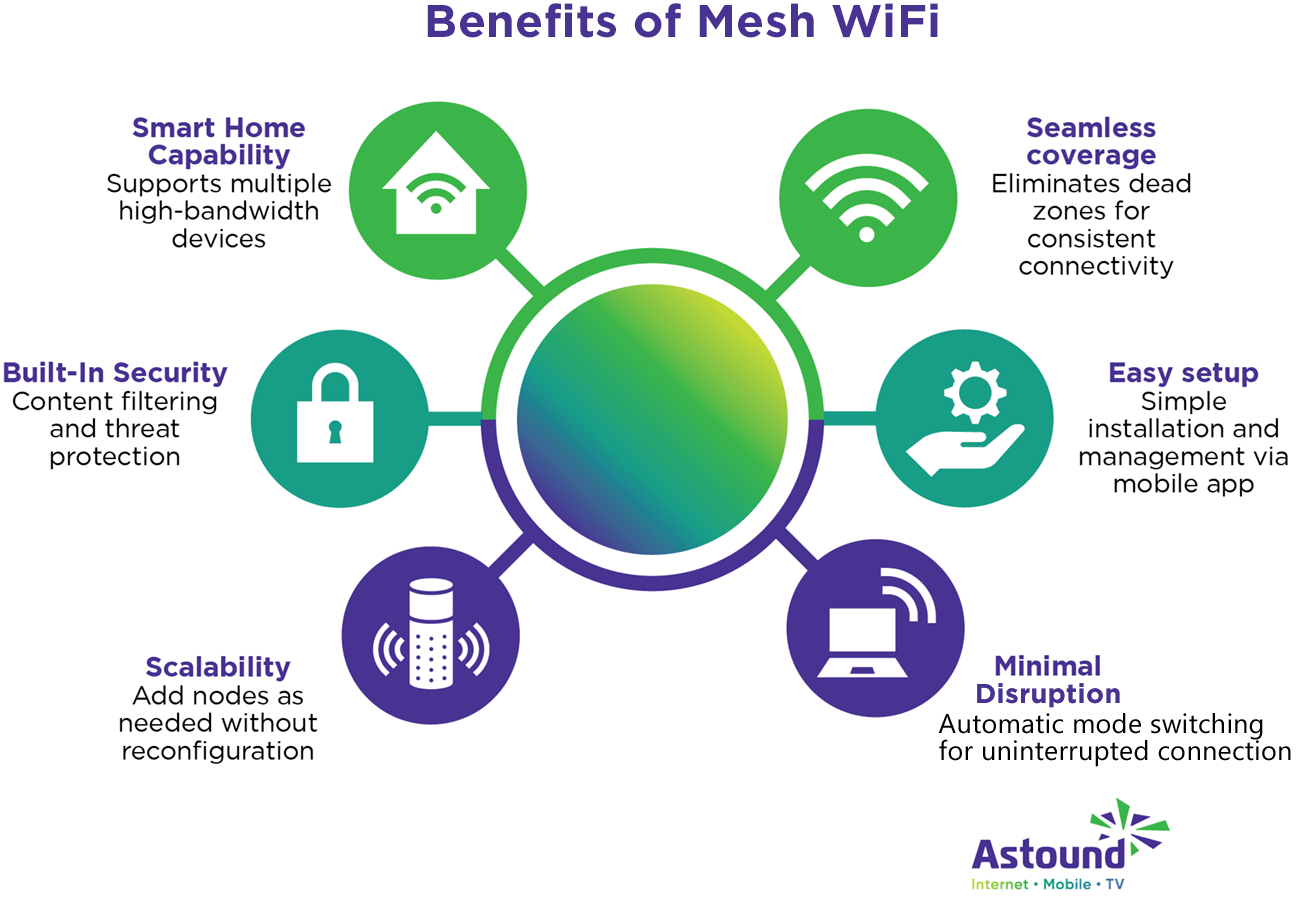
Credit: www.astound.com
Integrating With Smart Home Devices
Mesh WiFi systems improve smart home device connections. They spread WiFi evenly across your home.
This strong network helps your devices work without interruption or delays.
Connecting Smart Speakers
Smart speakers rely on WiFi to respond quickly to your voice commands. Mesh WiFi keeps the signal strong in every room.
This helps you play music or control devices from anywhere in your house.
Linking Security Systems
Home security devices like cameras and alarms need steady WiFi to send alerts and video feeds. Mesh WiFi supports many devices at once without slowing down.
This makes your security system more reliable and responsive.
Managing Iot Devices
Internet of Things (IoT) devices include smart lights, thermostats, and sensors. Mesh WiFi helps keep these devices connected all the time.
You can control many IoT devices from your phone without losing connection.
- Better signal strength for all devices
- Fewer dropped connections
- Easy device management from one app
Troubleshooting Common Issues
Mesh WiFi systems are great for smart homes. They provide better coverage and connectivity. But sometimes, issues arise. Understanding these problems helps in maintaining a stable network.
Common issues include signal drops, slow speeds, and connectivity conflicts. Let’s explore how to deal with these challenges.
Dealing With Signal Drops
Signal drops can be frustrating. They often occur due to physical barriers or distance. The first step is to check the placement of nodes. Ensure they are not blocked by walls or furniture.
- Place nodes in open areas for better coverage
- Keep nodes at an equal distance from each other
- Avoid placing nodes near metal objects or appliances
Addressing Slow Speeds
Slow speeds can hinder your smart home experience. They may result from network congestion or outdated firmware. First, check for any software updates for your mesh system.
Another solution is to manage connected devices. Too many devices can slow down the network. Disconnect devices that are not in use.
Resolving Connectivity Conflicts
Connectivity conflicts may occur when devices fight for bandwidth. This can lead to intermittent connections. Prioritizing devices can help manage bandwidth distribution.
- Use Quality of Service (QoS) settings to prioritize important devices
- Ensure devices are connected to the nearest node for stronger signals
- Check for interference from other WiFi networks

Credit: www.netgear.com
Popular Mesh Wifi Systems
Mesh Wifi systems help improve internet in your smart home. They cover large areas and eliminate dead zones.
These systems are great for homes with many devices. They ensure stable connections everywhere in your house.
Top Brands Comparison
Several brands offer reliable mesh Wifi systems. Each has unique features and pricing.
- Netgear Orbi: Known for fast speeds and large coverage.
- Google Nest Wifi: Offers easy setup and integration with smart devices.
- TP-Link Deco: Affordable with solid performance.
Budget-friendly Options
Not all mesh Wifi systems are expensive. Some options fit smaller budgets while still offering good connectivity.
- Tenda Nova: Cost-effective and easy to install.
- Amazon Eero: Compact design with reliable performance.
- Mercusys Halo: Simple setup with decent coverage.
High-end Solutions
High-end mesh Wifi systems offer advanced features. They are ideal for large homes and tech enthusiasts.
- Asus ZenWiFi: High speed and robust security features.
- Linksys Velop: Excellent for expansive homes and heavy users.
- AmpliFi Alien: Sleek design with cutting-edge technology.
Future Trends In Mesh Networking
Mesh Wi-Fi systems are changing how smart homes connect devices. These networks improve coverage and speed by linking multiple access points.
New technologies will make mesh Wi-Fi smarter, faster, and safer. Let’s explore the key trends shaping this future.
Wi-fi 6 And Beyond
Wi-Fi 6 offers faster speeds and better handling of many devices. It reduces delays and improves battery life for smart gadgets.
Future versions will build on these gains. They will allow homes to support more devices with less interference.
Ai-driven Network Management
Artificial intelligence can manage mesh networks automatically. It learns device habits and adjusts settings for the best performance.
- Detects network problems quickly
- Optimizes connection paths between devices
- Balances bandwidth to avoid slowdowns
- Adapts to changes in device numbers and locations
Enhanced Security Measures
| Security Feature | Benefit |
| End-to-end encryption | Protects data from hackers |
| Automatic software updates | Keeps network defenses current |
| Device authentication | Blocks unauthorized devices |
| Parental controls | Restricts unsafe content access |
These security upgrades help keep smart homes safe from cyber threats. They ensure that all devices in the mesh network follow strict rules.

Credit: www.amazon.com
Frequently Asked Questions
What Is Mesh Wifi And How Does It Work?
Mesh WiFi uses multiple nodes to create a seamless wireless network. Nodes communicate to extend coverage, reducing dead zones. This system ensures strong, consistent connectivity throughout your smart home.
Why Choose Mesh Wifi For Smart Home Devices?
Mesh WiFi offers reliable, fast internet across all rooms. It supports multiple devices simultaneously without speed loss. This makes it ideal for smart homes with many connected gadgets.
How Does Mesh Wifi Improve Smart Home Connectivity?
Mesh WiFi eliminates weak signals by spreading coverage evenly. It provides stable connections for smart devices, enhancing performance. This leads to smoother automation and less network interruption.
Can Mesh Wifi Support Multiple Smart Home Devices?
Yes, mesh WiFi efficiently handles numerous smart devices. It balances traffic between nodes, preventing network overload. This ensures all devices work smoothly without lag or drops.
Conclusion
Mesh WiFi makes smart home devices work better together. It spreads WiFi signals evenly across your home. No more dead zones or slow connections. Each device stays connected without interruptions. Setup is simple and does not need tech skills. Enjoy smooth streaming, quick downloads, and reliable security.
A strong WiFi network keeps your smart home running well. Choose mesh WiFi for a better, easier smart home experience.


