
Are you tired of spotty WiFi that makes your smart home devices slow or unresponsive? Your smart home and IoT gadgets deserve a strong, reliable connection to work seamlessly.
That’s where mesh WiFi comes in. Imagine every corner of your home covered with fast internet, so your smart lights, security cameras, and voice assistants never miss a beat. You’ll discover how mesh WiFi can transform your smart home experience and keep all your devices connected without interruption.
Ready to unlock the full potential of your smart home? Let’s dive in.

Credit: www.amazon.ca
Why Mesh Wifi Matters For Smart Homes
Smart homes use many internet-connected devices. These devices need a strong wifi signal to work well.
Mesh wifi helps spread the internet signal evenly in the whole house. This makes smart devices work better.
Limitations Of Traditional Routers
Traditional routers send wifi from one point. This can create weak spots far from the router.
Walls and floors block the signal. This causes slow internet and dropped connections for smart devices.
- Signal weakens in large homes
- Obstacles reduce wifi speed
- One router struggles with many devices
Benefits Of Seamless Coverage
Mesh wifi uses many nodes to cover the whole house. Nodes work together to give strong signals everywhere.
Devices switch automatically to the strongest signal. This keeps internet stable and fast in all rooms.
- No dead spots inside the home
- Strong signal in every room
- Easy to add more coverage nodes
Handling Multiple Devices Efficiently
Smart homes have many devices using wifi at once. Traditional routers may slow down with many connections.
Mesh wifi shares the load across nodes. This keeps speeds high even with many devices connected.
- Supports many devices at the same time
- Reduces wifi traffic jams
- Keeps smart devices working smoothly
Key Features Of Mesh Wifi Systems
Mesh wifi systems improve internet coverage in smart homes. They connect many devices for the Internet of Things (IoT).
These systems offer easy ways to expand and keep your network strong. They adjust to problems and are simple to manage.
Node Placement And Network Expansion
Mesh wifi uses several nodes to spread wifi signals evenly. You place nodes in different rooms or floors to cover all areas.
- Place nodes near devices that need strong signals.
- Nodes connect wirelessly to create a large network.
- Add more nodes to expand wifi reach easily.
- Each node shares internet with others for better coverage.
Self-healing Network Capabilities
Mesh wifi networks fix themselves when one node fails. Other nodes find new paths to send data without dropping your connection.
| Feature | Benefit |
|---|---|
| Automatic Rerouting | Maintains internet without interruptions |
| Node Failure Detection | Quickly identifies and bypasses broken nodes |
| Continuous Signal | Keeps smart home devices connected all the time |
Easy Setup And Management
Mesh wifi systems are simple to install. Most come with apps that guide you through setup and control your network.
- Step-by-step app instructions for quick setup
- Manage devices and settings from your phone
- Software updates happen automatically
- Monitor network health with easy tools
Choosing The Right Mesh Wifi For Iot
Smart homes use many devices that need strong WiFi. Mesh WiFi systems help cover all areas well. They keep your smart devices connected without weak signals.
Picking the right mesh WiFi for your smart home is important. It affects how well your devices work and stay secure.
Compatibility With Smart Devices
Not all mesh WiFi systems work with every smart device. Make sure the system supports your devices’ wireless standards.
Check if your mesh WiFi supports common smart home protocols like WiFi 5, WiFi 6, or Zigbee. This helps connect more devices easily.
- Supports common WiFi standards (802.11ac, 802.11ax)
- Works with popular smart home brands
- Allows many devices to connect at once
Security Features For Connected Homes
Smart homes have many connected devices that need protection. Choose mesh WiFi with strong security features to keep data safe.
Look for systems that offer automatic updates, encryption, and guest networks. These features reduce risks from hackers and intruders.
- WPA3 encryption for better data protection
- Automatic firmware updates
- Ability to create separate guest networks
- Parental controls and device blocking
Speed And Bandwidth Considerations
Smart homes use many devices at the same time. Your mesh WiFi must handle high speed and large bandwidth to avoid slowdowns.
Choose systems with dual-band or tri-band support. These provide more channels and reduce network congestion.
- Dual-band or tri-band for better performance
- Supports high internet speeds from your provider
- Handles many devices streaming and working at once
Boosting Connectivity For Smart Home Devices
Mesh WiFi systems help smart homes run smoothly. They provide steady internet for all devices. This improves how smart home devices work together.
Good connectivity means better control and faster responses. This is key for devices like security cameras and smart lights.
Optimizing Device Placement
Place your WiFi nodes in open areas away from walls. Avoid putting devices near microwaves or metal objects. Keep main nodes near heavy-use devices.
- Keep nodes high and visible, not on the floor
- Space nodes evenly for full home coverage
- Place critical devices within strong signal range
- Test connection speed in different rooms
Prioritizing Critical Iot Traffic
Smart homes need fast response for security and safety devices. Mesh WiFi lets you set priority for these devices. This reduces delays and packet loss.
| Device Type | Priority Level |
| Security Cameras | High |
| Smart Locks | High |
| Thermostats | Medium |
| Smart Lights | Low |
| Entertainment Devices | Low |
Extending Coverage To Outdoor Areas
Outdoor smart devices need good WiFi too. Place mesh nodes near doors or windows facing outside. Use weatherproof mesh nodes for yard coverage.
- Install outdoor mesh nodes high on walls or poles
- Avoid obstacles like thick trees or metal fences
- Check signal strength regularly in the yard
- Use mesh extenders if coverage is weak in corners
Troubleshooting Common Mesh Wifi Issues
Mesh Wifi systems help cover your home with strong internet signals. Sometimes, these systems face problems. Knowing how to fix common issues keeps your smart home devices connected.
This guide shows simple ways to solve problems with your mesh network. You will learn about signal interference, firmware updates, and resetting nodes.
Dealing With Signal Interference
Signal interference can slow down your Wifi or cause drops. Other electronics and building materials can block signals. Keep your mesh nodes away from these sources.
- Place nodes away from microwaves and cordless phones
- Avoid thick walls or metal objects between nodes
- Use the mesh app to check signal strength at each node
- Change the Wifi channel to reduce overlap with neighbors
- Keep nodes at a good height, not on the floor
Firmware Updates And Maintenance
Firmware updates fix bugs and add features. Regular updates keep your mesh system running smoothly. Check for updates often and install them quickly.
| Action | Details |
| Check for Updates | Use the mesh app or device web page |
| Install Updates | Follow on-screen instructions carefully |
| Restart Devices | Reboot mesh nodes after updates |
| Schedule Regular Checks | Set reminders to check monthly |
Resetting And Reconfiguring Nodes
Resetting nodes can fix many connection problems. You can reset a node to factory settings and add it again to the mesh network.
- Find the reset button on the node
- Press and hold the button for about 10 seconds
- Wait for the node to restart
- Use the mesh app to add the node back to your network
- Place the node in a good location for best coverage
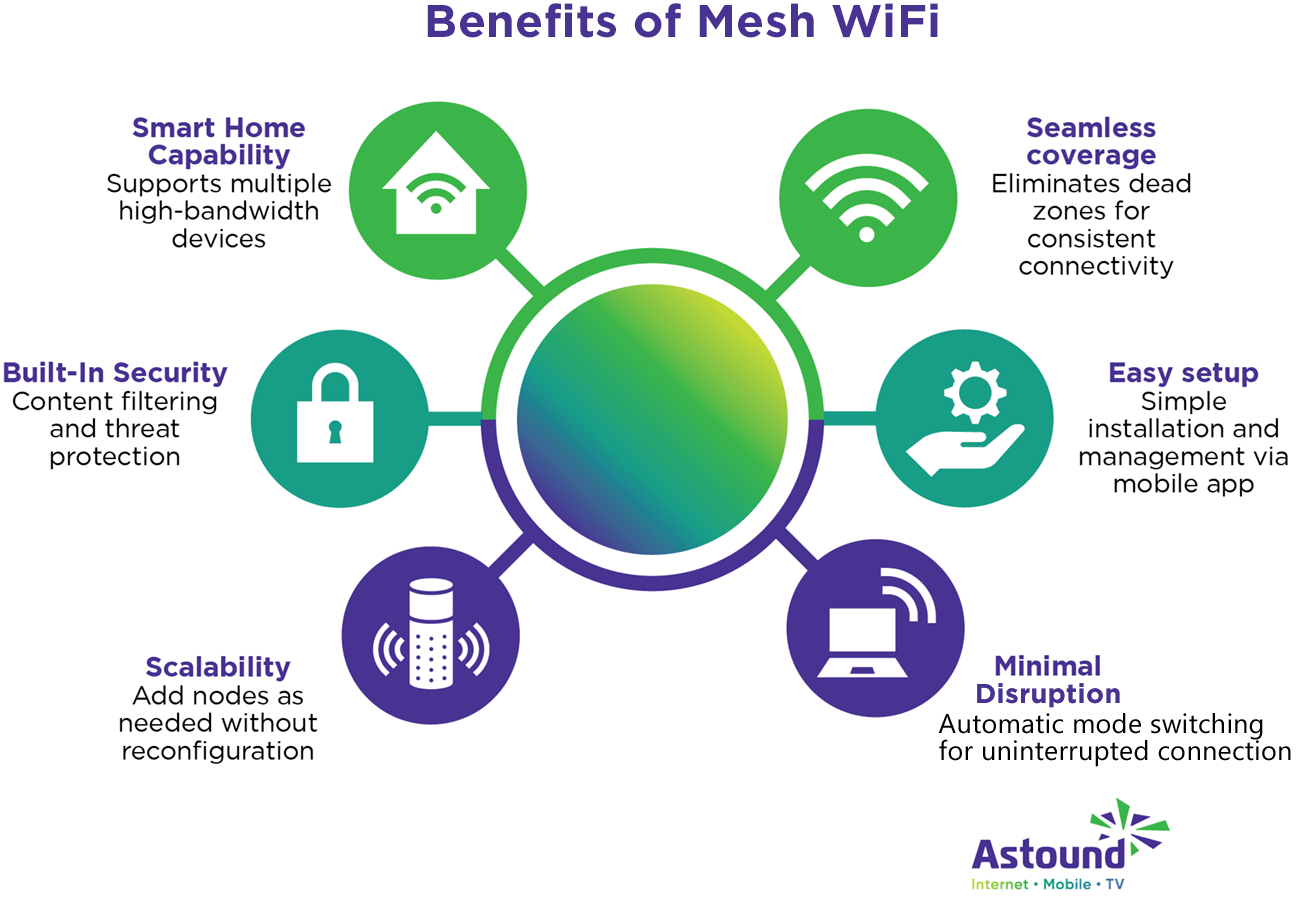
Credit: www.astound.com
Future Trends In Mesh Wifi For Smart Homes
Mesh Wifi is changing how we connect devices at home. It is important for smart homes and IoT devices. As technology grows, so do the features of Mesh Wifi.
In this article, we will explore future trends in Mesh Wifi. These trends include AI integration, new wireless protocols, and better security.
Integration With Ai And Automation
AI and automation will help Mesh Wifi become smarter. They can manage network traffic and prioritize devices. This ensures a smoother experience for users.
AI can also detect network problems quickly. It can fix these issues without human help. This makes the network more reliable and efficient.
Advancements In Wireless Protocols
New wireless protocols will make Mesh Wifi faster. They will support more devices at once. This is important as more IoT devices enter homes.
These protocols will also improve signal strength. This means fewer dead zones in the house. It will lead to better connectivity for all devices.
Enhanced Security Measures
Security is crucial for smart homes. Mesh Wifi will have stronger security features. These will protect personal information from cyber threats.
Features like automatic updates and encryption will be common. They ensure that the network stays safe from hackers.
- AI manages traffic and detects issues
- New protocols support more devices
- Enhanced security protects data

Credit: dlink.ca
Frequently Asked Questions
What Is Mesh Wifi For Smart Home Iot?
Mesh WiFi creates a seamless network using multiple nodes. It improves coverage and reliability for all smart home IoT devices. This ensures stable connections and reduces dead zones in your home.
How Does Mesh Wifi Enhance Smart Home Iot Security?
Mesh WiFi offers advanced encryption and regular updates. It isolates IoT devices on separate networks. This reduces hacking risks and keeps smart home data safe.
Can Mesh Wifi Support Multiple Smart Home Devices?
Yes, mesh WiFi handles numerous devices simultaneously. It balances traffic efficiently, preventing slowdowns. This is ideal for homes with many IoT gadgets.
Is Mesh Wifi Easy To Set Up For Smart Homes?
Mesh WiFi systems are user-friendly with app-based setup. They guide users through installation and device linking. This makes smart home network expansion simple and quick.
Conclusion
Mesh WiFi helps keep your smart home devices connected well. It spreads WiFi signals evenly in every room. This means fewer dead spots and less frustration. Smart gadgets work better with a strong, steady internet link. Setting up mesh WiFi is simple and user-friendly.
It supports many devices at the same time without slowing down. For homes full of smart devices, mesh WiFi is a smart choice. Enjoy smooth streaming, quick responses, and reliable control all day. Mesh WiFi makes your smart home run smoothly and easily.


