Imagine your smart home running smoothly without any annoying Wi-Fi drops. You want every device, from your smart lights to your security cameras, to stay connected all the time.
That’s where mesh WiFi comes in. It’s designed to give you strong, reliable internet coverage everywhere in your home. If you’ve struggled with dead zones or slow connections, this could be the simple fix you need. Keep reading to discover how mesh WiFi can transform your smart home experience and bring you peace of mind.

Credit: www.pcmag.com
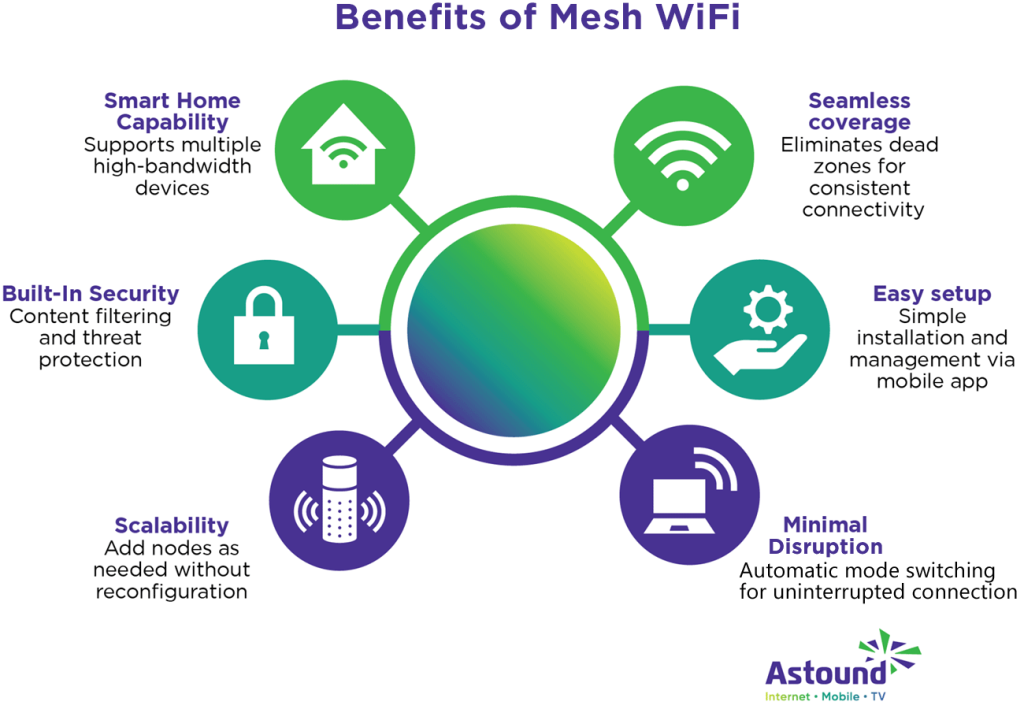
Benefits Of Mesh Wifi In Smart Homes
Mesh WiFi systems improve internet access in smart homes. They use multiple devices to spread a strong signal everywhere.
This setup helps many smart devices work well without interruptions or slowdowns.
Seamless Coverage Across Large Areas
Mesh WiFi covers large homes evenly. It sends internet signals to all corners without losing strength.
- Provides consistent WiFi in every room
- Supports multiple floors and outdoor spaces
- Adjusts signal paths for the best coverage
Eliminating Dead Zones
Dead zones stop smart devices from connecting well. Mesh WiFi uses nodes to fill these gaps.
| Problem | How Mesh WiFi Helps |
| Weak signal in far rooms | Node placed nearby boosts signal |
| No connection in basement | Additional unit covers basement area |
| Outdoor spots with poor WiFi | Mesh extends network outside |
Improved Device Connectivity
Mesh WiFi helps many devices connect smoothly. It balances the network load to avoid slowdowns.
- Supports smart lights, cameras, and speakers
- Allows multiple devices to work at once
- Switches devices to the best node automatically
Key Features Of Mesh Wifi Systems
Mesh WiFi systems improve home internet by using multiple devices. This creates strong coverage across all rooms.
They help keep smart home devices connected without drops or slowdowns. Below are key features that make mesh WiFi reliable.
Self-healing Networks
Self-healing networks fix problems automatically. If one device fails, the system reroutes data through other devices.
This keeps your smart home devices online without interruption. It reduces downtime and keeps internet stable.
Easy Scalability
You can add more nodes to a mesh system easily. This lets you cover larger homes or weak signal spots.
- Add extra units without rewiring
- Expand coverage room by room
- Adjust system size as your needs grow
Unified Network Management
Unified management lets you control all devices in one place. Use an app or web portal to see network status and settings.
| Feature | Benefit |
| Single dashboard | Easy to monitor all devices |
| Parental controls | Manage access for each user |
| Automatic updates | Keep system secure and current |
Choosing The Right Mesh Wifi For Your Smart Home
Mesh WiFi systems help spread strong internet signals across your home. They work well with many smart devices.
Picking the right mesh WiFi keeps your smart home fast and reliable. Look at your house and devices first.
Assessing Home Size And Layout
Check how big your home is and its shape. Large homes may need more mesh nodes.
- Measure square footage of your house.
- Note walls and floors that block signals.
- Plan node placement for even coverage.
Compatibility With Smart Devices
Make sure the mesh WiFi works well with your smart gadgets.
| Device Type | Connection Needs | WiFi Standard |
| Smart Lights | Low Bandwidth | 802.11n or higher |
| Security Cameras | High Bandwidth | 802.11ac or higher |
| Smart Thermostats | Low Latency | 802.11n or higher |
| Voice Assistants | Stable Connection | 802.11ac or higher |
Security Considerations
Security is important for your smart home network. Look for strong protection features.
- Use mesh WiFi with WPA3 encryption.
- Choose systems with automatic updates.
- Enable guest networks for visitors.
- Set strong, unique passwords for devices.

Credit: www.techlidar.com
Installation Tips For Optimal Performance
Setting up a mesh WiFi system correctly helps your smart home devices work well. Good installation makes the network strong and reliable.
This guide gives tips to place nodes, avoid interference, and keep firmware updated. Follow these steps for the best WiFi performance.
Node Placement Strategies
Place your mesh nodes where they can send strong signals. Avoid walls and large objects between nodes. Keep nodes visible and open.
Spread nodes evenly through your home. Too close nodes waste signal. Too far nodes lose connection. Aim for good coverage.
- Put the main node near your modem or router
- Place nodes in central rooms for best reach
- Avoid floors or corners for node placement
- Use higher spots like shelves for better signals
Avoiding Interference
Interference can slow your mesh WiFi. Keep nodes away from devices that use the same frequencies, like microwaves and cordless phones.
Metal objects and thick walls also block signals. Try to find open spaces with less electronic noise around the nodes.
- Do not place nodes near microwaves or Bluetooth devices
- Keep nodes away from thick concrete or metal walls
- Limit devices using the 2.4 GHz band near nodes
Firmware Updates And Maintenance
Keep your mesh WiFi firmware up to date. Updates fix bugs and improve performance. Check updates regularly using your mesh app.
Restart your mesh system if you notice slow speeds. Clean dust from nodes to keep them cool. Good maintenance helps reliability.
- Enable automatic firmware updates if available
- Check for updates monthly
- Restart nodes once in a while to refresh connections
- Keep nodes dust-free and well-ventilated
Troubleshooting Common Mesh Wifi Issues
Mesh WiFi systems improve your smart home connection. Sometimes, problems can still happen. Knowing how to fix them helps keep your network strong.
This guide covers common mesh WiFi problems and easy ways to solve them. Follow these tips to make your smart home more reliable.
Connectivity Drops
Connectivity drops happen when your devices lose connection to the mesh network. This can interrupt smart home devices and streaming.
Check the placement of mesh nodes. They should be close enough to each other for a strong signal. Avoid thick walls or metal objects between nodes.
- Restart your mesh router and nodes to refresh connections.
- Update your mesh system’s firmware regularly.
- Reduce interference by moving nodes away from microwaves or cordless phones.
Slow Speeds
Slow speeds can make smart home devices respond late. This issue often comes from too many devices or weak signals.
Limit the number of devices on your network. Check if any devices use a lot of data and pause them if needed.
- Place mesh nodes in open areas to boost speed.
- Use Ethernet backhaul if your mesh system supports it.
- Run a speed test to compare your internet plan with actual speeds.
Device Compatibility Problems
Some smart devices may not work well with your mesh WiFi. This can cause connection errors or slow responses.
Check if your smart devices support the WiFi standards used by your mesh system. Older devices might need updates or settings changes.
- Restart devices to refresh their network settings.
- Update device firmware for better compatibility.
- Separate older devices on a guest network if supported.

Credit: www.pcmag.com
Future Trends In Mesh Wifi Technology
Mesh WiFi is becoming essential for smart homes. It offers reliable and strong internet connections. Future trends show more integration with smart technologies.
These trends will make smart homes even smarter. Let’s explore some key developments in mesh WiFi technology.
Integration With Iot Ecosystems
Mesh WiFi systems will connect better with IoT devices. Smart lights, thermostats, and cameras will work seamlessly. This means more control and efficiency in homes.
These systems will support many devices at once. This will reduce lag and improve performance.
- Connect multiple IoT devices smoothly
- Enhance device communication
- Increase energy efficiency
Advancements In Wifi Standards
New WiFi standards will boost mesh networks. Faster speeds and wider coverage are expected. This will improve internet access for all devices.
Improved standards will also enhance security. This keeps smart homes safe from cyber threats.
- Faster internet speeds
- Better security features
- Wider coverage areas
Ai-driven Network Optimization
AI will optimize mesh WiFi networks automatically. It will adjust settings for best performance. This makes networks smart and efficient.
AI will also predict and fix problems before they occur. This reduces downtime and keeps connections stable.
- Automatic network adjustments
- Predictive maintenance features
- Improved connection stability
Frequently Asked Questions
What Is Mesh Wifi And How Does It Work?
Mesh WiFi uses multiple nodes to create a seamless wireless network. It eliminates dead zones by spreading signals evenly. This setup improves coverage and reliability in smart homes, ensuring all devices stay connected without interruption.
How Does Mesh Wifi Improve Smart Home Reliability?
Mesh WiFi provides stable and consistent internet across all rooms. It automatically routes traffic through the best path, reducing latency and dropouts. This ensures smart home devices function smoothly without losing connection.
Can Mesh Wifi Support Multiple Smart Home Devices?
Yes, mesh WiFi supports numerous smart devices simultaneously. It balances network load efficiently, preventing slowdowns. This makes it ideal for homes with many connected gadgets like cameras, lights, and sensors.
Is Mesh Wifi Better Than Traditional Routers For Smart Homes?
Mesh WiFi offers broader coverage and fewer dead spots than traditional routers. It adapts to home layouts and device needs, ensuring reliable connectivity. This makes it a superior choice for smart home environments.
Conclusion
Mesh WiFi boosts your smart home’s connection and reliability. It covers every corner with strong, steady signals. Devices stay connected without drops or delays. Setup is simple and works well for many homes. Enjoy smooth streaming, quick responses, and fewer interruptions.
A reliable network keeps all smart devices running together. Choose mesh WiFi to support your smart home needs. It helps your technology work better, every day.


