Is your smart home struggling with weak WiFi signals in certain rooms? You’re not alone.
As you add more devices—like smart speakers, security cameras, and thermostats—your regular router might not keep up. That’s where mesh WiFi comes in. It’s designed to spread strong, seamless internet throughout your entire home. Imagine moving from room to room without losing connection or dealing with frustrating slowdowns.
If you want to unlock the full potential of your smart home, understanding mesh WiFi for smart home WiFi expansion is a game-changer. Keep reading to discover how this simple upgrade can transform your internet experience.

Credit: www.pcmag.com
Benefits Of Mesh Wifi
Mesh Wifi systems help improve your smart home internet. They use multiple devices to spread wifi evenly.
This setup makes your connection faster and more reliable in every room.
Seamless Connectivity
Mesh Wifi lets your devices switch smoothly between points. This means no drops or delays when moving around.
Your smart home devices stay connected without interruptions during use.
Elimination Of Dead Zones
Dead zones are areas with weak or no wifi signal. Mesh Wifi covers your whole home to remove these spots.
More coverage means your smart devices work well everywhere, even far from the main router.
- Better video calls in all rooms
- Stable connections for smart lights and cameras
- Strong signals in basements and yards
Scalability For Growing Homes
Mesh Wifi is easy to expand. Add more units as your home or needs grow.
This makes it simple to keep a strong wifi signal in new rooms or outdoor areas.
- Add units without complex setup
- Supports many devices at once
- Works well with smart home upgrades
Key Features To Look For
Choosing the right mesh WiFi system can improve your smart home network. It helps spread WiFi signals evenly across your house.
Look for features that fit your home size and device needs. This guide covers three important features to consider.
Dual-band Vs Tri-band Systems
Dual-band systems use two frequency bands: 2.4 GHz and 5 GHz. They work well for small to medium homes.
Tri-band systems add a second 5 GHz band. This extra band helps reduce network traffic and improve speed.
- Dual-band is usually cheaper and simpler
- Tri-band supports more devices at once
- Tri-band is better for larger homes
Security Protocols
Security keeps your smart home safe from hackers. Choose systems with the latest protocols.
WPA3 is the newest and strongest WiFi security standard. It protects your data better than older versions.
- Look for WPA3 or WPA2/WPA3 mixed mode
- Check if the system supports automatic security updates
- Guest network feature helps keep visitors separate
Device Compatibility
Your mesh WiFi should work with all your smart home devices. This includes phones, cameras, and smart speakers.
Check if the system supports common WiFi standards like 802.11ac or 802.11ax (WiFi 6). Newer standards offer better speed.
- Supports both older and newer devices
- Works with smart home hubs and voice assistants
- Easy setup with mobile apps is helpful
Setting Up Mesh Wifi
Mesh Wifi helps cover your smart home with strong internet. It uses several devices called nodes to spread the signal.
Setting up mesh Wifi means placing nodes well and adjusting settings. This guide will help you do that easily.
Optimal Placement Of Nodes
Put nodes where they can send signals without walls blocking them. Place nodes in open spaces for best reach.
Try to keep nodes about two rooms apart. Avoid placing nodes near microwaves or thick walls.
- Place the main node near your internet source
- Put secondary nodes where signal is weak
- Keep nodes away from metal objects and electronics
- Place nodes at a medium height, like on a shelf
Configuring Network Settings
Open the mesh Wifi app or website to change settings. Name your network clearly so devices can find it.
Set a strong password to keep your network safe. You can also pick the Wifi channel to avoid interference.
- Change the default network name (SSID)
- Create a secure password with letters and numbers
- Enable automatic updates for security
- Choose a less crowded Wifi channel if needed
Integrating With Existing Routers
Mesh Wifi can work with your current router. Connect the main node to your router using an Ethernet cable.
Turn off your router’s Wifi to avoid signal clash. Let the mesh system handle all wireless connections.
- Use Ethernet to link main node to router
- Disable router’s Wifi to prevent interference
- Check that mesh network covers all areas
- Restart devices after setup for best results
Troubleshooting Common Issues
Mesh WiFi helps spread internet around your home. Sometimes, problems can happen with your smart home WiFi.
Knowing how to fix common issues will keep your connection strong and stable.
Signal Interference
Signal interference happens when other devices block your WiFi. This can lower the speed or cause drops.
Common sources of interference include microwaves, cordless phones, and thick walls.
- Keep mesh nodes away from metal objects and appliances
- Place nodes in open areas, not inside cabinets
- Use the 5 GHz band for less interference
- Change WiFi channels if your neighbors use the same one
Slow Speeds
Slow speeds can make streaming and smart devices frustrating. Many factors can cause slow WiFi.
Check if your internet plan supports your needs and if your router is up to date.
- Restart your mesh router and nodes
- Limit the number of devices using WiFi at once
- Update your mesh system’s firmware
- Move nodes closer to areas with slow speed
Node Connectivity Problems
Nodes sometimes lose connection to each other. This breaks the mesh network and causes dead spots.
Make sure nodes are within range and not blocked by thick walls or floors.
- Check the signal strength between nodes in your mesh app
- Restart the node that has connection issues
- Reposition nodes to improve line of sight
- Remove obstacles like large furniture between nodes
Enhancing Smart Home Performance
Mesh WiFi systems help improve your smart home’s internet connection. They spread WiFi evenly across your home.
This means your smart devices get a stronger and more reliable signal. It reduces dead zones and slowdowns.
Prioritizing Smart Devices
Smart homes often have many devices connected at once. Prioritizing important devices helps them work better.
You can set your mesh WiFi to give priority to devices like smart speakers or security cameras. This keeps them fast and steady.
- Assign higher priority to critical smart devices
- Ensure smooth video streaming and calls
- Reduce lag on smart home controls
Managing Network Traffic
Mesh WiFi helps manage traffic by balancing data loads. This keeps the network stable even with many devices.
It stops any one device from using too much bandwidth. This helps all devices work without slowdowns.
- Distributes bandwidth evenly among devices
- Prevents network overloads
- Supports simultaneous video and gaming
Firmware Updates And Maintenance
Mesh WiFi systems need regular updates to stay secure and fast. Firmware updates fix bugs and add features.
Keeping your system updated helps your smart home run smoothly. Many mesh systems update automatically for convenience.
- Improves security against threats
- Enhances device compatibility
- Boosts overall network performance

Credit: www.amazon.com
Popular Mesh Wifi Systems
Mesh Wifi systems help spread internet across your home. They are useful for big houses and places with signal issues. Many brands offer these systems with different features.
This guide covers top brands, budget-friendly choices, and premium solutions. It helps you pick the right system for your smart home.
Top Brands Comparison
Top brands offer reliable Mesh Wifi systems. These systems provide fast and stable internet connections.
- Netgear Orbi: Known for strong coverage and speed.
- Google Nest Wifi: Easy setup and smart home integration.
- Eero Pro: Offers great user experience and reliability.
Budget-friendly Options
Some Mesh Wifi systems are affordable yet effective. They give good performance without high costs.
- TP-Link Deco: Offers value and decent coverage.
- Tenda Nova: Simple setup and cost-effective.
- Vilo Mesh Wifi: Basic features at a low price.
Premium Solutions
Premium Mesh Wifi systems offer advanced features. They are great for tech enthusiasts and large homes.
| Brand | Features |
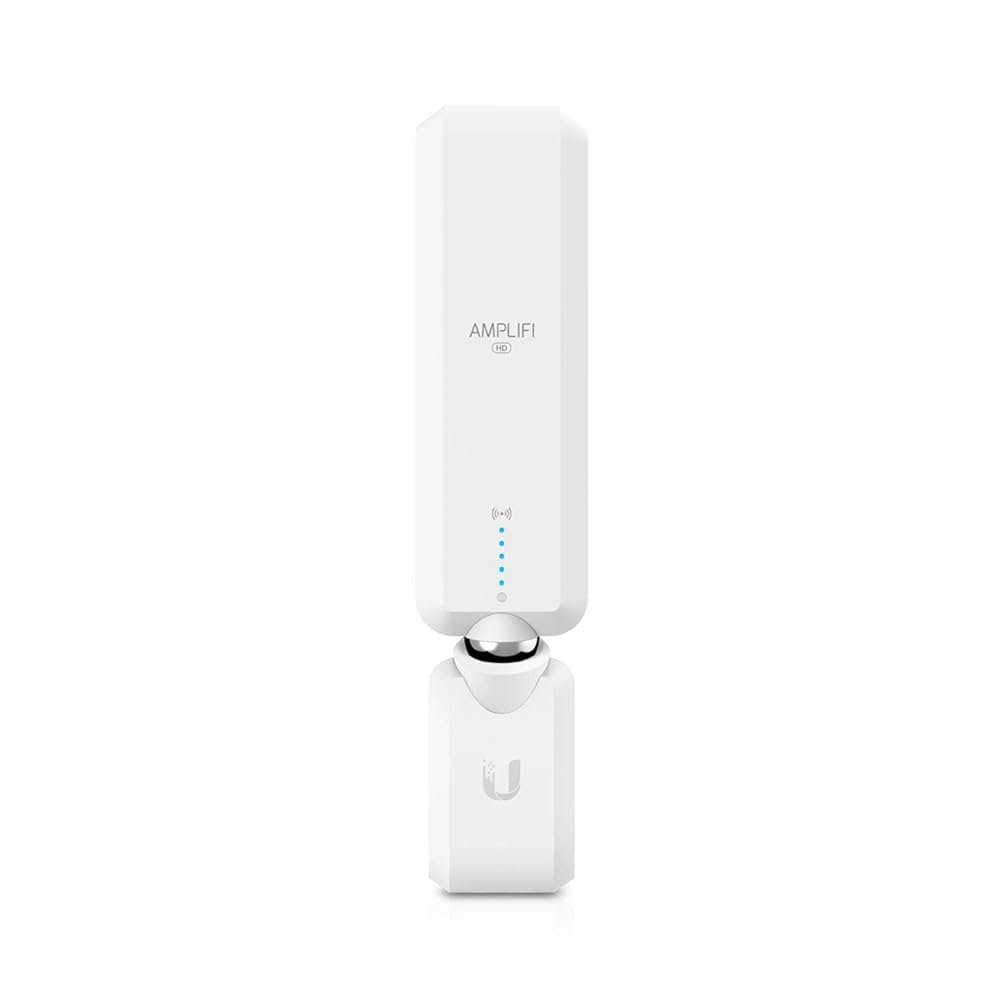
| Ubiquiti AmpliFi Alien | High speed and modern design |
| Linksys Velop | Tri-band and seamless roaming |

Credit: www.pcmag.com
Frequently Asked Questions
What Is Mesh Wifi For Smart Home Expansion?
Mesh WiFi uses multiple devices to create a seamless wireless network. It improves coverage and eliminates dead zones in smart homes. This system supports multiple smart devices with strong, consistent signals throughout your home.
How Does Mesh Wifi Improve Smart Home Connectivity?
Mesh WiFi nodes work together to distribute WiFi evenly. This reduces signal drops and boosts connection speed for smart devices. It ensures reliable performance for streaming, gaming, and smart home automation.
Can Mesh Wifi Support Many Smart Home Devices?
Yes, mesh WiFi systems handle numerous devices without slowing down. They balance network traffic efficiently to maintain strong connections. This makes them ideal for smart homes with multiple gadgets.
Is Mesh Wifi Easy To Set Up For Smart Homes?
Most mesh WiFi systems feature user-friendly apps for quick setup. They guide you through installation and device placement. This makes expanding your smart home network hassle-free and fast.
Conclusion
Mesh WiFi helps expand your smart home network easily. It covers every corner with a strong signal. Devices stay connected without slow or dropped links. Setting up mesh systems is simple and quick. This technology supports many devices at once without trouble.
Enjoy smoother streaming, gaming, and work from anywhere. Choose mesh WiFi to make your smart home better.


