Are you tired of dead zones and slow internet in your smart home? Choosing the right WiFi setup can make all the difference.
You might be wondering whether a traditional router or a mesh WiFi system is better for your devices. This decision affects how smoothly your smart lights, cameras, and speakers work. Keep reading to discover which option gives you stronger signals, better coverage, and a smarter home experience.
Your WiFi could be holding you back—let’s fix that.
Mesh Wifi Basics
Mesh wifi systems spread internet across your home using multiple devices. They help cover large areas with strong signals.
This system works well in smart homes, where many gadgets need a steady connection.
How Mesh Systems Work
Mesh wifi uses several nodes to create one network. Each node talks to others to share internet.
- One main node connects to your modem.
- Other nodes spread around your home.
- Nodes send data to each other to keep the signal strong.
- Your device connects to the closest node automatically.
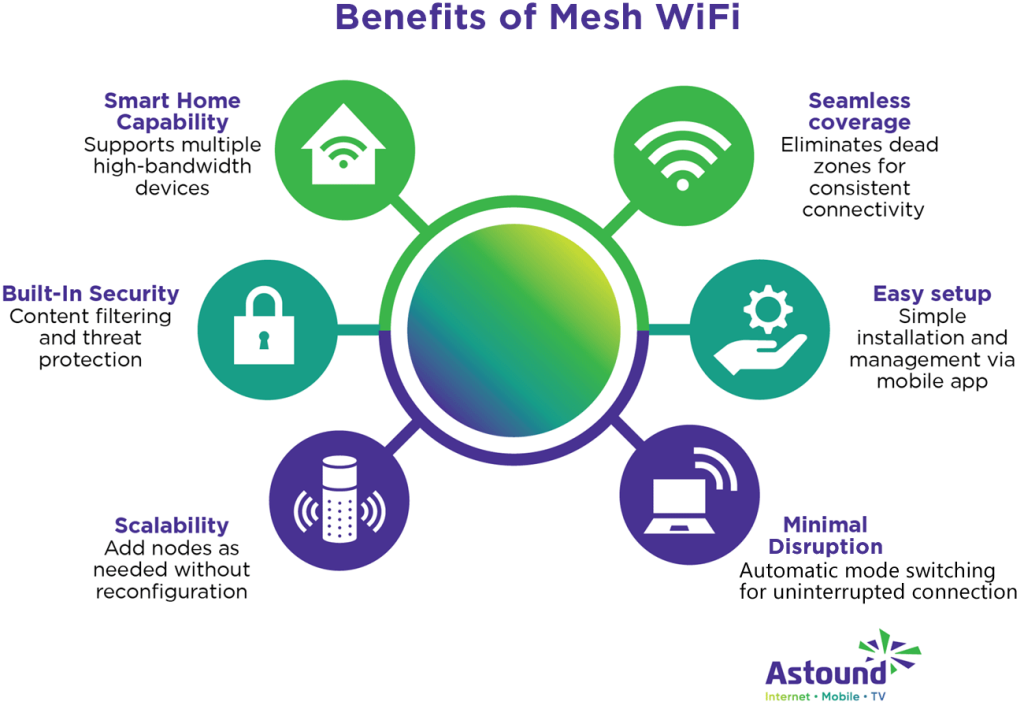
Key Features Of Mesh Wifi
Mesh wifi offers benefits that help smart homes run smoothly. These features improve coverage and ease of use.
| Feature | Description |
| Seamless Coverage | Nodes work together to cover dead zones. |
| Easy Setup | Setup apps guide you through installation. |
| Automatic Updates | System updates itself for security and speed. |
| Device Management | You can control devices and set priorities. |
Traditional Router Essentials
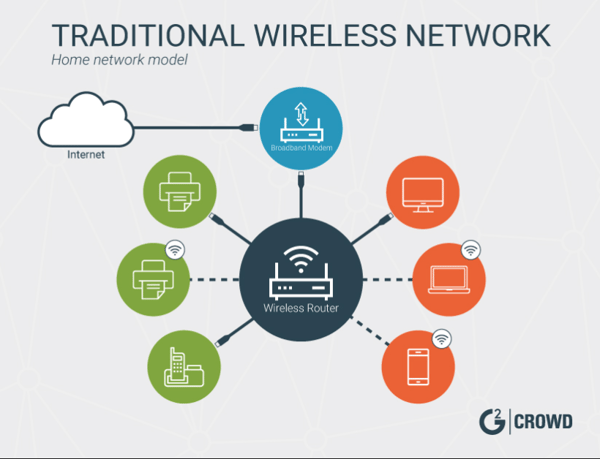
Traditional routers connect your smart home devices to the internet. They act as a central hub for data traffic. These routers manage how devices communicate within your home network.
Understanding the basics of traditional routers helps you compare them to newer technologies like mesh WiFi. This knowledge guides better choices for smart home setups.
Router Functionality
A traditional router sends and receives data between devices and the internet. It assigns IP addresses to each device. It also directs internet traffic to prevent collisions. Many routers include built-in firewalls for security.
- Connects multiple devices to the internet
- Assigns local IP addresses to devices
- Manages data traffic within the home network
- Includes security features like firewalls
- Supports wired and wireless connections
Common Router Types
There are several router types used in homes. Each type varies in speed, range, and features. Choosing the right one depends on your home size and device needs.
| Router Type | Description | Best For |
| Single-Band Router | Uses one frequency band (2.4 GHz) | Small homes, fewer devices |
| Dual-Band Router | Offers 2.4 GHz and 5 GHz bands | Medium homes, more devices |
| Tri-Band Router | Includes an extra 5 GHz band for more speed | Large homes, heavy internet use |
| Wired Router | Connects devices using Ethernet cables | Stable connections, gaming setups |
Coverage And Range
Good WiFi coverage is important for smart homes. Devices need strong signals everywhere.
This article compares mesh WiFi and traditional routers in coverage and range.
Mesh Wifi Coverage Advantages
Mesh WiFi uses multiple devices to spread the signal. This helps cover large homes well.
- Each unit acts as a node, extending the network.
- Signal strength stays strong even far from the main router.
- Easy to add more nodes to cover new areas.
- Reduces dead zones where WiFi is weak or absent.
- Devices switch automatically to the strongest node.
Limitations Of Traditional Routers
Traditional routers send WiFi from one point only. This limits their range and coverage.
| Issue | Explanation |
| Limited Range | Signal weakens as you move far from the router. |
| Dead Zones | Rooms far from the router may have no signal. |
| Obstacles | Walls and furniture block or reduce signals. |
| Single Point of Failure | If the router fails, the whole network goes down. |
Credit: learn.g2.com
Performance And Speed
Smart homes need fast and steady internet. Your choice between mesh wifi and a traditional router affects this. Let’s look closely at their speed and performance.
Understanding how each system handles speed helps you pick the right option for your devices and space.
Mesh Network Speed Consistency
Mesh networks use several nodes spread around your home. This setup keeps your internet speed steady everywhere. It reduces dead zones and keeps your connection strong.
- Each node shares internet load evenly
- Devices switch to the closest node automatically
- Speed stays stable even with many devices
- Good for large or multi-floor houses
Router Speed Factors
Traditional routers send signals from one central point. Speed depends on router type, location, and interference. Walls and distance can slow down your connection.
| Factor | Impact on Speed |
|---|---|
| Router Type | Newer routers offer higher speeds and better range |
| Location | Central spots reduce signal loss |
| Interference | Other electronics or walls weaken signals |
| Connected Devices | More devices can slow down the network |
Setup And Maintenance
Setting up internet devices in a smart home can be simple or complex. The choice between mesh wifi and traditional routers affects this process.
Maintenance is also different for each system. Understanding these differences helps keep your home network running smoothly.
Ease Of Installing Mesh Systems
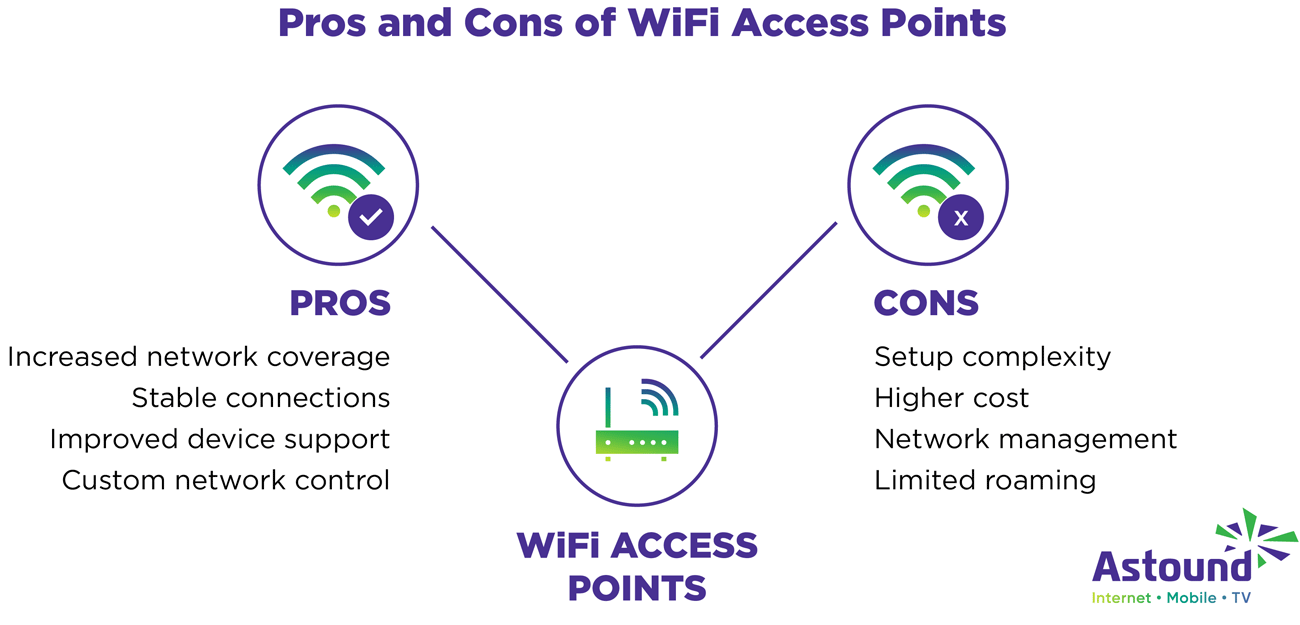
Mesh wifi systems are designed for easy setup. Many come with apps that guide users through every step.
- Plug in the main node and connect to your modem.
- Use the app to add more nodes around your home.
- The system automatically connects all nodes for full coverage.
- Adjust settings easily through the app without complex menus.
Mesh systems often update automatically. This reduces the need for manual checks and keeps security up to date.
Traditional Router Configuration
Traditional routers require manual setup. You must connect the router to the modem and configure settings through a web page.
| Task | Details |
|---|---|
| Physical Setup | Connect router to modem with Ethernet cable and power it on. |
| Access Settings | Enter router’s IP address in a browser to open the admin panel. |
| Network Setup | Set SSID (network name) and password manually. |
| Firmware Updates | Check for updates and install them through the admin panel. |
| Troubleshooting | May require rebooting or resetting to fix issues. |
Credit: www.astound.com
Smart Home Compatibility
Smart homes need reliable internet connections. Devices like smart lights, thermostats, and cameras depend on this. Choosing the right router is important for a smooth experience.
There are two main options: mesh wifi and traditional routers. Each has its strengths when connecting smart gadgets. Let’s explore how they integrate with smart devices.
Integrating Devices With Mesh Wifi
Mesh wifi systems create a seamless network. They ensure that every corner of your home has strong signal coverage. This is beneficial for smart devices spread throughout the house.
- Easy to add more nodes for better coverage
- Automatic network optimization for device connectivity
- Single network name for all devices
Router Support For Smart Gadgets
Traditional routers can also support smart devices. They typically offer a single access point for network connections. It’s important to place them centrally for best performance.
| Feature | Traditional Router | Mesh Wifi |
| Coverage | Limited to router range | Expands with additional nodes |
| Network Name | One per band | Single for entire network |
| Device Management | Basic settings | Advanced through apps |
Cost Considerations
Choosing between mesh wifi and a traditional router affects your budget. Cost matters for smart home setups.
Both options have different prices and value over time. Understanding these helps you spend wisely.
Initial Investment Comparison
Traditional routers usually cost less at the start. You buy one device that covers your home.
Mesh wifi systems need multiple units. This raises the upfront price but improves coverage.
- Traditional router: Lower initial cost
- Mesh wifi: Higher cost for multiple devices
- Mesh offers better coverage from the start
Long-term Value And Upgrades
Traditional routers may need replacements sooner. They might not cover all smart home devices well.
Mesh wifi can grow with your home. You add units for better range without replacing the whole system.
- Traditional routers: Cheaper but may need full replacement
- Mesh wifi: Expandable, reduces dead zones over time
- Mesh systems often receive better software updates
Security Features
Smart homes need strong security to protect devices and data. Mesh WiFi and traditional routers offer different security features.
Choosing between them depends on the security needs of your home. Let’s explore the security benefits of each.
Mesh Wifi Security Benefits
Mesh WiFi systems provide secure connections throughout your home. They often include automatic updates to keep your network safe.
These systems also allow for device prioritization. This means you can control which devices get the most security.
- Automatic security updates
- Device prioritization for better protection
- Seamless coverage reduces weak spots
Traditional Router Security Options
Traditional routers offer basic security features. They usually require manual updates to stay protected.
They provide settings like firewalls and password protection. These features help keep your network secure.
- Manual security updates
- Firewall settings available
- Password protection for access control
Troubleshooting And Support
Smart homes rely on strong internet connections. Mesh wifi and traditional routers both need occasional fixes. Knowing how to handle problems helps keep devices online.
Support options vary between mesh systems and traditional routers. Understanding common issues can save time and reduce frustration.
Handling Mesh Network Issues
Mesh networks use multiple nodes to cover your home. Sometimes nodes lose connection or slow down. Restarting nodes often helps. Place nodes where the signal is strong and not blocked by walls.
- Check if all nodes show as connected in the app
- Restart the main router and nodes one by one
- Update firmware regularly through the mesh system app
- Move nodes closer if the signal is weak
- Reset the whole system if problems persist
Router Problem Solving Tips
Traditional routers may face issues like slow speed or no internet. Simple steps can solve most problems without expert help.
| Issue | Possible Cause | Fix |
| No internet connection | ISP outage or loose cables | Check cables and contact ISP |
| Slow wifi speed | Too many devices or interference | Limit devices or change router channel |
| Router not turning on | Power supply problem | Try a different power outlet or adapter |
| Frequent disconnects | Outdated firmware | Update router firmware |
Choosing The Right Option
Smart homes need strong and reliable WiFi. Choosing between mesh WiFi and a traditional router is important. Each option works best in different situations.
This guide helps you decide which WiFi system fits your smart home needs. Look at your home size and device use before choosing.
When To Pick Mesh Wifi
Mesh WiFi works well in large homes or places with many walls. It uses multiple devices to cover every corner with strong signal.
It is good if you have many smart devices in different rooms. Mesh systems keep the internet fast and steady everywhere.
- You have a large or multi-story home
- WiFi signal is weak in some rooms
- You use many smart devices in different areas
- You want easy expansion of your network
When Traditional Routers Make Sense
Traditional routers fit smaller homes or apartments. They provide a strong signal from one device in a limited space.
If you have few smart devices and don’t need coverage in many rooms, a traditional router can save money and work well.
- Your home is small or has few rooms
- You use fewer smart devices
- You want a simple and cost-effective setup
- You do not need WiFi in every corner

Credit: www.pcmag.com
Frequently Asked Questions
What Is The Main Difference Between Mesh Wifi And Traditional Routers?
Mesh WiFi uses multiple nodes to cover large areas, while traditional routers rely on a single device. Mesh systems provide seamless connectivity and better coverage, especially in big homes. Traditional routers may create dead zones where signals weaken or drop.
Which Is Better For Smart Homes, Mesh Wifi Or Traditional Routers?
Mesh WiFi is generally better for smart homes because it offers wider coverage and stable connections. It supports multiple smart devices without slowing down the network. Traditional routers might struggle with many connected devices in different rooms.
How Does Mesh Wifi Improve Smart Home Device Performance?
Mesh WiFi spreads the signal evenly across your home, reducing dead spots. This consistent coverage ensures smart devices stay connected and responsive. It also handles more devices simultaneously, which is crucial for smart home ecosystems.
Are Mesh Wifi Systems More Expensive Than Traditional Routers?
Mesh WiFi systems usually cost more upfront due to multiple units. However, they can save money by reducing the need for range extenders. Traditional routers are cheaper but may require additional devices for full coverage.
Conclusion
Choosing between mesh WiFi and a traditional router depends on your smart home’s size and needs. Mesh systems cover large areas with strong signals. Traditional routers work well for smaller spaces. Both have pros and cons to consider. Think about your home’s layout and device number.
Reliable internet helps your smart devices work smoothly. The right choice improves your daily online experience. Simple, steady WiFi keeps your smart home connected.


