Are you tired of slow internet and dead zones in your home? Orbi Mesh Wifi could be the solution you’ve been looking for.
Imagine seamless, fast wifi that reaches every corner of your space without interruptions. You’ll discover the top features of Orbi Mesh Wifi that can transform your online experience. Keep reading to find out how Orbi can make your connection stronger, faster, and smarter.
Orbi Mesh Wifi Design
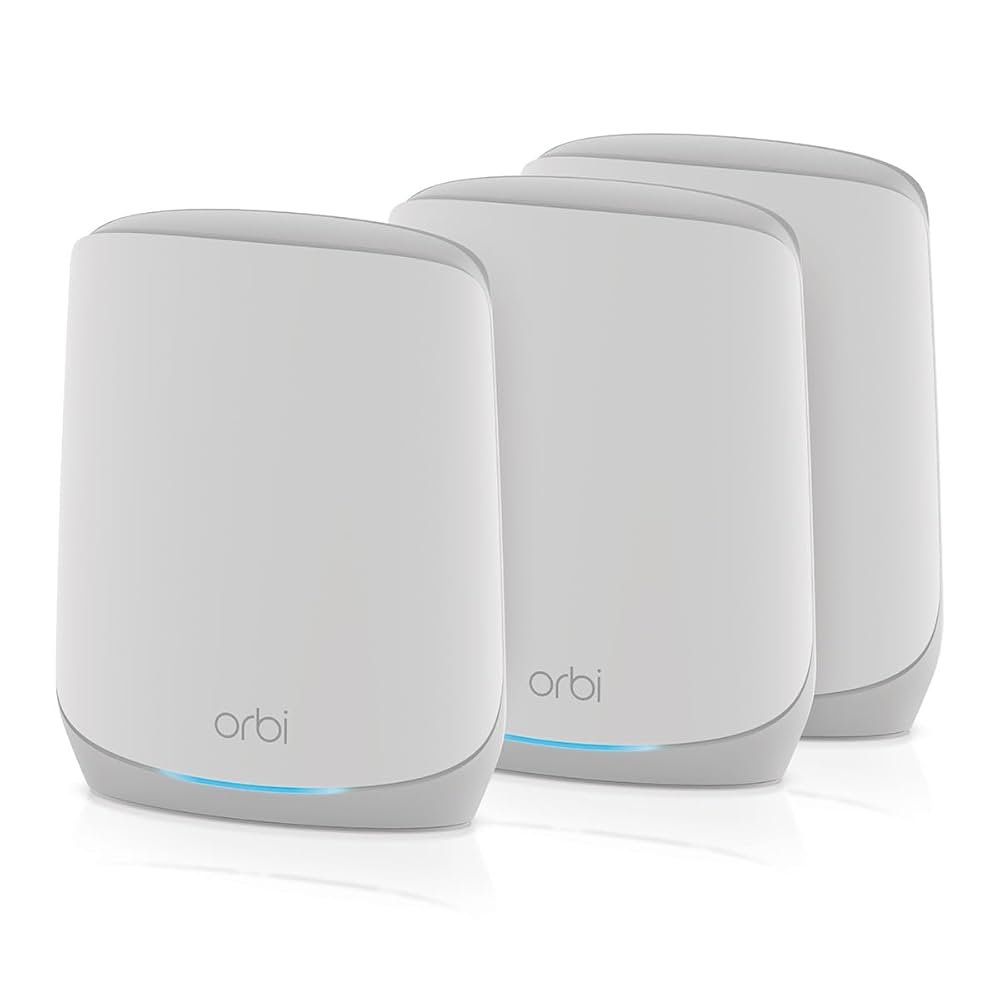
The Orbi Mesh Wifi system has a thoughtful design that fits many homes. It looks good and works well in different spaces.
Its design helps the device blend into home decor while providing strong wifi signals.
Sleek And Modern Appearance
Orbi Mesh Wifi has a smooth and modern look. It uses clean lines and soft edges.
The design avoids bulky shapes, making the device easy on the eyes. It fits well in living rooms or offices.
- Minimalist style with subtle colors
- Soft edges create a friendly look
- Simple design matches most home decor
Compact And Easy Placement
The Orbi units are small enough to place almost anywhere. They do not take up much space.
You can put them on shelves, desks, or counters. The compact size helps spread wifi evenly across rooms.
- Lightweight and easy to move
- Fits in tight spots without clutter
- Allows flexible setup for better coverage
Speed Capabilities
Orbi Mesh Wifi offers fast and reliable internet speeds throughout your home. It helps keep all your devices connected without slowdowns.
Good speed is important for streaming, video calls, and online gaming. Orbi’s design focuses on giving you smooth performance everywhere.
Tri-band Technology
Orbi uses three wifi bands to handle more devices at once. One band connects your router to the internet.
The other two bands connect the router to Orbi satellites. This helps keep the network fast and steady.
- One 2.4 GHz band for longer range
- Two 5 GHz bands for faster data
- Dedicated backhaul link between devices
High-speed Data Transfer
Orbi supports data speeds that handle streaming and downloads with ease. It can send large files quickly.
The system balances speed across all connected devices. This stops one device from slowing down the whole network.
- Fast upload and download rates
- Stable connections for multiple users
- Supports HD video and large downloads
Reduced Latency For Gaming
Low latency means less delay between your commands and the game response. Orbi lowers lag to improve gaming experience.
It keeps connections steady and fast, even with many devices active. This reduces interruptions during gameplay.
- Faster response times for online games
- Less lag with multiple players
- Consistent network performance
Coverage And Range
Orbi Mesh Wifi offers strong coverage and wide range for your home. It helps keep your devices connected without interruption.
Good coverage means faster internet and fewer dead spots in every corner of your house.
Whole-home Coverage
Orbi Mesh Wifi covers your entire home with a single network. It uses multiple units to spread the signal far and wide.
- Covers large homes up to 5,000 square feet
- Extends signal through walls and floors
- Supports many devices at once
- Keeps fast speeds in all rooms
Seamless Roaming
With Orbi, your devices switch smoothly between units. This keeps your connection strong as you move around your house.
| Feature | Benefit |
| Automatic device handoff | No drops or delays in connection |
| Single network name | Easy to connect without switching |
| Fast data transfer | Better streaming and gaming experience |
Overcoming Dead Zones
Orbi Mesh Wifi removes weak signal areas in your home. It fills in dead zones with strong coverage.
- Place satellites in hard-to-reach areas
- Boost signals around corners and thick walls
- Use app tools to find and fix weak spots

Credit: www.netgearstore.in
Setup And Management
Orbi Mesh WiFi offers a smooth setup and easy management for all users. The design makes it simple to get your network running fast.
Managing your network is clear and straightforward thanks to helpful tools and options.
Simple Installation Process
Orbi devices connect quickly and require no technical skills. The setup guides you through every step with clear instructions.
- Unbox your Orbi router and satellite units.
- Plug in the router and wait for the power light.
- Connect to the Orbi WiFi network on your device.
- Follow on-screen prompts to complete setup.
- Place satellites around your home for best coverage.
User-friendly Mobile App
The Orbi mobile app lets you control your network from anywhere. It shows network status and alerts in a clean layout.
| App Feature | Description |
|---|---|
| Network Setup | Guides you through device installation step-by-step. |
| Device Management | View and control connected devices easily. |
| Speed Test | Check your internet speed anytime. |
| Parental Controls | Set internet access limits for children. |
Network Customization Options
Orbi lets you adjust settings to fit your needs. You can prioritize devices and create guest networks.
- Set device priority for faster speeds.
- Create a separate guest network for visitors.
- Enable or disable parental controls.
- Control WiFi schedules for different devices.
Security Features
Orbi Mesh Wifi provides strong security to protect your home network. Let’s look at its key security features.
These features help keep your internet safe from threats and unwanted access.
Advanced Encryption
Orbi Mesh Wifi uses advanced encryption to secure your data. This means your information is safe from hackers.
Encryption scrambles your data. Only people with the right key can read it.
- Protects passwords
- Keeps personal data safe
- Prevents unauthorized access
Automatic Firmware Updates
Orbi Mesh Wifi updates its firmware automatically. This keeps your network protected with the latest security fixes.
Updates happen without you needing to do anything. Your system stays current.
- Fixes security issues
- Improves performance
- Enhances features
Parental Controls
Orbi Mesh Wifi offers parental controls. Parents can manage what their children access online.
These controls help protect kids from harmful content. Parents can set limits on usage.
- Block inappropriate websites
- Set time limits for internet use
- Monitor online activity

Credit: www.netgearstore.in
Device Compatibility
Orbi Mesh Wifi works smoothly with many devices. It helps keep your home connected.
Understanding device compatibility helps you get the most from your network.
Support For Multiple Devices
Orbi Mesh Wifi supports many devices at once. This means you can connect phones, laptops, and more without losing speed.
- Smartphones and tablets
- Computers and laptops
- Smart TVs and streaming devices
- Gaming consoles
- Smart home gadgets
Smart Home Integration
Orbi works well with smart home devices. It helps them stay online and work better.
| Smart Device | Compatibility |
| Amazon Alexa | Yes |
| Google Assistant | Yes |
| Apple HomeKit | Limited |
| Smart Lights | Yes |
| Security Cameras | Yes |
Backward Compatibility
Older devices connect easily with Orbi Mesh Wifi. This keeps your gadgets working well.
Orbi supports these Wi-Fi standards:
- Wi-Fi 6 (802.11ax)
- Wi-Fi 5 (802.11ac)
- Wi-Fi 4 (802.11n)
Additional Benefits
Orbi Mesh Wifi offers more than just strong internet coverage. It brings several added benefits to your home network setup.
These extra features enhance convenience and efficiency. They make managing your network easier.
Guest Network Access
Orbi Mesh Wifi allows you to set up a guest network. This keeps your main network private and secure.
Your guests can connect to the internet without accessing your personal devices. This feature is simple to manage through the Orbi app.
- Easy to set up
- Protects your main network
- Provides internet access for guests
Voice Control Integration
Orbi Mesh Wifi integrates with voice assistants like Alexa. This makes controlling your network hands-free.
You can pause the internet or check network status using simple voice commands. It adds convenience to your daily routine.
- Compatible with Alexa
- Hands-free control
- Simple voice commands
Energy Efficiency
Orbi Mesh Wifi is designed to be energy efficient. It uses less power while providing strong internet coverage.
This efficiency helps in reducing electricity bills. It also contributes to a more sustainable home environment.
- Reduces energy consumption
- Lowers electricity bills
- Supports a sustainable lifestyle

Credit: www.netgear.com
Frequently Asked Questions
What Makes Orbi Mesh Wifi Stand Out?
Orbi Mesh WiFi offers seamless whole-home coverage with fast speeds. Its easy setup and reliable connections minimize dead zones. The system supports multiple devices, ensuring smooth streaming and gaming experiences. Its sleek design and app control enhance user convenience and network management.
How Does Orbi Mesh Improve Wifi Coverage?
Orbi Mesh uses multiple units to create a unified network. It extends WiFi signals evenly across large areas and multi-story homes. This reduces dead spots and weak signals. The system intelligently routes traffic for optimal performance, ensuring consistent connectivity everywhere.
Can Orbi Mesh Handle Many Devices Simultaneously?
Yes, Orbi Mesh supports numerous devices without slowing down. It uses advanced technology like MU-MIMO to manage multiple connections efficiently. This prevents lag during streaming, gaming, or video calls. It’s ideal for smart homes with many connected gadgets.
Is Orbi Mesh Wifi Easy To Set Up?
Orbi Mesh features a user-friendly app for quick installation. The setup guides users step-by-step through connecting units and configuring settings. No technical skills are required. The intuitive interface simplifies network management and updates, making it accessible for all users.
Conclusion
Orbi Mesh Wifi offers strong and fast internet everywhere in your home. It helps reduce dead zones and keeps all devices connected smoothly. Easy setup and smart features make it simple to use daily. This system fits well for families, gamers, and remote workers alike.
Choose Orbi for steady, reliable wifi without hassle. Enjoy better internet with less worry.


