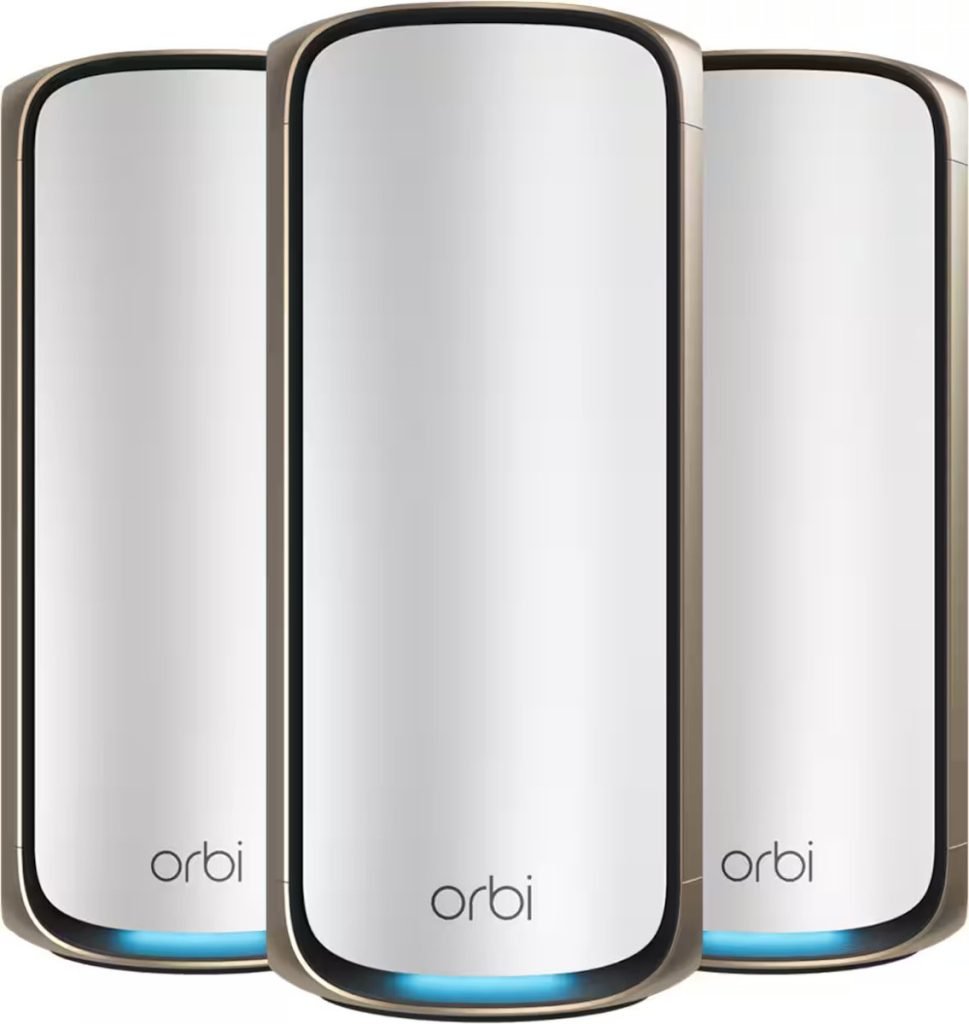
Are you tired of weak WiFi signals in some corners of your home? Or worried about giving guests access to your internet without compromising your privacy?
The Orbi Mesh WiFi with Guest Network might be exactly what you need. Imagine seamless, strong WiFi everywhere and a safe way to share it with visitors—without exposing your personal devices. Keep reading to discover how this smart setup can transform your home internet experience and keep you connected effortlessly.
Orbi Mesh Wifi Features
Orbi Mesh Wifi provides strong and fast internet throughout your home. It helps connect many devices easily.
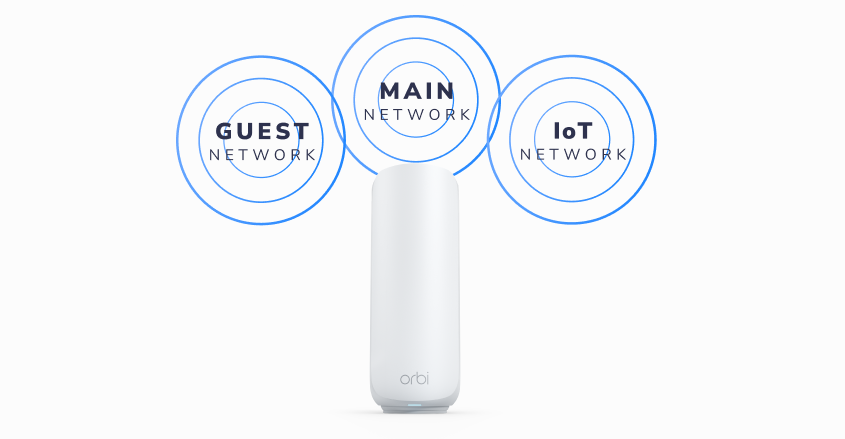
The system includes a guest network feature. This keeps your main network safe from visitors.
Tri-band Technology
Orbi uses three separate wifi bands. Two bands connect your devices, and one band links the router to satellites.
This setup reduces traffic and keeps speeds high. It lets many devices use the internet without slowing down.
Coverage And Speed
Orbi covers large homes with strong wifi signals. It reaches every corner, even far rooms and outdoor areas.
The system offers fast internet speeds. It supports streaming, gaming, and video calls without interruptions.
- Up to 5,000 square feet coverage
- Supports speeds over 1 Gbps
- Strong signal through walls
Easy Setup Process
Setting up Orbi is simple. Use the Orbi app to guide you step-by-step.
The app helps create your guest network. You can give visitors internet access without sharing your main password.
- Download Orbi app on phone
- Follow easy instructions
- Create guest network with one click

Credit: www.amazon.ca
Guest Network Benefits
Orbi Mesh Wifi offers a guest network feature that helps manage visitors safely. This feature keeps your main network secure while giving guests easy internet access.
Using a guest network improves your home or office WiFi experience. It controls who connects and protects your personal data.
Separate Access For Visitors
A guest network creates a separate WiFi zone for visitors. This stops guests from reaching your private devices or files.
- Visitors get internet without access to your main network
- Prevents accidental sharing of sensitive data
- Keeps your devices safe from unknown connections
Enhanced Privacy
The guest network keeps your personal information private. It isolates your devices from guest devices on the same WiFi.
| Privacy Feature | Benefit |
| Network Segmentation | Stops access to private devices |
| Separate Password | Controls who connects to guest WiFi |
| Encryption | Protects data sent over guest network |
Bandwidth Control
Guest networks allow you to control internet speed for visitors. This keeps your main network running smoothly.
With bandwidth control, you can:
- Set limits on guest internet speed
- Prevent guests from slowing your network
- Ensure enough bandwidth for work and streaming
Boosting Home Security
Orbi Mesh Wifi helps keep your home network safe and secure. It offers features that protect your devices and data from threats.
With a guest network and advanced controls, you can control who uses your internet and what they can access.
Network Isolation
Network isolation separates your main devices from guest users. This stops guests from reaching your private files and devices.
- Creates a separate guest WiFi network
- Keeps your personal devices hidden from guests
- Prevents unauthorized access to your home network
- Protects sensitive information from outsiders
Device Protection
Orbi includes built-in security to keep your devices safe from malware and hacking attempts. It scans traffic and blocks harmful sites.
| Feature | Description |
| Automatic Updates | Keeps security software current |
| Threat Detection | Blocks suspicious websites and attacks |
| Firewall | Prevents unauthorized access to devices |
Parental Controls
Parental controls help you manage what your children can access online. You can set limits and block harmful content.
- Schedule internet access times for kids
- Block adult or unsafe websites
- Monitor internet use easily
- Control device access remotely
Credit: www.netgear.com
Configuring Guest Network On Orbi
Orbi Mesh WiFi lets you create a guest network easily. This helps keep your main network safe.
Guests can use the internet without accessing your private files or devices.
Accessing The Orbi Dashboard
First, open a web browser on a device connected to your Orbi network. Type the Orbi router’s IP address in the address bar.
Usually, the address is http://192.168.1.1or http://orbilogin.com. Enter your username and password to log in.
Setting Up Guest Access
Once inside the dashboard, find the Guest Network settings. This is usually under the “Wireless” or “Guest Network” tab.
Turn on the guest network option and give it a name (SSID). Set a password to keep it secure.
- Enable Guest Network
- Choose a network name for guests
- Set a strong password
- Save changes
Managing Guest Permissions
You can limit guest access to just the internet. Guests will not see your main devices or data.
Set time limits and data usage if needed. This helps control how long and how much guests use the network.
- Block access to your main network devices
- Set time limits for guest use
- Control data usage for guests
- Save your settings
Tips For Optimizing Network Security
Keeping your Orbi Mesh WiFi network secure is important. Safe networks protect your data and privacy.
Use simple steps to improve your network security. These tips help keep intruders away.
Regular Firmware Updates
Firmware updates fix security holes and improve performance. Make sure your Orbi device runs the latest firmware.
Set your Orbi to check for updates automatically. Update the firmware as soon as new versions are available.
Strong Password Practices
Use strong passwords for your WiFi and Orbi admin settings. Avoid simple or common passwords.
- Create passwords with letters, numbers, and symbols.
- Change default passwords immediately after setup.
- Use a different password for your guest network.
- Update passwords regularly to keep your network safe.
Monitoring Network Activity
Keep an eye on devices connected to your Orbi network. Look for unknown or suspicious devices.
| Action | Reason |
| Check connected devices list | Detect unauthorized users |
| Review network logs | Identify unusual activity |
| Use Orbi app alerts | Get notified of new connections |
| Disable guest network if unused | Reduce entry points for intruders |

Credit: www.netgear.com
Comparing Orbi With Other Mesh Systems
Orbi Mesh WiFi with Guest Network is popular for home and office use. It competes with other mesh systems in terms of features and performance.
Understanding how Orbi stacks up against other mesh systems can help you make an informed choice. Let’s explore some key aspects of this comparison.
Security Features Comparison
Security is vital for any WiFi network. Orbi offers advanced security features to protect your data.
Some mesh systems provide basic security, while Orbi includes more comprehensive options.
- Orbi supports WPA3 encryption for stronger security.
- Guest network access keeps your main network private.
- Automatic firmware updates ensure the latest protection.
Performance And Reliability
Orbi Mesh WiFi is known for its strong performance. It provides reliable coverage across large areas.
Many users find Orbi to be fast and dependable, even in challenging environments.
- Orbi delivers high-speed internet for multiple devices.
- It reduces dead zones with its robust mesh technology.
- Stable connections make streaming and gaming smooth.
Price And Value
Price is an important factor when choosing a mesh system. Orbi offers competitive pricing for the features it provides.
While some systems are cheaper, Orbi’s features often justify the cost for many users.
| System | Price Range | Main Features |
| Orbi | Medium | Strong coverage, WPA3 security, guest network |
| Other Mesh A | Low | Basic coverage, fewer security features |
| Other Mesh B | High | Advanced features, higher cost |
Frequently Asked Questions
What Is Orbi Mesh Wifi With Guest Network?
Orbi Mesh WiFi with Guest Network provides strong, whole-home WiFi coverage. It creates a separate, secure network for visitors. This protects your main network from unauthorized access. It’s ideal for homes and small offices wanting secure, fast internet for guests.
How Do I Set Up A Guest Network On Orbi Mesh?
To set up a guest network, access Orbi’s web interface or app. Navigate to Guest Network settings, enable it, and customize the name and password. Save changes to activate the guest network. This keeps your main WiFi private while offering internet access to guests.
Is The Orbi Guest Network Secure From Main Wifi?
Yes, the Orbi guest network is isolated from your main network. This separation protects your private devices and data. Guests can access the internet but cannot access your personal files or connected devices. It enhances security for both networks.
Can Orbi Mesh Guest Network Handle Many Devices?
Orbi Mesh guest networks support multiple devices simultaneously. It uses advanced technology to maintain speed and stability. However, the total number of devices depends on your Orbi model and internet plan. It’s suitable for home and small office guest usage.
Conclusion
Orbi Mesh WiFi with Guest Network keeps your home internet safe. It lets visitors connect without sharing your main password. You get strong WiFi signals in every room. Setup is simple and quick. This system helps separate your devices from guests’.
Enjoy smooth internet for work, streaming, and browsing. A reliable WiFi network matters. Choose Orbi for better coverage and security. Simple, safe, and smart.


