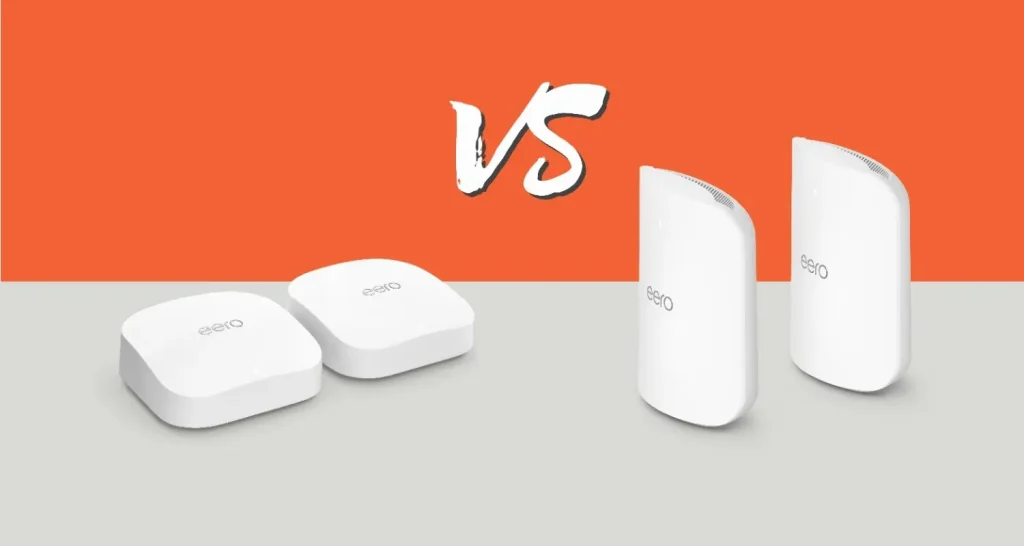
Are you wondering if it’s time to upgrade your home or office WiFi? With Wifi 6E already delivering fast and reliable connections, you might ask: is Wifi 7 worth the switch?
This decision can feel tricky, especially when new technology promises big improvements. But what do these changes mean for your everyday internet use? Keep reading to discover how Wifi 7 could impact your speed, security, and overall online experience—so you can make the smartest choice for your needs.

Credit: www.reddit.com
Wifi 6e Features
Wifi 6E is an extended version of Wifi 6. It adds new capabilities to improve wireless connections.
This technology supports faster speeds and better performance in busy areas. It uses a new frequency band.
Speed And Performance
Wifi 6E delivers faster speeds than Wifi 6. It handles more devices at the same time.
The technology reduces delays and improves connection stability. It works well in crowded places.
Frequency Bands
Wifi 6E adds a new 6 GHz band. This band is less crowded than 2.4 GHz and 5 GHz.
The 6 GHz band offers more channels. It helps reduce interference and improves connection quality.
- 2.4 GHz band: Longer range, slower speed
- 5 GHz band: Faster speed, less range
- 6 GHz band (new in Wifi 6E): Fastest speed, low interference
Device Compatibility
Wifi 6E requires devices that support the 6 GHz band. Older devices cannot use this band.
Many new smartphones and laptops now include Wifi 6E. You need both router and device support for best results.
Wifi 7 Innovations
Wifi 7 is the newest wireless standard. It brings many new features that improve internet connections.
This article explains key Wifi 7 innovations. These include speed, spectrum use, and reliability.
Enhanced Speed Capabilities
Wifi 7 supports much faster data rates than Wifi 6E. It can reach speeds up to 30 Gbps.
- Uses wider channels up to 320 MHz
- Supports 4K QAM for better data packing
- Can send data over multiple bands at once
New Spectrum Utilization
Wifi 7 uses new spectrum bands. These bands allow more devices to connect with less interference.
| Spectrum Band | Frequency Range | Purpose |
|---|---|---|
| 2.4 GHz | 2400 – 2483 MHz | Long range, low speed |
| 5 GHz | 5150 – 5850 MHz | Medium range, medium speed |
| 6 GHz | 5925 – 7125 MHz | High speed, low interference |
| New 7 GHz (planned) | 7.125 – 7.250 GHz | Extra bandwidth for future use |
Improved Latency And Reliability
Wifi 7 lowers delay times and boosts connection stability. This helps with gaming and video calls.
- Multi-link operation lets devices use several channels together
- Better error correction reduces data loss
- Advanced scheduling manages network traffic smartly
Comparing Wifi 6e And Wifi 7
Wifi 6E and Wifi 7 are the latest wireless technologies. They bring faster speeds and better connections. Choosing between them depends on your needs and devices.
This comparison looks at real-world speeds, coverage, and network efficiency. It helps you decide if upgrading to Wifi 7 is worth it.
Real-world Speed Tests
Wifi 7 offers higher maximum speeds than Wifi 6E. In tests, Wifi 7 can reach over 30 Gbps under ideal conditions. Wifi 6E usually tops out near 9.6 Gbps.
- Wifi 6E uses up to 160 MHz channels.
- Wifi 7 supports up to 320 MHz channels.
- Wifi 7 uses a new feature called Multi-Link Operation.
- This feature helps send data on multiple bands at once.
- Wifi 7 reduces delays and increases speed.
Range And Coverage
Both Wifi 6E and Wifi 7 use the 6 GHz band for less interference. Wifi 7 improves coverage by managing signals better and reducing drops.
| Feature | Wifi 6E | Wifi 7 |
| Frequency Bands | 2.4 GHz, 5 GHz, 6 GHz | 2.4 GHz, 5 GHz, 6 GHz |
| Channel Width | Up to 160 MHz | Up to 320 MHz |
| Range | Good indoor coverage | Improved indoor and outdoor coverage |
| Signal Handling | Single link per band | Multi-link operation for stable connection |
Network Efficiency
Wifi 7 uses new technologies that improve how the network handles many devices. It reduces delays and increases data flow.
- Supports Multi-Link Operation for better load sharing.
- Uses 4K-QAM for denser data packing.
- Improves traffic scheduling and device coordination.
- Reduces interference with smarter frequency use.
Upgrade Considerations
Deciding to upgrade from WiFi 6E to WiFi 7 needs careful thought. You should weigh the benefits and challenges before making a choice.
WiFi 7 offers faster speeds and better connections. Still, it may not fit everyone’s needs right now.
Current Device Support
Most devices today work well with WiFi 6E. WiFi 7 is very new and not many gadgets support it yet.
Using WiFi 7 might not improve your experience if your devices do not support it. Check if your phones, laptops, or smart home devices can use WiFi 7.
- WiFi 6E is widely supported by recent devices
- WiFi 7 devices are rare and just entering the market
- Older devices cannot use WiFi 7 features
Cost And Availability
WiFi 7 routers and devices cost more than WiFi 6E options. The price may drop over time as more products arrive.
WiFi 7 gear is not yet easy to find in many stores. Delivery times can be longer, and selection is limited.
- WiFi 7 products usually have higher prices now
- Availability is limited compared to WiFi 6E
- Buying early may mean paying more for less choice
Future-proofing Your Network
WiFi 7 offers faster speeds and better handling of many devices. This can help if you want to keep your network updated for years.
Upgrading to WiFi 7 now might save you from buying new gear soon. Still, your current WiFi 6E setup might be enough for some time.
- WiFi 7 supports higher speeds and capacity
- It can handle more devices at the same time
- Upgrading now may reduce future costs
- WiFi 6E remains good for most current uses
Use Case Scenarios
Deciding whether to upgrade from Wifi 6E to Wifi 7 depends on your needs. Different activities use wireless networks in different ways.
Below are common use cases to help you understand if Wifi 7 fits your situation better than Wifi 6E.
Gaming And Streaming
Gaming and streaming require fast and stable internet connections. Wifi 6E is good for most players and viewers.
Wifi 7 offers higher speed and lower delay, which can improve gaming reactions and video quality. It is useful for heavy gamers and 4K or 8K streaming.
- Wifi 7 reduces lag in competitive games
- Supports multiple high-quality video streams
- Better for virtual reality and cloud gaming
Smart Home Integration
Smart homes have many devices connected to Wifi. Wifi 6E handles many devices well but may slow down with many users.
Wifi 7 can manage more devices at once and offers stronger signals. It helps if you have many smart lights, cameras, and sensors.
- Wifi 7 supports more devices without slowdowns
- Better signal reach in large homes
- Improves reliability for security cameras
Enterprise Networks
Businesses need fast and stable Wifi for many users and devices. Wifi 6E is strong but may struggle with high traffic.
Wifi 7 improves data speed and network efficiency. It is good for offices with many employees and large data transfers.
- Wifi 7 handles heavy network traffic better
- Supports faster file sharing and video calls
- Improves wireless performance in crowded areas

Credit: www.reddit.com
Installation And Setup
Upgrading from WiFi 6E to WiFi 7 can improve your internet speed. This process includes setting up new hardware and adjusting your network settings.
Make sure to follow each step carefully to ensure a smooth transition. This guide will help you with router selection, compatibility checks, and optimizing your network settings.
Router Selection
Choosing the right router is important for WiFi 7. You need a router that supports the new standard.
Look for routers with strong reviews and good support. Make sure it fits your home or office needs.
- Check if the router supports WiFi 7.
- Consider the number of devices you connect.
- Look for easy setup options.
Compatibility Checks
Ensure your devices are compatible with WiFi 7. This step avoids connection issues later.
Not all devices may support the new standard immediately. Check with the manufacturer for updates.
- Update device firmware to latest version.
- Verify compatibility with WiFi 7 features.
- Contact support if unsure about compatibility.
Optimizing Network Settings
After setup, optimize your network settings for best performance. This ensures stable and fast connections.
Adjust settings like channel selection and security protocols. This step maximizes your new network’s potential.
- Choose less crowded channels.
- Enable the latest security protocols.
- Regularly update router firmware.
Potential Drawbacks
Upgrading from Wifi 6E to Wifi 7 might seem appealing. Yet, it’s crucial to consider potential drawbacks before making a decision.
Each new technology can bring challenges. Here are some points to think about when considering Wifi 7.
Hardware Limitations
Wifi 7 requires new hardware to unlock its full potential. Not all devices may support it right away. This could mean extra costs for new routers and devices.
- Older devices might not connect to Wifi 7.
- New routers can be expensive.
- Compatibility issues may arise during initial setup.
Interference Issues
Wifi 7 uses higher frequency bands. This can lead to more interference in urban areas. Many devices and networks operate on similar frequencies.
Security Concerns
With new technology comes new security challenges. Wifi 7 may have vulnerabilities not yet discovered. It’s crucial to stay updated on security patches.
| Concern | Description |
| Data Breaches | New protocols may have unknown flaws. |
| Firmware Updates | Regular updates are needed for security. |
| Device Compatibility | Older devices may lack security features. |

Credit: www.reddit.com
Frequently Asked Questions
What Are The Key Differences Between Wifi 6e And Wifi 7?
WiFi 7 offers higher speeds, lower latency, and better multi-device handling than WiFi 6E. It supports wider channels and improved spectrum efficiency, enhancing performance in crowded networks. WiFi 7 is ideal for future-proofing your home or office with faster, more reliable internet.
Is Wifi 7 Compatible With Existing Wifi 6e Devices?
WiFi 7 is backward compatible with WiFi 6E and earlier standards. This means your current devices will still connect, but you won’t get WiFi 7’s full benefits. Upgrading requires new routers and devices that support WiFi 7 technology for optimal performance.
When Should I Consider Upgrading From Wifi 6e To Wifi 7?
Upgrade if you need faster speeds, lower latency, or support for many devices. Gamers, streamers, and smart home users benefit most from WiFi 7’s improvements. If your current WiFi 6E setup meets your needs, waiting may be wise until WiFi 7 matures.
Will Wifi 7 Improve Gaming And Streaming Experiences?
Yes, WiFi 7 reduces lag and buffering with higher data rates and lower latency. It supports simultaneous data streams, improving online gaming and 4K/8K streaming quality. This upgrade is beneficial for users seeking smoother, more reliable multimedia performance.
Conclusion
Wifi 7 offers faster speeds and better performance than Wifi 6E. But not everyone needs to upgrade right now. If your current Wifi 6E works well for daily tasks, waiting makes sense. New devices that support Wifi 7 are still rare and costly.
Over time, more apps and gadgets will use Wifi 7’s benefits. Think about your budget and internet needs before deciding. Stay informed as technology evolves. That way, you can choose the best time to upgrade your network.


