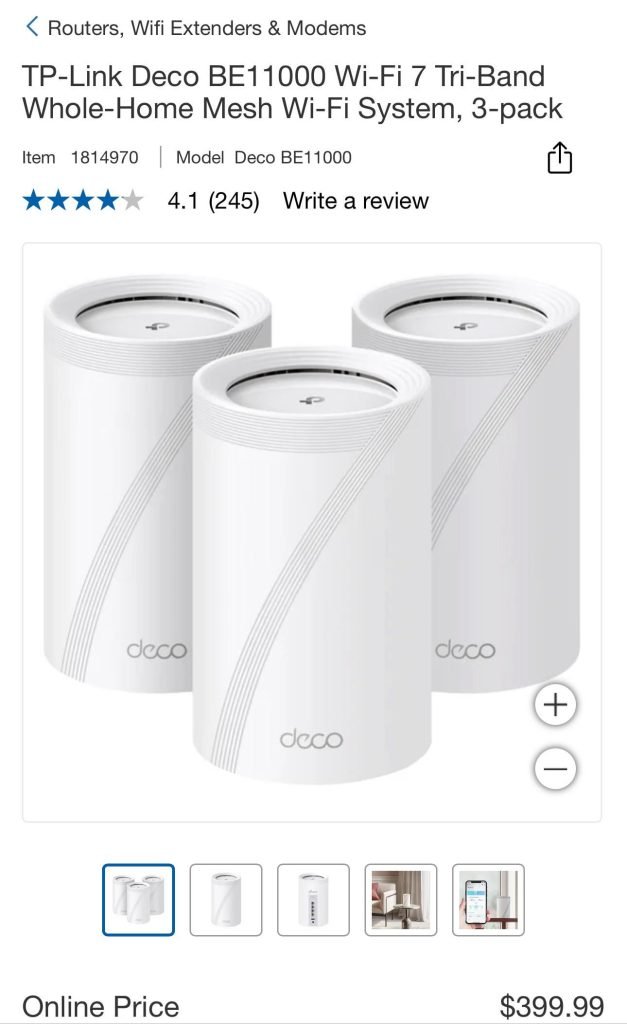
Are you tired of slow WiFi and dead zones in your home? You’ve probably heard about Tp-Link Deco Mesh WiFi and traditional extenders as solutions.
But which one is truly better for your space and needs? Choosing the right setup can transform your internet experience, making everything faster and more reliable. You’ll discover the key differences between Tp-Link Deco Mesh WiFi and extenders, so you can make the smartest choice for your home.
Keep reading, because the answer might surprise you—and it could change how you connect forever.

Credit: www.amazon.com
Tp-link Deco Mesh Wifi Basics
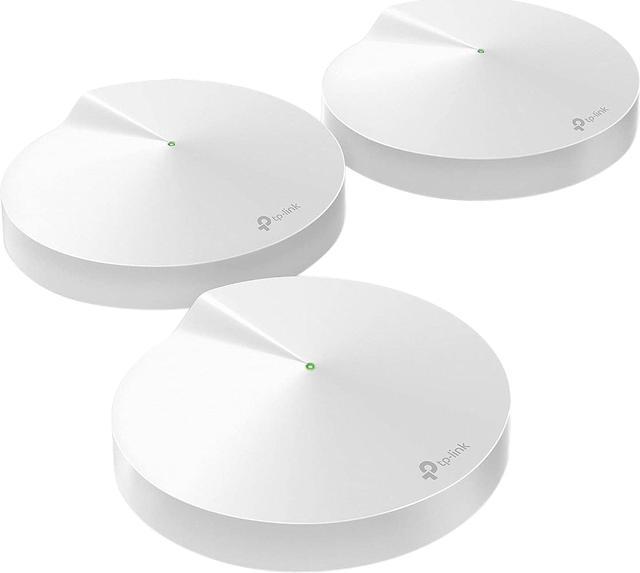
Tp-Link Deco is a mesh wifi system that covers your whole home. It uses several devices to spread wifi evenly.
Mesh wifi helps avoid weak signals in large or multi-story houses. It creates one strong network instead of many small ones.
How Mesh Wifi Works
Mesh wifi uses multiple units called nodes. These nodes talk to each other to share internet.
Each node sends wifi signals to nearby areas. This way, the whole house gets good coverage without dead zones.
- One main node connects to your modem
- Other nodes connect wirelessly to the main node
- Devices connect to the closest node automatically
- Nodes work together to keep a strong connection
Key Features Of Deco Systems
Deco systems have features that make wifi simple and reliable. They help manage your network easily.
- Automatic network setup with an app
- Strong wifi coverage across large areas
- Seamless roaming between nodes without drop
- Parental controls to manage internet use
- Security features to protect your devices
- Supports many devices connected at once
Credit: www.newegg.com
Extenders Explained
WiFi extenders help increase the range of your wireless network. They catch the signal from your router and send it further.
This can improve coverage in hard-to-reach areas of your home or office.
Function And Setup
Extenders work by receiving WiFi from your main router and rebroadcasting it. They create a second network with a similar name.
- Plug the extender into a power outlet near your router to start setup.
- Connect it to your existing WiFi network using a phone or computer.
- Move the extender to a spot where the signal is weaker but still reachable.
- Use the extender’s app or web page to finish setup and check signal strength.
Common Uses And Limitations
| Use | Limitation |
| Extend WiFi to far rooms or floors | Slower speeds than the main router |
| Improve signal in dead zones | Can cause signal interference |
| Support more devices in distant areas | Needs good initial router signal |
| Easy to install for non-technical users | Creates separate network names |
Coverage Comparison
Choosing between Tp-Link Deco mesh WiFi and extenders depends on how well they cover your home.
Coverage means how far the WiFi signal reaches and how strong it stays in different rooms.
Range And Signal Strength
Deco mesh systems use many devices that work together to spread WiFi evenly. This setup gives a strong signal in every corner.
WiFi extenders catch the main signal and send it out again. This can lower the signal strength and cause delays.
- Mesh WiFi covers a larger area with fewer dead zones.
- Extenders may create weak spots where signals overlap.
- Deco mesh keeps one network name for easy connection.
- Extenders often create separate network names for each device.
Performance In Large Homes
Large homes have many walls and floors that block signals. Deco mesh works well by placing nodes in key spots to cover the whole house.
| Feature | Deco Mesh WiFi | WiFi Extenders |
| Coverage Area | Up to 5,500 sq ft with 3 units | Varies, usually less than 2,000 sq ft per extender |
| Signal Strength | Consistent across all areas | Weaker in extended zones |
| Network Setup | Single network name | Multiple network names possible |
| Performance | Good for streaming and gaming | Possible lag in extended zones |
Speed And Reliability
The Tp-Link Deco Mesh Wifi system and traditional extenders both aim to improve internet coverage. They do so in different ways, impacting speed and reliability.
Choosing between these options depends on how they handle internet speed and support multiple devices.
Impact On Internet Speeds
Mesh systems like Tp-Link Deco use multiple units to cover your home. They provide consistent speed by creating a seamless network.
- Mesh systems minimize dead zones.
- Seamless transitions between units.
- More stable connections than extenders.
Handling Multiple Devices
Both mesh systems and extenders aim to support multiple devices. The difference lies in how effectively they manage this task.
| Feature | Mesh Wifi | Extenders |
| Device Management | Efficient | Less Efficient |
| Network Strength | Strong | Varies |
| Interference | Minimal | Possible |
Ease Of Installation
Setting up your home Wi-Fi should be simple and quick. This helps you get online without stress.
Both Tp-Link Deco Mesh WiFi and extenders improve Wi-Fi coverage. Their installation steps differ.
Setup Process For Deco
Deco Mesh WiFi uses a mobile app for setup. The app guides you through each step clearly.
You connect the main Deco unit to your modem first. Then, place other Deco units around your home.
- Download the Deco app on your smartphone
- Create an account or log in
- Plug in the main Deco to your modem
- Follow app instructions to add more Deco units
- Test connection and move units if needed
Setting Up Extenders
Wi-Fi extenders usually plug into a wall outlet. Setup can be done with a button or web page.
Extenders need to connect to your existing Wi-Fi network. This can be tricky if the signal is weak.
- Plug extender into a power outlet near your router
- Press the WPS button on both router and extender, if available
- If no WPS, use a web browser to access extender settings
- Enter your Wi-Fi network name and password
- Move extender to a spot with a good signal

Credit: www.pcmag.com
Cost And Value
Choosing between a Tp-Link Deco Mesh Wifi system and a traditional extender depends on cost and value. Both improve your home network but differ in price and benefits.
This guide looks at the initial cost and long-term value of both options to help you decide.
Initial Investment
Tp-Link Deco Mesh Wifi systems usually cost more upfront than extenders. You pay for several units that cover your home evenly. Extenders are cheaper but cover smaller areas.
- Deco Mesh kits can cost around $150 to $300 depending on the number of units.
- Extenders typically range from $30 to $80 each.
- Mesh systems replace your router, while extenders add to your setup.
- Mesh setup is simple but may need multiple units for large homes.
- Extenders are easy to add but may need more units to cover dead spots.
Long-term Benefits
| Feature | Tp-Link Deco Mesh Wifi | Extenders |
|---|---|---|
| Network Speed | Faster with seamless coverage | Slower, signal may drop between devices |
| Coverage | Whole home coverage with one system | Limited to range near the extender |
| Maintenance | Easy updates and control via app | May require manual setup and updates |
| Scalability | Add more units easily | Adding extenders can cause interference |
| Value for Cost | Higher upfront cost but better performance | Lower cost but may need multiple extenders |
Which Option Suits You
Choosing between Tp-Link Deco Mesh Wifi and extenders depends on your home size and needs. Both improve wifi coverage but work differently.
Mesh wifi systems create a single network with multiple devices. Extenders boost your existing wifi signal to reach far areas.
Best For Small Spaces
Wifi extenders are good for small homes or apartments. They are easy to set up and cost less than mesh systems.
Extenders work well if your router is strong but the signal fades in some rooms. They repeat the signal to cover dead spots.
- Affordable option for small areas
- Simple installation process
- Extends wifi to a few rooms
- May reduce wifi speed slightly
Ideal For Large Or Multi-story Homes
Mesh wifi systems suit large or multi-story homes. They use multiple units to create one strong network everywhere.
Deco Mesh Wifi keeps your connection stable as you move around the house. It handles many devices at once without slowing down.
- Consistent coverage across large areas
- Easy to add more units if needed
- Single network name for all devices
- Usually more expensive than extenders
Additional Features
When choosing between Tp-Link Deco Mesh WiFi and Extenders, additional features matter. They help improve your WiFi experience at home.
Let’s explore features like smart home integration, parental controls, and security. Understanding these can help you make a better choice.
Smart Home Integration
Smart home integration connects your devices seamlessly. Tp-Link Deco Mesh offers better integration with smart devices.
Extenders might not support smart home devices as effectively. Deco Mesh ensures all your smart gadgets work together smoothly.
- Deco Mesh supports Alexa for voice commands
- Easy control of smart lights and plugs
- Centralized management of smart home devices
Parental Controls And Security
Parental controls help manage online activities. Deco Mesh provides robust controls to keep kids safe online.
Security is crucial for protecting your data. Deco Mesh offers enhanced security features compared to extenders.
- Block inappropriate websites easily
- Set time limits for internet usage
- Advanced security with WPA3 encryption
Frequently Asked Questions
What Is The Main Difference Between Deco Mesh And Extenders?
Deco Mesh creates a seamless, single network with multiple units. Extenders repeat signals, creating separate networks with potential dead zones. Mesh offers better coverage and smoother roaming.
How Does Tp-link Deco Improve Wifi Coverage?
TP-Link Deco units work together to blanket your home in WiFi. They eliminate weak spots by providing consistent, strong signals throughout your space. This is better than extenders that only boost signal range.
Are Deco Mesh Systems Easier To Set Up Than Extenders?
Yes, Deco Mesh systems use a single app for easy setup and management. Extenders often require separate setup steps and network switching, which can be confusing for users.
Can Wifi Extenders Cause Network Speed Drops?
Yes, extenders can reduce network speed because they retransmit signals. Deco Mesh maintains higher speeds by routing traffic efficiently across nodes.
Conclusion
Tp-Link Deco mesh WiFi offers seamless coverage throughout your home. Extenders boost signal but may cause slowdowns in some areas. Mesh systems use one network name, making it easy to stay connected. Extenders create separate networks, which can be confusing.
Both have benefits, depending on your space and needs. For larger homes, mesh provides better, more stable coverage. Smaller areas might do well with extenders at a lower cost. Choose what fits your budget and WiFi demands best. A strong, reliable connection matters most for daily use.


