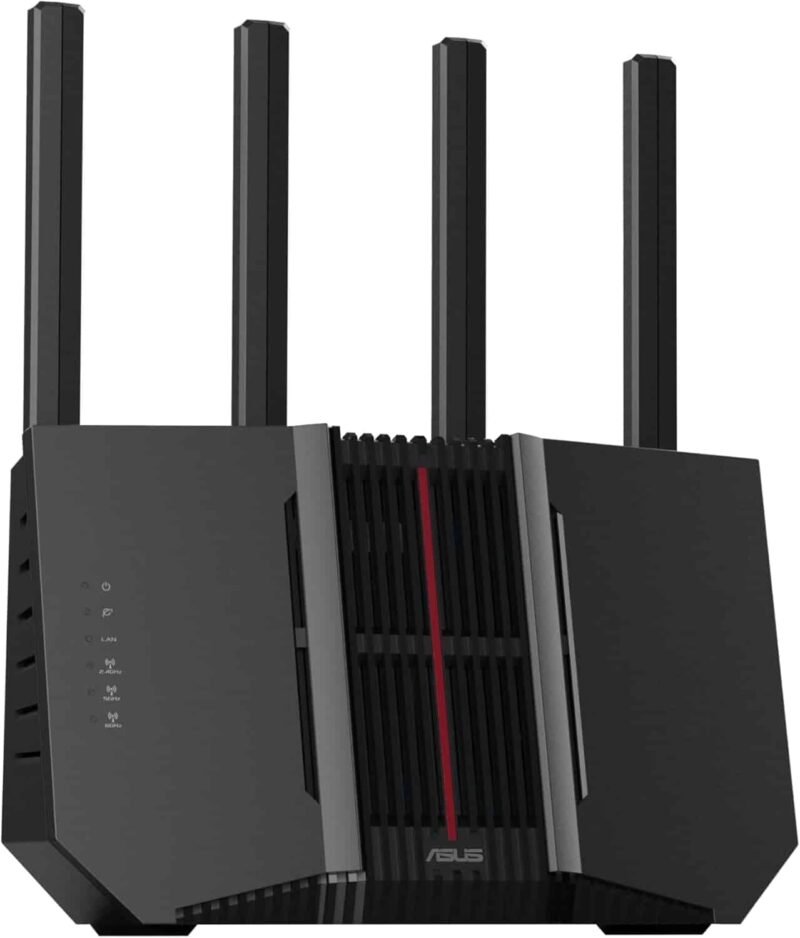
Are you struggling with weak WiFi signals in some corners of your home? A tri-band WiFi extender might be the perfect solution to boost your internet speed and coverage.
But before you buy one, it’s important to know if it will work smoothly with your ISP router. Understanding tri-band WiFi extender compatibility with ISP routers can save you time, money, and frustration. You’ll discover how to check compatibility, what to look for, and tips to get the best performance from your network.
Keep reading to make sure your WiFi extender truly meets your needs.

Credit: www.amazon.ca
Tri Band Wifi Extender Basics
A Tri Band Wifi Extenderboosts your internet signal using three separate bands. It connects to your main router and sends wifi to hard-to-reach places. This helps reduce dead spots in your home or office.
Compared to Dual Band Extenders, tri band models offer better speed and less interference. One band is used to talk to the router, while the other two send wifi to your devices. This makes connections faster and more stable.
- More bandwidthfor many devices
- Reduced lagand buffering
- Improved rangeand coverage
- Better for streamingand gaming
How Isp Routers Work
ISP routers help connect homes to the internet. They send data back and forth between devices and the internet. These routers use different typesto fit various needs and budgets.
- DSL Routers:Use phone lines for internet connection.
- Cable Routers:Connect through cable TV lines.
- Fiber Routers:Use fiber optic cables for faster speeds.
- Wireless Routers:Provide Wi-Fi for devices without cables.
Most routers use two main frequency bands for Wi-Fi:
| Frequency Band | Speed | Range | Common Use |
|---|---|---|---|
| 2.4 GHz | Slower | Longer | Best for far devices and walls |
| 5 GHz | Faster | Shorter | Best for nearby devices |
Compatibility Factors
Tri band WiFi extenders work well with most ISP routers if they support standard WiFi protocols. Checking frequency bands and router compatibility ensures a smooth connection. Compatibility avoids slow speeds and connection drops.
Supported Frequency Bands
Tri-band WiFi extenderswork on three bands: 2.4 GHz, 5 GHz, and an additional 5 GHz or 6 GHzband. Your ISP router must support these bands for full compatibility. Most modern routers handle 2.4 GHz and 5 GHz well. Some newer routers also support 6 GHz for WiFi 6E. Check your router’s specs to match the extender’s bands. This ensures better speed and less interference.
Security Protocols
Extenders and routers must use the same security protocols. Common ones include WPA2and WPA3. WPA3 is newer and safer but may not be on older routers. Using matching protocols keeps your network secure. Mismatched security settings can block connection or slow performance.
Firmware And Software
Both the router and extender need updated firmwareto work well together. Firmware updates fix bugs and improve compatibility. Regular updates help your devices stay secure. Some extenders come with apps or software for easy setup. Check for updates often and install them promptly.
Credit: www.amazon.ca
Connecting Tri Band Extenders To Isp Routers
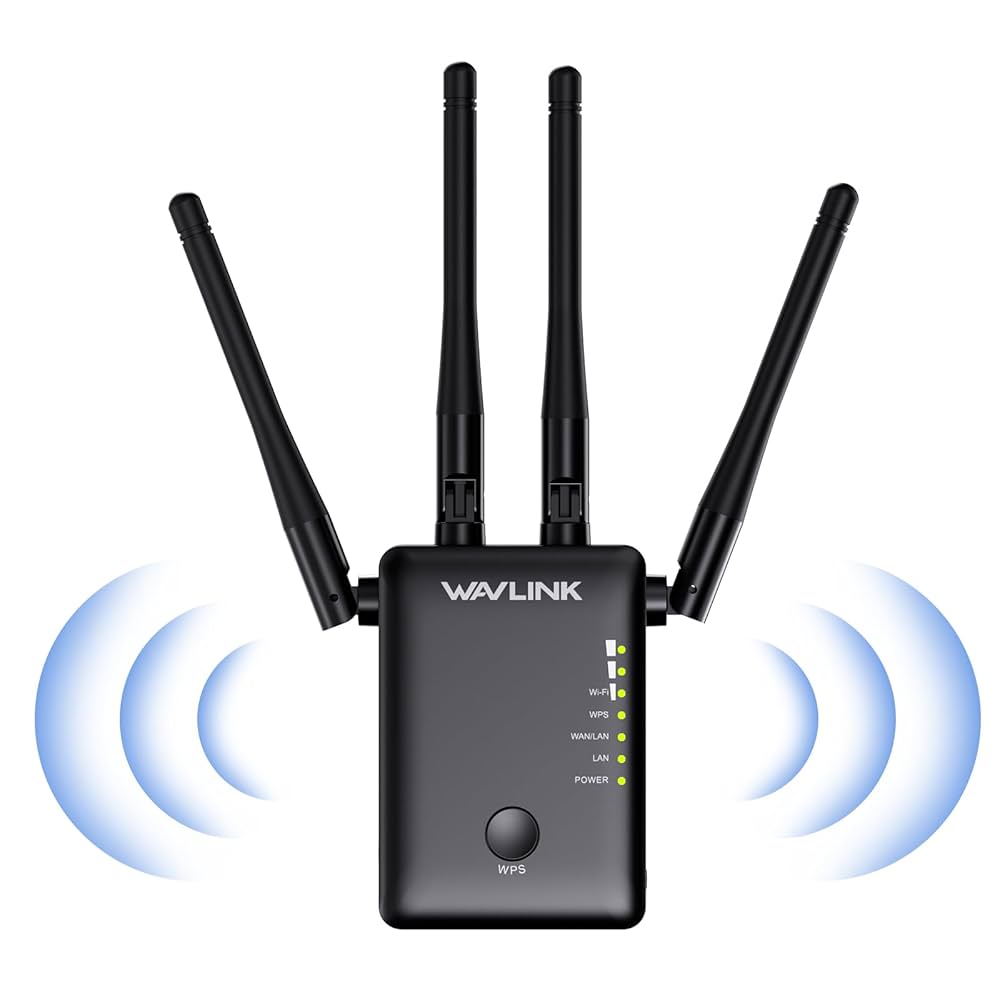
Connect the tri band extender near your ISP router for strong signals. Use the WPS button on both devices to link them quickly. If no WPS, open the extender’s app or web page to enter your router’s Wi-Fi name and password. Wait for the extender’s LED light to turn solid, showing a good connection.
Keep the firmware updated on both router and extender. Place the extender in an open area to avoid walls blocking signals. Test the connection by moving devices around the home to find the best spot for coverage.
- Check if the extender supports your router’s frequency bands (2.4 GHz, 5 GHz).
- Restart the router and extender to fix temporary issues.
- Reset the extender if it won’t connect, then try setup again.
- Make sure no IP address conflicts occur by setting extender to automatic IP.
- Move devices closer if the signal is weak or unstable.
Performance Tips
Place the extenderwhere the WiFi signal is still strong but near weak spots. Walls and floors can block signals. Avoid placing it near metal objects or microwaves.
Choose channels with less traffic for better speed. Use the 5GHz bandfor faster data and less interference. Check your router’s settings to find the best channel.
- Keep the extender away from other electronics.
- Reduce devices using the same channel.
- Use WiFi analyzer apps to spot interference.
Common Compatibility Problems
Incompatible firmwarecan stop the extender from working well with some ISP routers. Firmware controls device functions. If the extender’s firmware is old or different from the router’s, connections may fail or be unstable.
Signal dropoutshappen when the extender cannot keep a steady link with the router. This causes the WiFi to cut in and out. Walls, distance, and interference from other devices can make this worse.
Speed limitationsmay occur if the extender or router do not support the same WiFi speeds. Some routers limit the extender’s maximum speed, slowing down the internet. This can make video calls and downloads slow or choppy.
Choosing The Right Extender For Your Router
Tri-band WiFi extenderswork on three frequency bands: 2.4 GHz, 5 GHz, and an additional 5 GHz band. To get the best performance, the extender’s bands should match your ISP router’s bands. This ensures smooth communication and faster speeds.
Check your router’s specificationsto find out its frequency bands and standards (like 802.11ac or 802.11ax). Knowing these details helps in choosing an extender that fits well with your router.
Reading user reviews and recommendationscan guide you. People share real experiences about how extenders work with various routers. Look for comments on compatibility and signal strength.
Credit: www.engadget.com
Frequently Asked Questions
What Routers Are Compatible With Tri Band Wifi Extenders?
Most modern ISP routers supporting dual or tri band frequencies work with tri band WiFi extenders. Ensure your router has 2. 4 GHz and 5 GHz bands. Compatibility improves when routers support standard WiFi protocols like 802. 11ac or 802.
11ax.
Can Tri Band Extenders Improve Slow Isp Router Speeds?
Yes, tri band extenders can boost speeds by reducing network congestion. They dedicate one band for backhaul communication to the router. This enhances overall WiFi performance and reduces signal interference in busy networks.
Do All Isp Routers Support Tri Band Wifi Extenders?
Not all ISP routers support tri band extenders. Older or single-band routers may lack necessary frequency bands. Check your router’s specifications before purchasing a tri band WiFi extender for seamless connectivity.
How To Check If My Isp Router Supports Tri Band Extenders?
Check your router’s manual or manufacturer website for band frequency details. Look for dual or tri band support and WiFi standards like 802. 11ac/ax. This ensures compatibility with tri band WiFi extenders.
Conclusion
Tri-band WiFi extenders enhance your internet experience with ISP routers. They boost signal strength, reducing dead zones in your home. Compatibility is crucial for seamless integration and performance. Always check your ISP router specifications first. This ensures optimal extender functionality.
Research brands and models for the best fit. User reviews provide valuable insights. Setting up can be simple with the right guidance. A reliable extender transforms your browsing experience. Enjoy faster and more stable connections. Stay connected with ease.


