Are you tired of lag ruining your gaming experience? The secret to smoother gameplay might be hiding in your modem’s frequency settings.
Choosing the right frequency can make a huge difference in speed and connection stability. But what frequency is best for your gaming modem? Keep reading, because understanding this simple choice could be the game-changer you need to dominate every match.
Don’t let slow connections hold you back—let’s dive into the best frequency for your gaming modem and boost your performance today.

Credit: www.ign.com
Frequency Bands For Gaming
Choosing the right frequency band for your gaming modem can make a huge difference in your online experience. Each band offers unique advantages and challenges that affect speed, range, and interference. Understanding these differences helps you pick what fits your setup and gaming style best.
2.4 Ghz Band
The 2.4 GHz band is known for its longer range and better wall penetration. It’s great if your gaming setup is far from the router or separated by multiple walls.
However, many household devices use this band—like microwaves and Bluetooth gadgets—causing interference. This can lead to lag spikes during critical moments in your game.
If you mostly play games that don’t need ultra-fast speeds or you have a larger home, 2.4 GHz might still work well for you. But expect some trade-offs in latency and bandwidth.
5 Ghz Band
The 5 GHz band offers faster speeds and less interference compared to 2.4 GHz. It’s ideal for gamers who want a smooth, low-latency connection and are within a reasonable distance from the router.
Its shorter range means walls and floors can weaken the signal more quickly, so placement is key. If your gaming room is close to the modem, you’ll enjoy a more stable and speedy connection.
Think about how often you experience lag or slowdowns—if it’s frequent, switching to 5 GHz can be a game changer. It’s a sweet spot for most gaming setups.
6 Ghz Band
The newest frequency band, 6 GHz, is becoming available with Wi-Fi 6E devices. It provides even faster speeds and much less interference, perfect for high-demand gaming sessions.
Keep in mind, 6 GHz has the shortest range and struggles with obstacles. You’ll want your gaming modem and devices close together for the best performance.
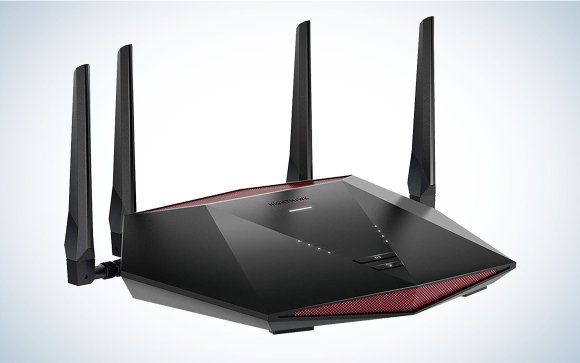
If you’re investing in future-proof gear and play competitive games requiring ultra-low latency, 6 GHz is worth considering. Are you ready to upgrade your modem to tap into this power?
Credit: www.popsci.com
Speed And Latency Factors
Choosing the right frequency for your gaming modem directly impacts your gaming experience, especially in terms of speed and latency. These two factors determine how smooth your gameplay feels and how quickly your commands register on the screen. Understanding how frequency affects both speed and latency can help you make an informed decision for better gaming performance.
Impact Of Frequency On Speed
The frequency your modem uses plays a key role in the internet speed you get. Higher frequencies, like 5 GHz, generally support faster data transfer rates. This means quicker downloads, smoother streaming, and less buffering during gaming sessions.
However, higher frequency bands cover shorter distances and can struggle with obstacles like walls. On the other hand, 2.4 GHz frequency offers wider coverage but at slower speeds. If your gaming setup is close to the router, 5 GHz is usually the better choice for speed.
Latency Considerations
Latency is the delay between your action and the game server’s response. Lower latency is critical for competitive gaming. Higher frequency bands tend to have less congestion and can reduce latency, but signal strength and interference matter too.
Sometimes, even a 2.4 GHz connection with a strong, stable signal can offer better latency than a weak 5 GHz connection. You should test both frequencies to see which gives you the best ping times in your gaming environment.
Interference And Signal Strength
Interference can come from other devices using the same frequency, like microwaves or cordless phones on 2.4 GHz. This can disrupt your gaming connection and increase lag. The 5 GHz band is less crowded, making it less prone to interference.
Signal strength drops faster at higher frequencies, so physical barriers weaken the 5 GHz signal more than 2.4 GHz. If you notice frequent disconnects or lag spikes, consider the placement of your modem or switching frequencies to find the best balance.
Choosing The Right Frequency
Choosing the right frequency for your gaming modem impacts speed and connection quality. Different frequencies offer unique benefits and drawbacks. Understanding these helps pick the best option for smoother gaming sessions.
Gaming Environment
Indoor gaming in crowded areas benefits from higher frequencies like 5 GHz. These frequencies face less interference from other devices. Outdoor or open spaces work well with 2.4 GHz due to better range. Consider nearby Wi-Fi networks and physical barriers too.
Device Compatibility
Not all gaming devices support every frequency band. Older consoles and laptops often use 2.4 GHz only. Newer models usually handle both 2.4 GHz and 5 GHz. Check your device’s specs to ensure proper frequency support. Using the right band avoids connection issues.
Distance And Obstructions
Lower frequencies travel farther and penetrate walls better. 2.4 GHz is ideal for long distances and multiple rooms. Higher frequencies like 5 GHz struggle with thick walls and longer ranges. Place your modem where signal strength stays strong for gaming.
Modem Settings For Optimal Performance
Optimizing your modem settings is key for smooth gaming. Proper settings reduce lag and improve connection stability. Small tweaks can make a big difference in your gaming experience.
Channel Selection
Choosing the right channel reduces interference. Most modems operate on 2.4 GHz and 5 GHz bands. Use 5 GHz for faster speeds and less crowding.
Scan for less busy channels using your modem’s interface. Pick a channel with minimal overlap from nearby networks. This reduces signal interference and improves performance.
Quality Of Service (qos)
QoS prioritizes gaming traffic over other data. It ensures your game packets get faster delivery. Enable QoS in your modem’s settings for better latency and stable gameplay.
Set higher priority for gaming devices or applications. This helps avoid lag during peak network usage times.
Firmware Updates
Keep your modem’s firmware up to date. Updates fix bugs and improve performance. Manufacturers often release patches that enhance gaming stability.
Check for firmware updates regularly through the modem’s admin panel. Install updates promptly to maintain optimal performance and security.
Comparing Frequency Bands In Real-world Gaming
Choosing the right frequency band for your gaming modem can make a noticeable difference in your gaming experience. Different frequency bands handle data transmission in unique ways, impacting speed, range, and stability. Understanding how these bands perform in real-world gaming scenarios helps you decide which frequency suits your setup and gaming style best.
Online Multiplayer
In online multiplayer games, low latency is crucial. The 5 GHz band typically offers faster speeds and less interference, making it ideal for quick reaction times and smooth gameplay. However, its shorter range means walls and distance can weaken the signal, so your modem needs to be close to your gaming device.
The 2.4 GHz band covers a larger area but often suffers from congestion, especially in crowded networks. If your gaming spot is far from the router, 2.4 GHz might keep you connected better, but expect slightly higher ping times. Think about where you play most—close to the router or across the house?
Cloud Gaming
Cloud gaming demands consistent high-speed connections with minimal interruptions. The 5 GHz band supports higher data rates, which helps stream games smoothly without lag or buffering. If you’ve ever had your game freeze at a critical moment, switching to 5 GHz could reduce those frustrating pauses.
On the other hand, if your Wi-Fi signal struggles to reach your device, a stable 2.4 GHz connection might be more reliable, even if it’s slower. Consider your home layout and potential interference sources before choosing which band to prioritize for cloud gaming.
Streaming And Downloads
When you’re downloading updates or streaming gameplay, raw speed becomes your priority. The 5 GHz band excels here, delivering faster download speeds that cut waiting times significantly. This means less downtime and more time playing.
Still, if you have devices spread out or thick walls blocking signals, 2.4 GHz may offer steadier coverage. Would you rather have a stable connection at moderate speeds or faster speeds with occasional drops? Your choice depends on how you balance speed versus reliability during downloads and streaming.

Credit: www.digitalcitizen.life
Future Trends In Gaming Frequencies
The future of gaming frequencies is bright and fast. New technologies promise better speed and less lag. Gamers will enjoy smoother gameplay and stronger connections. These advances focus on higher frequency bands and smarter networks. They aim to support the growing demand for online gaming and streaming.
Wi-fi 6 And Wi-fi 6e
Wi-Fi 6 offers faster speeds and better efficiency. It uses the 5 GHz band to reduce interference. Wi-Fi 6E adds access to the 6 GHz band. This new band has more channels and less crowding. Gamers benefit from lower latency and stable connections. These standards improve multiplayer experiences and reduce dropouts.
5g Gaming Networks
5G brings mobile gaming to the next level. It uses higher frequencies like millimeter waves. These waves provide ultra-fast data transfer and low latency. 5G networks support cloud gaming and real-time interaction. Players can game anywhere with strong, fast signals. This technology changes how and where games are played.
Emerging Technologies
New tech such as Li-Fi uses light waves for data. This can deliver very high speeds in small areas. Mesh networks improve coverage by linking multiple devices. AI helps optimize frequency use and reduce lag. These innovations aim to create seamless and fast gaming setups. The focus stays on better performance and user experience.
Frequently Asked Questions
What Frequency Band Is Best For Gaming Modems?
The 5 GHz band is best for gaming modems due to its faster speeds and lower interference. It provides a more stable connection, reducing lag and improving gaming performance compared to the crowded 2. 4 GHz band.
Why Choose 5 Ghz Over 2.4 Ghz For Gaming?
5 GHz offers higher data rates and less interference than 2. 4 GHz. This results in quicker response times and smoother gameplay, making it ideal for online gaming where low latency is crucial.
Can 2.4 Ghz Frequency Work Well For Gaming?
2. 4 GHz can work for gaming but may face interference and slower speeds. It’s better for longer range but less optimal for high-speed, low-latency gaming sessions.
How Does Frequency Affect Gaming Modem Performance?
Frequency impacts speed, range, and interference levels. Higher frequencies like 5 GHz deliver faster speeds and less interference, improving game responsiveness but with shorter range than 2. 4 GHz.
Conclusion
Choosing the right frequency for your gaming modem matters. It affects speed and stability. A 5 GHz band often offers faster speeds. But, a 2. 4 GHz band has a wider range. Each has its pros and cons. Consider your gaming needs and home layout.
A dual-band modem can be a good solution. It gives flexibility and better performance. Always test and adjust settings for optimal results. Keep an eye on interference from other devices. With the right frequency, enjoy smoother and more responsive gaming.
Happy gaming!