Are you struggling with weak WiFi signals far from your router? Finding the best distance for a long range WiFi extender can make all the difference in your home or office.
If your connection drops or slows down just when you need it most, knowing the right placement can boost your internet speed and reliability. You’ll discover how to choose the perfect spot for your extender, so your devices stay connected no matter where you are.
Keep reading to unlock the secret to strong, seamless WiFi throughout your space.
Long Range Wifi Extender Basics
A wifi extenderhelps spread your wifi signal farther. It takes the signal from your main router and sends it to areas with weak or no coverage. This way, you get better internet in more places.
Several key factorsaffect how far a wifi extender can reach:
- Physical obstacleslike walls and floors block signals.
- Distancebetween the router and extender matters a lot.
- Interferencefrom other electronics can weaken signals.
- Frequency bandused (2.4 GHz goes farther than 5 GHz).
- Extender powerand antenna design impact range.
Ideal Distance For Wifi Extenders
The best distance for a long range WiFi extender depends on your home size and walls. Keep the extender about 30 to 50 feetfrom your main router. This range helps keep a strong signaland fast speeds.
Place the extender in an open area, away from thick walls or metal objects. Avoid placing it near microwaves or cordless phones to reduce interference.
- Put the extender halfway between the router and the dead zone.
- Make sure the extender still gets a good signal from the router.
- Try higher spots like shelves for better coverage.
- Test the signal strength before final placement.
These tips help you avoid dead zoneswhere WiFi is weak or lost. Good placement means better internet in every room.
Environmental Influences On Range
Walls and obstacles can block WiFi signalsand reduce range. Thick walls, metal, and concrete cause the most trouble. Wooden or glass walls let signals through better.
Many obstacles between the extender and router lower the signal strength. Place the extender where there are fewer walls.
- Metal objects reflect signals and cause interference.
- Furniture and appliances can absorb WiFi waves.
- Open spaces help signals travel farther and clearer.
Other devices can cause signal interference. Microwaves, cordless phones, and baby monitors use similar frequencies. Too many devices on the same channel cause slow WiFi.
Try to keep the extender away from devices that send strong signals. Changing the WiFi channel can also help reduce interference.
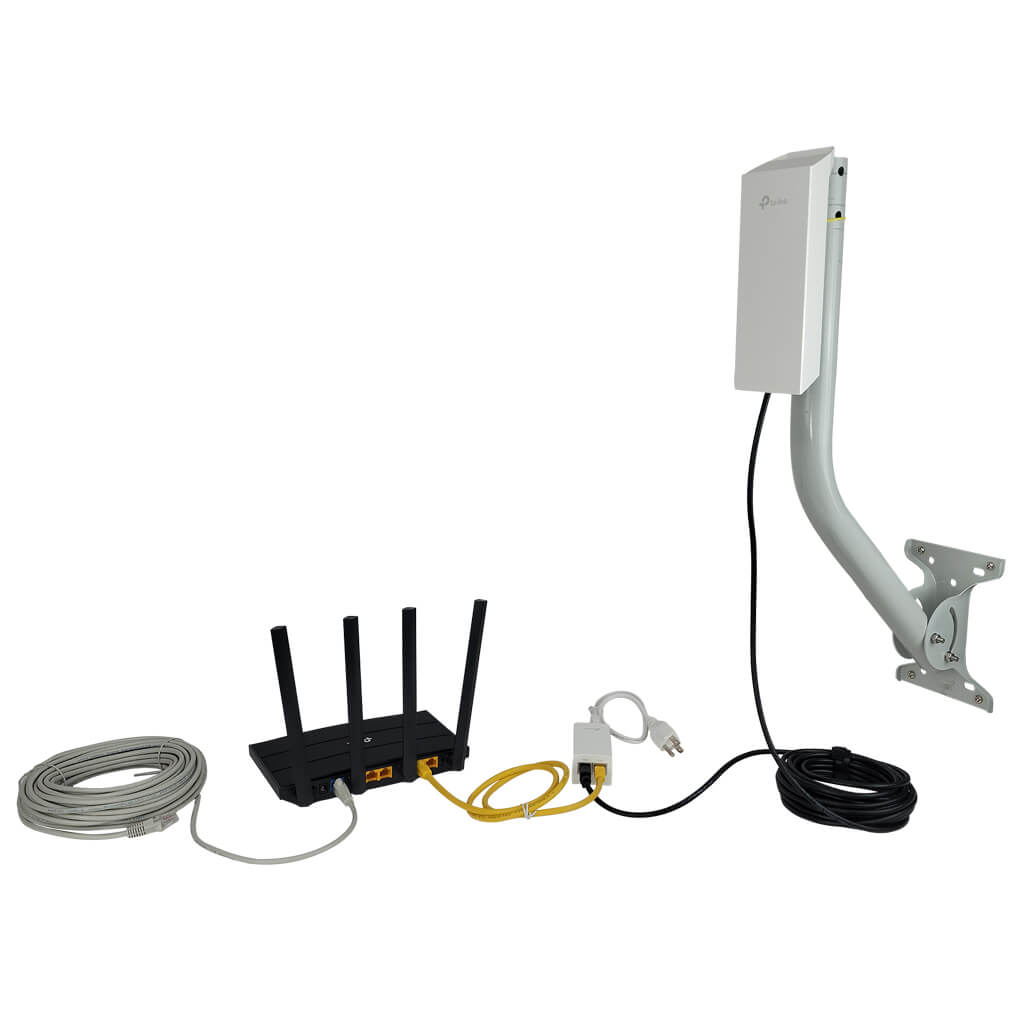
Credit: simplewifi.com
Choosing The Right Extender For Distance
Signal strength ratingsshow how far a WiFi extender can reach. Higher ratings mean better coverage. Extenders with good signal strengthcan cover larger distances. Walls and other objects can weaken signals, so choose an extender with a strong rating for your space.
| Antenna Type | Reach Distance | Best Use |
|---|---|---|
| Omni-Directional | Up to 100 feet | Spreads signal all around |
| Directional | Up to 300 feet | Focuses signal in one direction |
| High-Gain | Up to 500 feet | Extends signal farthest |
Choosing the right antennaaffects your WiFi range. Directional antennas are good for long distances but cover less area. Omni-directional antennas work well for wide coverage in smaller spaces. High-gain antennas boost signals the most but may cost more.
Testing And Adjusting Extender Placement
Use tools like Wi-Fi analyzers and signal strength meters to find the best spot.
Measure signal strength near the main router and the area needing coverage.
Move the extender gradually and check signal readings at each point.
Choose a location with a strong signal but closer to the weak area.
Ensure the extender is not blocked by thick walls or metal objects.
- Check signal strength using a Wi-Fi analyzer app.
- Place the extender halfway between the router and dead zone.
- Test speeds after placement to confirm improvement.
- Adjust height and angle for better reception.
Common Mistakes In Extender Setup
Placing the WiFi extender too far from the router can cause weak signals. The extender needs a strong signal to work well. If it is too far, the connection may drop or slow down.
Interference from walls, furniture, and other electronics also affects the extender’s performance. Devices like microwaves or cordless phones can block or reduce WiFi signals.
- Keep the extender within a good range of the router.
- Avoid placing it near thick walls or metal objects.
- Stay away from devices that create electronic noise.
- Test different spots to find the best signal.
Advanced Options For Extended Range
Mesh networkscreate a group of WiFi devices that talk to each other. They cover large areas with strong signals. Each device sends data to the next one, making the connection fast and steady. This setup works well in big homes or offices where one router can’t reach everywhere.
Powerline adaptersuse the house’s electrical wiring to send internet signals. Plug one adapter near the router and another where you want better WiFi. This method avoids walls and floors that block signals. It is easy to set up and keeps a reliable connection, even far from the router.

Credit: www.reddit.com

Credit: www.youtube.com
Frequently Asked Questions
What Is The Ideal Range For A Long Range Wifi Extender?
The ideal range varies by model but typically covers 100 to 300 feet indoors. Outdoor ranges can extend up to 1000 feet. Distance depends on obstacles and interference, so placing the extender halfway between the router and dead zone ensures optimal coverage.
How Far Can A Long Range Wifi Extender Effectively Transmit?
Most long range WiFi extenders transmit effectively up to 300 feet indoors. Walls and furniture reduce this distance. Outdoor extenders can reach up to 1000 feet in open areas. Signal strength and speed decrease as distance increases beyond the optimal range.
Does Distance Affect Wifi Extender Signal Strength?
Yes, signal strength weakens as distance increases. WiFi extenders work best within their specified range. Placing them too far from the router results in poor performance. For best results, keep extenders close enough to receive a strong router signal.
Can Obstacles Reduce The Effective Range Of Wifi Extenders?
Obstacles like walls, floors, and furniture significantly reduce WiFi extender range. Materials like concrete and metal block signals more than wood or drywall. Minimizing obstacles between the extender and router improves signal strength and extends effective coverage distance.
Conclusion
Choosing the right distance for a long range WiFi extender is crucial. It ensures strong, uninterrupted internet access. Assess your space and identify potential obstacles. Walls and furniture can affect signal strength. Place the extender in a central location. Avoid corners and enclosed spaces.
Experiment with different distances. Find what works best for your home or office. Testing and adjustments might be necessary. A well-placed extender enhances your connectivity. Enjoy seamless internet for browsing, streaming, or work. With the right setup, your WiFi connection can reach its full potential.
Stay connected, stay productive, and enjoy the benefits of an optimized network.


