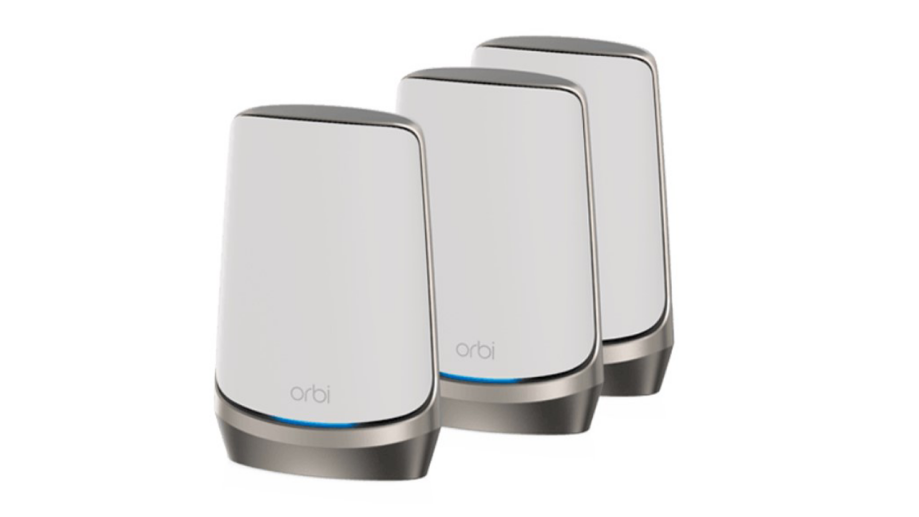
Are you tired of slow WiFi and dead zones in your home? Finding the best Orbi mesh WiFi system can change how you connect to the internet.
Imagine seamless streaming, smooth gaming, and quick downloads in every corner of your space. This guide will help you discover which Orbi system fits your needs perfectly. Keep reading to unlock faster, stronger WiFi that works for you.
Credit: www.netgear.com
Orbi Mesh Wifi Basics
The Orbi Mesh Wifi system is a popular choice for home internet. It uses multiple devices to cover large areas with strong wifi signals.
Orbi works by connecting several units to create one seamless network. This setup helps reduce dead spots and improve speed.
Core Features
Orbi Mesh Wifi has several key features that make it easy to use and reliable. It offers fast wifi speeds for many devices at once.
Its design includes a main router and satellite units that work together. You can add more satellites to cover bigger homes.
- High-speed wifi covering large areas
- Easy setup with a mobile app
- Supports many devices at the same time
- Automatic updates for security
- Guest network options for visitors
How Mesh Wifi Works
Mesh wifi uses multiple units to spread wifi signals evenly. Each unit talks to the others to keep your connection strong.
The main router connects to your modem. Satellite units placed around your home send the wifi signal farther.
- Router connects to the internet modem
- Satellites extend the wifi signal to other rooms
- Devices connect to the nearest unit automatically
- Network adjusts to keep the best connection
Benefits Over Traditional Routers
Mesh wifi systems like Orbi cover bigger areas than regular routers. They reduce weak spots and speed drops.
Traditional routers use one device, which may not reach all parts of a home. Mesh systems use many devices for better reach.
- Stronger wifi signal in every room
- Seamless connection when moving around
- Easier to expand coverage with extra units
- Better performance with many devices connected
Top Orbi Models Compared
Orbi mesh WiFi systems help spread internet across your home. They improve coverage and reduce dead spots. This guide compares popular Orbi models to help you find the right one.
We look at the Orbi RBK50, RBK752, RBK853, and RBK963. Each model has unique features and coverage areas. Read on to see how they differ.
Orbi Rbk50
The Orbi RBK50 offers strong WiFi for medium to large homes. It uses a tri-band system to keep speeds high. This model covers up to 5,000 square feet with two units.
- Coverage: Up to 5,000 sq ft
- Speeds: AC3000 (up to 3 Gbps)
- Ports: 4 Gigabit Ethernet per unit
- Setup: Easy with Orbi app
Orbi Rbk752
The RBK752 adds WiFi 6 support for better speed and device handling. It suits busy homes with many users. Coverage reaches around 5,000 square feet with two units.
| Feature | Details |
| WiFi Standard | WiFi 6 (AX4200) |
| Coverage | Up to 5,000 sq ft |
| Speed | Up to 4.2 Gbps |
| Ports | 4 Gigabit Ethernet per unit |
| Best For | Homes with many devices |
Orbi Rbk853
The RBK853 is a high-performance WiFi 6 system for large homes. It uses three units to cover up to 7,500 square feet. This model supports faster speeds and more devices.
- Coverage: Up to 7,500 sq ft
- Speed: AX6000 (up to 6 Gbps)
- Units: 3 (1 router + 2 satellites)
- Ports: 4 Gigabit Ethernet per unit
Orbi Rbk963
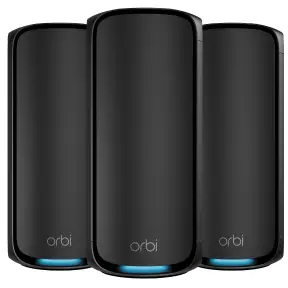
The RBK963 is the top Orbi model with WiFi 6E support. It adds a new 6 GHz band for less interference. This tri-band system covers up to 9,000 square feet with three units.
| Feature | Details |
|---|---|
| WiFi Standard | WiFi 6E (AXE11000) |
| Coverage | Up to 9,000 sq ft |
| Speed | Up to 11 Gbps |
| Units | 3 (1 router + 2 satellites) |
| Ports | 4 Gigabit Ethernet + 2 Multi-Gig |
| Best For | Very large homes, heavy use |
Speed Performance Factors
The Orbi mesh WiFi system offers fast internet across your home. Understanding speed factors helps you pick the best setup.
Several elements affect the speed performance of Orbi systems. These include bandwidth, device support, and firmware updates.
Bandwidth Capabilities
Bandwidth is the amount of data your Orbi system can handle at once. Higher bandwidth means faster internet speeds.
Orbi models support different bandwidths. Some have tri-band technology to improve data flow and reduce slowdowns.
- Tri-band models offer one band for device connection and one for backhaul communication
- Dual-band models share bandwidth between devices and backhaul
- More bandwidth helps with many devices online at the same time
Device Support
Orbi systems support many devices without losing speed. The right model handles your household’s device count well.
Each device uses part of the bandwidth. More devices need better hardware to keep fast speeds for everyone.
- Orbi supports smart TVs, phones, laptops, and smart home gadgets
- High-end Orbi models can support over 50 devices
- Device type affects speed needs; streaming needs more bandwidth than browsing
Impact Of Firmware Updates
Firmware updates improve Orbi’s speed and stability. They fix bugs and add new features that help performance.
Keeping your Orbi updated ensures it uses the latest technology for faster, safer internet.
- Updates can improve signal range and connection speed
- Security patches protect your network from threats
- Automatic updates keep your system current without effort

Credit: www.netgear.com
Coverage And Range Insights
The Orbi Mesh WiFi system is designed to improve wireless coverage in homes. It uses multiple devices to spread WiFi signals far and wide.
This system helps reduce dead zones and keeps your internet connection strong in many areas of your home.
Square Footage Coverage
The Orbi system covers large areas, often up to 5,000 square feet with one router and one satellite. Adding more satellites increases this coverage.
This makes it easy to get WiFi in every corner of your home without losing speed or connection.
- One router and one satellite cover up to 5,000 sq ft
- Additional satellites can expand coverage further
- Good for homes with many rooms and open spaces
Multi-story Homes
Orbi Mesh WiFi works well in homes with multiple floors. Its strong signals pass through walls and floors better than many routers.
Placing satellites on different floors helps keep a steady connection throughout the house.
- Satellites can be placed on each floor for full coverage
- Helps avoid weak signals in upstairs or downstairs rooms
- Maintains fast speeds across floors
Outdoor Coverage Options
Orbi systems can extend WiFi coverage to outdoor areas like patios and yards. This is useful for streaming or working outside.
Using weather-resistant satellites or placing regular units near windows helps bring signal outside.
- Place satellites near doors or windows for better outdoor range
- Some models offer weather-resistant satellites for outdoor use
- Check placement to avoid signal loss through thick walls
Installation And Setup Tips
Setting up your Orbi mesh WiFi system is simple with the right guidance. Good installation helps your WiFi cover every corner of your home.
This guide offers tips to place your devices, configure the app, and fix common problems fast.
Placement Strategies
Place your Orbi router in a central spot. Avoid walls and metal objects that block signals.
Put satellite units where WiFi is weak but still close to the router.
- Keep the router high, like on a shelf or table
- Do not put units near microwaves or cordless phones
- Space satellites evenly for better coverage
- Use open areas, not inside cabinets or behind furniture
App Configuration
Download the Orbi app to start setup. Follow the on-screen steps to connect your router and satellites.
Use the app to name your WiFi network and set a strong password. You can also check device connections and speed.
- Connect your phone to the router’s default WiFi
- Open the app and sign in or create an account
- Follow instructions to add satellites one by one
- Update firmware if the app asks
Troubleshooting Common Issues
If your Orbi system has problems, try rebooting the router and satellites first. This fixes many connection issues.
Check if the satellites are too far from the router. Move them closer if the signal is weak.
- Restart devices by unplugging and plugging back in
- Check for firmware updates in the app
- Reset the system if you forget your password
- Use Ethernet cable to connect main router for faster setup
Security Features
The Orbi Mesh WiFi system is known for its robust security features. These features help keep your internet safe from threats.
Understanding these security options is important for protecting your home network. Let’s explore some key features.
Parental Controls
Orbi offers parental controls to help manage your child’s internet use. You can block certain websites that are not appropriate.
You can also set time limits for internet access. This ensures your child does not spend too much time online.
- Block inappropriate websites
- Set time limits for internet use
- Monitor online activity
Guest Network Options
Orbi provides a guest network feature. This allows visitors to use your WiFi without accessing your main network.
Guest networks are separate and secure. They protect your personal data from guests.
- Separate network for guests
- Protects your main network
- Easy to set up and manage
Automatic Updates
The Orbi system updates automatically. These updates keep your network secure with the latest features.
Automatic updates ensure your WiFi is protected from new threats. You do not need to update it manually.
- Updates install automatically
- Protects against new threats
- No manual update needed
Pricing And Value
Finding the best Orbi Mesh Wifi System involves comparing prices and value. It’s important to understand what you get for your money.
Different models offer various features. Look at what fits your budget and needs.
Cost Comparison
Orbi Mesh Wifi Systems come in different price ranges. Compare them to find the best deal.
| Model | Price |
| Orbi RBK50 | $299 |
| Orbi RBK23 | $199 |
| Orbi RBK12 | $149 |
Subscription Services
Some Orbi systems offer subscription services. These include advanced security or parental controls.
- Netgear Armor: Protects your network.
- Circle: Manages internet access for kids.
Long-term Investment
Investing in a good Orbi Mesh Wifi System can save money over time. It provides reliable connectivity.
Consider how long you plan to use the system. A higher initial cost may mean better value.
User Reviews And Feedback
Many users share their thoughts on the Orbi Mesh WiFi system. Their feedback helps others decide if it fits their needs.
This section covers how people rate its performance, reliability, and customer service experience.
Performance Ratings
Users often praise the Orbi system for strong WiFi coverage and fast speeds. It works well in large homes with many devices.
- Consistent connection in every room
- Easy setup and management via app
- Good speed for streaming and gaming
- Some users report speed drops during peak hours
Reliability Reports
The reliability of Orbi mesh WiFi gets mixed reviews. Most users say it rarely disconnects, but a few mention signal drops.
| Issue | Frequency | User Comments |
| Signal loss | Low | Occurs mainly with older models |
| Firmware updates | Medium | Sometimes cause temporary outages |
| Device compatibility | High | Works well with most devices |
Customer Support Experiences
Customer support experiences vary. Many find the support team helpful, while some face long wait times.
- Fast response to technical questions
- Helpful guides and FAQs online
- Long hold times during busy periods
- Mixed results with issue resolution
Alternatives To Orbi Systems
Orbi mesh WiFi systems are popular for good coverage and speed. Some users want other options with different features or prices.
Here are three good alternatives to Orbi systems. Each offers reliable WiFi and easy setup for homes.
Google Nest Wifi
Google Nest Wifi is simple to set up and works well with Google devices. It covers medium to large homes with strong signals.
The system uses a main router and points to extend WiFi. It also has a built-in smart speaker in each point.
- Easy app control
- Supports many devices
- Good parental controls
- Modern design
Eero Mesh Systems
Eero mesh systems provide strong WiFi with simple setup. They work well in homes of all sizes.
Eero offers different packs depending on your home size. It supports fast speeds and automatic updates for security.
- Reliable connection
- Easy to expand
- Good app features
- Works with Alexa
Tp-link Deco Series
TP-Link Deco series gives flexible options for mesh WiFi. It is affordable and covers large areas well.
The Deco system includes security tools and parental controls. It supports many devices and is easy to manage.
- Variety of models
- Strong WiFi signals
- Advanced security
- Affordable prices

Credit: www.amazon.com
Frequently Asked Questions
What Makes Orbi Mesh Wifi Systems The Best?
Orbi mesh wifi systems provide strong, seamless coverage across large areas. They use multiple units that connect wirelessly to eliminate dead spots. Orbi offers fast speeds, easy setup, and reliable performance, making them top choices for home and office wifi solutions.
How Does Orbi Improve Home Wifi Coverage?
Orbi extends your wifi network by using satellite units placed around your home. These units communicate with the main router to deliver consistent signal strength. This setup ensures smooth streaming, gaming, and browsing in every room without interruptions or slowdowns.
Are Orbi Mesh Systems Easy To Set Up?
Yes, Orbi mesh systems feature a user-friendly app that guides you through setup. The process is quick and requires no technical skills. The app also helps manage network settings, monitor devices, and troubleshoot issues effortlessly.
Which Orbi Model Is Best For Large Homes?
The Orbi RBK853 is ideal for large homes. It supports high-speed WiFi 6 technology and covers up to 7,500 square feet. This model handles multiple devices simultaneously, ensuring fast and stable connections throughout your home.
Conclusion
Choosing the best Orbi mesh WiFi system depends on your needs. Consider your home size, device count, and budget. Orbi systems offer strong signals and easy setup. They reduce dead zones and keep connections steady. Each model has unique features to fit different spaces.
Think about what matters most for your internet use. A good mesh WiFi system improves your online experience. Make a smart choice to enjoy fast, reliable WiFi everywhere.


