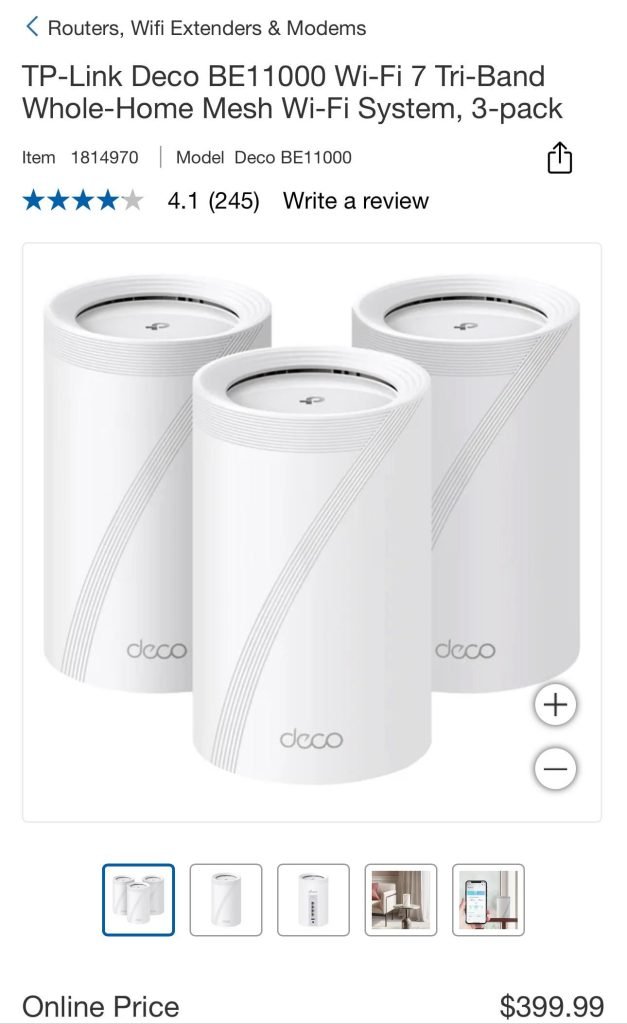
If you live in a split-level home, you know how tricky it can be to get strong WiFi everywhere. Walls, floors, and different levels can block your signal, leaving you with slow internet in some rooms.
You might be wondering, what mesh WiFi system will fix this once and for all? Choosing the right mesh WiFi can make a huge difference in your daily life—from streaming movies without buffering to working smoothly from any corner of your house.
Keep reading, and you’ll discover the best options designed to cover every level of your home with fast, reliable WiFi.
Challenges Of Split Level Homes
Split level homes have unique designs that can make WiFi coverage hard. The different floor heights and walls block WiFi signals.
This means some areas in the house may have weak or no WiFi. Understanding the challenges helps to pick the right mesh WiFi system.
Wifi Dead Zones
WiFi dead zones are places where the signal does not reach well. In split level homes, these zones appear between floors or behind thick walls.
Dead zones cause slow internet or dropped connections. It makes it hard to use devices in these areas.
Multiple Floors And Obstacles
Split level homes have floors at different heights and many walls. These create obstacles for WiFi signals to pass through.
WiFi signals weaken as they go through floors and walls. This results in uneven coverage across the house.
- Concrete walls block signals more than drywall
- Floors with metal or insulation reduce WiFi strength
- Furniture and appliances can also interfere with signals
Interference Issues
Other devices in the home can cause WiFi interference. Things like microwaves, cordless phones, and Bluetooth devices use similar frequencies.
Interference makes the WiFi slower and less stable. It can cause frequent disconnects and buffering.
- Microwaves often disrupt WiFi at 2.4 GHz
- Bluetooth gadgets share WiFi channels
- Neighboring WiFi networks can cause signal overlap
Benefits Of Mesh Wifi Systems
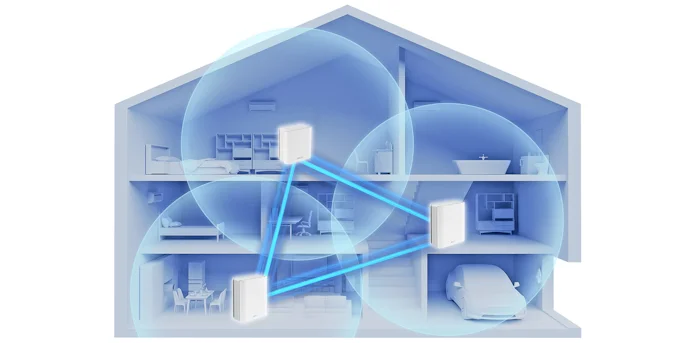
Mesh WiFi systems improve internet coverage in large or complex homes. They use multiple devices to spread WiFi evenly.
Split level homes can have WiFi dead zones. Mesh WiFi helps fix this by providing strong signals everywhere.
Seamless Coverage
Mesh WiFi creates one large network. This lets your devices switch smoothly between points.
You can move around the house without losing connection or needing to reconnect.
- Eliminates dead zones
- Maintains strong signal on all floors
- Works well in split level layouts
Easy Expansion
You can add more mesh points to cover bigger areas. This is helpful in large or split level homes.
Adding new points is simple and does not require technical skills or rewiring.
- Add points as your home grows
- Customize coverage for every floor
- No complex setup needed
Centralized Management
Mesh systems let you control your network from one app. You can see all devices and settings easily.
This helps you manage WiFi, set limits, and update software without trouble.
- Monitor all devices in one place
- Control access and set schedules
- Receive automatic updates
Key Features To Look For
Choosing the right mesh WiFi system is important for split level homes. These homes have multiple floors and walls that can block signals.
Understanding the key features will help you pick a system that covers your whole home well.
Range And Coverage
Split level homes need mesh WiFi with strong range. It should cover all floors and corners without losing signal.
- Look for systems with multiple nodes or satellites
- Check if the system supports wall-penetrating signals
- Choose a system that covers more square feet than your home size
Speed And Performance
Speed matters for smooth internet on all devices. Pick a mesh WiFi that supports fast data transfer and low lag.
| Feature | What to Look For |
| WiFi Standard | WiFi 5 (802.11ac) or WiFi 6 (802.11ax) |
| Bandwidth | At least 1 Gbps for fast streaming and downloads |
| Processor | Powerful CPU for handling many devices |
| Dual or Tri-Band | Tri-band reduces traffic and improves speed |
Device Compatibility
Check if the mesh system works with your devices. It should support phones, laptops, smart TVs, and smart home gadgets.
- Supports both 2.4 GHz and 5 GHz bands
- Compatible with Android, iOS, Windows, and macOS
- Works with voice assistants like Alexa or Google Assistant
Security Features
Security keeps your network safe from threats. Choose mesh WiFi with strong protection and easy controls.
| Security Feature | Description |
|---|---|
| WPA3 Encryption | Latest standard for strong WiFi security |
| Automatic Updates | Keeps firmware up to date to fix vulnerabilities |
| Guest Network | Allows visitors to use WiFi without accessing main network |
| Parental Controls | Helps manage kids’ internet access and screen time |
Credit: edgeup.asus.com
Top Mesh Wifi Picks For Split Level Homes
Split level homes have floors that are staggered. This layout can make WiFi signals weak in some areas. Mesh WiFi systems help spread internet evenly throughout the house.
Choosing the right mesh WiFi depends on your home’s size, budget, and ease of use. Below are top picks to consider for split level homes.
Best Overall Performance
This mesh WiFi offers fast speeds and strong coverage. It uses multiple nodes that communicate to cover all floors well. It supports many devices at once without slowing down.
It has advanced features like security controls and easy app management. This makes it great for busy homes with many users.
Budget-friendly Option
If you want good coverage without spending much, this mesh system fits well. It covers most split level homes and offers reliable speeds.
- Affordable price
- Simple setup
- Decent range for average homes
- Basic parental controls
Best For Large Homes
Large split level homes need strong signals over many rooms. This mesh WiFi has extra nodes to cover big spaces well. It keeps connections fast even far from the main router.
| Feature | Details |
| Coverage Area | Up to 6000 sq ft |
| Number of Nodes | 3 to 6 |
| Max Speed | Up to 3 Gbps |
| Device Support | 50+ devices |
User-friendly Setup
This mesh WiFi system focuses on easy installation. The app guides you step-by-step to place nodes and connect devices. It suits users who want quick and simple setup.
- Visual placement guide
- One-touch node syncing
- Automatic firmware updates
- Clear status alerts
Placement Tips For Optimal Coverage
Mesh WiFi systems help cover large and multi-level homes with a strong signal. Split level homes have unique layouts that need smart placement for the best WiFi coverage.
Proper placement of mesh nodes avoids weak spots and dead zones. This guide shares tips to place your mesh WiFi for the best signal throughout your split level home.
Strategic Router Positioning
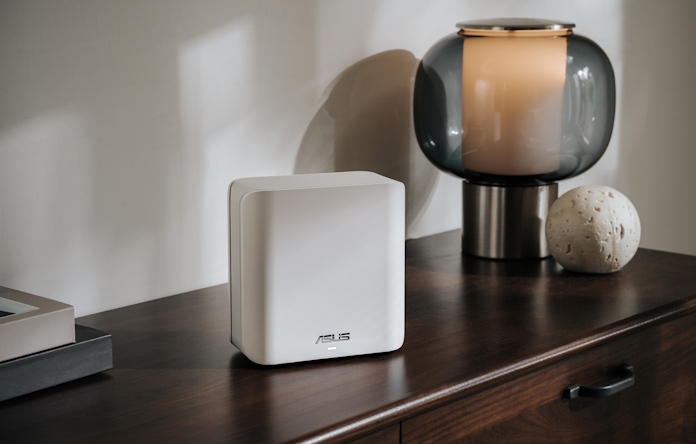
Place your main router in a central spot on the main level. This helps the signal reach both upper and lower floors more evenly.
Try to keep the router out in the open and away from corners. High shelves or open tables work well to boost signal strength.
- Center the router on the main floor
- Keep it off the floor and away from walls
- Place it where you use WiFi most
Avoiding Signal Obstructions
Walls, metal objects, and appliances can block WiFi signals. In split level homes, stairs and thick walls often reduce coverage.
Keep mesh nodes away from large metal surfaces like refrigerators or mirrors. Avoid placing nodes inside cabinets or behind furniture.
- Do not place nodes near metal or concrete
- Avoid thick walls and large furniture
- Keep nodes in open areas for clear signals
Using Wired Backhaul
Wired backhaul uses Ethernet cables to link mesh nodes. This creates a faster and more stable connection than wireless links.
In split level homes, running Ethernet cables between floors ensures strong signals. This reduces interference and improves overall WiFi speed.
- Connect mesh nodes with Ethernet cables if possible
- Use powerline adapters if running cables is hard
- Wired backhaul improves speed and reliability
Credit: edgeup.asus.com
Troubleshooting Common Issues
Mesh WiFi systems are great for split level homes. Sometimes, issues arise that need fixing.
Common problems include slow speeds, connectivity drops, and outdated firmware. Let’s see how to solve them.
Fixing Slow Speeds
Slow speeds can frustrate users. Test your internet speed with a reliable tool.
Ensure your mesh WiFi nodes are placed correctly. Avoid placing them near large metal objects or thick walls.
- Check your internet provider’s speed plan
- Restart your router and mesh nodes
- Limit the number of connected devices
Dealing With Connectivity Drops
Connectivity drops can disrupt your activities. Check the distance between your mesh nodes.
Nodes should be within a good range to communicate effectively. Avoid placing them too far apart.
- Reposition nodes for better signal overlap
- Reduce interference from other electronics
- Ensure devices are not too far from nodes
Firmware Updates
Firmware updates improve performance. They also fix bugs and security issues.
Check your mesh system’s app or website for updates. Regular updates keep your network running smoothly.
- Enable automatic firmware updates
- Manually check for updates if needed
- Follow update instructions carefully

Credit: www.amazon.ca
Frequently Asked Questions
What Mesh Wifi System Suits Split Level Homes Best?
A tri-band mesh WiFi system is ideal for split level homes. It offers stronger signals and better coverage across multiple floors. Look for systems with multiple nodes and easy setup to ensure seamless connectivity throughout your home.
How Many Mesh Wifi Nodes Do Split Level Homes Need?
Split level homes usually need 3 to 4 mesh WiFi nodes. This ensures strong coverage on each floor and reduces dead zones. Placement should be strategic, near stairwells and central areas for optimal signal distribution.
Can Mesh Wifi Improve Signal In Split Level Houses?
Yes, mesh WiFi significantly improves signal strength in split level homes. It eliminates dead spots by using multiple nodes that communicate wirelessly. This creates a consistent and fast internet experience throughout all levels of the house.
Is A Mesh Wifi Better Than A Range Extender?
Mesh WiFi is generally better than range extenders for split level homes. It offers seamless roaming and consistent speeds across all nodes. Extenders often create separate networks and can reduce overall connection quality.
Conclusion
Choosing the right mesh WiFi for split-level homes improves internet coverage. Good mesh systems reach every floor and room with strong signals. They help avoid dead spots and slow connections. Easy setup and reliable performance matter most. Consider your home size and device needs carefully.
A strong mesh WiFi keeps all devices connected smoothly. Enjoy fast, steady internet no matter where you are. This makes working, streaming, and browsing simple and stress-free. The right mesh WiFi makes your split-level home smarter and more connected.


