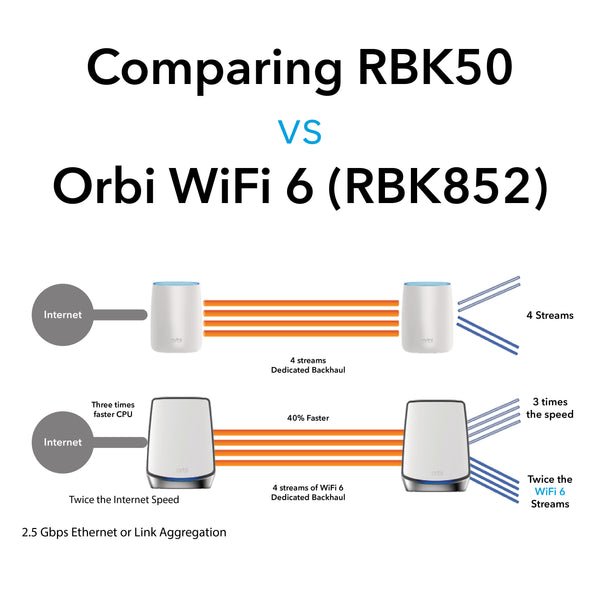
Are you tired of slow internet and dead zones in your home? Choosing the right router speed for your WiFi 6 mesh system can change everything.
It affects how fast your devices connect, how many gadgets you can use at once, and how smooth your online experience feels. But with so many options out there, how do you know what speed is truly best for your needs?
Keep reading, and you’ll discover the simple answers that will help you boost your WiFi like never before. Your perfect connection is closer than you think.

Credit: www.pcmag.com
Wifi 6 Mesh Basics
Wifi 6 mesh networks bring fast and reliable internet to your home. They use new technology to improve speed and coverage.
Understanding Wifi 6 and mesh networks helps you pick the best router speed for your setup.
Key Features Of Wifi 6
Wifi 6 offers several improvements over older wifi versions. These features make it ideal for mesh networks in busy homes.
- Higher data rates for faster internet speeds
- Better performance in crowded areas with many devices
- Improved battery life for connected devices
- Lower latency for smoother online gaming and streaming
- Increased network capacity to support more devices
How Mesh Networks Work
Mesh networks use multiple nodes that work together. Each node helps spread the wifi signal across your home.
| Component | Function |
| Main Router | Connects to the internet and controls the network |
| Mesh Nodes | Extend the wifi coverage to hard-to-reach areas |
| Backhaul Connection | Links the nodes for fast data transfer |
Router Speed Explained
Choosing the right router speed is key for a Wifi 6 mesh system. Router speed affects how fast your devices connect to the internet and each other.
Understanding speed terms helps you pick the right router for your needs. This guide explains Mbps vs Gbps and real-world vs theoretical speeds.
Mbps Vs Gbps
Mbps stands for Megabits per second. Gbps stands for Gigabits per second. 1 Gbps equals 1000 Mbps. Higher numbers mean faster speeds.
- Mbps is common for home internet plans.
- Gbps is typical for high-speed internet and advanced routers.
- Wifi 6 routers often support speeds in Gbps range.
- Mesh systems need fast routers to keep all devices connected well.
Real-world Speeds Vs Theoretical Speeds
Theoretical speeds show the maximum data rate a router can handle. Real-world speeds are usually lower because of many factors.
| Factor | Effect on Speed |
| Distance from Router | Signal weakens with distance |
| Obstacles | Walls and furniture block signals |
| Network Traffic | More devices slow down speed |
| Interference | Other electronics cause signal noise |
Factors Affecting Wifi 6 Speed
Wifi 6 mesh systems offer faster and more reliable internet. Many factors affect their speed and performance.
Knowing these factors helps you choose the right router speed for your needs.
Device Compatibility
Your devices must support Wifi 6 to get the best speed. Older devices use older Wifi versions, which are slower.
- Check if your device supports Wifi 6 (802.11ax).
- Update device firmware for better performance.
- Use Wifi 6 routers with compatible devices.
Network Congestion
More devices on the network can slow down Wifi 6 speed. Congestion happens when many users share the same channel.
| Cause | Effect on Speed |
| Many users on one network | Reduced speed per device |
| Nearby Wifi networks | Interference and slower connection |
| High data usage | Network lag and drops |
Distance And Obstacles
Wifi 6 speed decreases as distance from the router grows. Walls and furniture also block signals.
- Keep routers in open spaces for best coverage.
- Minimize walls and large objects between router and device.
- Use mesh nodes to reduce distance and improve speed.
Choosing The Right Router Speed
Picking the right router speed is key for good WiFi 6 mesh performance. It helps your devices work fast and stay connected.
Knowing how fast your internet is and what you use it for guides your choice. This keeps your network smooth and ready for the future.
Assessing Your Internet Plan
Check the speed your internet provider offers. Your router should match or be faster than this speed.
| Internet Plan Speed | Recommended Router Speed |
| Up to 100 Mbps | At least 300 Mbps |
| 100 – 500 Mbps | At least 600 Mbps |
| 500 Mbps – 1 Gbps | 1 Gbps or higher |
| Above 1 Gbps | Multi-gigabit routers |
Matching Speed To Usage Needs
Think about how many devices use your WiFi and what they do. Streaming and gaming need more speed than browsing.
- Light use: web browsing, emails
- Medium use: HD streaming, video calls
- Heavy use: 4K streaming, online gaming, multiple devices
Choose a router speed that fits your usage category to avoid slowdowns and lag.
Future-proofing Your Network
Buy a router that can handle faster speeds than you need now. This helps if your internet plan gets faster later.
Benefits of future-proofing your router speed:
- Supports new devices and technology
- Reduces need for frequent upgrades
- Keeps your network fast over time
Top Wifi 6 Mesh Router Speeds In 2025
Wifi 6 mesh routers offer faster speeds and better connectivity. These routers are essential for homes with many devices. Choosing the right speed can be confusing.
In 2025, router speeds vary across different models. It’s important to understand which option suits your needs best. Let’s explore the top choices available.
High-end Options
High-end routers provide the fastest speeds. These are great for large homes or offices. They offer seamless streaming and gaming experiences.
- Router A: Up to 10 Gbps
- Router B: Up to 9 Gbps
- Router C: Up to 8.5 Gbps
Mid-range Choices
Mid-range routers offer a balance of speed and cost. They are ideal for average-sized homes. These routers support multiple devices efficiently.
| Model | Speed |
| Router D | Up to 6 Gbps |
| Router E | Up to 5.5 Gbps |
| Router F | Up to 5 Gbps |
Budget-friendly Models
Budget-friendly models offer reliable speeds at lower costs. They are suitable for small homes or apartments. These routers still provide good connectivity for daily use.
- Router G: Up to 3.5 Gbps
- Router H: Up to 3 Gbps
- Router I: Up to 2.5 Gbps
Setup Tips For Optimal Speed
Choosing the right router speed is key for Wifi 6 mesh systems. Good setup helps you get the best speed and coverage.
Follow these tips to improve your Wifi 6 mesh network’s performance and avoid slowdowns.
Router Placement
Place your main router in a central spot in your home. This helps the signal reach all mesh nodes well.
Avoid placing routers near thick walls, metal objects, or electronics that cause interference.
- Keep routers away from microwaves and cordless phones
- Elevate routers off the floor for better coverage
- Space mesh nodes evenly for full home coverage
Firmware Updates
Check for firmware updates regularly. Updates fix bugs and improve speed and security.
Enable automatic updates if your router supports it. This keeps your system running smoothly.
- Visit the router’s admin page to check updates
- Download and install updates as soon as they are available
- Restart your router after updates to apply changes
Channel Selection
Choose the right WiFi channel to avoid interference from neighbors. This helps keep speeds high.
Use tools or apps to find the least crowded channels for your 2.4 GHz and 5 GHz bands.
- 2.4 GHz band: use channels 1, 6, or 11 for less overlap
- 5 GHz band: pick channels with low usage in your area
- Set mesh routers to auto-select channels if unsure
Troubleshooting Speed Issues
Having the right router speed is crucial for a WiFi 6 mesh network. Sometimes, speed issues can arise, affecting your internet experience.
Understanding common problems and using the right tools can help improve your network’s performance.
Common Speed Bottlenecks
Several factors can slow down your WiFi 6 mesh network. Identifying these bottlenecks can help you find solutions.
- Physical obstructions like walls and furniture
- Interference from other electronic devices
- Outdated router firmware
- Too many connected devices
- Distance from the router
Diagnostic Tools
Using the right diagnostic tools can help you identify and solve speed issues. These tools provide valuable insights into your network.
| Tool | Function |
| Speed Test Apps | Measures download and upload speeds |
| Network Analyzer | Identifies signal strength and interference |
| Router Management Software | Checks firmware updates and settings |
When To Upgrade Your Router
Knowing when to upgrade your router can enhance your WiFi 6 mesh network. Newer routers offer better performance and features.
If your router is over three years old or struggles with multiple devices, consider upgrading. Look for routers with the latest WiFi 6 technology.
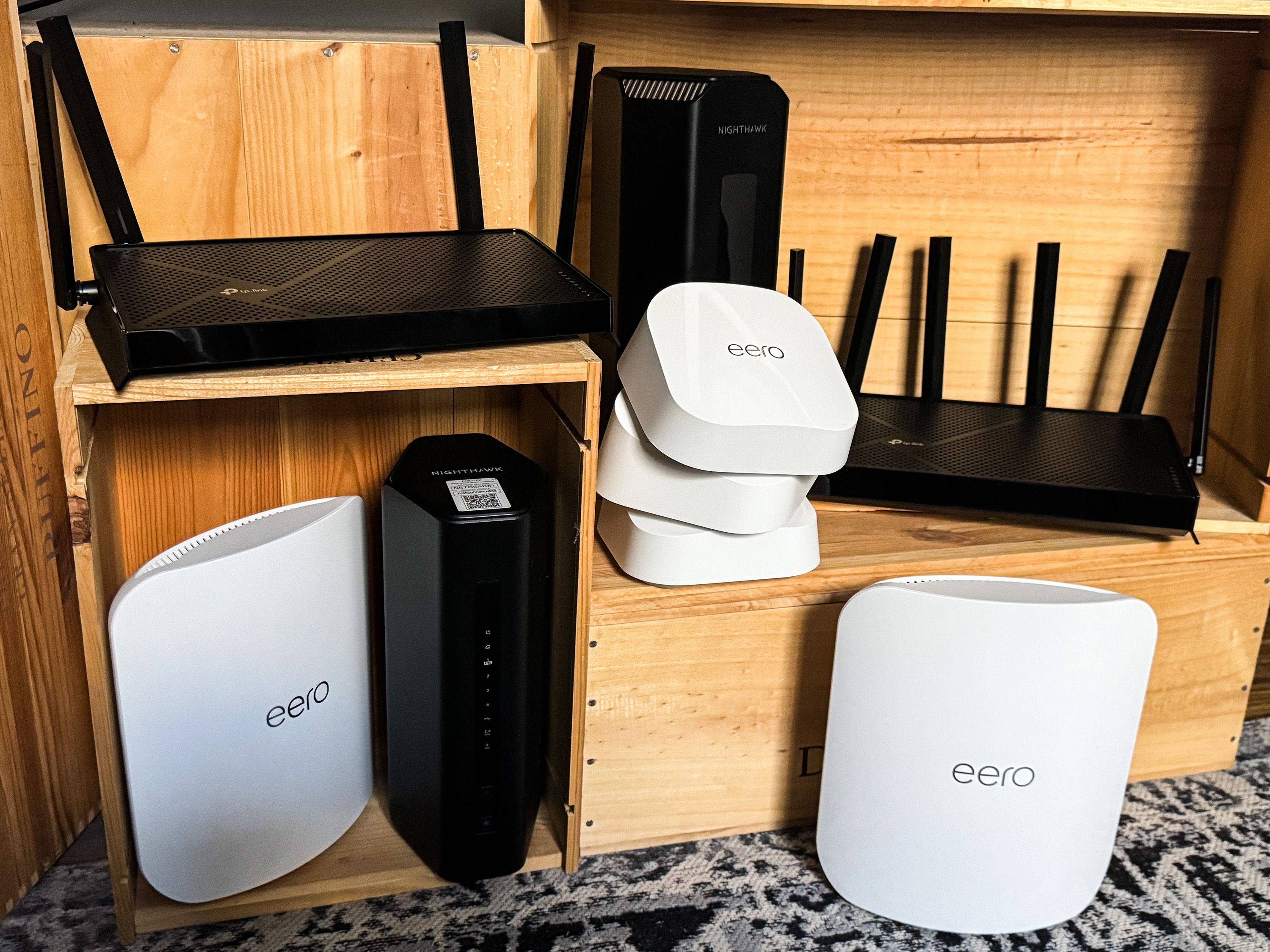
Credit: www.popularmechanics.com
Credit: evanmccann.net
Frequently Asked Questions
What Router Speed Suits Wifi 6 Mesh Networks Best?
For Wifi 6 mesh, routers with speeds of 1 Gbps or higher are ideal. They provide fast, stable connections for multiple devices. Higher speeds ensure better performance and future-proofing for growing internet demands.
How Does Router Speed Impact Wifi 6 Mesh Performance?
Router speed directly affects data transfer rates and network efficiency. Faster routers support more devices with less lag. This improves streaming, gaming, and overall connectivity in a Wifi 6 mesh setup.
Can Slower Routers Work With Wifi 6 Mesh Systems?
Slower routers can work but limit Wifi 6 mesh benefits. They may cause bottlenecks, reducing speed and coverage. Investing in a faster router maximizes Wifi 6 mesh potential.
What Internet Speed Do I Need For Wifi 6 Mesh?
Internet speed should match or exceed your router’s capacity for best results. Typically, 300 Mbps or higher is recommended for smooth Wifi 6 mesh performance in most homes.
Conclusion
Choosing the right router speed matters for Wifi 6 mesh systems. It affects how fast your devices connect and stay online. A good speed means smoother streaming and quicker downloads. Too slow, and your internet feels frustrating. Too fast, and you might pay for more than you need.
Balance speed with your home size and device use. This way, your Wifi 6 mesh works well every day. Simple and smart choices make your internet better.


