Imagine streaming your favorite movie without the dreaded buffer or gaming without any lag. Sounds like a dream, right?
But it could be your reality with the right placement of a tri-band WiFi extender. If you’re tired of dealing with dead zones or weak signals in your home, you’re in the right place. This guide is here to help you discover exactly where to position your tri-band WiFi extender for maximum coverage and speed.
Understanding the science behind WiFi signals and how extenders work can make all the difference. Ready to unlock the full potential of your home network? Let’s dive in and transform your internet experience.
Benefits Of Tri Band Wifi Extenders
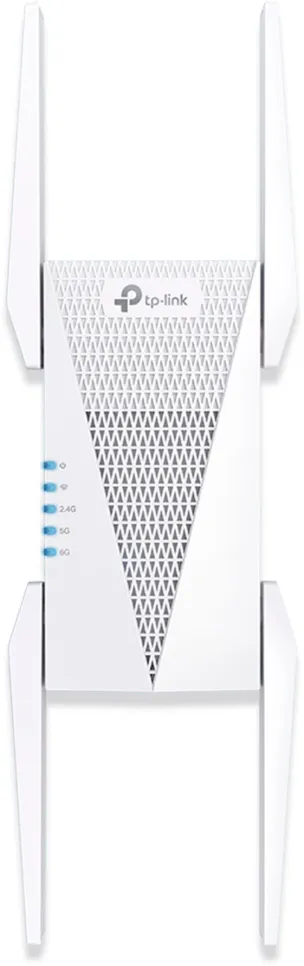
Tri band WiFi extendersoffer better speed and coverage than single or dual band ones. They use three separate bands to reduce network traffic. This helps devices stay connected without slowing down. One band connects to the router. The other two bands connect to your devices. This setup keeps the signal strong and steady.
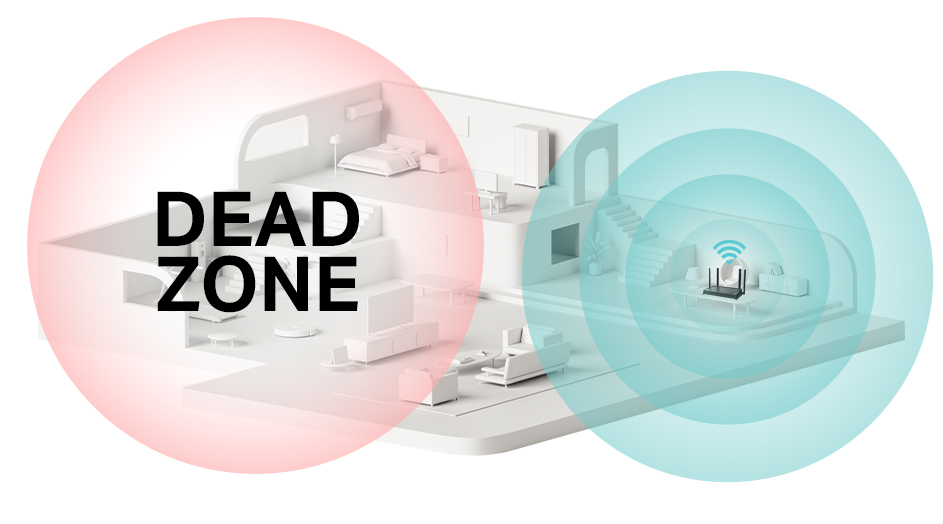
These extenders improve WiFi in large homes or offices. They reduce dead spots where signal is weak. Users can enjoy smooth video calls, gaming, and streaming. The device balances traffic well, so many users can connect at once.
- Faster speedsfor multiple devices
- Wider coveragein big spaces
- Stable connectionswith less interference
- Better performancefor streaming and gaming
Credit: www.tp-link.com
Key Factors Affecting Wifi Signal
Distance from the routeraffects the signal strength a lot. The farther the extender, the weaker the signal. Keep it close enough to get a strong signal but far enough to cover dead zones.
Obstacles and interferencecan block or weaken the WiFi signal. Walls, furniture, and large objects reduce signal power. Devices like microwaves and cordless phones can cause interference too.
Device placement heightmatters. Placing the extender higher, like on a shelf or wall, helps the signal spread better. Avoid placing it on the floor or behind large objects.
Ideal Locations For Extender Placement
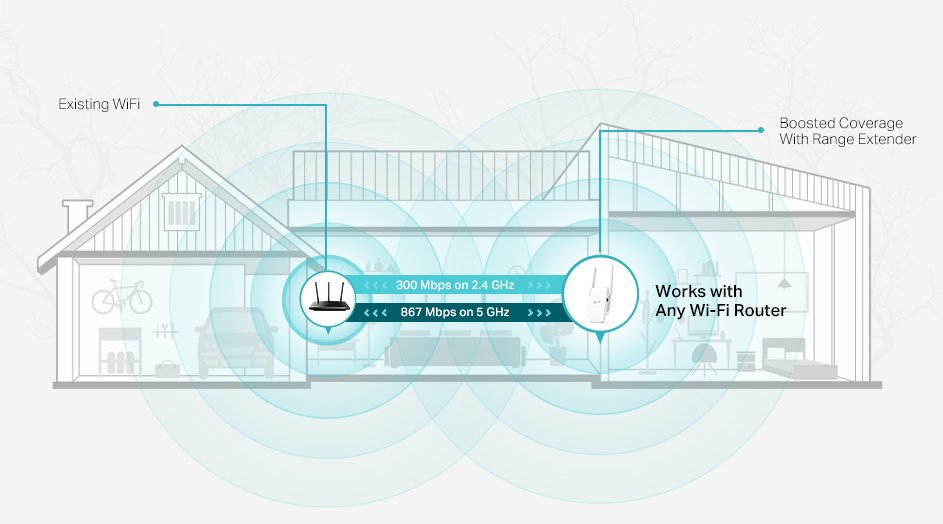
Place the extender midway between the router and the dead zone. This spot helps catch the strongest signal from the router. It also boosts coverage to areas with weak or no WiFi.
Choose open and elevated spotslike shelves or high tables. This allows the signal to travel freely without many walls or objects blocking it.
- Away from electronic deviceslike microwaves, cordless phones, or baby monitors.
- These devices can interfereand weakenthe WiFi signal.
- Keep the extender clear from metal objects that can block signals.
Using Wifi Analyzers To Find Best Spot
Wifi analyzers help find the best spotfor a tri band wifi extender. They show the signal strengthin different areas of your home or office. This helps pick a place with the strongest and most stable signal.
Measuring signal strength is simple. Walk around with the analyzer and check the signal bars. Choose a spot where the signal is strong but not too closeto the router. This balance helps the extender spread the wifi better.
Interference can reduce signal quality. Common sources include microwaves, cordless phones, and thick walls. Wifi analyzers can detect interferenceby showing signal drops or noise. Avoid placing the extender near these devices.
- Check signal strength in multiple rooms.
- Avoid spots near metal objects.
- Place the extender where walls are thin.
- Keep away from other wireless devices.
Common Placement Mistakes To Avoid
Placing a tri-band WiFi extender too far from the router weakens the signal. The extender needs a strong signal to boost it well. If it is too far, the WiFi speed drops.
Metal objects or thick walls block WiFi signals. Avoid placing the extender near metal shelves, refrigerators, or thick concrete walls. These materials cause signal loss and reduce coverage.
Corners and enclosed spaces trap the WiFi signal. This limits how far the signal can travel. Open areas allow better signal spread and stronger connections.
- Keep extender within good range of the router.
- Avoid metal and thick walls near the extender.
- Place the extender in open, central locations.
Credit: dongknows.com
Optimizing Extender Settings For Performance
Choosing the right frequency bandhelps improve WiFi extender speed. Use the 5 GHz bandfor faster speeds over short distances. The 2.4 GHz bandcovers larger areas but with slower speeds. A tri-band extender has an extra 5 GHz band, which reduces congestion and boosts performance.
Firmware updateskeep your extender running smoothly. Updates fix bugs and add new features. Check for updates regularly on the extender’s website or app. Updating firmware can improve signal stabilityand security.
Channel selectionhelps avoid interference from other devices. Pick a channel with less traffic for better WiFi performance. Use WiFi analyzer apps to find free channels. For 2.4 GHz, channels 1, 6, and 11 are best. For 5 GHz, choose channels with less overlap.
Credit: pocketables.com
Frequently Asked Questions
Where Is The Best Location For A Tri Band Wifi Extender?
Place the extender halfway between your router and the dead zone. Ensure it gets a strong signal from the router. Avoid walls and large metal objects. This location maximizes coverage and performance for your tri band WiFi extender.
How High Should I Mount A Tri Band Wifi Extender?
Mount the extender at a height similar to your router. Usually, placing it 4 to 6 feet above the floor works well. Higher placement reduces interference from furniture and obstacles, improving signal strength and coverage.
Can Distance Affect Tri Band Wifi Extender Performance?
Yes, distance plays a crucial role. If the extender is too far from the router, it won’t receive a strong signal. Too close, and it won’t extend coverage effectively. Aim for a balanced spot with a good signal and broad coverage.
Should I Avoid Walls When Placing A Tri Band Extender?
Yes, avoid thick walls and metal objects. These materials block or weaken WiFi signals. Place the extender in open spaces or near doorways for better signal transmission and improved network performance.
Conclusion
Placing your tri-band WiFi extender in the right spot improves signal strength. Choose a location halfway between your router and weak signal areas. Avoid walls and large metal objects that block signals. Keep the extender away from microwaves and cordless phones to reduce interference.
Test different spots to find the best one for your home. Good placement means faster internet and fewer dead zones. This simple step helps you enjoy better WiFi all around your house.


