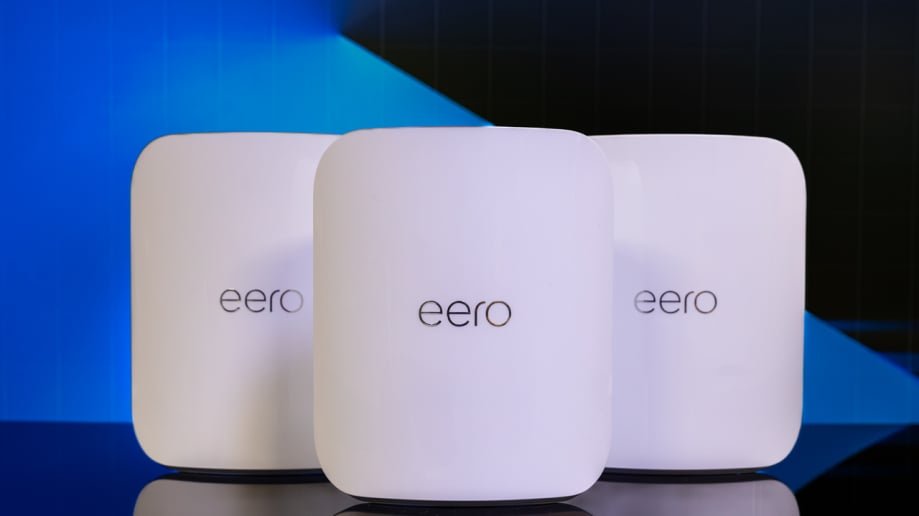
If you have a large house and lots of devices connected to the internet, you know how frustrating slow WiFi can be. You need a network that keeps up with all your phones, tablets, laptops, and smart home gadgets without dropping the signal.
But which mesh WiFi system really works best for multiple devices in a big home? You’ll discover the top options designed to give you strong, reliable coverage everywhere. Keep reading to find the perfect setup that makes buffering and dead zones a thing of the past.

Credit: dongknows.com
Why Mesh Wifi Suits Large Homes
Large homes often face wifi problems. Many devices connect at once. A strong and steady signal is needed everywhere.
Mesh wifi can cover big areas better than a single router. It helps many devices stay online without slowdowns.
Limitations Of Traditional Routers
Traditional routers have limits in big houses. They send wifi from one place only. Walls and floors can block signals. This makes some rooms weak or dead zones.
- Signal weakens far from the router
- Many devices reduce speed and quality
- Hard to cover multiple floors well
- Single point of failure if router stops working
Benefits Of Mesh Networks
Mesh networks use several nodes to spread wifi. These nodes work as one system. They create wide and strong coverage.
| Benefit | Explanation |
| Wide Coverage | Nodes placed in rooms reach all areas |
| Easy Device Handling | Supports many devices without slowing |
| Seamless Roaming | Devices switch nodes without dropping wifi |
| Simple Setup | Most systems use apps to guide setup |
| Reliable Connection | Multiple nodes reduce chances of outages |

Credit: www.reddit.com
Key Features For Multiple Device Support
Choosing the right mesh WiFi system is important for large homes with many devices. The system must handle many connections at once. It should also offer fast speeds and strong coverage.
This guide covers three key features that help mesh WiFi support multiple devices well. These are device capacity and bandwidth, seamless roaming, and security protocols.
Device Capacity And Bandwidth
Mesh WiFi systems must connect many devices without slowing down. High device capacity means the system can handle many users at the same time. Bandwidth shows how much data the system can send and receive.
- Look for systems supporting 50 or more devices.
- Check if it uses dual-band or tri-band technology for better speeds.
- More bandwidth means smoother streaming and gaming on multiple devices.
- Good mesh WiFi balances traffic to avoid congestion.
Seamless Roaming
Seamless roaming lets devices switch nodes without losing connection. It keeps your devices connected as you move around the house. This feature is key for large homes with many rooms.
| Feature | Benefit |
| Single Network Name (SSID) | Easier connection for all devices |
| Fast Node Handoff | No lag or drop in connection |
| Smart Band Steering | Devices use best frequency automatically |
Security Protocols
Strong security keeps your network safe from threats. Mesh WiFi systems use protocols that protect your data and privacy. Look for systems that update security automatically.
Common security features include WPA3 encryption and guest networks. These help keep your home network secure while allowing visitors to connect safely.
Top Mesh Wifi Systems For Large Houses
Large houses need strong wifi to support many devices. Mesh wifi systems can cover big spaces with good signals.
Choosing the right mesh wifi helps keep all devices connected and fast. Here are top options for different needs.
High-performance Models
High-performance mesh wifi systems deliver fast speeds and wide coverage. They handle many devices without slowing down.
These models often have multiple bands and advanced features. They work well for streaming and gaming on many devices.
- Supports 50+ devices with stable connections
- Tri-band technology for faster data flow
- Strong coverage for large and multi-story homes
Budget-friendly Options
Budget-friendly mesh wifi systems offer good coverage at lower prices. They suit homes that need reliable wifi without extra features.
These systems cover large areas but may support fewer devices or slower speeds than high-end models.
- Good for up to 30 devices
- Dual-band systems with decent speed
- Easy setup and simple controls
Best For Smart Homes
Smart home mesh wifi supports many smart devices like lights, cameras, and speakers. It keeps all connected smoothly.
These systems often include smart home hubs or work well with voice assistants. They ensure smart devices stay online without lag.
- Integrates with Alexa, Google Home, or Apple HomeKit
- Handles many smart devices at once
- Secure network for connected home gadgets
Installation Tips For Optimal Coverage
Choosing the best mesh wifi for many devices in a big house means good setup is key. Proper installation helps the wifi cover all rooms well.
These tips focus on placing nodes, avoiding interference, and using wired backhaul. Follow these to get strong signals everywhere.
Node Placement Strategies
Place mesh nodes where wifi signals can reach every corner of your home. Nodes should be close enough to talk to each other.
Try to keep nodes in open spaces away from walls or metal objects. This helps the signal travel far and stay strong.
- Put the main node near your internet modem.
- Space other nodes about 30 to 40 feet apart.
- Place nodes on higher surfaces like shelves.
- Keep nodes visible to each other, not blocked.
Avoiding Signal Interference
Many devices and objects can block or weaken your wifi signal. Avoid placing nodes near microwaves, cordless phones, or thick walls.
Other wireless devices use the same frequencies. Keep mesh nodes away from baby monitors or Bluetooth gadgets to reduce interference.
- Do not place nodes near metal objects or mirrors.
- Avoid thick concrete or brick walls.
- Keep nodes away from electrical wiring or transformers.
- Use different wifi channels if interference occurs.
Using Wired Backhaul
Wired backhaul connects mesh nodes with Ethernet cables. This gives faster, more stable communication between nodes.
Use wired backhaul if your house has Ethernet wiring or you can run cables. It improves coverage and handles many devices well.
- Connect nodes with Ethernet cables for best speed.
- Wired links reduce wifi traffic between nodes.
- Wired backhaul works well in large or multi-floor homes.
- Keep cables hidden to keep rooms tidy.
Managing Multiple Devices Efficiently
Large houses often have many devices connected to WiFi. Managing these devices well keeps the internet fast and reliable.
Mesh WiFi systems help spread signals across big areas. They can handle many devices at once without slowing down.
Prioritizing Traffic
Some devices need faster internet for work or streaming. You can set priority to these devices to keep them running smoothly.
Mesh WiFi lets you control which devices get more bandwidth. This helps avoid slowdowns during busy times.
- Assign high priority to work laptops or smart TVs
- Limit bandwidth for less important devices
- Adjust priorities easily through the app
Guest Networks Setup
Guest networks keep visitors separate from your main devices. This protects your data and keeps your network secure.
Mesh WiFi systems often allow easy guest network setup. Guests get internet access without reaching your private files.
- Create a separate network for guests
- Set limits on guest bandwidth
- Turn guest access on or off anytime
Parental Controls
Parental controls help manage what kids can access online. This keeps them safe and controls their screen time.
Most mesh systems include easy parental controls. You can block sites, pause internet, or set time limits for devices.
- Block inappropriate websites
- Pause internet during homework or bedtime
- Set daily internet time limits

Credit: www.pcmag.com
Troubleshooting Common Mesh Wifi Issues
Mesh Wifi systems are great for large homes. They help connect multiple devices across bigger spaces. But sometimes, users face issues that need fixing.
Let’s explore common problems and how to solve them. This will make your internet experience smoother.
Connectivity Drops
Connectivity drops happen when devices lose connection. This issue can be annoying, especially during important tasks.
To fix this, check the placement of nodes. Make sure they are not blocked by walls or furniture.
- Place nodes in open spaces
- Ensure firmware is updated
- Avoid interference from other electronics
Slow Speeds
Slow speeds can frustrate users. This often happens when too many devices use the network at once.
To improve speed, prioritize important devices. Reduce the number of devices connected when not needed.
- Limit background app usage
- Use quality of service settings
- Upgrade internet plan if necessary
Device Compatibility Problems
Some devices may not connect easily to mesh networks. This can be due to compatibility issues.
Check if your device needs any updates. Sometimes, changing settings on the device can help.
- Update device software
- Adjust network settings
- Consult device manual for troubleshooting tips
Frequently Asked Questions
Which Mesh Wifi System Suits Large Homes Best?
The best mesh WiFi for large homes offers wide coverage, strong signal, and supports many devices simultaneously. Systems like Google Nest WiFi, Netgear Orbi, and Eero Pro are top choices for large houses with multiple users.
How Many Devices Can A Mesh Wifi Support?
Most mesh WiFi systems support 50+ devices, but performance varies. High-end models handle more devices smoothly without speed drops, ideal for smart homes and busy networks.
Does Mesh Wifi Improve Connection For Multiple Devices?
Yes, mesh WiFi improves connections by distributing traffic evenly across nodes. This reduces congestion and maintains fast speeds even with many devices connected.
What Features Matter In Mesh Wifi For Large Houses?
Key features include strong signal range, easy setup, device prioritization, and seamless roaming. Look for tri-band systems and security updates for optimal performance.
Conclusion
Choosing the best mesh WiFi for many devices in a large house matters a lot. Good coverage keeps your internet fast and steady everywhere. Devices stay connected without dropping signals or slowing down. Strong WiFi helps with work, school, and entertainment at the same time.
Think about speed, range, and easy setup when picking your system. The right mesh WiFi makes life smoother and more fun at home.


