Are you tired of your Zoom calls freezing or cutting out at the worst moments? Your WiFi might be the hidden culprit.
Choosing the right WiFi mesh system can make a huge difference in keeping your video calls smooth and clear. But with so many options out there, how do you know which one will work best for your home or office?
You’ll discover the top WiFi mesh systems designed to keep your Zoom calls running without a hitch. Keep reading, and you’ll soon find the perfect solution to say goodbye to connection headaches for good.
Credit: www.pcgamer.com
Factors Affecting Zoom Call Quality
Good Zoom call quality depends on many factors. Choosing the right wifi mesh can help improve your experience. Understanding these factors helps you pick the best system.
This article covers key points like connection stability, speed needs, latency, and coverage area. Each plays a role in call clarity and smoothness.
Connection Stability
Stable connections prevent call drops and frozen video. Wifi mesh systems with strong, steady links keep your calls clear. Avoid systems that lose signal often.
Speed Requirements
Zoom calls need good upload and download speeds. Slow internet causes lag and poor video quality. Your wifi mesh should support at least 3 Mbps per user for HD calls.
- Standard Zoom video needs 1.5 Mbps upload/download
- HD video requires 3 Mbps upload/download
- Multiple users need combined bandwidth
- Faster speed reduces buffering and lag
Latency And Jitter
Latency is delay between sending and receiving data. Jitter means variation in delay. Both cause audio cutouts and video lag. A good wifi mesh lowers latency and jitter.
| Factor | Impact on Zoom Call | Ideal Value |
|---|---|---|
| Latency | Delays in conversation | Less than 50 ms |
| Jitter | Irregular delays causing choppy audio | Less than 30 ms |
Coverage Area
Zoom calls need strong wifi signals in the room you use. Large homes need mesh systems covering all rooms. Weak coverage causes call drops and bad video.
Tips for good coverage:
- Place mesh nodes evenly around your home
- Avoid thick walls blocking signals
- Use dual-band or tri-band mesh systems
- Check signal strength before calls

Credit: www.amazon.ca
Why Choose A Mesh Wifi System
A strong wifi connection is key for clear Zoom calls. Mesh wifi systems help keep your connection steady. They work better than regular routers in big or busy homes.
These systems use several devices placed around your home. They create a single network that covers every corner. This stops call interruptions and lag.
Seamless Roaming
Mesh wifi lets your devices move freely without losing signal. When you walk from one room to another, your connection stays strong. This helps keep Zoom calls smooth and clear.
Eliminating Dead Zones
Dead zones cause weak or no wifi signal in some parts of a home. Mesh systems fix this by using multiple access points. Each point covers a different area, filling in gaps.
- Place nodes in areas with poor wifi
- Each node boosts the wifi signal nearby
- Enjoy strong wifi in every room and corner
Scalability Options
Mesh wifi systems can grow with your needs. Add more nodes if your home is large or has many devices. This keeps your Zoom calls steady no matter the size of your network.
| Home Size | Recommended Nodes |
| Small (up to 1500 sq ft) | 1-2 nodes |
| Medium (1500-3000 sq ft) | 3-4 nodes |
| Large (3000+ sq ft) | 4+ nodes |
Top Mesh Wifi Systems For Zoom Calls
Good wifi is key for clear Zoom calls. Mesh wifi systems help cover your whole home with strong signals.
This guide shows top mesh wifi picks for Zoom. Choose one that fits your needs and space.
High-end Performance Picks
High-end mesh wifi systems offer fast speeds and strong connections. They handle many devices well.
These systems keep Zoom calls smooth with little lag or dropouts.
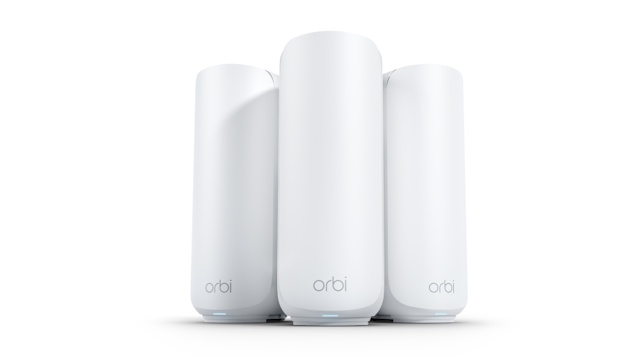
- Netgear Orbi RBK853: Fast WiFi 6, wide coverage
- Asus ZenWiFi AX (XT8): Great speed, easy setup
- Google Nest Wifi Pro: Reliable, good smart home support
Budget-friendly Options
Affordable mesh wifi systems give good Zoom call quality without high cost. They suit small to medium homes.
These picks balance price and performance well for casual users.
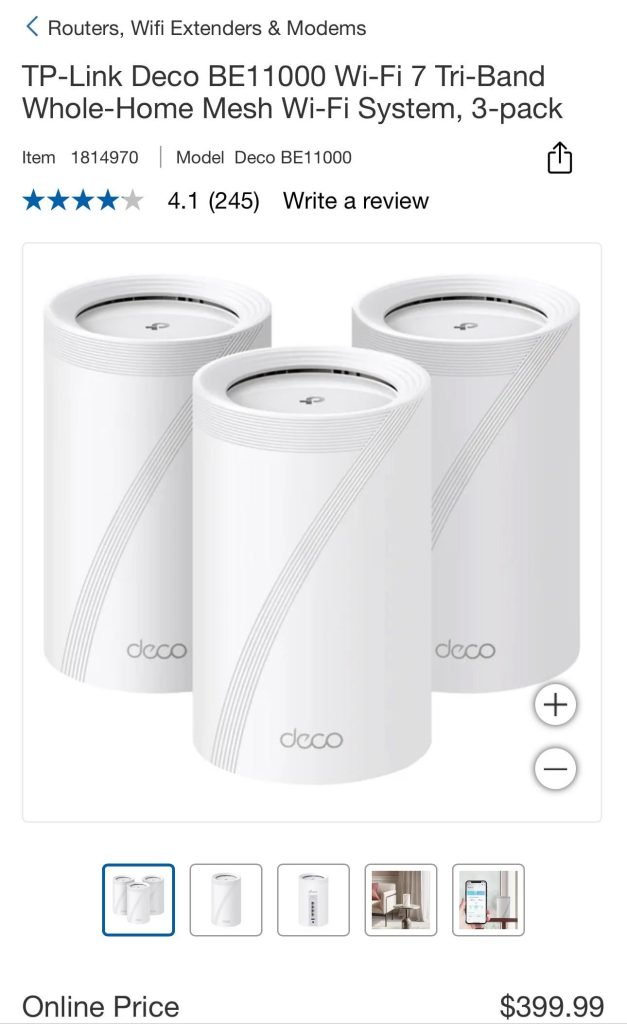
- TP-Link Deco M4: Easy setup, stable connection
- Amazon Eero 6: Simple to use, decent speed
- Linksys Velop AC2200: Good coverage, budget price
Best For Large Homes
Large homes need mesh wifi with strong signal and many nodes. This avoids dead zones during Zoom calls.
These systems cover wide areas with strong, stable wifi.
- Netgear Orbi RBK852: Covers up to 5,000 sq ft
- AmpliFi Alien: Strong signal, easy to expand
- Asus AiMesh: Flexible, supports many nodes
Best For Small Spaces
Small homes or apartments need compact mesh wifi systems. They provide good speed without extra nodes.
These picks work well in tight spaces with minimal setup.
- Google Nest Wifi: Compact, reliable coverage
- TP-Link Deco X20: Small units, WiFi 6 support
- Amazon Eero 6: Simple, works well in small areas

Credit: www.zdnet.com
Key Features To Look For
Choosing the right WiFi mesh system is important for clear Zoom calls. A good mesh network helps keep your video and audio smooth.
Look for features that improve speed, reliability, and security. These features help avoid call drops and delays.
Dual-band Vs Tri-band
Dual-band systems use two frequency bands: 2.4 GHz and 5 GHz. They work well for most homes.
Tri-band adds a second 5 GHz band. This helps keep the network fast when many devices connect.
- Dual-band is simpler and usually cheaper
- Tri-band reduces congestion on busy networks
- Tri-band is better for large homes or many users
Quality Of Service (qos)
QoS lets your router prioritize Zoom traffic over other tasks. This keeps your calls clear and stable.
Look for mesh systems with easy-to-use QoS settings. They help avoid lag during important video meetings.
- Prioritize video and voice data
- Reduce delays and buffering
- Manage bandwidth for each device
Security Protocols
Strong security keeps your calls and data safe from hackers. Look for mesh systems with the latest protocols.
WPA3 is the newest and strongest WiFi security standard. It protects your network better than older versions.
- Supports WPA3 encryption
- Regular firmware updates
- Guest network options for visitors
Ease Of Setup And Management
Simple setup means you can start using your mesh fast. Good apps help you control your network easily.
Look for systems with clear instructions and user-friendly apps. These apps let you check speed, add devices, and fix issues.
- Step-by-step setup guides
- Mobile app control
- Automatic updates and monitoring
Tips To Optimize Zoom Calls With Mesh Wifi
Good wifi helps Zoom calls run smoothly. Mesh wifi systems spread signals well in your home. This guide shows ways to get the best Zoom experience with mesh wifi.
Follow these tips to reduce lag, drops, and poor video quality. Small changes can improve your call quality a lot.
Placement Of Nodes
Put mesh nodes in open, central places. Avoid walls and big metal objects that block signals. Keep nodes away from microwaves or cordless phones.
- Place the main node near your work area
- Keep nodes within sight of each other
- Elevate nodes on shelves or desks
- Spread nodes evenly for best coverage
Firmware Updates
Update your mesh wifi firmware regularly. Updates fix bugs and improve performance. Check your app or router web page for updates.
- Open the mesh wifi app or router page
- Look for firmware update section
- Download and install the latest version
- Restart your nodes after update
Network Traffic Management
Manage your network to give Zoom calls priority. Limit other devices or apps using heavy data during calls. Use Quality of Service (QoS) settings if your mesh supports them.
| Action | Reason |
| Enable QoS for video calls | Prioritizes Zoom traffic |
| Pause large downloads | Frees bandwidth for calls |
| Disconnect unused devices | Reduces network load |
| Use 5 GHz band for calls | Less interference, faster speeds |
Frequently Asked Questions
Which Wifi Mesh Offers The Best Zoom Call Experience?
The best Wifi Mesh for Zoom calls provides strong, stable signals and low latency. Systems like Netgear Orbi and Google Nest Wifi excel in reliability and speed, ensuring clear video and uninterrupted meetings.
How Does Wifi Mesh Improve Zoom Call Quality?
Wifi Mesh enhances Zoom call quality by eliminating dead zones and providing consistent internet speeds throughout your home. This reduces lag, buffering, and dropped connections, making video calls smoother.
What Features Matter In Wifi Mesh For Zoom Calls?
Key features include dual-band or tri-band support, fast speeds, low latency, and easy setup. Strong coverage and seamless handoff between nodes ensure clear, stable Zoom calls without interruptions.
Can Wifi Mesh Handle Multiple Zoom Calls Simultaneously?
Yes, a good Wifi Mesh system can support multiple Zoom calls at once. It efficiently manages bandwidth and device connections, maintaining call quality even in busy home networks.
Conclusion
Choosing the right WiFi mesh can improve your Zoom calls greatly. Strong, stable connections reduce lag and dropouts. Consider coverage, speed, and ease of setup. A good mesh system keeps your video clear and sound sharp. It helps you stay focused on work or class.
Investing in reliable WiFi means less frustration during calls. Remember, a steady connection makes meetings smoother and more productive. Take time to pick the best fit for your home or office. Good WiFi mesh creates a better online experience every day.


