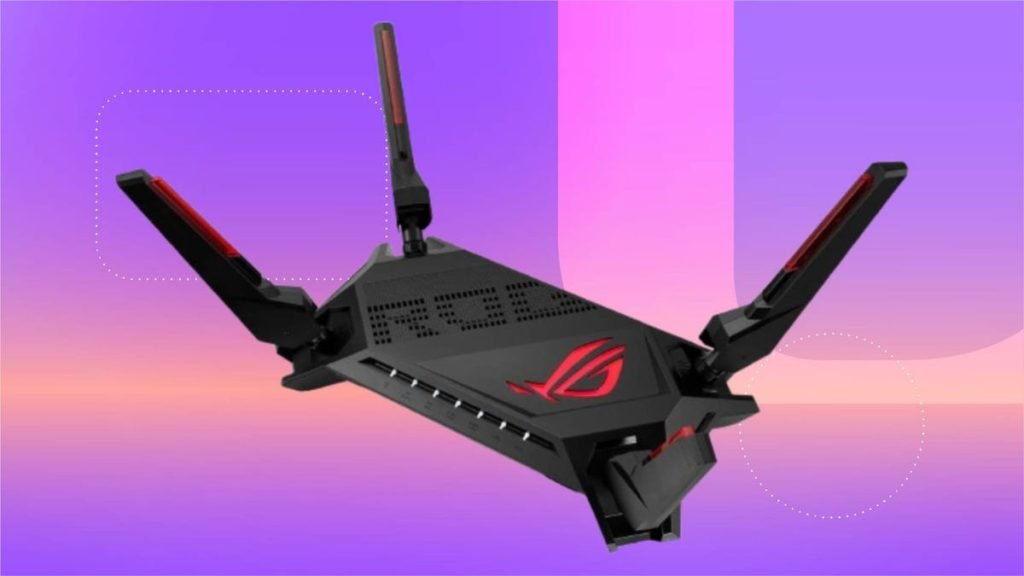
Are you wondering if a router under $100 can handle your gaming needs? You want smooth gameplay without lag, but you also don’t want to overspend on equipment that might be more than you need.
Choosing the right router is crucial because it directly affects your connection speed, stability, and overall gaming experience. You’ll discover whether an affordable router can keep up with your gaming demands and what features really matter. Keep reading to find out how to get the best performance without breaking the bank.
Choosing Budget Routers
Choosing a router under $100 for gaming means focusing on speed, stability,and low latency. Look for routers with at least dual-band Wi-Fito separate gaming devices from other traffic. A router with Quality of Service (QoS)helps prioritize gaming data. Check for gigabit Ethernet portsfor wired connections, which lower lag. Good rangematters if your gaming spot is far from the router. Some routers support the latest Wi-Fi 6 standard, offering better performance and future-proofing.
| Model | Wi-Fi Standard | Speed | Features |
|---|---|---|---|
| TP-Link Archer A7 | Wi-Fi 5 | Up to 1750 Mbps | Dual-band, QoS, Gigabit ports |
| NETGEAR Nighthawk R6700 | Wi-Fi 5 | Up to 1750 Mbps | QoS, Beamforming, Gigabit Ethernet |
| ASUS RT-AC66U | Wi-Fi 5 | Up to 1750 Mbps | Dual-band, AiRadar, QoS |

Credit: www.digitalcitizen.life
Gaming Performance Factors
Latencyand pingaffect gaming speed. Lower ping means faster response time. High latency causes lag and delays in game actions. Gamers need a stable connection to keep latency low. Wireless routers under $100 may handle latency well if the network is not crowded.
Bandwidthis how much data moves through the network. Games need enough bandwidth to download and upload data quickly. Speed matters for smooth gameplay but depends on your internet plan too. A router under $100 can support decent speeds for most games.
| Factor | Impact on Gaming | Router Under $100 |
|---|---|---|
| Latency & Ping | Low latency reduces lag and delays | Can be good if network is light |
| Bandwidth & Speed | Higher speed means smoother gameplay | Usually supports mid-level speeds |
Comparison With High-end Routers
Routers under $100 can handle gaming but might lack features of high-end models. Performance depends on speed and stability. Evaluate your gaming needs and consider factors like internet speed and device compatibility for the best experience.
Performance Differences
Routers under $100usually offer basic speeds suitable for casual gaming. They handle most games but might struggle with high-demand titlesor many devices connected at once. High-end routers provide faster speeds, better coverage, and lower latency. They often support advanced featureslike Quality of Service (QoS) to prioritize gaming traffic. This means less lag and smoother gameplay in busy networks. Budget routers may cause occasional drops or slowdowns during heavy use.
Price Vs. Value Analysis
| Type of Router | Price Range | Main Benefits | Limitations |
|---|---|---|---|
| Under $100 | $50 – $100 | Affordable, good for casual gaming | Lower speed, less coverage, possible lag |
| High-End | $150 and above | Fast speeds, better coverage, low latency | More expensive, sometimes complex setup |
Setup Tips For Gaming
Optimizing router settingshelps improve gaming speed and reduce lag. Set your router to use the 5 GHz bandfor faster connections. Enable Quality of Service (QoS)to give gaming traffic higher priority. Turn off unused features like guest networks to save bandwidth. Keep your router’s firmware updated for better performance and security.
Positioning and network managementare key for stable gaming. Place your router in a central locationaway from walls or large objects. Avoid placing it near microwaves or cordless phones that cause interference. Use a wired Ethernet connectionif possible to reduce lag. Limit the number of devices connected to your network during gaming sessions.
Common Limitations
Budget routers often lack advanced features needed for smooth gaming, like strong signal range and fast speeds. Lag and connection drops can occur during intense gameplay. Limited ports and weaker hardware may also restrict performance for serious gamers.
Range And Coverage Issues
Routers under $100 often have limited range. This means the Wi-Fi signal may not reach far rooms. Walls and floors can weaken the signal. This can cause slow speeds or dropped connections. Gamers far from the router may face lag or interruptions.
Handling Multiple Devices
Budget routers struggle with many devices at once. Streaming, gaming, and smart devices all need bandwidth. Too many devices can cause slow speedand high ping. This makes gaming less smooth and fun. Routers under $100 might overload quicklyif many devices connect.
Credit: www.pcgamer.com
User Experiences
Many gamers use routers under $100. They find some benefits. These routers are affordable and easy to set up. Gamers like the compact size. It fits in small spaces. But there are also some downsides. The speed may not always be the best. Some gamers experience lag during play. Connection drops can happen too. This can be frustrating. Despite these issues, many still use them. They like the value for the price.
Tests show mixed results. Some routers perform well in tests. They handle basic gaming needs. But others struggle with heavy games. Speed tests show varied outcomes. Some routers reach high speeds. Others fall behind. Distance impacts performance too. Close range works better. Farther away, signals weaken. This affects gameplay. Gamers notice delays when routers are far. Overall, results depend on specific models.
Credit: www.pcgamer.com
Frequently Asked Questions
Is A Router Under $100 Good For Gaming?
Yes, many routers under $100 provide stable speeds and low latency. They support basic gaming needs and moderate online play. However, high-end gaming may require advanced features available in pricier models.
Can Budget Routers Handle Multiplayer Gaming Smoothly?
Budget routers can handle multiplayer gaming if your internet speed is decent. They manage multiple devices but might struggle with heavy traffic or large file downloads during gaming sessions.
What Features Matter Most In A Gaming Router Under $100?
Look for dual-band Wi-Fi, Quality of Service (QoS), and good range. These features help reduce lag and improve connection stability for smoother gaming experiences on budget routers.
Will A Cheap Router Reduce Gaming Latency?
A router under $100 can reduce latency if it has QoS and dual-band support. Still, your internet speed and network congestion play a bigger role in overall latency.
Conclusion
Affordable routers under $100 can handle basic gaming needs well. They offer decent speeds and stable connections for casual play. Serious or competitive gamers might need higher-end models for better performance. Choosing the right router depends on your game type and internet plan.
Simple setups often work fine with budget routers. Overall, spending under $100 can still deliver a good gaming experience. Consider your priorities before making a decision. Quality matters, but so does your gaming style and budget.


