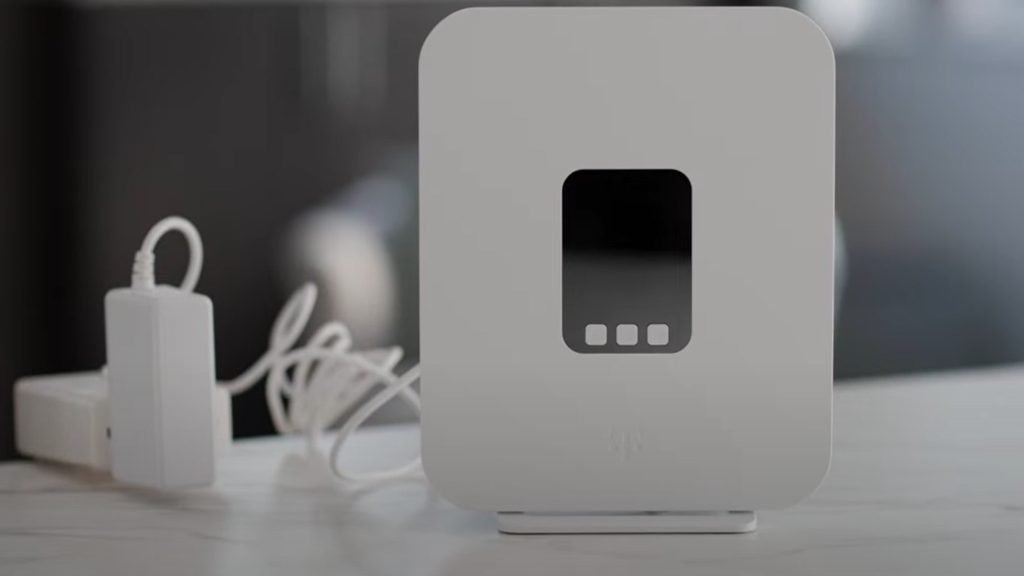
Are you struggling with slow Wi-Fi or dead zones in your home? Choosing the right mesh Wi-Fi system can make a huge difference in how you connect and enjoy the internet.
Two popular options you might be considering are Google Nest Wifi and TP-Link Deco. But which one is better for your needs? You’ll discover the key differences, benefits, and drawbacks of each system. By the end, you’ll know exactly which Wi-Fi solution fits your home and lifestyle perfectly.
Keep reading to find out!
Design And Build
Google Nest Wifi and TP-Link Deco are popular mesh Wi-Fi systems. Their design and build affect where and how you place them in your home.
We will compare their appearance, materials, and setup process to help you understand their design differences.
Appearance And Size
Google Nest Wifi has a smooth, rounded shape that fits well in modern homes. It is about 4.33 inches tall and 3.78 inches wide.
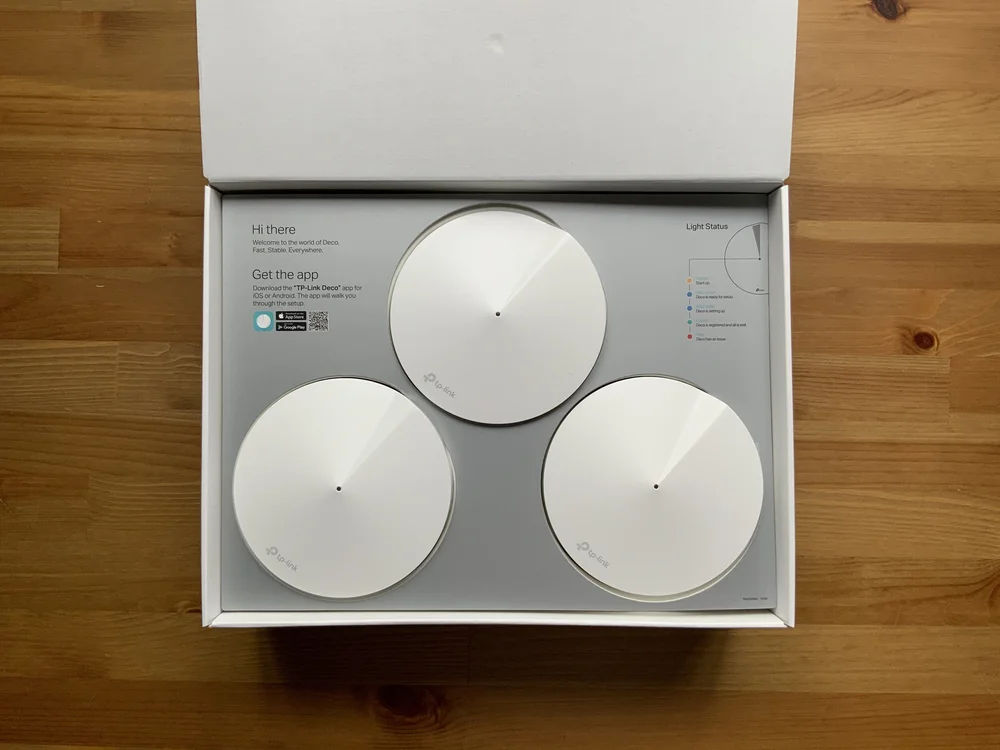
The TP-Link Deco units are more compact and box-like. They measure roughly 3.9 inches in height and width, making them easier to place in tight spaces.
- Google Nest Wifi: Rounded, taller design
- TP-Link Deco: Compact, square shape
- Both have LED lights for status
- Colors are neutral for home blending
Materials And Durability
Google Nest Wifi uses smooth plastic with a matte finish. It feels solid but lightweight. The material resists fingerprints well.
TP-Link Deco also uses plastic but with a slightly textured surface. It is sturdy and resists scratches better than smooth plastic.
| Feature | Google Nest Wifi | TP-Link Deco |
|---|---|---|
| Material | Matte plastic | Textured plastic |
| Weight | Lighter | Heavier |
| Durability | Good, resists fingerprints | Good, resists scratches |
Setup Process
Both systems use apps to guide you through setup. The apps connect your devices to the mesh network step-by-step.
- Plug in the main unit
- Open the app and create an account
- Follow instructions to add additional units
- Place units around your home for best coverage
- Test the network connection
The Google Nest Wifi app offers simple controls and integration with other Google devices. TP-Link Deco’s app provides detailed network settings for advanced users.

Credit: www.amazon.ca
Performance And Coverage
Choosing the right mesh Wi-Fi system depends on performance and coverage. Two popular options are Google Nest Wifi and TP-Link Deco. Both offer strong features to improve your home network.
This comparison focuses on speed, range, and device capacity to help you decide which system fits your needs.
Speed And Reliability
Google Nest Wifi and TP-Link Deco both deliver fast internet speeds. Nest Wifi uses the latest Wi-Fi 5 standard, while Deco offers models with Wi-Fi 6 for better future-proofing.
- Google Nest Wifi supports speeds up to 2.2 Gbps on a dual-band connection.
- TP-Link Deco’s Wi-Fi 6 models can reach speeds over 3 Gbps with tri-band setup.
- Both systems handle stable connections with minimal signal drops.
Range And Coverage Area
Coverage is key for large homes or spaces with many walls. Each system offers different coverage depending on the number of units used.
| System | Coverage per Unit | Typical Coverage (3-pack) |
| Google Nest Wifi | Up to 1,700 sq ft | Up to 5,100 sq ft |
| TP-Link Deco (Wi-Fi 6) | Up to 2,000 sq ft | Up to 6,000 sq ft |
Device Capacity
Both systems support many devices, but there are differences in how many each can handle smoothly.
- Google Nest Wifi supports up to 100 connected devices per router.
- TP-Link Deco supports up to 150 devices per unit, depending on the model.
- Deco’s Wi-Fi 6 models better handle multiple devices streaming or gaming.
Features And Technology
Google Nest Wifi and TP-Link Deco are popular mesh WiFi systems. They help cover your home with strong internet signals.
This article compares their key features and technology. It covers WiFi standards, security, and user controls.
Wifi Standards And Bands
Google Nest Wifi supports WiFi 5 (802.11ac) standard. It uses dual bands: 2.4 GHz and 5 GHz for better speed and coverage.
TP-Link Deco offers models with WiFi 5 and WiFi 6 (802.11ax). WiFi 6 provides faster speeds and handles more devices well.
- Google Nest Wifi: Dual-band WiFi 5 (2.4 GHz and 5 GHz)
- TP-Link Deco: Options with WiFi 5 or WiFi 6, dual-band or tri-band
- WiFi 6 improves speed and network capacity
Security Features
Both systems offer strong security to protect your home network. They use WPA3 encryption for safer connections.
Google Nest Wifi includes automatic updates and built-in firewall protection. TP-Link Deco adds antivirus and malware protection on some models.
- Google Nest Wifi: WPA3, firewall, automatic updates
- TP-Link Deco: WPA3, firewall, antivirus, malware protection (on select models)
- Regular updates keep devices safe from new threats
Parental Controls And App Experience
Both systems have apps to control the network easily. Parents can set screen time limits and filter content.
Google Nest Wifi app is simple and easy to use. TP-Link Deco app offers more detailed controls and device management options.
- Google Nest Wifi: Basic parental controls, easy app interface
- TP-Link Deco: Advanced parental controls, detailed device settings
- Both apps allow pause and schedule internet access
Pricing And Value
Choosing the right mesh Wi-Fi system depends on cost and what you get. Google Nest Wifi and TP-Link Deco are popular choices. This guide compares their pricing and value.
We will look at their cost, package options, and long-term value. This helps you pick the best fit for your needs and budget.
Cost Comparison
Google Nest Wifi tends to be pricier than TP-Link Deco. The prices vary depending on the number of units in the pack. It is important to check what you get for the price.
| Model | Pack Size | Approximate Price (USD) |
|---|---|---|
| Google Nest Wifi | 2-pack | $269 |
| Google Nest Wifi | 3-pack | $349 |
| TP-Link Deco | 3-pack | $199 |
| TP-Link Deco | 5-pack | $299 |
Package Options
Both brands offer packages with different unit counts. More units cover larger homes or offices. TP-Link Deco offers more variety in pack sizes.
- Google Nest Wifi offers 2-pack and 3-pack options.
- TP-Link Deco offers 3-pack and 5-pack options.
- Deco packs often cost less per unit.
- Google Nest Wifi includes smart speaker features in some units.
Long-term Value
Think about how long the system will last and if it gets updates. Both Nest Wifi and Deco offer regular software updates. This keeps security and performance good.
| Feature | Google Nest Wifi | TP-Link Deco |
|---|---|---|
| Software Updates | Regular | Regular |
| Warranty | 2 Years | 3 Years |
| Smart Home Integration | Built-in Google Assistant | Works with Alexa, Google Assistant |
| Expandability | Easy to add units | Easy to add units |
Compatibility And Integration
Google Nest Wifi and TP-Link Deco are popular choices for home internet. Both systems offer good compatibility with smart home devices.
Understanding how they integrate with other devices helps in making a better choice. Let’s explore their capabilities.
Smart Home Integration
Google Nest Wifi works smoothly with Google Assistant. You can control your network with voice commands.
TP-Link Deco supports Alexa integration. This allows you to manage your internet settings hands-free.
- Google Assistant for Google Nest Wifi
- Alexa for TP-Link Deco
- Voice control for easy management
Third-party Device Support
Google Nest Wifi connects with many smart devices. It works with brands like Philips Hue and Samsung SmartThings.
TP-Link Deco also supports various third-party devices. It connects with smart bulbs and plugs from different brands.
| Google Nest Wifi | TP-Link Deco |
| Philips Hue | Smart plugs |
| Samsung SmartThings | Smart bulbs |
Customer Support And Warranty
Choosing between Google Nest Wifi and TP-Link Deco involves checking their support and warranty. Good support helps fix problems fast. Warranty protects your purchase if issues appear.
This section compares customer support options and warranty policies for both brands.
Support Channels
Google Nest Wifi offers support through various channels. Users can get help via phone, chat, and email. Google also has an online help center with guides and FAQs.
TP-Link Deco provides customer support through phone and email. They also have live chat during business hours. TP-Link’s website includes setup guides and troubleshooting tips.
- Google Nest Wifi: phone, chat, email, online help center
- TP-Link Deco: phone, email, live chat, online guides
Warranty And Return Policy
Google Nest Wifi comes with a one-year limited warranty. This covers defects in materials and workmanship. Customers can return the product within 15 days if bought from Google Store.
TP-Link Deco also offers a one-year warranty. It covers hardware failures under normal use. Return policies depend on the seller but usually range from 14 to 30 days.
| Brand | Warranty Length | Coverage | Return Period |
|---|---|---|---|
| Google Nest Wifi | 1 year | Defects in materials and workmanship | 15 days (Google Store) |
| TP-Link Deco | 1 year | Hardware failures under normal use | 14-30 days (varies by seller) |
User Reviews And Feedback
Many users share their thoughts on Google Nest Wifi and TP-Link Deco. These reviews help others understand real-life use. Both systems offer wireless coverage and easy setup.
User feedback often points out strengths and weaknesses. Here we look at positive experiences and common complaints.
Positive Experiences
Users say Google Nest Wifi offers strong signal and seamless coverage. TP-Link Deco is praised for its affordability and easy-to-use app. Both systems improve home Wi-Fi with simple setup.
- Google Nest Wifi provides stable connections in large homes.
- TP-Link Deco allows easy control through its mobile app.
- Both mesh networks reduce dead zones effectively.
- Users find the design of both routers modern and fitting for home use.
- Parental controls and guest network features are appreciated.
Common Complaints
Despite many positives, users report some issues. Both Google Nest Wifi and TP-Link Deco have complaints about speed drops and setup difficulties.
| Issue | Google Nest Wifi | TP-Link Deco |
| Speed Drops | Occasional slowdowns reported | Some users note inconsistent speeds |
| Setup Problems | App sometimes crashes during setup | Connectivity issues during initial setup |
| Price | Considered high by some users | Seen as affordable but with fewer features |
| Firmware Updates | Occasional bugs after updates | Updates sometimes cause brief outages |
| Customer Support | Slow response times reported | Mixed reviews on support quality |

Credit: versus.com
Final Verdict
Choosing the right WiFi system is crucial for a seamless internet experience. Google Nest Wifi and TP-Link Deco are two popular options. Let’s explore their best use cases to help you decide.
Best Use Cases For Google Nest Wifi
Google Nest Wifi is ideal for homes with a strong focus on smart home integration. It works smoothly with Google Assistant and other smart devices.
| Feature | Benefit |
| Google Assistant | Voice control for connected devices |
| Parental Controls | Manage screen time easily |
| Guest Network | Secure, separate access for visitors |
Best Use Cases For Tp-link Deco
TP-Link Deco suits larger homes needing extensive coverage. It offers excellent range and stability, making it perfect for multiple users.
- Seamless WiFi coverage across multiple floors
- Stable connection for gaming and streaming
- Easy setup with the Deco app
Credit: evanmccann.net
Frequently Asked Questions
What Are The Main Differences Between Google Nest Wifi And Tp-link Deco?
Google Nest Wifi offers seamless integration with Google Assistant and smart home devices. TP-Link Deco focuses on advanced security features and flexible coverage options. Both provide strong mesh Wi-Fi, but Nest Wifi suits smart homes, while Deco emphasizes network control and parental settings.
Which Is Better For Large Homes, Nest Wifi Or Tp-link Deco?
TP-Link Deco generally performs better in larger homes due to its scalable mesh system. It offers multiple units with extended coverage. Nest Wifi works well for medium to large spaces but may need more units for very large areas.
How Do Google Nest Wifi And Tp-link Deco Compare In Speed?
Both systems support fast Wi-Fi speeds suitable for streaming and gaming. Nest Wifi supports up to AC2200 speeds, while Deco models vary, some offering Wi-Fi 6 for higher throughput. Your choice depends on specific model and internet plan compatibility.
Are Google Nest Wifi And Tp-link Deco Easy To Set Up?
Yes, both Nest Wifi and TP-Link Deco are user-friendly with simple app-guided setup. Nest Wifi uses the Google Home app, while Deco has its own app with detailed instructions. Both support easy network management post-installation.
Conclusion
Both Google Nest Wifi and TP-Link Deco offer strong, reliable home networks. Nest Wifi shines with simple setup and smart features. Deco stands out with more coverage and flexible options. Consider your home size and budget before choosing. Either choice will improve your internet experience.
A fast, steady connection makes daily tasks easier. Choose what fits your needs best.


