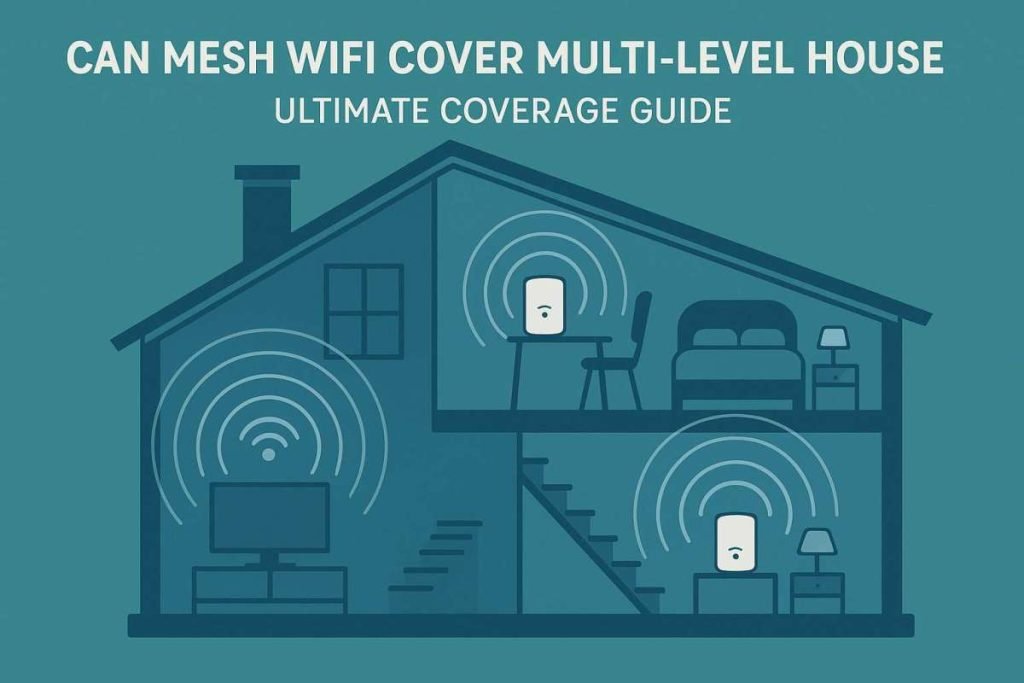
Are you struggling with slow Wi-Fi in certain rooms of your multi-level house? You’re not alone.
Many people wonder if a mesh Wi-Fi system can truly cover every floor without dead zones or dropped connections. Imagine having strong, reliable internet no matter where you are—upstairs, downstairs, or even in the backyard. This article will help you understand how mesh Wi-Fi works in multi-level homes and whether it’s the right solution for your needs.
Keep reading to discover how you can enjoy seamless internet coverage throughout your entire house.
Why Mesh Wifi Works For Multi-level Homes
Multi-level homes often have trouble with wifi signals. Signals weaken as they pass through walls and floors.
Mesh wifi systems help spread wifi evenly across all floors. They create a strong, reliable connection everywhere.
Limitations Of Traditional Routers
Traditional routers send wifi from one central point. The signal gets weaker as it moves far from the router.
Thick walls and floors block wifi signals. This causes slow or lost connections on upper or lower floors.
- Signal drops in far rooms
- Slow internet speed on other floors
- Dead zones where wifi does not reach
How Mesh Networks Extend Coverage
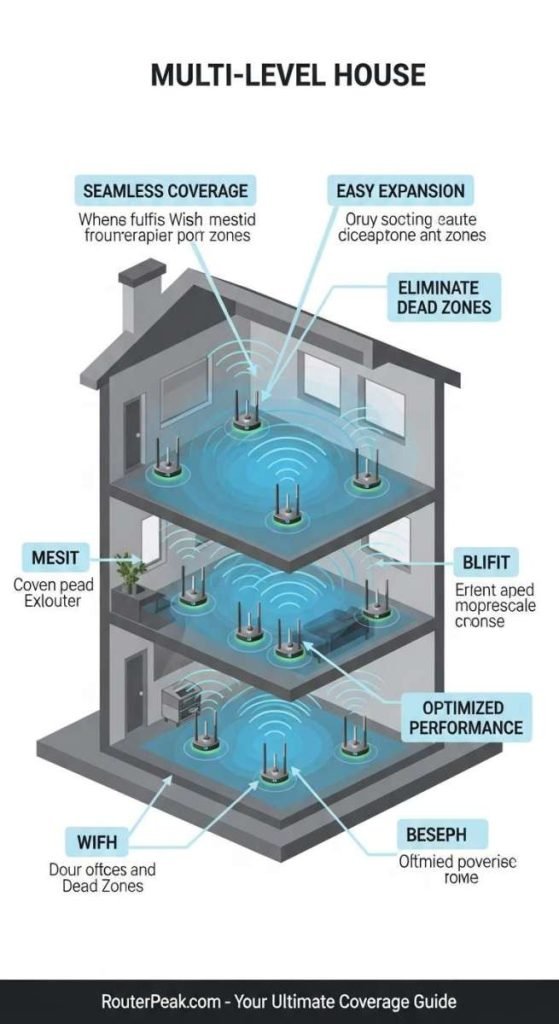
Mesh networks use several devices called nodes. Each node shares the wifi signal with others.
Nodes work together to cover large areas. They send strong signals through walls and floors.
- Nodes placed on different floors
- Seamless wifi connection across the house
- Devices connect to the nearest node automatically
Benefits Of Mesh Systems In Multi-story Houses
Mesh wifi provides fast internet on every floor. It removes dead zones and weak signals.
Setup is easy, and the system manages itself. You get reliable wifi without extra effort.
- Strong wifi in all rooms
- Easy to expand by adding nodes
- Consistent connection for all devices
- Simple control with mobile apps
Factors Affecting Mesh Wifi Performance
Mesh wifi can cover a multi-level house well. Many factors affect how well it works. Knowing these helps you get better wifi.
We look at three main points: building materials and interference, placement of nodes, and number of devices connected.
Building Materials And Interference
Walls and floors can block wifi signals. Some materials block signals more than others. Metal, concrete, and brick reduce signal strength a lot.
- Wood and drywall let signals pass better.
- Metal and concrete block signals strongly.
- Glass windows usually do not block wifi much.
- Electronic devices like microwaves cause interference.
Placement Of Nodes
Where you put mesh nodes affects coverage. Nodes need good line of sight and some distance from each other.
| Placement Tip | Why It Matters |
| Central location | Better coverage in most rooms |
| High places | Less furniture blocking signals |
| Away from walls | Reduces signal loss |
| Not near electronics | Less interference |
Number Of Devices Connected
The more devices connected, the slower the wifi can get. Each device uses some bandwidth and resources.
- Too many devices on one node can cause slow speeds.
- Spread devices evenly across nodes if possible.
- Older devices may use more resources and slow the network.
- Limit background apps on devices to save bandwidth.

Choosing The Right Mesh System
Mesh WiFi systems help spread wireless internet through your house. They use multiple devices called nodes to cover large areas. Picking the right system is key for good internet in every room.
Many factors affect how well your mesh system works. These include the size of your home, the internet speed you need, and your current network setup.
Coverage Area And Node Count
Think about how big your house is and how many floors it has. More floors or larger spaces need more nodes. Each node extends the WiFi signal to cover dead spots.
- Small homes may need 2 to 3 nodes
- Multi-level houses usually need 3 or more nodes
- Place nodes on different floors for even coverage
- Check the system’s coverage area per node
Speed And Bandwidth Considerations
Choose a mesh system that supports your internet speed. High-speed connections need systems that handle more bandwidth. This keeps video calls and streaming smooth.
| Internet Speed | Recommended Mesh System | Notes |
| Up to 100 Mbps | Basic Mesh System | Good for browsing and emails |
| 100 to 500 Mbps | Mid-Range Mesh System | Supports HD streaming |
| 500 Mbps and above | High-Performance Mesh System | Best for gaming and 4K video |
Compatibility With Existing Network
Check if the mesh system works with your current modem and router. Some systems replace your router. Others work together with it. Confirm compatibility before buying.
- Use mesh systems that support your internet provider’s modem.
- Look for mesh systems that allow router mode or access point mode.
- Verify if your devices support the WiFi standards used by the mesh system.
Optimizing Node Placement For Multi-level Coverage
Mesh WiFi can cover large homes with many floors. Proper node placement helps spread the signal well. This guide explains how to set nodes in a multi-level house.
Good placement avoids dead zones and keeps your internet fast and stable on every floor.
Ideal Locations On Each Floor
Place nodes in open, central spots on each floor. Avoid corners or hidden areas. The goal is to let the signal travel freely to all rooms.
- Near the center of the floor for even coverage
- On a shelf or table, not on the floor
- Avoid placing near thick walls or metal objects
- Keep nodes visible to each other if possible
Avoiding Signal Obstacles
Walls, floors, and furniture can block WiFi signals. Certain materials like concrete and metal reduce signal strength more.
| Obstacle | Effect on Signal |
| Concrete walls | High signal loss |
| Metal surfaces | Very high signal loss |
| Glass | Low to medium signal loss |
| Wood | Low signal loss |
Try to place nodes where walls or large objects do not block the line of sight between them. Keep nodes away from microwaves or cordless phones.
Using Wired Backhaul For Stability
Wired backhaul means connecting nodes with Ethernet cables. This gives a fast and stable link between nodes.
- Run Ethernet cables between floors if possible.
- Connect nodes to these cables for better speed.
- Use wired backhaul to reduce wireless interference.
- Check cables and connections regularly for faults.
Common Challenges And Solutions
Mesh WiFi can help cover large homes with multiple floors. Still, some problems can affect the signal strength.
Knowing these challenges helps improve your WiFi coverage in a multi-level house.
Dead Zones And Signal Drops
Dead zones happen when WiFi signals do not reach certain areas. Signal drops occur when the connection weakens or stops.
Thick walls and floors block WiFi signals between levels. This causes weak or no connection in some rooms.
- Place mesh nodes on each floor for better coverage
- Keep nodes in open spaces, not inside cabinets
- Use wired backhaul if possible for stronger links
- Avoid placing nodes near thick concrete or metal barriers
Interference From Electronics
Other electronic devices can interfere with WiFi signals. Devices like microwaves, cordless phones, and baby monitors cause problems.
Interference makes the WiFi slower or unstable. It lowers the signal quality and affects internet speed.
- Keep mesh nodes away from large electronics
- Use the 5 GHz band to avoid common 2.4 GHz interference
- Turn off or move devices that cause strong interference
- Change your WiFi channel in the settings to reduce overlap
Maintaining Network Security
Multi-level homes need strong security to protect WiFi networks. Weak security lets outsiders access your internet and devices.
Keeping your mesh network secure is important for privacy and safe browsing.
- Use a strong password with letters, numbers, and symbols
- Enable WPA3 or WPA2 encryption on your router
- Keep your mesh system’s firmware updated
- Disable guest networks when not in use
- Regularly check connected devices for unknown users

Testing And Monitoring Mesh Wifi Coverage
Mesh Wifi systems can help cover multi-level houses. Testing and monitoring ensure optimal coverage.
Learn how to use tools and adjust settings for better performance.
Using Speed Tests And Signal Maps
Speed tests and signal maps show network strength. They help identify weak spots in your home.
- Download a reliable speed test app.
- Run tests in different rooms and floors.
- Use signal maps to visualize coverage.
Apps And Tools For Network Analysis
Various apps and tools analyze your network. They can provide detailed insights into performance.
| App Name | Function |
| NetSpot | Wifi analysis and survey |
| Wireshark | Network protocol analyzer |
| Acrylic Wifi | Wifi scanner for Windows |
Adjusting Setup Based On Results
Adjust your mesh setup using test results. This can enhance coverage and reliability.
Consider these adjustments:
- Reposition mesh nodes for better signal.
- Change Wifi channels to reduce interference.
- Update firmware for improved performance.
Frequently Asked Questions
Can Mesh Wifi Cover A Multi-level House Effectively?
Yes, mesh WiFi can cover multi-level houses effectively by using multiple nodes. These nodes create a strong, seamless network across floors, eliminating dead zones and improving connectivity throughout the home.
How Many Mesh Wifi Nodes Are Needed For Multi Floors?
Typically, 2 to 3 mesh WiFi nodes suffice for most multi-level homes. Placement on each floor ensures consistent coverage and minimizes interference from walls and floors.
Does Mesh Wifi Improve Signal Through Walls And Floors?
Mesh WiFi improves signal strength by using multiple access points. While walls and floors may weaken signals, mesh nodes strategically placed reduce dead zones and maintain stable connections.
Is Mesh Wifi Better Than Traditional Routers For Large Homes?
Yes, mesh WiFi outperforms traditional routers in large homes. It provides wider coverage, seamless roaming, and eliminates weak spots that single routers often struggle to handle.
Conclusion
Mesh WiFi can cover a multi-level house effectively. It uses several points to spread the signal evenly. This helps avoid dead zones on different floors. Placement of devices matters for best results. Walls and floors may weaken signals sometimes. Choosing the right system depends on house size and layout.
With proper setup, WiFi stays strong everywhere. Enjoy smooth internet on every level of your home. Mesh WiFi offers a simple way to stay connected.


