Are you wondering if a budget router can handle your gaming console without slowing you down? You want smooth gameplay, fast downloads, and no annoying lag, but you also don’t want to spend a fortune on equipment.
Choosing the right router can make or break your gaming experience. You’ll discover whether an affordable router can meet your gaming needs or if you should invest in something more powerful. Keep reading to find out how to get the best performance without emptying your wallet.
Budget Routers And Gaming Performance
Budget routers often catch the eye of gamers looking to save money. But can they really support smooth gaming sessions without lag or disconnects? Understanding how these routers handle gaming traffic is key to deciding if they meet your console’s needs.
Key Features Affecting Gaming
Not all budget routers are created equal. Some lack essential features like Quality of Service (QoS), which prioritizes gaming traffic over other internet activities. Without QoS, your gaming packets might get delayed when someone else streams videos or downloads files.
Look for routers that support dual-band frequencies (2.4 GHz and 5 GHz). The 5 GHz band reduces interference and offers faster speeds, which is crucial for gaming. Also, check if the router supports the latest Wi-Fi standards like Wi-Fi 5 (802.11ac) or Wi-Fi 6 (802.11ax), as these improve overall connection stability.
Latency And Ping Rates
Latency and ping rates are what make or break your online gaming experience. Budget routers can sometimes struggle to keep these metrics low, especially if their hardware isn’t designed for heavy real-time traffic.
When I switched from a basic budget router to one with better processing power and optimized firmware, my ping dropped by 20ms on average. That small difference made online matches much smoother. Ask yourself: how often do you experience lag spikes or disconnections with your current router?
Bandwidth Allocation
Bandwidth allocation determines how much of your internet speed your console actually gets. Budget routers often lack advanced traffic management tools, which means other devices might hog bandwidth and slow down your gaming.
Using a router with manual or automatic bandwidth control helps ensure your console gets the speed it needs. Even simple settings like setting your console as a “priority device” can improve your gaming performance significantly. Think about how many devices share your network and whether your current router can handle that load efficiently.
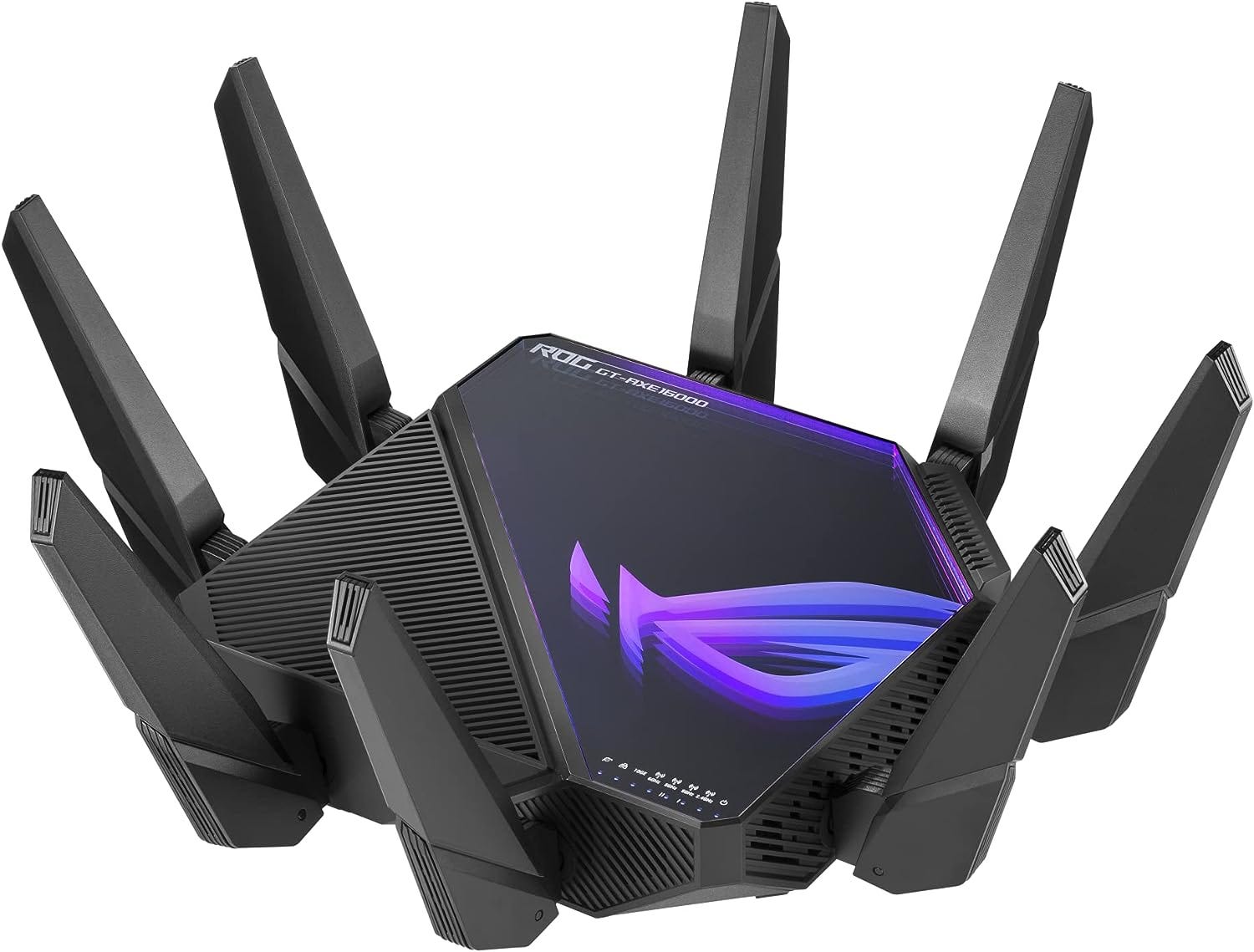
Credit: medium.com
Comparing Budget And Premium Routers
Choosing the right router affects your gaming experience significantly. Budget and premium routers differ in many ways. These differences impact speed, connection quality, and overall performance. Understanding these aspects helps you decide which router suits your gaming console best.
Hardware Differences
Premium routers usually have stronger processors and more memory. This helps them handle multiple devices smoothly. Budget routers have simpler hardware and fewer antennas. They may struggle with high traffic and long-range coverage. Premium models often support the latest Wi-Fi standards for faster speeds.
Firmware And Software Support
Premium routers receive frequent firmware updates. These updates improve security and add new features. They often include advanced settings for gaming optimization. Budget routers may get fewer updates and limited features. This can affect long-term performance and security.
Reliability And Stability
Premium routers provide more stable connections with less lag. They handle network traffic better during peak times. Budget routers might drop connections or slow down under heavy use. Stability is crucial for uninterrupted gaming sessions. Premium models tend to offer better uptime and less interference.
Common Issues With Budget Routers
Budget routers often seem like a great deal, especially if you’re setting up a gaming console on a tight budget. But before you decide, it’s important to understand some common issues these routers might bring to your gaming experience. These problems can impact your gameplay, causing frustration and lag when you least expect it.
Connection Drops
One of the most frequent headaches with budget routers is unstable connections. You might find your gaming console disconnecting randomly during an intense multiplayer match. This happens because cheaper routers often have weaker hardware or outdated firmware that can’t maintain a steady connection under pressure.
Have you ever lost a game just because your connection dropped at a critical moment? That’s exactly what can happen if your router isn’t up to the task. It’s worth checking if your router supports automatic reconnection or if you’ll need to reset it manually each time.
Limited Range And Coverage
Another problem is limited Wi-Fi range. Budget routers typically don’t have the power to cover a large area effectively. If your gaming console is far from the router, you might experience slow speeds or signal loss.
Think about your setup: Is your console in the same room as your router, or does the signal need to travel through walls? Walls and floors can weaken the signal even more when your router’s range is already limited. Sometimes, simply moving your console or router can make a big difference.
Handling Multiple Devices
Modern homes have many devices connected at once—smartphones, tablets, smart TVs, and more. Budget routers often struggle to manage multiple devices simultaneously. This can cause lag or slower speeds for your gaming console when other devices are streaming or downloading.
Have you noticed your game slowing down when someone else starts streaming a video? That’s your router reaching its limit. Some budget models don’t prioritize gaming traffic, so your console ends up competing for bandwidth. If you want smooth gameplay, consider how many devices your router can realistically support at the same time.
Optimizing Budget Routers For Gaming
Optimizing a budget router for gaming can be a game-changer, literally. Even if you have a high-end gaming console, a poorly configured router can hinder your gaming experience. However, with a few tweaks and setups, your budget router can perform close to its high-end counterparts.
Quality Of Service Settings
Quality of Service (QoS) settings allow you to prioritize gaming traffic over other types of data. This means your console gets the bandwidth it needs, reducing lag and buffering. Most budget routers come with basic QoS settings, and it’s worth diving into your router’s interface to tweak these settings.
Try prioritizing your console’s MAC address to ensure it gets the first dibs on available bandwidth. This can make a noticeable difference in online gameplay. Ever noticed how your game lags when someone else starts streaming? QoS can help mitigate that.
Firmware Updates
Firmware updates are crucial for maintaining optimal router performance. Manufacturers often release updates to fix bugs and improve functionality. Keeping your router’s firmware up-to-date can enhance its efficiency and security.
Check the manufacturer’s website or your router’s admin page regularly for updates. An outdated firmware might be a reason for connectivity issues. A simple update can sometimes resolve persistent connection problems, boosting your gaming sessions.
Placement And Setup Tips
Where you place your router can significantly impact its performance. Ideally, place it in a central location, elevated from the ground, free from obstructions. Walls, especially those made of concrete, can block signals.
Ensure that your console is within a reasonable distance from the router. If possible, use a wired connection for a more stable and faster connection. Have you ever tried moving your router a few feet and noticed a speed increase? Small changes in placement can make a big difference.
Optimizing your budget router for gaming doesn’t require a tech genius. Simple tweaks can make your gaming experience smoother, even with a budget-friendly router. Have you optimized your setup yet?
When To Upgrade Your Router
Knowing when to upgrade your router can make a huge difference in your gaming experience. A budget router might seem fine at first, but as your gaming demands grow, its limits can become clear. Recognizing the right moment to invest in a better router helps avoid frustrating lag and disconnections during crucial gameplay.
Signs Of Network Bottlenecks
Notice your games stuttering or taking longer to load? This might be your router struggling to handle traffic. If multiple devices in your home cause slowdowns, or your ping spikes unexpectedly, these are clear signs of network bottlenecks.
Sometimes, even a simple online match can feel laggy despite a good internet plan. That’s a hint your router can’t keep up, especially if your console is far from the router or if the router lacks modern features like QoS (Quality of Service).
Future-proofing Your Setup
Think about the next few years of gaming. Will your current router support the latest consoles and faster internet speeds? Newer routers offer better Wi-Fi standards and stronger security, which can protect your setup and improve connection stability.
Upgrading now can save you headaches later. For example, if you plan to stream gameplay or download large updates, a router with higher bandwidth and MU-MIMO technology can handle multiple tasks without slowing you down.
Cost Vs Performance Considerations
Spending a lot on a high-end router isn’t always necessary. Look for routers that balance price and features to match your gaming needs. Sometimes, a mid-range router with the right specs gives you a noticeable boost without breaking the bank.
Ask yourself: Are you paying for features you won’t use? Or is your current router costing you gameplay quality and convenience? Focus on routers that provide stable connections, low latency, and good coverage for your gaming space.
Credit: www.pcgamer.com

Credit: cybernews.com
Frequently Asked Questions
Are Budget Routers Suitable For Gaming Consoles?
Budget routers can work for gaming but may lack advanced features like QoS and low latency. For casual gamers, they are fine. Competitive gamers might face lag and slower speeds. Investing in a mid-range router offers better performance and a smoother gaming experience.
How Does Router Speed Affect Gaming Performance?
Router speed directly impacts game data transfer rates. Faster routers reduce lag and improve response times. Budget routers often have lower speeds, causing delays. Choosing a router with at least AC1200 or higher is recommended for optimal gaming performance.
Can Budget Routers Handle Multiple Gaming Devices?
Budget routers may struggle with multiple devices connected simultaneously. They usually have limited bandwidth management and weaker hardware. This can cause lag during peak usage. A router with Quality of Service (QoS) features better manages multiple gaming devices.
Do Budget Routers Support Low Latency Gaming?
Most budget routers lack advanced latency optimization features. This can result in higher ping times during gaming. Mid-range routers often include technologies to reduce latency and improve stability. For competitive gaming, a router designed for low latency is preferable.
Conclusion
Budget routers can work for gaming consoles but with limits. They may cause slower speeds and occasional lag during play. For casual gamers, they often provide enough performance. Serious or competitive players might need better models. Investing in a stronger router can reduce interruptions and improve connection stability.
Choose based on your gaming style and budget. Good internet speed and low delay matter most. A budget router is okay, but not always the best choice. Think about what you need before buying.