Are you setting up your home office and wondering if a budget router will cut it? Choosing the right router can make or break your work-from-home experience.
Slow connections, dropped calls, and buffering can waste your time and test your patience. But do you really need to spend a fortune to stay connected and productive? This article will help you understand whether budget routers can meet your work demands without draining your wallet.
Keep reading to discover what to look for and how to get the best performance for your money.
Budget Routers At A Glance
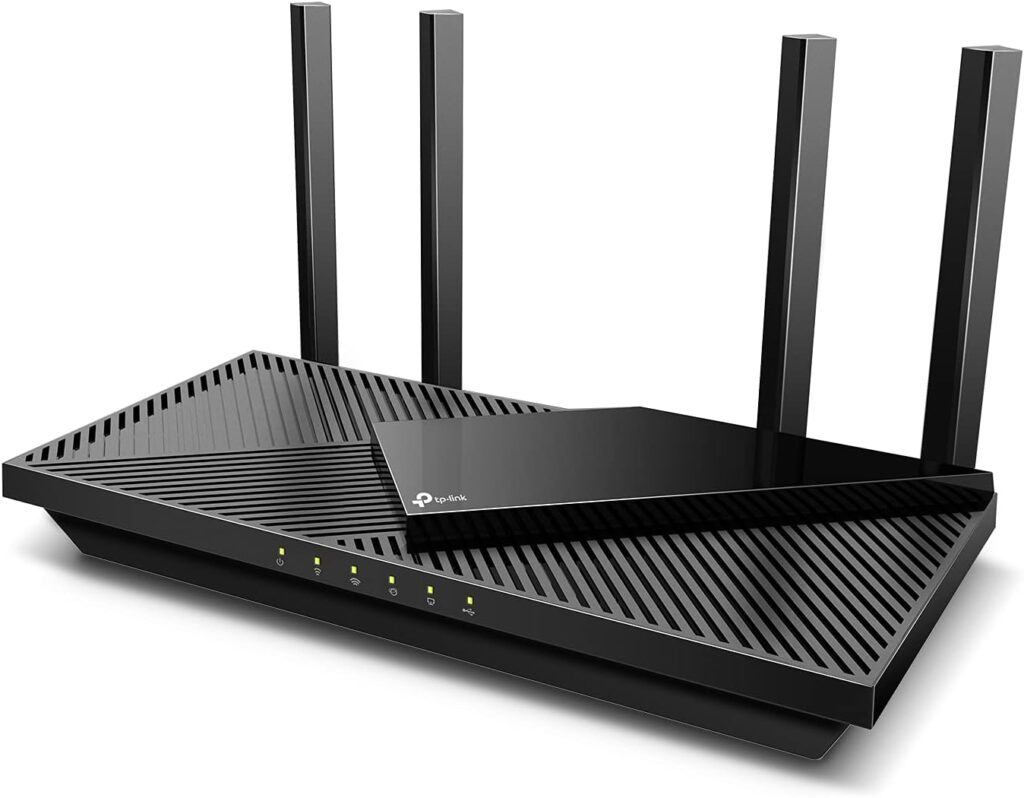
Budget routers serve as affordable options for home internet connections. They offer basic functions needed for everyday tasks. These routers can handle work-from-home activities like video calls and email. Understanding their features, price, and brands helps in making a smart choice.
Typical Features
- Basic Wi-Fi coverage suitable for small spaces
- Standard speeds up to 300-600 Mbps
- Simple setup and user interface
- Limited number of Ethernet ports (usually 2-4)
- Basic security features like WPA2 encryption
- Minimal advanced options like QoS or parental controls
Price Range
- Usually priced between $20 and $50
- Affordable for most home users on a budget
- Offers good value for light internet use
- May not support high-speed fiber or heavy multitasking
Common Brands
- TP-Link – known for reliable entry-level models
- Netgear – offers a wide range of budget-friendly routers
- D-Link – popular for easy-to-use routers with solid performance
- Linksys – trusted brand with simple, affordable options
Credit: www.highspeedoptions.com
Work From Home Needs
Working from home has changed the way many of us set up our internet connections. Your router isn’t just for casual browsing anymore—it needs to handle video calls, file transfers, and multiple devices running at once. Understanding what your work from home setup really needs helps you decide if a budget router can keep up or if it’s time to invest more.
Bandwidth Requirements
Think about the kind of tasks you do daily. Video conferencing apps like Zoom or Teams need stable and decent speeds to avoid freezing or lag. If you’re uploading large files or using cloud services, your bandwidth needs spike even higher.
Budget routers often offer limited speed capabilities. Ask yourself: does your current internet plan provide enough bandwidth, and can your router handle it without slowing down? If your work involves heavy data use, a cheap router might struggle to deliver consistent performance.
Device Connectivity
How many devices connect to your network during the workday? Laptops, smartphones, tablets, smart speakers, and even home security cameras can add up quickly. Each device puts extra strain on your router’s capacity.
Budget routers usually support fewer simultaneous connections and may not prioritize traffic efficiently. This can cause interruptions when multiple devices compete for bandwidth. Consider whether your router manages connections well or if you notice frequent disconnects and slowdowns.
Security Essentials
Work from home means dealing with sensitive company information. Your router’s security features protect your data from hackers and unauthorized access. Look for routers that offer strong encryption, regular firmware updates, and built-in firewalls.
Many budget routers lack advanced security options or timely updates, leaving your network vulnerable. Have you checked if your router supports WPA3 encryption or automatic security patches? Skimping on security can lead to costly breaches, so it’s crucial to weigh this when choosing your router.
Performance Of Budget Routers
Budget routers offer a practical choice for many work-from-home setups. Their performance can vary, but they often meet basic needs. Understanding their strengths and limits helps in making a smart decision. Let’s explore their key performance aspects.
Speed And Stability
Budget routers usually provide moderate internet speeds. They handle everyday tasks like video calls and browsing well. Speed may drop with heavy data use or many users connected. Stability can be good but might falter under high demand. For steady work sessions, placing the router in a central spot helps.
Range And Coverage
Most budget routers cover small to medium homes adequately. Walls and furniture can reduce signal strength. Coverage may not reach distant rooms or outdoor spaces. Using range extenders can improve this issue. For large homes, a budget router might need support from extra devices.
Handling Multiple Devices
Budget routers manage a few devices smoothly. Problems arise when many gadgets connect at once. Streaming, video calls, and downloads compete for bandwidth. Some budget models include basic features to share bandwidth fairly. For small households, this usually suffices. Larger setups may require routers with advanced technology.

Credit: cybernews.com
Security Concerns
Working from home has become the new normal, and having a reliable internet connection is crucial. But what about security? Budget routers are often seen as the affordable choice, but do they keep your data safe? Let’s explore some of the security concerns you might face with budget routers, and what you can do about them.
Firmware Updates
Budget routers can lack regular firmware updates, which are essential for fixing security vulnerabilities. Manufacturers may not prioritize updates for older or less profitable models. This can leave you exposed to cyber threats.
Check if your router model receives frequent updates. Some budget routers offer automatic updates, a feature that can save you a lot of trouble. If your router doesn’t update automatically, set a reminder to check for updates regularly.
Built-in Security Features
Not all budget routers come with robust built-in security features. Features like WPA3 encryption, guest networks, and firewalls can vary significantly. While some budget options offer these features, others may not, leaving your network vulnerable.
Look for routers that offer basic security features like WPA3 and firewalls. These can help protect your data from common threats. If your router lacks these features, consider using third-party security software to enhance your protection.
Vulnerability Risks
With budget routers, vulnerability risks are a genuine concern. Older models, in particular, can have unpatched security flaws. This can make them easy targets for hackers.
Researching your router’s model online can provide insights into known vulnerabilities. Community forums and tech blogs often discuss these issues. Knowing the risks can help you take preventive measures, like changing default passwords and disabling unnecessary features.
Are you confident your router is secure enough for remote work? With some diligence, you can ensure your home network is safe, even on a budget. Don’t let cost be the only factor in your decision-making process.
Comparing Budget And Premium Routers
Choosing between budget and premium routers can affect your work-from-home setup significantly. Understanding their differences helps you decide what fits your needs best. Both types serve the same basic purpose but differ in many aspects. These differences impact your internet speed, connection stability, and overall productivity.
Cost Vs Performance
Budget routers are affordable but offer basic performance. They handle simple tasks like browsing and emails well. Premium routers cost more but provide faster speeds and wider coverage. They support multiple devices without slowing down the network. For heavy video calls and large file transfers, premium routers perform better. Budget routers might struggle with many connected devices at once.
Features Gap
Premium routers come with advanced features. These include better security, parental controls, and guest networks. They often support the latest Wi-Fi standards for faster connections. Budget routers may lack these extras or offer limited versions. Features like Quality of Service (QoS) help prioritize work traffic on premium models. This can reduce lag during important meetings and downloads.
Long-term Reliability
Premium routers usually have higher build quality. They last longer and handle heavy use without issues. Budget routers might wear out faster or need replacement sooner. Firmware updates and customer support tend to be better with premium brands. This ensures your router stays secure and up to date. Reliability matters for uninterrupted work and peace of mind.
Tips For Using Budget Routers Effectively
Using a budget router for work from home can save money and still offer decent performance. Proper use and settings can improve your experience. Small changes help your connection stay stable and secure.
Optimizing Settings
Adjust router settings to get better speed and coverage. Place the router in a central location, away from walls and metal objects. Choose the less crowded Wi-Fi channel to avoid interference. Enable Quality of Service (QoS) to prioritize work-related traffic like video calls and file sharing. Regularly update your router’s firmware to fix bugs and improve performance.
Enhancing Security
Set a strong password to protect your network from intruders. Use WPA3 or WPA2 encryption for safer connections. Turn off WPS (Wi-Fi Protected Setup) to reduce hacking risks. Disable remote management unless you need it. Use a guest network for visitors to keep work devices isolated.
When To Upgrade
Watch for slow speeds or frequent disconnects despite optimization. Notice if many devices cause the router to lag or freeze. Upgrade if your router cannot handle video calls or large file uploads smoothly. Consider a new router if security features are outdated. Investing in a better router can boost work productivity and reduce frustration.

Credit: www.youtube.com
Frequently Asked Questions
Are Budget Routers Reliable For Work From Home?
Budget routers can be reliable for basic work tasks. They handle emails, video calls, and web browsing well. However, performance may drop with multiple devices or high data use. Investing in a mid-range router offers better stability and speed for demanding work.
Can Budget Routers Support Video Conferencing Smoothly?
Yes, many budget routers support video calls adequately. They provide enough bandwidth for platforms like Zoom and Teams. Yet, connection quality depends on your internet speed and router’s range. For frequent large meetings, a higher-quality router ensures fewer disruptions.
Do Budget Routers Offer Sufficient Security Features?
Basic budget routers include standard security like WPA2 encryption and firewall protection. These features protect your home network from common threats. However, premium routers offer advanced security updates and controls, which are better for sensitive work data.
How Do Budget Routers Affect Internet Speed At Home?
Budget routers usually deliver moderate internet speeds suitable for light work tasks. Their hardware limits maximum speed and range, which may cause slowdowns. For heavy uploads or downloads, consider routers with better processors and antennas for faster performance.
Conclusion
Budget routers can work for basic work-from-home tasks. They handle emails, video calls, and light browsing well. Yet, they might struggle with many devices or heavy files. Think about your needs and internet speed first. A simple router might save money but could limit your work.
Choose wisely to keep your connection steady and smooth. This helps avoid frustration during important tasks.