Are you thinking about buying a budget router but wonder if it will truly meet your needs? You want a reliable connection without spending a fortune, but can cheaper routers really deliver?
Choosing the right router is crucial because it controls how smoothly your internet works every day. You’ll discover the truth behind budget routers—whether they can keep up with your online activities or if you should invest more for peace of mind.
Keep reading to find out what really matters when it comes to reliability and how to make the best choice for your home or office.
Reliability Factors In Budget Routers
When evaluating budget routers, reliability often becomes the key concern. Understanding what factors influence their dependability helps you make smarter choices. Let’s break down the main elements that affect whether a budget router will serve you well over time.
Hardware Quality And Durability
Hardware is the backbone of any router. Budget routers usually use less expensive components, which can affect their lifespan and stability. You might notice some models overheating or slowing down after extended use.
Look for routers with metal antennas rather than plastic ones and check user reviews for reports on physical durability. Sometimes, spending a little more upfront can save you from frequent replacements later. Have you ever had a router die after just a few months? That’s often a sign of poor hardware quality.
Firmware And Software Support
Firmware updates are crucial for fixing bugs and improving performance. Budget routers often suffer from limited or irregular software support. Without timely updates, your router could become vulnerable or experience glitches.
Check if the manufacturer regularly releases updates and provides clear instructions for installation. Some budget models use open-source firmware options, which can extend their usefulness if you are comfortable tweaking settings. Do you know when your router last received a firmware update?
Performance Under Load
How well a router handles multiple devices at once shows its true reliability. Budget routers may struggle with heavy traffic, causing slowdowns or dropped connections. Streaming, gaming, or video calls can reveal these weaknesses quickly.
Test your router during peak usage times to see if it holds up. Features like Quality of Service (QoS) can help prioritize traffic, but not all budget models include them. Have you noticed lag or buffering during busy hours?
Security Features
Security isn’t just for high-end routers. Budget models can and should protect your network from threats. Check for basic features like WPA3 encryption and automatic security patches.
Some routers might lack advanced options like VPN support or guest networks, which could be deal breakers depending on your needs. Are you confident your current budget router shields your data effectively?

Credit: www.popularmechanics.com
Common Issues With Budget Routers
Budget routers are popular for their affordability. They serve basic internet needs but often face some common problems. Understanding these issues helps in making a better choice.
Connectivity Drops
One frequent problem is sudden connection loss. These drops interrupt work or streaming. Budget routers may struggle to keep a stable signal, especially in busy networks.
Limited Range
Budget models often have weaker antennas. This results in a smaller coverage area. Walls and furniture can block the signal easily, causing dead zones in the home or office.
Slow Speeds
Lower-end routers might not support high-speed internet well. Speed slows down when many devices connect at once. This can cause buffering and long loading times.
Firmware Bugs
Firmware controls router functions. Budget routers sometimes come with less tested software. Bugs can cause crashes or poor performance. Updates may be rare or unavailable, leaving issues unresolved.
When Budget Routers Make Sense
Budget routers offer a cost-effective way to get online. They suit certain situations well without requiring a large investment. Understanding when these routers make sense helps avoid overspending on features not needed.
Choosing a budget router can work well depending on the user’s needs. These devices provide basic connectivity and reliable performance for simple tasks. Their lower price points make them accessible for many users.
Basic Home Usage
For homes with light internet activities, budget routers perform adequately. Tasks like browsing, checking emails, and streaming in standard definition do not demand high speeds. These routers keep multiple devices connected without major issues.
Users without heavy gaming or 4K streaming needs find budget routers practical. They handle everyday internet use smoothly and keep costs low.
Temporary Or Travel Use
Budget routers serve well during short stays or travel. They are easy to carry and set up quickly anywhere with internet access. Travelers can share a single connection with multiple devices using these routers.
These routers provide a simple solution for temporary internet needs. No need to invest in expensive hardware for brief usage periods.
Small Office Setup
Small offices with few employees can rely on budget routers. Basic tasks like emailing, web browsing, and video calls run well on these devices. They help keep business communication functional without high costs.
For small teams, budget routers offer sufficient speed and coverage. They support essential office work without complex configurations.
Credit: www.popularmechanics.com
Features To Prioritize In Budget Models
Choosing a budget router doesn’t mean you have to settle for basic features or poor performance. Some affordable models pack essential functions that keep your home network stable and secure. Focusing on key features can help you find a reliable router that fits both your budget and your needs.
Dual-band Support
Dual-band routers operate on two frequencies: 2.4 GHz and 5 GHz. This means you can separate your devices based on their usage and distance from the router, reducing congestion and improving speed.
If you stream videos or play games online, the 5 GHz band offers faster speeds and less interference. Meanwhile, the 2.4 GHz band covers longer distances and works better through walls. Prioritizing dual-band support ensures smoother performance across multiple devices.
Easy Setup Options
Setting up a router should not feel like a technical test. Look for models that offer simple setup processes, like mobile apps or step-by-step wizards.
Routers with guided installation help you get online quickly without digging through manuals. Have you ever spent more time setting up your router than actually using it? Choosing easy setup options saves time and frustration.
Parental Controls
If you have kids, parental controls are a must-have feature. They let you manage internet access, block inappropriate sites, and set usage schedules.
Not all budget routers include this, so double-check before buying. The ability to control your children’s online environment adds real value to your purchase and peace of mind.
Guest Network Availability
Sharing your Wi-Fi password with guests can expose your main network to risks. Guest networks create a separate connection, keeping your personal devices safe.
This feature is especially important if you often have visitors or run a small business from home. A budget router with guest network availability offers extra security without extra cost.
Top Budget Routers Worth Considering
Finding a reliable budget router can be a challenge. Many assume that affordable options compromise on quality. But that’s not always the case. There are budget routers that offer excellent performance and features. Below, we explore some top budget routers worth considering.
Best Overall Value
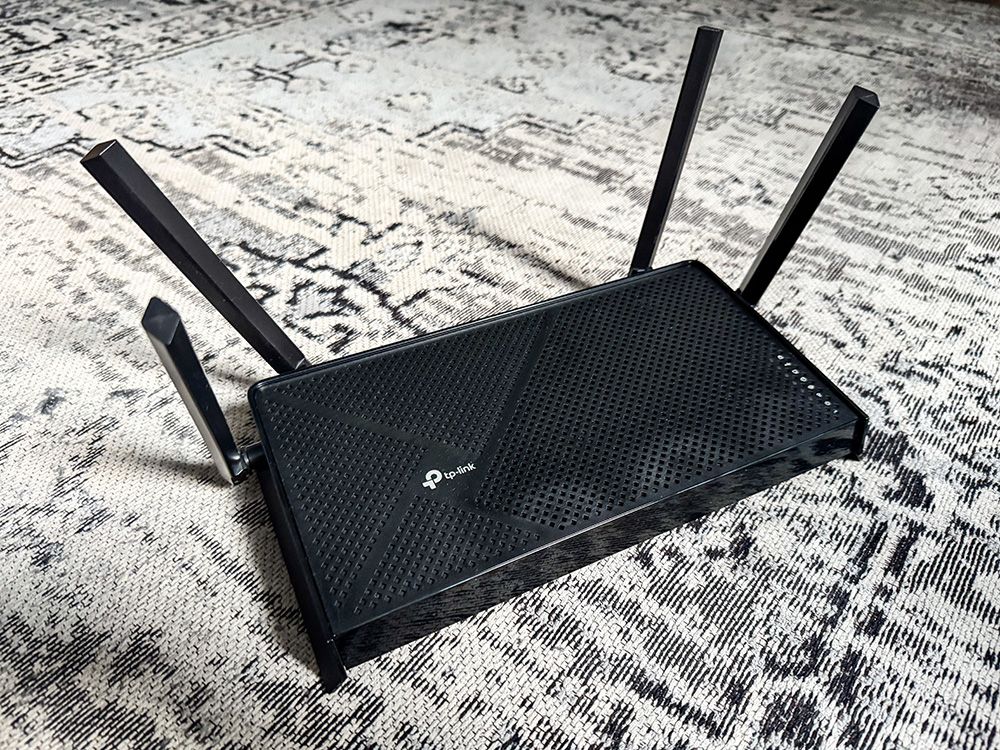
The TP-Link Archer A7 stands out for its overall value. It offers dual-band connectivity and speeds up to 1750 Mbps. Ideal for streaming and gaming. Easy setup with a user-friendly app. Plus, it supports Alexa voice control.
Best For Speed
For speed enthusiasts, the ASUS RT-AC66U B1 delivers. It boasts speeds up to 1750 Mbps. Perfect for high-speed internet plans. It features adaptive QoS for prioritizing bandwidth. This ensures a lag-free experience.
Best For Range
The NETGEAR R6700 Nighthawk excels in range. Its powerful antennas cover large homes. It offers dual-band Wi-Fi with speeds up to 1750 Mbps. The Beamforming+ technology ensures stable connections. Perfect for homes with multiple devices.
Best Security Features
The Linksys EA6350 provides robust security features. It includes WPA2 encryption and a guest network option. The Smart Wi-Fi app allows remote management. This router ensures your network stays safe and secure.

Credit: cybernews.com
Tips To Maximize Router Performance
Getting the most out of your budget router doesn’t have to be complicated. Small adjustments and regular care can boost your router’s performance significantly. Let’s look at some practical tips that can help you enhance your Wi-Fi experience and keep your connection stable.
Optimal Placement
Where you put your router makes a big difference. Place it in a central location in your home to ensure even coverage. Avoid corners, thick walls, or metal objects that can block the signal.
Elevate your router on a shelf or table rather than keeping it on the floor. This simple change can improve signal strength throughout your space. Have you noticed a spot in your home where the Wi-Fi always works best? That’s the kind of placement you want.
Regular Firmware Updates
Your router’s firmware is like its brain—it controls how your router functions and keeps it secure. Check for updates from the manufacturer’s website or through the router’s settings page regularly. Updates often fix bugs and improve performance.
Think about how your smartphone runs better after updates; routers benefit the same way. If you’ve never updated your router’s firmware, try it now—you might be surprised by the difference.
Using Quality Cables
Don’t underestimate the power of good cables. Using cheap or damaged Ethernet cables can slow down your connection or cause drops. Choose cables rated for your internet speed, such as Cat5e or Cat6.
Replacing old cables with better ones is a quick fix that can improve stability, especially if you connect devices directly to the router. Is your current cable setup holding you back?
Network Traffic Management
If many devices share your network, managing traffic becomes essential. Some routers offer Quality of Service (QoS) settings that prioritize important traffic like video calls or gaming. This helps reduce lag and buffering.
Try identifying which devices or apps use the most bandwidth and adjust settings accordingly. Have you noticed slowdowns when multiple people are online? Managing traffic can help keep your connection smooth.
Frequently Asked Questions
Are Budget Routers Good For Home Use?
Budget routers are suitable for basic home internet needs. They offer decent speed and coverage for small to medium spaces. However, they may lack advanced features and long-range performance found in premium models.
How Reliable Are Budget Routers For Streaming?
Budget routers can handle streaming in low to moderate quality. For 4K or multiple device streaming, performance may drop. Investing in a higher-end router ensures better stability and faster speeds for streaming.
Do Budget Routers Have Security Risks?
Some budget routers may have outdated firmware or weaker security features. Regular updates and strong passwords can mitigate most risks. Always choose models with good reviews on security to protect your network.
Can Budget Routers Support Multiple Devices?
Budget routers support multiple devices but may slow down with heavy simultaneous use. For households with many gadgets, mid-range or premium routers provide better performance and stability.
Conclusion
Budget routers can work well for basic internet needs. They offer decent speed and coverage for small homes. Some models may lack advanced features or strong security. Choosing a budget router depends on your internet use and devices. Always check reviews and compare options before buying.
For simple tasks like browsing or streaming, budget routers are reliable. Upgrading might be needed for heavy gaming or large families. Overall, budget routers provide good value without high costs. They suit many users who want easy and affordable internet access.