Are you thinking about buying a cheap router to save money? It sounds like a smart idea at first.
But have you ever stopped to wonder if these low-cost routers can truly keep your home network safe? Your personal information, online activities, and devices all depend on your router’s security. If your router isn’t secure, hackers could easily sneak in and cause serious trouble.
You’ll discover the hidden risks behind cheap routers and learn how to protect what matters most to you. Keep reading to find out if saving money now might cost you more later.

Credit: www.pcmag.com
Price And Security Correlation
Price often affects the quality and featuresof a router. Cheaper routers usually use less expensive partsand simpler designs. This can lead to fewer security featurescompared to higher-end models.
Cost factors in router manufacturing include:
- Type of hardware components
- Software and firmware support
- Level of security protocolsbuilt-in
- Frequency of updates and patches
Security features in budget models might include:
- Basic firewall protection
- Standard Wi-Fi encryption(WPA2 or WPA3)
- Limited or no automatic firmware updates
- Fewer advanced security optionslike VPN or intrusion detection
Common Vulnerabilities In Cheap Routers
Cheap routers often have outdated firmware. This means they lack the latest security fixes. Without updates, hackers can easily exploit known bugs.
Many use weak encryption standards. This makes it easier for others to intercept your data. Strong encryption keeps your information safe.
Default credentials like admin/adminor passwordare common. These default passwordsare easy to guess. If not changed, they let attackers access your router settings.
- Outdated firmware means no new security patches.
- Weak encryption allows data to be read by others.
- Default credentials can be guessed or found online.
Impact Of Security Flaws
Cheap routersoften have weak security features. This can lead to serious data breaches. Personal information like passwords and emails can be stolen. Privacybecomes a big concern.
Attackers can easily take control of the network. They can spy on your online activity or block your internet access. This is called a network compromise.
- Malwarecan infect your devices through the router.
- Your router may join a botnet, a group of infected devices.
- Botnets are used to launch large cyber attacks.
Using cheap routers without proper security puts your data and devices at risk.
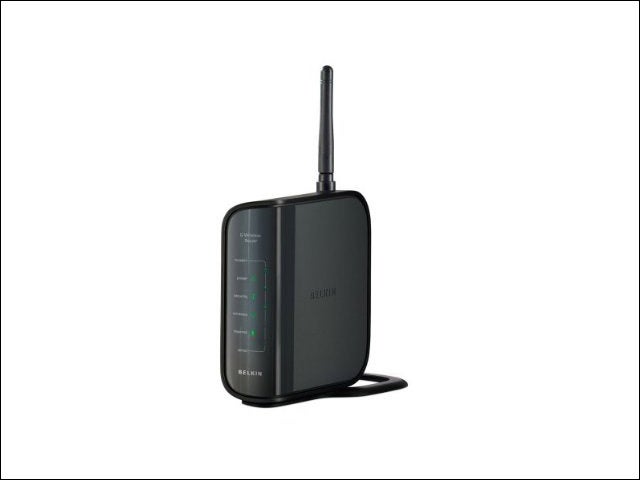
Credit: www.eweek.com
Evaluating Router Security
Firmware updatesfix security holes in routers. Cheap routers may not get regular updates. This leaves them open to hackers. Check if the router maker releases updates often. Some routers allow manual or automatic updates. Automatic updates are safer because they happen without your help.
User controlmeans you can change settings. Good routers let you set strong passwords and choose security modes like WPA3. Cheap routers may have limited options. Customization helps protect your network better. Look for routers that let you control:
- Password strength
- Guest network access
- Firewall settings
- Device management
Improving Security On Budget Routers
Changing default settingsis essential for better security. Default usernames and passwords are easy to guess. Change them to strong and unique ones. Disable features that are not needed, like remote access. This reduces the chance of attacks.
Regular firmware updateskeep your router safe. Manufacturers fix security issues in updates. Check for updates often and install them quickly. An up-to-date router blocks many new threats.
Using additional security toolscan boost protection. Firewalls, VPNs, and antivirus software add extra layers of defense. These tools help keep your data safe from hackers and viruses.
Credit: tcaflisch.medium.com
Alternatives To Cheap Routers
Cheap routers often lack strong security features. Upgrading to a quality router enhances safety and network performance. Investing in a reliable router provides better protection against cyber threats.
Mid-range Options With Better Security
Mid-range routers offer good security features. They come with better encryption. Parental controls keep kids safe online. Guest networks protect your main network. These routers often update automatically. This keeps hackers away.
Enterprise-grade Solutions
Enterprise routers are very strong. They offer advanced security. These routers handle many users. They have firewalls to block threats. VPN support protects data. They are reliable and fast. Perfect for big offices.
Third-party Firmware Choices
Some people use third-party firmware. It boosts router features. Open-source options are popular. These firmwares improve security. They add extra controls. Users must be careful. Installing them can void warranties.
Frequently Asked Questions
Are Cheap Routers More Vulnerable To Cyber Attacks?
Yes, cheap routers often lack advanced security features, making them easier targets for hackers and cyber attacks.
Do Cheap Routers Receive Regular Firmware Updates?
Many cheap routers do not get frequent firmware updates, increasing security risks over time.
Can Cheap Routers Protect My Personal Data Effectively?
Cheap routers may offer basic protection but often lack robust encryption to fully safeguard your data.
Should I Invest In A High-quality Router For Security?
Investing in a high-quality router usually ensures better security, faster updates, and stronger encryption.
Conclusion
Cheap routers can work for basic internet needs. They often lack strong security features. This makes your network more open to risks. Regular updates and good passwords help protect your devices. Spending a bit more on a router improves safety.
Choose a router that fits your budget and security needs. Stay aware of potential threats to keep data safe. In the end, security depends on how you use the router. Simple steps make a big difference in protection.