Are you wondering if your high-end router can work smoothly with a mesh system? This question is more common than you might think.
You’ve invested in top-notch equipment, and now you want to boost your home or office Wi-Fi without wasting time or money. Imagine having faster, stronger internet signals in every corner, without complicated setups or constant drops. You’ll discover how these powerful devices interact, what you need to watch out for, and how to get the best performance from your network.
Keep reading—your perfect Wi-Fi setup might be simpler than you expect.
High-end Routers Basics
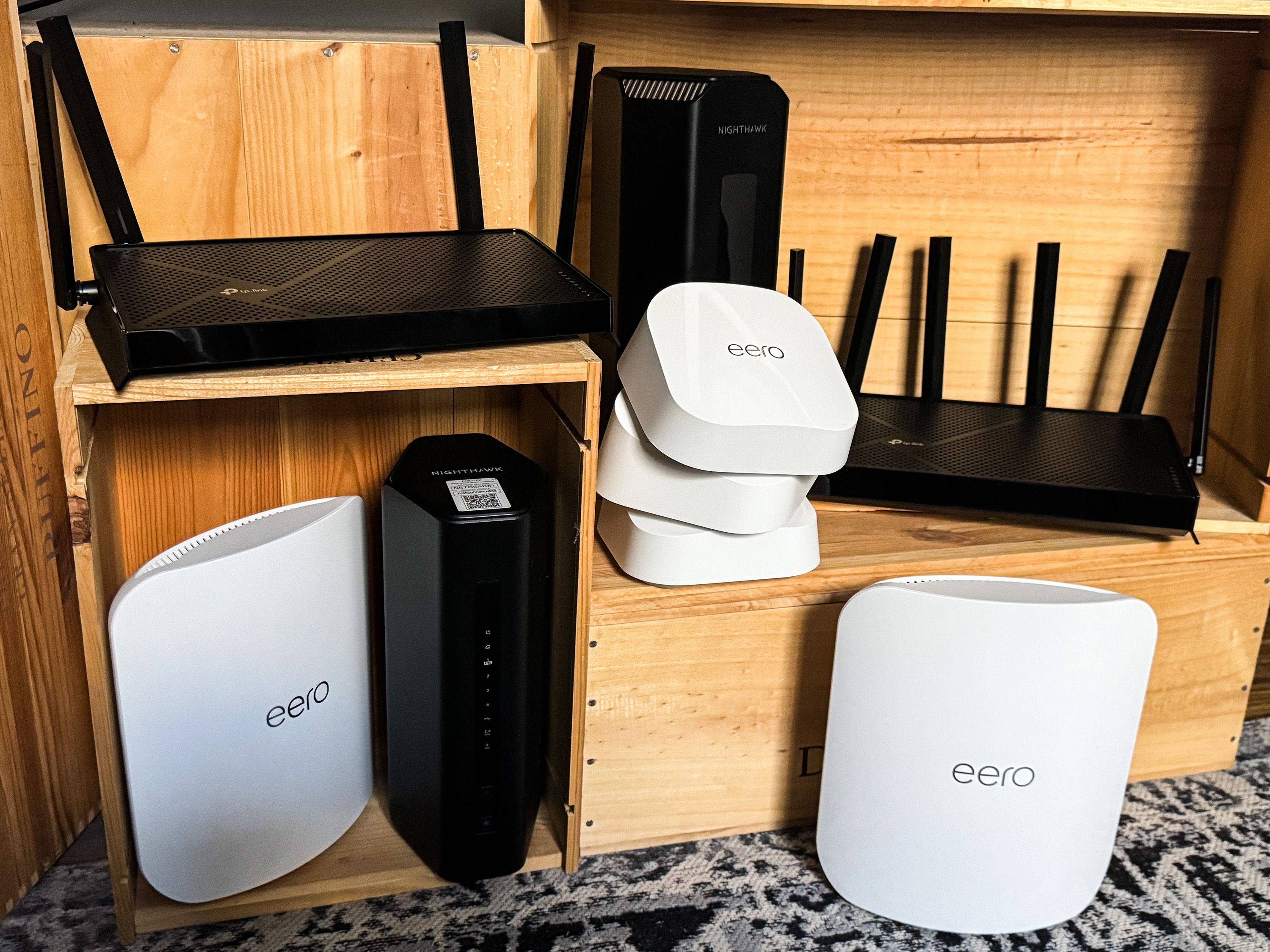
High-end routers come with advanced featuresfor better internet use. They often have faster speedsand stronger signalsthan regular routers. Many include multiple antennasto cover larger areas and reduce dead spots.
These premium routers support latest Wi-Fi standardslike Wi-Fi 6 or Wi-Fi 6E. This helps in handling many devices at once without slowing down. They also offer better securityoptions to protect your network from threats.
Some features include:
- Dual or tri-band supportto reduce interference
- Advanced Quality of Service (QoS)to prioritize important traffic
- More Ethernet portsfor wired connections
- Better processorfor smoother performance
Credit: www.popularmechanics.com
Mesh Systems Explained
Mesh networksuse several devices called nodes to spread Wi-Fi evenly. Each node talks to others, creating a strong and steady signal everywhere in your home. This system solves the problem of weak spots common in regular routers.
Nodes work together to find the best path for your internet data. If one node has issues, others take over to keep you connected without interruptions.
- Wide coverage:Mesh systems cover large areas without losing signal.
- Easy setup:They are simple to install and manage.
- Seamless connection:Devices switch nodes automatically for smooth internet use.
- Scalability:Add more nodes to improve coverage anytime.
- Strong signal:Mesh reduces dead zones and drops.
Compatibility Factors
Router and mesh system protocolsmust match for smooth connection. Most mesh systems use Wi-Fi standardslike 802.11ac or 802.11ax (Wi-Fi 5 or Wi-Fi 6). High-end routers support these too. Using different protocols can cause slow speeds or no connection.
Firmware and softwareshould be up to date on both devices. Old firmware can stop devices from working well together. Some mesh systems need special apps or software to set up and manage the network.
- Check if router supports mesh network protocols.
- Update firmware on router and mesh nodes regularly.
- Use compatible apps or software for setup.
- Match Wi-Fi standards (like Wi-Fi 5 or 6).
Credit: www.engadget.com
Mixing High-end Routers With Mesh
High-end routers can work well as main nodes in a mesh system. They offer strong signals and fast speeds. This setup helps cover large areas with stable Wi-Fi. The main router handles the internet connection and shares it with mesh nodes.
Adding mesh nodes to existing networks is simple. These nodes connect wirelessly to the main router. They extend Wi-Fi to hard-to-reach places. Mesh nodes create one network name for easy device connection.
- High-end routersprovide powerful control and speed.
- Mesh nodes improve coverage without extra wiring.
- Devices switch smoothly between nodes for best signal.
- Setup often uses an app for easy management.
Performance Considerations
Network speedmay vary when combining high-end routers with mesh systems. Some mesh nodes might limit the top speeds of your main router. This can affect streaming, gaming, and downloads.
Stabilitydepends on the quality of both devices. A strong mesh system can help reduce dead zones and keep connections steady. But mixing brands or older devices might cause drops or slowdowns.
Coverageimproves with mesh systems because they use multiple nodes. This spreads the signal across larger areas and through walls better than a single router.
Signal strengthis usually stronger near mesh nodes. Placing nodes in key spots avoids weak signals in rooms far from the main router.

Credit: uk.pcmag.com
Setup Tips And Best Practices
High-end routers often work well with mesh systems. To set up, first connect the router to the modem. Then, place mesh devices around your home for best coverage. Use the mesh system app to link all devices smoothly.
Set the router to bridge mode if possible. This avoids conflicts between router and mesh network functions. Keep firmware updated on both router and mesh devices to improve performance.
- Place mesh nodes in open areas for strong signals.
- Restart devices if connections seem slow or drop.
- Check for interference from walls or other electronics.
- Reset the mesh system if devices don’t connect properly.
| Issue | Fix |
|---|---|
| Slow internet | Restart router and mesh nodes |
| Mesh devices not syncing | Check app settings and reset devices |
| Wi-Fi drops frequently | Move nodes closer or reduce interference |
Popular Router And Mesh Combinations
Many high-end routerswork well with mesh systems. This lets you extend your Wi-Fi range easily. Some routers come with built-in mesh support. Others can pair with popular mesh brands.
Below is a table showing top routersand recommended mesh systemsthat work well together.
| High-End Router | Compatible Mesh Systems | Key Feature |
|---|---|---|
| Asus RT-AX88U | Asus AiMesh | Seamless network with Asus devices |
| Netgear Nighthawk RAX120 | Netgear Orbi | Strong signal and easy setup |
| TP-Link Archer AX6000 | TP-Link Deco Mesh | Fast speeds and wide coverage |
| Google Nest Wifi Router | Google Nest Wifi | User-friendly and stable connection |
- Choose routers with mesh compatibility for easier setup.
- Match brands for best performance and support.
- High-end routers often support multiple mesh nodes.
Future Trends In Wi-fi Networking
High-end routersare becoming more compatible with mesh systems. This allows users to create a stronger and larger Wi-Fi network. Advances in router technologyimprove speed and coverage. These routers support better band steeringand automatic channel selection, which help reduce interference.
Mesh systems are also evolving. They now include features like easy setup, smart device management, and self-healing networks. These features make Wi-Fi more reliable and simple to use. Users can add more nodes to cover big areas without losing signal strength.
| Advancements in Router Technology | Evolving Mesh System Features |
|---|---|
| Supports multiple frequency bands | Easy app-based setup |
| Improved signal processing | Automatic network optimization |
| Better security options | Self-healing and smart routing |
| Higher data throughput | Scalable coverage for large homes |
Frequently Asked Questions
Are High-end Routers Compatible With Mesh Wi-fi Systems?
Yes, many high-end routers are compatible with mesh Wi-Fi systems. Compatibility depends on the router’s firmware and mesh system standards. Some routers support mesh modes or work as primary nodes in a mesh network. Always check device specifications for seamless integration.
Can I Use My Existing High-end Router With A Mesh System?
You can often use a high-end router as the main node in a mesh setup. This helps extend coverage while maintaining router performance. However, compatibility varies, so verify if your router supports mesh protocols before integration.
Do Mesh Systems Improve High-end Router Performance?
Mesh systems improve coverage but don’t necessarily boost the router’s speed. They reduce dead zones by adding nodes for better signal distribution. High-end routers paired with mesh systems provide stable and wide Wi-Fi coverage in large spaces.
What Are The Benefits Of Combining Routers With Mesh Systems?
Combining routers with mesh systems enhances Wi-Fi range and reliability. It reduces signal dropouts and supports multiple devices efficiently. This setup is ideal for large homes or offices requiring consistent and fast internet access.
Conclusion
High-end routers can work with mesh systems in many cases. Compatibility depends on features and settings. Mesh systems enhance coverage and flexibility. High-end routers offer speed and control. Combining them might improve your network. But, check compatibility first. Ensure both devices support similar standards.
Also, consider your home’s size and layout. This affects performance. Research and plan before buying. This helps in making the right choice. A strong network setup enhances connectivity. And ensures a seamless internet experience.