Are you wondering if routers under $100 can really meet your internet needs? You want fast, reliable Wi-Fi without breaking the bank—but is it possible?
Choosing the right router can be confusing, especially with so many options promising big performance at a low price. You’ll discover what to expect from budget routers, what features matter most, and how to pick one that keeps your connection strong.
Keep reading to find out if a router under $100 is the smart choice for your home or office.
Budget Router Market
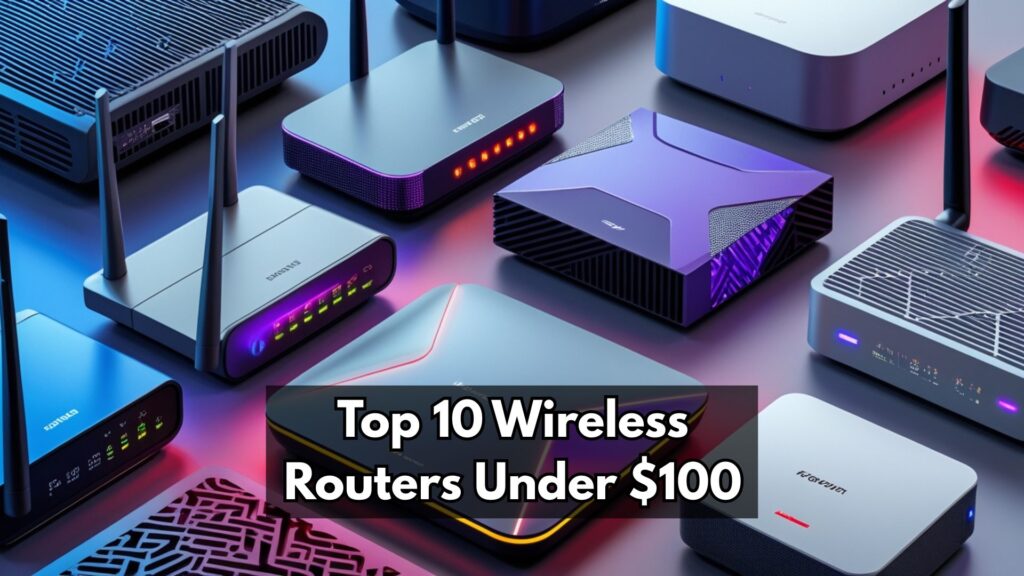
The budget router market offers many choices under $100. These routers fit small homes or apartments well. They provide decent speed for everyday tasks like browsing and streaming.
Popular brands in this price range include:
- TP-Link– known for reliable and simple routers.
- Netgear– offers good performance and easy setup.
- Linksys– provides solid features for budget users.
- D-Link– affordable and user-friendly models.
| Price Range | Typical Features | Best For |
|---|---|---|
| $20 – $50 | Basic Wi-Fi, limited range, slower speeds | Small homes, light internet use |
| $50 – $100 | Better speed, wider coverage, more ports | Medium homes, streaming, online games |
Key Features To Consider
Speed and bandwidthare very important for a good router. A router under 100 dollars can offer decent speeds for everyday tasks like browsing and streaming. Check the maximum speed it supports to match your internet plan.
Coverage areatells how far the Wi-Fi signal reaches. Smaller routers cover less space. Make sure the router covers your whole home or office without dead zones.
Security optionsprotect your network from hackers. Look for routers with WPA3 or at least WPA2 encryption. Some models also offer guest networks and parental controls for safety.
Ease of setupmatters for users who want quick installation. Many routers offer simple apps or web guides to help you connect devices fast without tech help.
Performance Comparison
Speed testsshow that routers under 100 dollars can offer decent internet speeds. They handle basic tasks like streaming and browsing well. But for heavy gaming or 4K streaming, some might struggle.
Range and signal strengthvary by model. Many budget routers cover a small to medium-sized home. Walls and floors can weaken the signal. Some models include external antennas to help improve coverage.
Device handlingdepends on the router’s chipset and firmware. Most can support 10-20 devices at once without big drops in speed. More devices might cause slowdowns or connection drops.
User Experience
Setting up routers under $100 is usually simple. Most come with clear instructions and easy apps. Users can connect devices quickly without tech help. Some models offer a quick setup button. This saves time and effort.
Reliability varies. These routers work well for regular internet use like browsing and streaming. They might slow down with many devices or large homes. Signal strength can be weaker compared to expensive models. Still, they handle basic needs well.
| Customer Support | Description |
|---|---|
| Availability | Most brands offer online guides and email support. |
| Response Time | Can be slower than premium brands. |
| Help Options | Forums and FAQs are common for quick answers. |
Pros And Cons
Routers under 100 dollars offer good value for basic internet use. They are affordableand easy to set up. Most models provide decent speedfor browsing and streaming.
These routers usually lack some advanced featuresfound in pricier models. The range and signal strength might be limited. Some may struggle with many devices connected at once.
- Pros:Low cost, simple setup, good for small homes.
- Cons:Limited range, fewer features, slower speeds on heavy use.

Credit: www.youtube.com
Best Value Picks
Affordable routers under $100 can offer reliable performance for everyday internet use. Many models provide good speed and stable connections without high costs. These options suit homes with moderate online activities and basic streaming needs.
Top Affordable Models
Finding a good router under $100 is possible. Many brands offer reliable performancewithout a high price. These routers often have basic featuresthat suit most homes. Some popular models include TP-Link Archer A7 and Netgear R6080. They provide strong Wi-Fi signalsand easy setup.
Features Vs Cost
| Model | Features | Cost |
|---|---|---|
| TP-Link Archer A7 | Dual-band, 4 Ethernet ports | Under $100 |
| Netgear R6080 | 300 Mbps, Easy setup | Under $50 |
Both routers provide good speedfor streaming and browsing. They also offer easy management through apps. These options ensure you get the best valuefor your money.
When To Invest More
Routers under $100 can handle basic tasks. But for gaming or streaming, they might struggle. High-demand usage needs better performance. You want smooth video calls. You need fast game downloads. A more expensive router can offer stronger Wi-Fi signals. It supports many devices at once. You get fewer lags and interruptions.
Technology changes fast. New devices appear every year. An expensive router supports future tech. It has features like Wi-Fi 6. This means faster speeds and better range. It can handle more gadgets. Investing more now saves money later. You won’t need frequent upgrades. Your network stays strong and reliable.
Credit: wifi-guy.net
Credit: www.thepcdoctor.com.au
Frequently Asked Questions
Are Routers Under $100 Reliable For Home Use?
Yes, many routers under $100 offer reliable performance for typical home use. They support stable Wi-Fi, good coverage, and essential features for everyday browsing and streaming.
Can Budget Routers Handle Multiple Devices Simultaneously?
Budget routers can handle multiple devices, but performance may drop with heavy use. For light to moderate device connections, they work well.
Do Inexpensive Routers Support The Latest Wi-fi Standards?
Some routers under $100 support recent Wi-Fi standards like Wi-Fi 5. However, Wi-Fi 6 is less common at this price point.
Will A Router Under $100 Provide Good Range?
Most routers under $100 offer decent range for small to medium homes. Larger homes may require range extenders or mesh systems.
Conclusion
Routers under 100 dollars can offer good value for everyday use. They provide decent speed and coverage for small homes or apartments. You may not get all advanced features, but basic internet needs are met. Choosing a router depends on your internet plan and device number.
For simple browsing and streaming, budget routers often do the job well. Think about what matters most to you: speed, range, or extra features. Affordable routers can work fine without costing much. Simple, reliable, and easy to use—that’s what many under-100 routers deliver.