Are routers under 50 really outdated? You might be wondering if that budget-friendly device in your home is holding you back.
With so many tech options out there, it’s easy to feel lost when choosing the right router. But what if your current router is slowing down your internet without you even knowing? Keep reading to discover the truth about affordable routers and whether it’s time for an upgrade that actually makes a difference for your connection.

Credit: www.amazon.com
Price And Performance
$50 routerscan handle basic internet needs like browsing and streaming. They usually support Wi-Fi 4 or Wi-Fi 5standards. This means speeds up to 300-600 Mbps, which is fine for small homes.
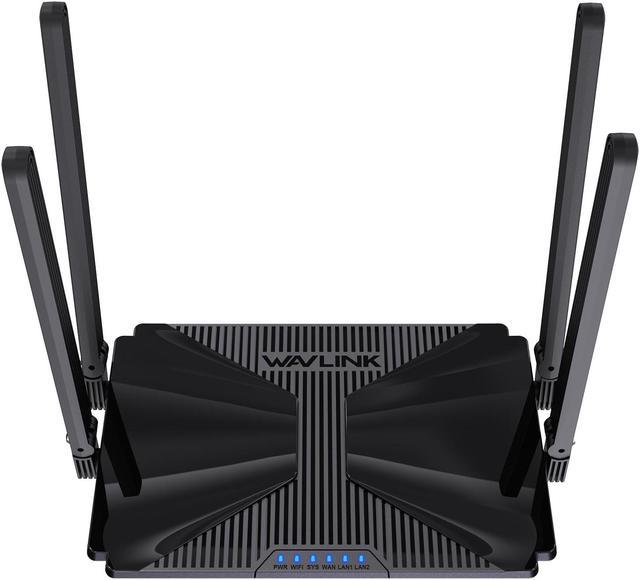
These routers often have 2-3 antennasand single-band or dual-bandoptions. They may lack advanced features like MU-MIMOor beamforming. Range might be limited to one or two rooms.
| Feature | What to Expect |
|---|---|
| Speed | Up to 600 Mbps |
| Wi-Fi Standard | Wi-Fi 4 or Wi-Fi 5 |
| Range | Good for small areas |
| Antennas | 2 to 3 antennas |
| Advanced Features | Limited or none |
Expect some slowdownsif many devices connect. Heavy tasks like gaming or 4K streaming may struggle. For basic use, these routers work well.
Technology Trends
Budget routers under $50 often use older Wi-Fi standardslike 802.11n or 802.11ac. These standards offer basic speed and rangebut miss newer features like Wi-Fi 6. Wi-Fi 6 provides better performanceand handles many devicesat once. Many budget routers do not support this yet. This can affect streaming, gaming, and smart home deviceuse.
Security is important. Most budget routers include WPA2 encryption, which keeps networks safe from common threats. Some newer models may offer WPA3, but it is less common under $50. Features like firewalls and guest networksare usually present to protect your data and privacy. Still, regular updates and password changes are needed for good security.
Use Case Scenarios
Budget routers under $50 work well for simple tasks. They are good for basic web browsing, checking emails, and streaming music. These routers fit small homes or apartmentswith fewer devices. They usually offer lower speedsand limited range, but they handle casual internet use.
Ideal settings for budget routers include:
- Connecting 1 to 3 devices at a time
- Using them in small spaces
- Running apps that need low bandwidth
- Streaming videos in standard definition
It’s time to upgrade when:
- Your internet feels slow with many devices
- You want to stream in HD or 4K
- You need better range for a big house
- Online gaming or video calls lag often

Credit: www.pcgamer.com
Comparing With Premium Models
Routers under $50 often have slower speedscompared to premium models. These cheaper routers usually cover a smaller area, which can cause weak signals in large homes.
Premium routers support higher Wi-Fi standardsand can handle more devices at once. They also offer better securityand advanced settingsfor improved performance.
Basic routers lack features like:
- Guest networks
- Parental controls
- Quality of Service (QoS) for prioritizing traffic
- MU-MIMO technology for faster connections with many devices
Choosing a router depends on your needs. For simple internet use, a budget router might work fine. For gaming, streaming, or many users, a premium model offers more.
User Experience Insights
Many users report slow speedsand weak signalswith routers under $50. These devices often struggle with multiple connectionsand large homes. Some face frequent disconnectionsand poor range. Firmware updates can be rare or nonexistent, causing security risksand compatibility issues.
Yet, some buyers find these routers easy to set upand good for basic tasks. They work well for browsingand streaming videoson a few devices. For smaller spaces or less internet use, these routers can be cost-effectiveand simple.
Credit: www.newegg.com
Buying Tips
It’s important to look at the router’s speed. A good speed is at least 300 Mbps. This helps with smooth internet use. The rangeis also crucial. Bigger homes need a wider range. A dual-bandrouter is better for busy homes. It helps reduce internet traffic. Check for a good number of Ethernet ports. These are for connecting other devices. Wi-Fi standard should be at least 802.11n. This ensures better performance.
- TP-Linkoffers affordable yet reliable routers.
- Netgearprovides good performance under $50.
- Linksysis known for durability and easy setup.
- D-Linkrouters offer decent speed and range.
Frequently Asked Questions
Are Routers Under $50 Still Reliable For Home Use?
Yes, routers under $50 can be reliable for basic home needs. They support standard browsing and streaming but may lack advanced features and high-speed capabilities.
Do Budget Routers Support The Latest Wi-fi Standards?
Most routers under $50 support Wi-Fi 5 (802. 11ac), but rarely the latest Wi-Fi 6. For cutting-edge speeds, higher-end models are better.
Can Cheap Routers Handle Multiple Devices Efficiently?
Budget routers may struggle with many devices connected simultaneously. They work well for few users but may cause slower speeds with heavy traffic.
Are Security Features Limited In Routers Under $50?
Lower-priced routers often have basic security like WPA2 encryption. Advanced protections like automatic updates and VPN support are usually missing.
Conclusion
Routers under 50 dollars can still work well for basic needs. They may lack the latest features but handle simple tasks fine. For heavy internet use or many devices, a stronger router helps. Consider what you need before buying. Sometimes, spending a bit more brings better speed and range.
Yet, budget routers suit small homes or casual use. Choose wisely to get the best value for your money. Simple, reliable internet is possible without breaking the bank.