Are you tired of slow or unreliable internet when you’re on the go? Whether you’re traveling for work or leisure, staying connected is a must.
But should you rely on a travel router or a mobile hotspot to keep your devices online? Choosing the right option can save you frustration, money, and time. You’ll discover which device fits your needs best and why it matters for your next trip.
Keep reading to make sure you never lose your connection again.
Travel Routers Vs Mobile Hotspots
Choosing between travel routers and mobile hotspots matters for your internet needs on the go. Both devices offer portable internet access but work differently. Understanding their differences helps you pick the best option for travel or remote work.
Basic Functions
Travel routers create a local Wi-Fi network using an existing wired or wireless internet source. They share this connection with multiple devices. Mobile hotspots connect directly to cellular networks and broadcast Wi-Fi signals. They act like portable modems for internet access anywhere with mobile coverage.
Connectivity Options
Travel routers can connect to wired Ethernet, hotel Wi-Fi, or even mobile data via SIM cards, depending on the model. They often support multiple input types. Mobile hotspots rely solely on cellular networks like 4G or 5G. They provide internet where mobile signals exist but do not support wired connections.
Device Compatibility
Both devices work with smartphones, laptops, tablets, and other Wi-Fi-enabled gadgets. Travel routers often support more devices simultaneously without significant speed drops. Mobile hotspots may limit the number of connected devices to save battery life and maintain good speeds.
Performance And Speed
Performance and speed are crucial when choosing between travel routers and mobile hotspots. Both devices aim to provide internet access on the go, but their capabilities vary. Understanding how each performs helps travelers pick the right tool for reliable connectivity.
Signal Strength
Travel routers often have stronger antennas than mobile hotspots. This improves signal reception in areas with weak coverage. Mobile hotspots rely on internal antennas that may not capture signals as well. A travel router can boost signal strength by connecting external antennas. This feature helps maintain internet access in remote or crowded places.
Data Transfer Rates
Travel routers generally support faster data transfer speeds. They can handle multiple connections without slowing down. Mobile hotspots may limit speed when several devices connect simultaneously. Travel routers use advanced technology like dual-band Wi-Fi to increase speed. Users experience smoother browsing, streaming, and downloads with travel routers.
Network Stability
Network stability means a steady internet connection without drops. Travel routers provide better stability by managing traffic efficiently. They often have features to prioritize important data and reduce interference. Mobile hotspots can lose connection more easily, especially in busy networks. Travel routers keep users online longer and reduce interruptions during work or entertainment.
Battery Life And Power
Battery life and power are crucial factors when choosing between a travel router and a mobile hotspot. Your device’s ability to stay connected without frequent recharging can make or break your travel experience. Understanding how each device manages power helps you plan better and avoid those frustrating moments when your internet suddenly drops.
Battery Duration
Mobile hotspots typically offer longer battery life because they are designed solely for internet sharing. Many models can last 8 to 12 hours on a single charge, keeping you connected through a full day of work or sightseeing.
Travel routers, however, often have smaller batteries or rely on external power sources. Some models last around 4 to 6 hours, which may require you to carry a power bank or find outlets more frequently. Have you experienced your device dying just when you needed it most during a trip?
Charging Methods
Mobile hotspots usually charge via USB-C or micro USB cables, making it easy to recharge from power banks, laptops, or car chargers. This flexibility is a big plus when you’re on the move and outlets are scarce.
Travel routers vary more in charging options. Some depend on standard AC adapters, while others support USB charging. If you often travel internationally, consider how compatible the charger is with different power outlets.
Power Consumption
Mobile hotspots are optimized for efficient power use since they focus on just one task: internet connectivity. This efficiency helps extend battery life without compromising performance.
Travel routers handle multiple functions like routing, VPN, and sometimes file sharing, which can increase power consumption. If you rely on advanced features, expect your battery to drain faster unless you manage power settings carefully.
Which device fits your travel style better when power is limited: the all-in-one travel router or the more focused mobile hotspot?
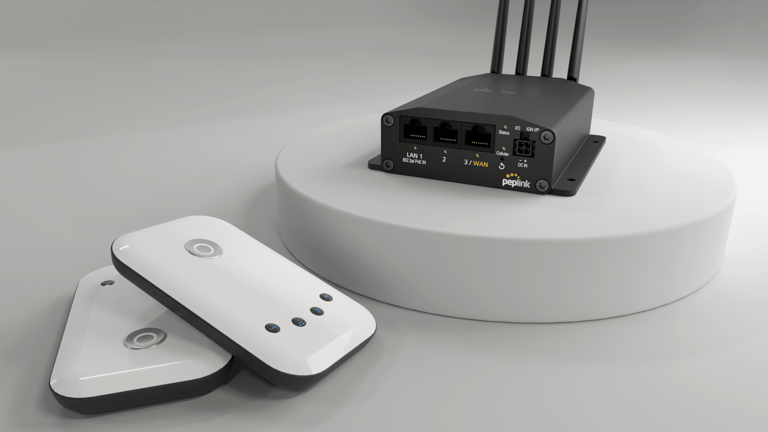
Credit: www.peplink.com
Portability And Design
Portability and design play a key role in choosing between travel routers and mobile hotspots. Both devices aim to keep you connected on the go. Yet, their size, build, and ease of use affect your travel experience. Compact and lightweight gear fits easily into bags. Strong build quality ensures durability. Simple controls save time and frustration. Let’s explore these factors in detail.
Size And Weight
Travel routers are often small but vary in size. Some models fit in the palm of your hand. Mobile hotspots tend to be even smaller and lighter. They usually weigh less than 200 grams. This makes carrying them simple during long trips. Compact size means less space taken in your bag. Both devices prioritize portability, but hotspots win slightly for being ultra-light.
Build Quality
Travel routers often have sturdy builds with protective cases. They are designed to handle frequent travel and rough use. Many have rugged exteriors to resist drops and scratches. Mobile hotspots focus on sleekness, sometimes at the expense of ruggedness. Their plastic shells feel less durable but still hold up well. Choosing a device with solid build quality ensures longer use and reliability.
Ease Of Use
Travel routers usually offer more settings and options. This can be complex for casual users. Some models include LCD screens and buttons for easy setup. Mobile hotspots emphasize simplicity. They often have one-button operation and automatic connection. This makes them ideal for quick internet access without fuss. Both devices aim to be user-friendly but differ in control complexity.
Security Features
When deciding between travel routers and mobile hotspots, security features play a crucial role in ensuring your data remains protected while on the go. Travel routers are often equipped with advanced security options that make them a compelling choice for tech-savvy travelers. Understanding these features can help you make an informed decision about which device best suits your needs.
Encryption Standards
Travel routers typically support robust encryption standards such as WPA2 and WPA3, providing a secure connection for your data. These standards ensure that any information you send over the network remains confidential and safe from prying eyes. Mobile hotspots, on the other hand, may not always offer the latest encryption protocols, potentially putting your data at risk.
Firewall Options
Many travel routers come with built-in firewall options, offering an added layer of protection against unauthorized access. This feature helps to block malicious traffic and prevent potential hacking attempts. While some mobile hotspots may include basic firewall settings, they often lack the customization and strength found in travel routers.
Guest Networks
Travel routers often allow you to create guest networks, providing a separate connection for visitors without giving them access to your primary network. This feature is especially useful if you’re staying in a shared space or hosting a small gathering. Mobile hotspots, however, typically do not offer this functionality, limiting your ability to manage network access securely.
So, which device would you trust with your personal data while traveling? With travel routers offering enhanced security options, they might just be the safeguard you need for a worry-free journey.

Credit: www.eiotclub.com
Cost And Value
Understanding the cost and value of travel routers versus mobile hotspots can help you choose the best option for your travel needs. Both devices serve the purpose of keeping you connected on the go, but their price structures and ongoing expenses differ significantly. Let’s break down these differences to help you decide which one offers better value for your budget.
Initial Purchase Price
Travel routers usually cost more upfront than mobile hotspots. You might find a reliable travel router priced between $50 and $150, depending on features like dual-band support and multiple Ethernet ports.
Mobile hotspots, on the other hand, often come at a lower initial cost, sometimes even free with a carrier contract. This makes them attractive if you want to spend less initially.
However, ask yourself: Is paying less upfront worth it if you need extra features or flexibility later?
Data Plans And Fees
Mobile hotspots typically require a data plan from a cellular provider. These plans can vary widely, with costs influenced by data limits, speed caps, and network coverage.
Travel routers don’t come with built-in cellular connections, so you’ll need to provide your own internet source, like a SIM card or tether your phone’s data. This can give you more control over your data expenses.
Think about how often you’ll travel and where — will you pay for multiple data plans or can you manage with one shared plan?
Long-term Savings
Over time, travel routers can save you money, especially if you use them with pay-as-you-go SIM cards or local data plans abroad. They allow multiple devices to connect under one plan, maximizing data usage.
Mobile hotspots might seem cheaper initially, but monthly fees can add up, especially if you need high data limits or international roaming.
Consider your travel frequency and data needs. Could investing in a travel router reduce your recurring costs and offer better flexibility?
Ideal Use Cases
Choosing between travel routers and mobile hotspots depends on how you plan to use your internet on the go. Each device fits different needs and travel styles. Knowing the best situations for each helps you pick the right one. The following sections highlight ideal use cases for travel routers and mobile hotspots.
Business Travel
Business trips need reliable and secure internet. Travel routers create a private Wi-Fi network using hotel Ethernet or public Wi-Fi. This improves security and allows multiple devices to connect. Mobile hotspots rely on cellular data, which can be unstable in some areas. Travel routers often provide better speed and safety for work tasks.
Leisure Trips
For vacations, convenience is key. Mobile hotspots are easy to carry and quick to set up. They give access to internet anywhere with a cellular signal. Travel routers work well if you stay longer in one place with wired internet. They support many devices, perfect for families or groups sharing Wi-Fi.
Remote Work
Remote workers need consistent connections for video calls and file sharing. Travel routers connect multiple devices securely to one network. They handle higher data loads better than mobile hotspots. Mobile hotspots suit quick trips or backup internet needs. Travel routers are ideal for extended remote work stays.
Setup And Configuration
Setting up a travel router or a mobile hotspot can be the difference between frustration and smooth sailing on your trip. Your choice here affects how quickly you get online and how much control you have over your connection. Let’s break down what you should expect when setting up each device.
Installation Process
Travel routers often require a bit more effort to install than mobile hotspots. You might need to connect the router to a hotel’s Ethernet or an existing Wi-Fi network, then configure it through a web-based setup page. This process can be quick once you get the hang of it, but initial setup might feel tricky if you’re not used to network settings.
Mobile hotspots, on the other hand, are usually plug-and-play. You just power them on, insert a SIM card if needed, and connect your devices directly via Wi-Fi. This simplicity makes them ideal if you want to get online immediately without wrestling with settings.
User Interface
Travel routers often come with more advanced user interfaces. You can manage connected devices, set parental controls, or even prioritize bandwidth for work or streaming. Some models offer apps with intuitive controls, while others rely on browser-based menus that might look a bit dated.
Mobile hotspots tend to have minimalistic interfaces—usually just a small screen or an app showing signal strength, battery life, and connected devices. The trade-off is that you get less control but also less complexity, which can be a relief when you’re on the go.
Technical Support
Technical support for travel routers can vary widely depending on the brand. Some manufacturers provide detailed online guides, responsive customer service, and active forums. However, if you hit a snag during setup, support might not be immediately available.
Mobile hotspots often come with straightforward support since many carriers provide them. You can usually get help directly from your mobile provider, including troubleshooting and replacement options. This can be a lifesaver if you’re traveling in a new country and need quick solutions.

Credit: currently.att.yahoo.com
Frequently Asked Questions
What Is The Main Difference Between Travel Routers And Mobile Hotspots?
Travel routers create a private Wi-Fi network using wired or wireless internet. Mobile hotspots share cellular data as Wi-Fi. Travel routers offer more device connections and flexibility, while hotspots rely solely on cellular signals and data plans.
Are Travel Routers Better For Multiple Devices?
Yes, travel routers support more devices simultaneously than mobile hotspots. They manage bandwidth efficiently and maintain stronger connections, ideal for families or groups traveling together.
Can Travel Routers Work Without Cellular Data?
Yes, travel routers can use wired Ethernet or existing Wi-Fi to share internet. They don’t require cellular data, unlike mobile hotspots which depend on cellular networks.
Which Is More Cost-effective For Frequent Travelers?
Travel routers can be more cost-effective long-term, as they reuse existing internet sources. Mobile hotspots may incur recurring cellular data charges and roaming fees during travel.
Conclusion
Travel routers and mobile hotspots both offer ways to stay connected on the go. Travel routers work well for multiple devices and stable Wi-Fi. Mobile hotspots provide easy, direct internet access from cellular networks. Choose based on your needs: number of devices, data plans, and convenience.
Both tools help travelers stay online without hassle. Consider what fits your trip best. Staying connected is simpler than ever. Your choice can make your travel smoother and more enjoyable.