Are you tired of slow internet ruining your streaming experience while on the go? You might be wondering if travel routers can really keep up with your favorite shows and movies.
Imagine watching without constant buffering or annoying lag—sounds great, right? You’ll discover whether travel routers are fast enough to handle streaming smoothly, so you can enjoy your entertainment anywhere, anytime. Keep reading to find out how to make your travel internet work for you.

Credit: www.pocnetwork.net
Travel Router Basics
Understanding the basics of travel routers helps you decide if they meet your streaming needs. These compact devices are designed to provide internet access on the go, but how well do they handle bandwidth-heavy tasks like streaming? Let’s break down what travel routers are, what features they offer, and where they come in handy.
What Is A Travel Router
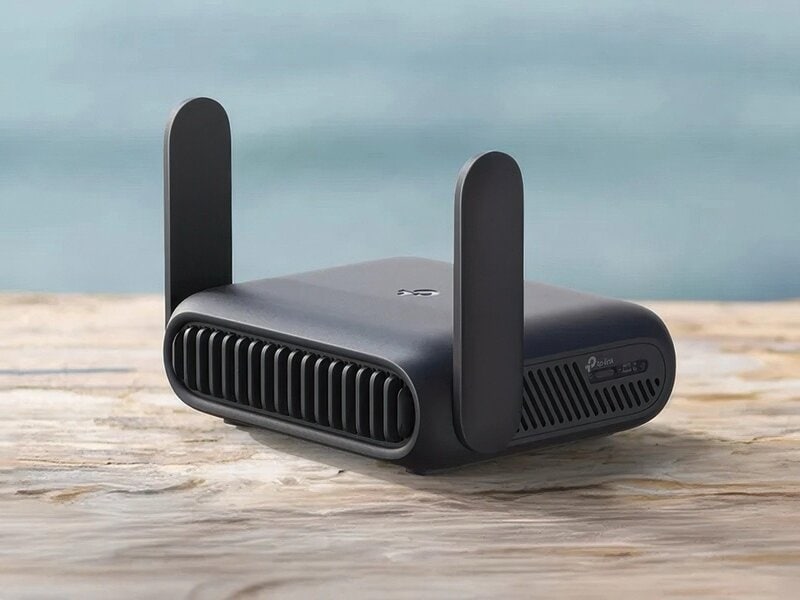
A travel router is a small, portable device that connects to a wired or wireless internet source and creates a private Wi-Fi network. It’s like having your own mini internet hub wherever you go. Unlike standard home routers, travel routers focus on portability and ease of setup.
They often work by plugging into hotel Ethernet ports or connecting wirelessly to existing Wi-Fi networks. This flexibility allows you to share one internet connection with multiple devices. Have you ever struggled with slow hotel Wi-Fi? A travel router can help you avoid that frustration.
Common Features
- Multiple Device Support:Connect smartphones, laptops, tablets, and streaming devices simultaneously.
- Security Options:WPA/WPA2 encryption keeps your connection safe on public networks.
- Dual-Band Wi-Fi:Operates on both 2.4GHz and 5GHz bands for better speed and less interference.
- Compact Design:Lightweight and easy to pack in your carry-on or backpack.
- Power Options:Some models run on USB power banks, making them perfect for travel without access to outlets.
These features ensure you stay connected without compromising security or speed. Ever noticed how the 5GHz band often gives you smoother video playback? That’s a key advantage in travel routers that offer dual-band support.
Typical Use Cases
- Sharing hotel Ethernet connections with multiple devices.
- Creating a private Wi-Fi network from a public hotspot to improve security.
- Extending weak Wi-Fi signals in large venues or conference centers.
- Connecting streaming devices like Roku or Chromecast in places without reliable Wi-Fi.
- Keeping your devices connected during road trips by turning a cellular hotspot into a Wi-Fi network.
Think about your last trip—did you have enough bandwidth to stream your favorite shows? Travel routers often solve this by managing connections better than standard hotel Wi-Fi. Could a travel router be your next must-have gadget for worry-free streaming?
Credit: www.trendhunter.com
Streaming Speed Requirements
Streaming videos requires certain internet speeds to work well. Different video qualities need different amounts of data and speed. Understanding these needs helps decide if a travel router can handle streaming smoothly. This section explains the speeds needed for HD and 4K videos, the impact of delays, and how streaming on many devices affects performance.
Bandwidth Needs For Hd And 4k
HD videos need about 5 Mbps for smooth playback. 4K videos require much more speed, around 25 Mbps or higher. Bandwidth is the amount of data sent per second. More pixels mean more data. Travel routers must support these speeds to avoid video lag or poor quality.
Latency And Buffering Effects
Latency means delay in data delivery. High latency causes video pauses or buffering. Buffering interrupts the watching experience. Lower latency keeps videos playing without breaks. Travel routers with good signal strength reduce latency. This helps keep streaming steady and enjoyable.
Multiple Device Streaming
Streaming on several devices needs more total bandwidth. Each device uses part of the internet speed. For example, two HD streams need about 10 Mbps combined. Travel routers must share speed fairly among devices. Poor routers cause slowdowns and video stops on some devices.
Speed Test Setup
Testing the speed of travel routers is crucial to understand if they can handle streaming without hiccups. Setting up a reliable speed test involves choosing the right devices, creating a consistent environment, and using accurate measurement tools. This setup ensures your results reflect real-world streaming scenarios, helping you decide which travel router fits your needs.
Selected Travel Routers
Choosing the right travel routers to test is the first step. I picked three popular models known for portability and performance: the TP-Link TL-WR902AC, Netgear Nighthawk M1, and GL.iNet GL-AR750S. These routers cover a range of price points and features, giving you a clear picture of what’s available.
Each router was reset to factory settings to avoid interference from previous configurations. I also updated their firmware to the latest versions, ensuring optimal performance during testing.
Testing Environment
The environment where you test speeds can make a huge difference. I set up the routers in a typical hotel room to mimic travel conditions. This space included typical obstacles like walls and electronic devices that can affect Wi-Fi signals.
The travel routers connected to a stable, high-speed internet source with a fiber-optic connection rated at 500 Mbps. This ensured that any speed limitations came from the routers themselves, not the internet service.
Measurement Tools
Accurate tools are key to getting trustworthy speed results. I used Ookla Speedtest and iPerf3 to measure download and upload speeds, as well as latency. These tools provide detailed data points that show how well each router handles streaming demands.
To simulate streaming, I also ran video playback tests on YouTube and Netflix using a laptop connected to each router. This helped me observe real-time buffering and quality changes, adding practical insights to the raw speed numbers.
Performance Results
Travel routers offer convenience for those on the move. But are they fast enough for streaming? Let’s explore the performance results of travel routers in various scenarios.
Download And Upload Speeds
Download speeds often determine how smooth streaming will be. Travel routers typically offer decent download speeds. They handle basic streaming without buffering. Upload speeds are crucial for video calls and live streaming. Travel routers usually provide satisfactory upload speeds for these tasks. However, they might lag with higher resolution content.
Stability And Signal Strength
Stability in a connection is key for uninterrupted streaming. Travel routers sometimes struggle with consistent connections. Signal strength can vary based on location. Thick walls or large spaces might weaken signals. This can affect streaming quality. It’s important to position the router correctly for optimal performance.
Comparison With Standard Routers
Standard routers often outperform travel routers in speed and stability. They are built for higher data loads and better coverage. Travel routers prioritize portability over performance. This means sacrificing some speed and range. For serious streaming, standard routers are generally better suited. But for occasional travel needs, travel routers can suffice.
Real-world Streaming Experience
Streaming on the go can be a challenge, especially when relying on travel routers. Your real-world experience with streaming depends on the router’s speed, stability, and how it manages multiple devices. Let’s look at how these routers handle different streaming scenarios to see if they meet your expectations.
Hd Video Playback
Most travel routers deliver enough speed for smooth HD video playback. In my experience, watching shows on Netflix or YouTube in 1080p rarely buffers, even in busy hotel Wi-Fi environments. The key is a router that maintains a steady connection without frequent drops.
However, some lower-end models might struggle if the source Wi-Fi is weak or crowded. If you want consistent HD streaming, look for routers that support at least 802.11ac and have good signal range.
4k Streaming Performance
4K streaming demands more bandwidth and faster speeds. Travel routers can handle 4K, but only if the underlying internet connection is strong and stable. During a recent trip, I managed to stream 4K content smoothly using a mid-range travel router, but only after positioning it close to the hotel’s main Wi-Fi source.
If your router or source connection lags, you’ll see buffering or quality drops. Ask yourself: Can your travel router keep up with the higher bitrate requirements of 4K without interruptions?
Handling Multiple Streams
Streaming on multiple devices simultaneously is a real test for travel routers. I tried streaming HD videos on two tablets and a laptop at once, and the router handled it well until the number of devices hit five or more. At that point, buffering became frequent, and quality dipped.
Look for routers with dual-band capabilities and Quality of Service (QoS) features that prioritize video traffic. These specs help maintain smooth playback even with several streams running at once.
Factors Affecting Speed
Several factors influence the speed of travel routers for streaming. Understanding these helps set realistic expectations. Speed depends on hardware, environment, and internet connection quality.
Router Hardware Limitations
Travel routers have smaller hardware than home routers. Their processors and antennas are less powerful. This limits the maximum speed they can deliver. Older models often support only slower Wi-Fi standards. Newer models with advanced chips provide better streaming performance.
Wi-fi Interference
Wi-Fi signals can face interference from many sources. Other wireless devices, walls, and even microwaves cause disruption. Crowded Wi-Fi channels slow down connection speeds. Staying close to the router reduces interference effects. Choosing less busy channels improves streaming quality.
Internet Service Provider Impact
The speed from your internet provider affects streaming the most. A fast router cannot improve slow internet service. Data caps and throttling can reduce speeds during peak times. A stable and high-speed plan is key for smooth streaming. Check your ISP speed before blaming the router.
Tips To Improve Streaming
Improving streaming quality with a travel router is possible. Small changes can make a big difference. Focus on simple actions to get smoother video and fewer interruptions.
Optimizing Router Placement
Place the travel router in an open area. Avoid walls and metal objects nearby. Keep it close to your streaming device. Higher spots can help signals travel better. Avoid crowded Wi-Fi channels by testing different locations.
Firmware Updates
Regularly update your travel router’s firmware. Updates fix bugs and improve speed. Check the manufacturer’s website or app often. Updating keeps your device secure and efficient. It can boost streaming performance without extra cost.
Using Ethernet Connections
Use an Ethernet cable when possible. Wired connections are faster and more stable than Wi-Fi. Connect your streaming device directly to the travel router. This reduces lag and buffering during video playback. Carry a small Ethernet cable for better streaming on the go.

Credit: mashable.com
Choosing The Right Travel Router
Choosing the right travel router affects your streaming experience a lot. The right device balances speed, size, and price. It fits your travel style and streaming needs. Not all travel routers deliver the same performance. Some focus on speed, while others prioritize portability or extra functions.
Speed Vs Portability
Fast internet is key for smooth streaming. Larger routers often offer higher speeds and better signals. Smaller routers are easier to carry but may limit speed. Think about your travel type. Quick trips might need a small, light router. Longer stays may benefit from faster, more powerful models.
Budget Considerations
Travel routers come in many price ranges. More expensive models usually provide faster speeds and stronger signals. Budget routers can still work well for basic streaming. Decide how much you want to spend. Balance price with features and performance to get the best value.
Additional Features
Extra features improve convenience and security. Look for routers with:
- Built-in VPN for safer connections
- Multiple device support for group streaming
- Easy setup and user-friendly apps
- Long battery life for wireless use
- Dual-band support to reduce interference
Choose features that match your needs and travel habits. This ensures a better streaming experience on the go.
Frequently Asked Questions
Are Travel Routers Fast Enough For Hd Streaming?
Yes, many travel routers support speeds that handle HD streaming smoothly. However, actual speed depends on the router model and internet connection quality.
Can Travel Routers Support Multiple Streaming Devices?
Most travel routers can connect several devices simultaneously. But streaming quality may drop if many devices use high bandwidth at once.
Do Travel Routers Affect Streaming Latency?
Travel routers may add slight latency, but it’s generally minimal. For most users, this won’t impact streaming experiences noticeably.
What Factors Influence Travel Router Streaming Speed?
Streaming speed depends on router speed rating, Wi-Fi standards, internet plan, and signal interference. Choosing a high-quality router improves streaming performance.
Conclusion
Travel routers can offer good speeds for streaming in many cases. Their performance depends on the model and internet connection. Some travel routers handle HD videos smoothly. Others may struggle with 4K or multiple users. Choosing the right router matters.
Also, hotel or public Wi-Fi may limit speed. Testing your setup before streaming helps avoid frustration. Overall, travel routers provide a handy way to stay connected on trips. They often meet basic streaming needs well. Keep expectations realistic and choose wisely.