Struggling with slow internet in some rooms of your large home? You’re not alone.
When your WiFi doesn’t reach every corner, it can be frustrating and interrupt your work, streaming, or gaming. But what if you could enjoy strong, reliable WiFi no matter where you are in your house? This guide will help you discover the best WiFi solutions designed specifically for large homes like yours.
Keep reading to find out how to boost your signal, eliminate dead zones, and enjoy seamless connectivity everywhere. Your perfect home WiFi setup is closer than you think.

Credit: www.pcmag.com
Challenges In Large Home Wifi
Signal interferencein large homes often comes from walls, floors, and electronic devices. Thick walls and metal objects block wifi signals, making the connection weak in some rooms.
Dead zones and coverage gapsappear in areas far from the router. These spots have little or no wifi signal, causing slow internet or no connection at all. Large homes need more than one router or special devices to cover all spaces.
Bandwidth demandsrise with many devices connected at once. Streaming, video calls, and gaming use a lot of data. This can slow down wifi speed, especially if many people use the internet at the same time.
Types Of Wifi Systems
Traditional routersare common devices that send wifi signals from one point. They work well in small homes but may struggle in large houses. Walls and floors can block signals, causing weak internet in some rooms.
Range extendersboost wifi by repeating the signal from the main router. They help cover spots where the signal is weak. Yet, extenders often reduce speed and can create slower connections.
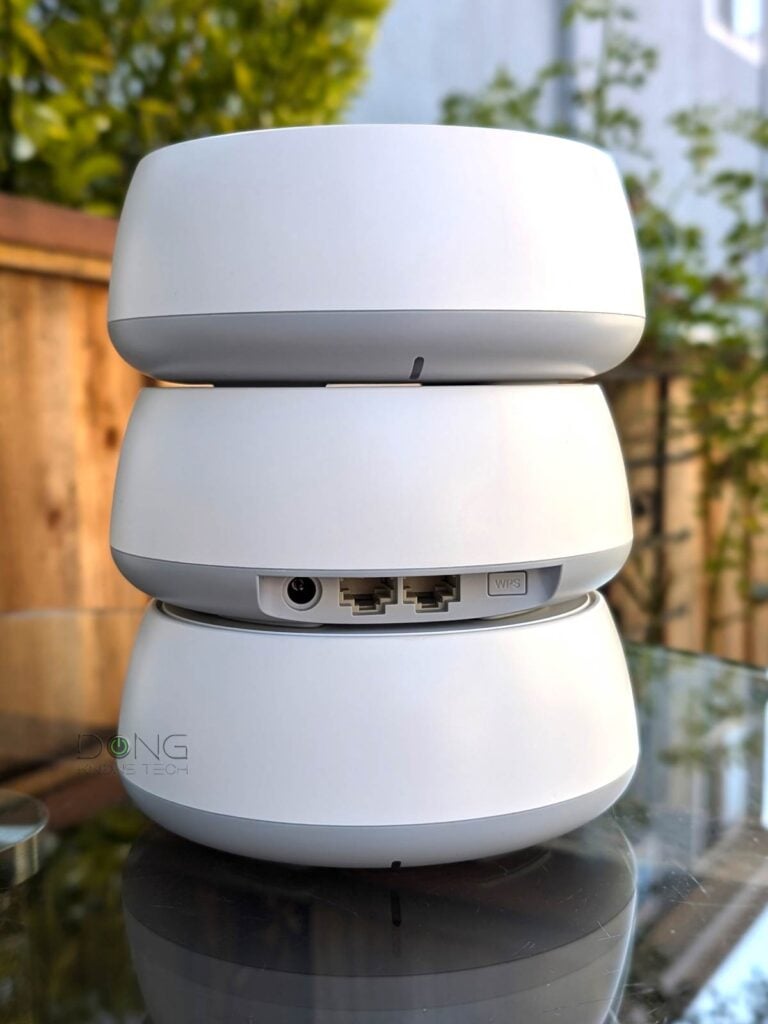
Mesh wifi networksuse several devices placed around the home. These devices work together to give strong wifi everywhere. Mesh systems are easy to set up and keep the internet fast and stable in large spaces.
Choosing The Right Router
Speed and bandwidthare key for a good router in large homes. Choose a router that supports fast speeds to handle many devices at once. More bandwidth means smoother streaming, gaming, and browsing without lag.
Frequency bandshelp avoid interference and improve connections. Dual-band routers use 2.4 GHz and 5 GHz bands. The 2.4 GHz band covers long distances but is slower. The 5 GHz band is faster but covers less area. Tri-band routers add another 5 GHz band for more devices and less crowding.
Advanced featuresimprove your WiFi experience. Look for routers with Quality of Service (QoS)to prioritize important traffic. Beamforminghelps focus signals to your devices. Mesh networkingspreads WiFi evenly in big homes by using multiple units working together.
Credit: dongknows.com
Benefits Of Mesh Networks
Mesh networksprovide seamless coverageby using multiple nodes. These nodes spread the WiFi signal evenly throughout large homes. No more dead spots or weak signals in far rooms.
They offer easy scalability. You can add more nodes anytime. This helps to cover bigger areas or fix coverage issues quickly. No need to replace the entire system.
Centralized managementlets you control all nodes from one app. It makes it simple to monitor the network, update software, and set parental controls. All without technical skills.
Placement Tips For Optimal Coverage
Place the router in the center of the home. This helps spread the signal evenly. A higher spot is better. Avoid putting it on the floor. Keep it away from walls and metal objects. A shelf or table is a good choice.
Walls and doors can block signals. Keep the path clear. Metal and water are big blockers. Avoid placing near fish tanks or mirrors. Move large furniture out of the way. This helps the signal travel farther.
Large homes need more than one access point. This helps cover all areas. Use a mesh system for seamless coverage. Place access points in different rooms. Connect them with ethernet cables if possible. Ensure they are not too far apart.
Security Considerations
Strong encryption keeps your wifi secure. Use WPA3 for the best protection. It stops hackers from entering your network. Passwords should be long and unique. This makes them hard to guess. Keep your family safe online with strong security.
Routers need regular firmware updates. These updates fix security holes. They also improve router performance. Check for updates monthly. It’s like giving your router a health check. Good wifi depends on a healthy router.
Guest networks keep your main network private. Visitors can use wifi without seeing your devices. Set a different password for guests. This adds an extra layer of security. Protect your information while sharing your internet.
Top Wifi Solutions For Large Homes
Large homes need strong WiFi to cover every room without slow spots. Mesh WiFi systems and multiple routers offer reliable, fast connections throughout big spaces. Choosing the right setup keeps all devices online smoothly.
High-end Mesh Systems
Mesh wifi systemsuse multiple devices to cover big homes. Each device acts like a wifi point. They create one strong network without dead zones. Easy to set up and manage. Good for streaming, gaming, and many devices. They work well across floors and thick walls.
Powerline Adapters With Wifi
Powerline adapters use home electrical wiring to send internet signals. No need for new wires. Just plug adapters into power sockets. One adapter connects to the router, the other spreads wifi in another room. Ideal for spots where wifi is weak. Simple and cost-effective for large homes.
Hybrid Systems
Hybrid systems combine mesh and powerline tech. The mesh system covers most areas. Powerline adapters boost signals in hard-to-reach places. This mix offers strong and stable wifi everywhere. Great for very large homes with many rooms and thick walls.
Speed Optimization Tips
Choosing the right wifi channelhelps avoid interference from neighbors. Use channels 1, 6, or 11 for the best results. Many routers offer an auto option that selects the clearest channel.
Device prioritization lets important devices get faster internet. Set gaming consoles, work computers, or smart TVs as high priority in your router settings. This stops slowdowns during heavy use.
Regular speed tests show if your wifi needs adjustments. Run tests at different spots in your home to find weak areas. Use free tools like Speedtest.net or Fast.com to check your connection.

Credit: www.pcmag.com
Frequently Asked Questions
What Is The Best Wifi Setup For Large Homes?
The best WiFi setup for large homes is a mesh network system. It offers seamless coverage across multiple rooms. Mesh systems use several nodes to eliminate dead zones. This ensures strong, consistent internet throughout the house.
How Do Mesh Wifi Systems Improve Coverage?
Mesh WiFi systems use multiple access points to extend coverage. They communicate with each other to provide a single network. This avoids weak signals in distant rooms. Mesh systems are ideal for large homes with many walls and floors.
Can Traditional Routers Handle Large Home Wifi Needs?
Traditional routers often struggle with large home coverage. Their single access point limits signal range. Walls and floors reduce signal strength, causing dead zones. For large homes, mesh WiFi or multiple access points work better.
Are Wifi Extenders Effective For Large Homes?
WiFi extenders can help but often reduce speeds. They repeat the signal from your main router. Placement is crucial to avoid weak signals. Mesh systems generally provide better, more reliable coverage than extenders.
Conclusion
Finding the right WiFi solution makes a big difference. It helps cover every corner of your large home. Strong signals mean no more dead zones or slow internet. Easy setup saves time and stress. Choose a system that fits your needs and budget.
Enjoy smooth streaming, gaming, and browsing everywhere. A good WiFi network keeps your family connected. Stay online without interruptions or delays. This guide helps you pick smart and simple solutions. Good WiFi makes life at home better and more fun.