Are you tired of slow internet that keeps interrupting your work or streaming? You might have heard about dual band routers and wondered, “Can a dual band router improve internet speed?” The answer could change how you experience the web every day.
Imagine smoother video calls, faster downloads, and no more frustrating buffering. You’ll discover how a dual band router works and whether it’s the upgrade your home network really needs. Keep reading to find out if this simple change can boost your internet speed and make your online life easier.

Credit: www.expressvpn.com
Dual Band Router Basics
Understanding the basics of a dual band router helps to see how it might improve internet speed. These routers operate on two different frequency bands. Each band serves distinct purposes and devices. Knowing these differences guides better router use and device connection choices.
What Is A Dual Band Router
A dual band router uses two frequency bands to send and receive data. It supports both 2.4 GHz and 5 GHz bands at the same time. This allows more devices to connect without slowing down the network. It also reduces interference from other electronics.
By separating traffic across two bands, the router manages network load better. This can lead to faster and more stable internet connections for users. Devices can choose the band that works best for them.
Differences Between 2.4 Ghz And 5 Ghz Bands
| Feature | 2.4 GHz Band | 5 GHz Band |
|---|---|---|
| Range | Longer range, covers larger area | Shorter range, covers smaller area |
| Speed | Slower speeds | Faster speeds |
| Interference | More prone to interference from devices like microwaves | Less interference, clearer signal |
| Best for | Simple browsing, longer distance connections | High-speed streaming, gaming, close range |
The 2.4 GHz band is common and works with many devices. It can penetrate walls better but offers slower speeds. The 5 GHz band is faster but works best near the router. It faces less interference, providing better performance for demanding tasks.
How Dual Band Affects Speed
Understanding how a dual band router affects internet speed helps make better choices. A dual band router uses two frequency bands to send and receive data. These bands operate at different speeds and distances. This setup can improve your connection quality and speed under certain conditions.
Frequency And Speed Relationship
Dual band routers work on 2.4 GHz and 5 GHz frequencies. The 2.4 GHz band covers a larger area but offers slower speeds. The 5 GHz band covers less area but provides faster speeds. Devices close to the router benefit from the 5 GHz band’s higher speed. Devices farther away or behind walls may get better signals on 2.4 GHz.
Using the 5 GHz band means faster downloads and smoother streaming. The 2.4 GHz band supports more devices but can slow down due to lower speed.
Impact Of Interference On Connection
Interference affects internet speed and connection stability. The 2.4 GHz band faces more interference from microwaves, Bluetooth devices, and other routers. This interference can slow down your internet. The 5 GHz band has fewer devices using it, so less interference occurs. This results in a cleaner, faster connection.
Choosing the right band reduces interference and improves speed. Dual band routers allow devices to switch bands based on interference and signal strength. This adaptability helps maintain a steady and faster internet connection.
Benefits Of Dual Band Routers
Dual band routers offer distinct advantages that can directly impact your internet experience. They provide more flexibility and efficiency by utilizing two separate frequency bands, which can help resolve common connectivity issues you might face at home or in the office. Understanding these benefits will help you decide if a dual band router is the right upgrade for your network.
Reduced Network Congestion
Dual band routers operate on both 2.4 GHz and 5 GHz frequencies. This means your devices don’t have to compete for the same channel, reducing overcrowding on your network.
Think about your home with multiple people streaming videos, gaming, and browsing all at once. Splitting traffic between two bands means fewer slowdowns and less frustration.
Have you noticed how your Wi-Fi slows down when several devices connect at once? A dual band router can ease that problem by balancing the load more effectively.
Better Device Management
With dual band routers, you can assign devices to the band that suits them best. Older gadgets that only support 2.4 GHz won’t interfere with newer devices that perform better on 5 GHz.
This separation lets you prioritize devices that need faster speeds or lower latency, like work laptops or gaming consoles.
Imagine streaming a live event on your smart TV while your phone updates apps in the background without causing interruptions. Dual band routers make this possible.
Enhanced Streaming And Gaming Experience
The 5 GHz band offers higher speeds and less interference, which is ideal for high-quality streaming and online gaming.
If you’re tired of buffering or lag during your favorite shows or gaming sessions, switching to the 5 GHz band can provide a noticeable improvement.
Have you tried connecting your gaming console to the 5 GHz band? You might find your gameplay becomes smoother and more responsive, giving you the edge you need.
When Dual Band May Not Help
Dual band routers offer two frequency bands to help manage your devices better. They can reduce interference and increase speed in many homes. Yet, there are times when a dual band router may not improve your internet speed at all. Understanding these limits helps set the right expectations.
Limitations Of Internet Service
Your internet speed depends mainly on your service plan. A dual band router cannot increase speeds beyond what your provider offers. Even with the best router, slow internet plans stay slow. Also, network congestion during peak hours affects speed. No router can fix problems outside your home network.
Router Placement Challenges
Where you place your router matters a lot for speed. Walls, furniture, and floors can block signals. Dual band routers have two frequencies: 2.4 GHz and 5 GHz. The 5 GHz band is faster but has shorter range. If the router is far from your device, 5 GHz signals may weaken. Poor placement limits the benefits of dual bands.
Tips To Boost Wifi Speed
Dual band routers can help improve internet speed by using two frequency bands. This reduces interference and allows more devices to connect smoothly. Choosing the right band for your activities boosts overall WiFi performance.
Boosting WiFi speed can significantly enhance your online experience. Simple adjustments and maintenance can make a difference. Here are some useful tips to help improve your WiFi speed.Optimal Router Placement
Place your router in the center of your home. Keep it away from walls and obstructions. Elevate the router on a shelf or table. Avoid placing it near metal objects or appliances. These can interfere with the signal. Ensure the router is in an open space for better coverage.Choosing The Right Band For Devices
Dual-band routers offer 2.4 GHz and 5 GHz bands. Use 2.4 GHz for devices far from the router. It has a longer range but slower speed. Use 5 GHz for devices near the router. It offers faster speed but a shorter range. Match your device’s needs with the right band.Regular Firmware Updates
Firmware updates improve router performance. They fix bugs and enhance security. Check the manufacturer’s website for updates. Some routers update automatically. Enable this feature if available. Regular updates ensure your router runs smoothly.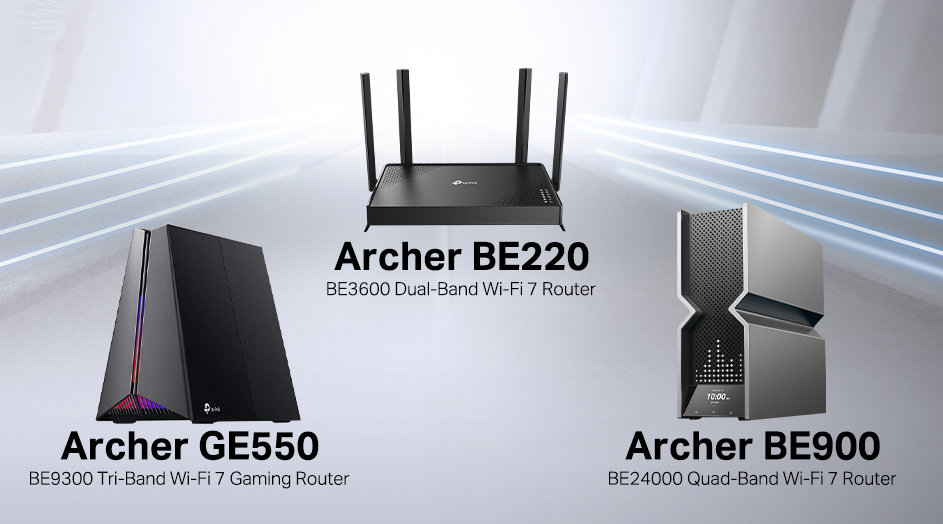
Credit: www.tp-link.com
Comparing Dual Band With Other Routers
Choosing the right router affects your internet speed and experience. Routers come in different types based on frequency bands. Each type handles data differently and suits various needs. Comparing dual band routers with other options helps find the best fit for your home or office.
Single Band Routers
Single band routers use only one frequency, usually 2.4 GHz. This band covers a wide area but offers slower speeds. It is prone to interference from devices like microwaves or Bluetooth gadgets. Single band routers work well for basic internet tasks. Streaming and gaming might feel slower or laggy with many devices connected.
Tri Band Routers
Tri band routers add an extra 5 GHz band to the dual band setup. This means one 2.4 GHz and two 5 GHz bands. More bands allow more devices to connect without slowing down. They provide faster speeds and better performance in busy networks. Tri band routers cost more and suit large homes or offices with many users.
Setting Up A Dual Band Router
Setting up a dual band router is key to improving your internet speed. This router type works on two frequency bands: 2.4 GHz and 5 GHz. Each band serves different purposes and devices. Proper setup lets you use the right band for the right device. It reduces interference and speeds up your connection. Follow simple steps to configure your router for best performance.
Configuring Bands Separately
Access your router’s admin panel through your web browser. Use the IP address provided in the router manual. Log in with your username and password. Look for wireless settings or network settings.
Set up the 2.4 GHz band for devices that need longer range but lower speed. Assign a clear network name (SSID) and password. Use the 5 GHz band for faster speeds and less interference. Give it a different SSID to separate it from the 2.4 GHz band.
Enable both bands to run at the same time. This lets devices connect to the best band automatically. Save your settings and restart the router if needed.
Securing Your Network
Security is vital for all wireless networks. Use WPA3 encryption if your router supports it. If not, choose WPA2 for strong protection. Avoid using WEP as it is outdated and unsafe.
Create strong passwords for both frequency bands. Combine letters, numbers, and symbols. Change default usernames and passwords to prevent unauthorized access.
Turn off WPS (Wi-Fi Protected Setup). It can be a security risk. Regularly update your router’s firmware to fix vulnerabilities. Keep your network safe from hackers and unwanted users.
/images/2022/08/12/can-a-router-increase-internet-speed-2g_and_5g_wi-fi_screenshot_resized.jpg)
Credit: allaboutcookies.org
Frequently Asked Questions
What Is A Dual Band Router?
A dual band router operates on two frequencies: 2. 4 GHz and 5 GHz. This allows better device management and reduces interference, improving overall Wi-Fi performance and speed in your home or office network.
Can Dual Band Routers Increase Internet Speed?
Yes, dual band routers can increase internet speed by offering less congested 5 GHz bands. This reduces interference and improves data transfer rates, especially in crowded wireless environments.
Does A Dual Band Router Improve Wi-fi Coverage?
Dual band routers can improve Wi-Fi coverage by providing two frequency options. The 2. 4 GHz band covers longer distances, while 5 GHz offers faster speeds over shorter ranges.
How Does A Dual Band Router Reduce Network Congestion?
Dual band routers reduce congestion by splitting devices between 2. 4 GHz and 5 GHz bands. This balances network load and minimizes interference for smoother internet performance.
Conclusion
A dual band router can help improve internet speed by reducing interference. It uses two frequencies to manage devices better. This means less traffic on one band and faster connections. You can enjoy smoother streaming and quicker downloads. Choosing the right router depends on your needs and home size.
A dual band router often makes a noticeable difference. It helps keep your internet stable and reliable. Consider it if slow speeds frustrate you. Simple upgrades can lead to better online experiences.