Have you ever wondered if your dual band router can still be useful when there’s no internet connection? It’s a question many people don’t think about until their service goes down.
What if you could keep sharing files, stream videos, or connect devices without relying on the web? Understanding how your router works without internet can save you frustration and unlock new ways to use your home network. Keep reading to discover how your dual band router can still work for you—even when the internet isn’t.

Credit: www.amazon.ca
Dual Band Router Basics
Understanding the basics of a dual band router is key if you want to know how it works with or without internet. These devices manage wireless connections by offering two frequency bands, each designed to meet different needs. Knowing what makes a dual band router tick helps you decide how to use it effectively in your home or office.
What Is A Dual Band Router
A dual band router transmits data over two separate wireless frequencies: 2.4 GHz and 5 GHz. This setup allows your devices to connect on either band depending on their requirements and distance from the router. You might have noticed your phone or laptop showing two Wi-Fi options with similar names—those are the two bands your router is broadcasting.
Using both bands helps reduce interference and improve overall network performance. Imagine having a busy highway and a quiet side road; dual band routers give your devices a choice between the two. This flexibility can make a big difference in crowded places with many wireless signals.
2.4 Ghz Vs 5 Ghz Bands
The 2.4 GHz band covers a larger area and penetrates walls better, but it tends to be slower and more crowded. Many household devices like microwaves and Bluetooth gadgets also use this frequency, which can cause interference. If you’re in a big house or far from the router, 2.4 GHz might be your best bet.
The 5 GHz band offers faster speeds and less interference but covers a smaller area. It’s perfect for activities that need quick data transfer, like streaming HD videos or gaming. However, if you’re too far from the router, the signal might weaken or drop altogether.
- 2.4 GHz:Better range, slower speeds, more interference.
- 5 GHz:Faster speeds, shorter range, less interference.
Have you ever wondered why your video call drops when you move to another room? It might be because your device switched bands without you realizing it. Paying attention to which band your device connects to can help you troubleshoot connection issues faster.
Router Function Without Internet
A dual band router can still function even without an internet connection. Its role goes beyond just providing internet access. The router creates a network where devices can connect and communicate locally. This allows file sharing, printing, and media streaming within your home or office.
Without internet, the router manages data traffic between devices on the same network. It assigns local IP addresses and keeps connections stable. This way, devices stay linked for local tasks despite no external web access.
Local Network Capabilities
The router creates a private network for all connected devices. It assigns unique IP addresses so devices find each other easily. You can share files and folders across computers or stream videos from a local server.
- Share documents between laptops
- Stream media from a network-attached storage device
- Connect to wireless printers for printing
- Play multiplayer games on the local network
All these activities work without internet because the router handles internal data flow. It keeps devices connected on the same network segment.
Device Connectivity Options
A dual band router offers two frequency bands: 2.4 GHz and 5 GHz. Devices can connect on either band based on range and speed needs. This flexibility improves local network performance.
- Connect older devices on 2.4 GHz for better range
- Use 5 GHz for faster speeds with newer devices
- Support multiple devices simultaneously without interference
- Enable guest Wi-Fi for visitors without internet access
Wi-Fi connections, Ethernet ports, and sometimes USB ports allow diverse device setups. The router manages all connections efficiently even without internet.
Common Uses Without Internet
A dual-band router can serve various purposes without an internet connection. It can create a local network for devices to connect and interact. This network can facilitate activities like file sharing and offline gaming. Here, we explore some common uses of a dual-band router without internet.
File Sharing And Media Streaming
A dual-band router can enable file sharing across devices. You can transfer documents, photos, and videos locally. This is useful for home or office networks. Media streaming is also possible. Stream videos and music from one device to another. This setup works well for family entertainment.
Offline Gaming And Communication
Offline gaming can thrive on a local network. Players can connect their devices to the router. This allows for multiplayer gaming without internet. Communication apps can also use the local network. Devices can send messages or make calls within the network. This is handy for team coordination in games.
Limitations Without Internet
A dual band router can still create a local network without internet access. Devices can connect and share files within this network. Streaming media from one device to another is possible too. Despite this, many important functions remain unavailable without internet connectivity. These limitations affect user experience and network security.
No Web Browsing Or Online Services
Without internet, web browsing stops completely. Users cannot visit websites or use online apps. Streaming services like Netflix or YouTube will not work. Online gaming also becomes impossible. Email and cloud storage access are unavailable. The router simply provides a local connection, not internet access.
Firmware Updates And Security Risks
Firmware updates require internet connection. Without updates, the router may miss critical security patches. Vulnerabilities can expose your network to attacks. Hackers may exploit outdated software easily. Regular updates keep the router safe and reliable. Without them, risks increase over time.
Setting Up A Router Without Internet
Setting up a dual band router without internet lets you create a local network. Devices can connect and share files or stream media. This setup works well for homes or offices needing internal communication.
Without internet, the router still manages wireless connections across 2.4 GHz and 5 GHz bands. Proper setup improves network speed and device compatibility. The following steps help configure your router and optimize band usage.
Configuring Network Settings
Access the router’s admin panel through its IP address. Usually, it is 192.168.1.1 or 192.168.0.1. Use a web browser on a connected device.
Set a unique SSID (network name) for each band. Choose simple, clear names like “Home_2.4G” and “Home_5G”. This helps devices select the right network.
Assign strong passwords to secure your network. Use WPA2 or WPA3 encryption for better protection. Disable DHCP if you want to assign fixed IPs manually.
Configure IP address ranges to avoid conflicts. For example, use 192.168.1.2 to 192.168.1.100 for devices on the 2.4 GHz band. Set a different range for 5 GHz if needed.
Optimizing Band Usage
Use the 2.4 GHz band for devices needing longer range and slower speeds. Examples include smart home devices and older gadgets.
Reserve the 5 GHz band for newer devices requiring faster speeds. It suits streaming, gaming, and file transfers better.
Enable band steering if your router supports it. This feature moves devices between bands automatically for best performance.
Limit the number of devices on each band. Too many connections can slow down the network. Balance usage to keep speeds stable.
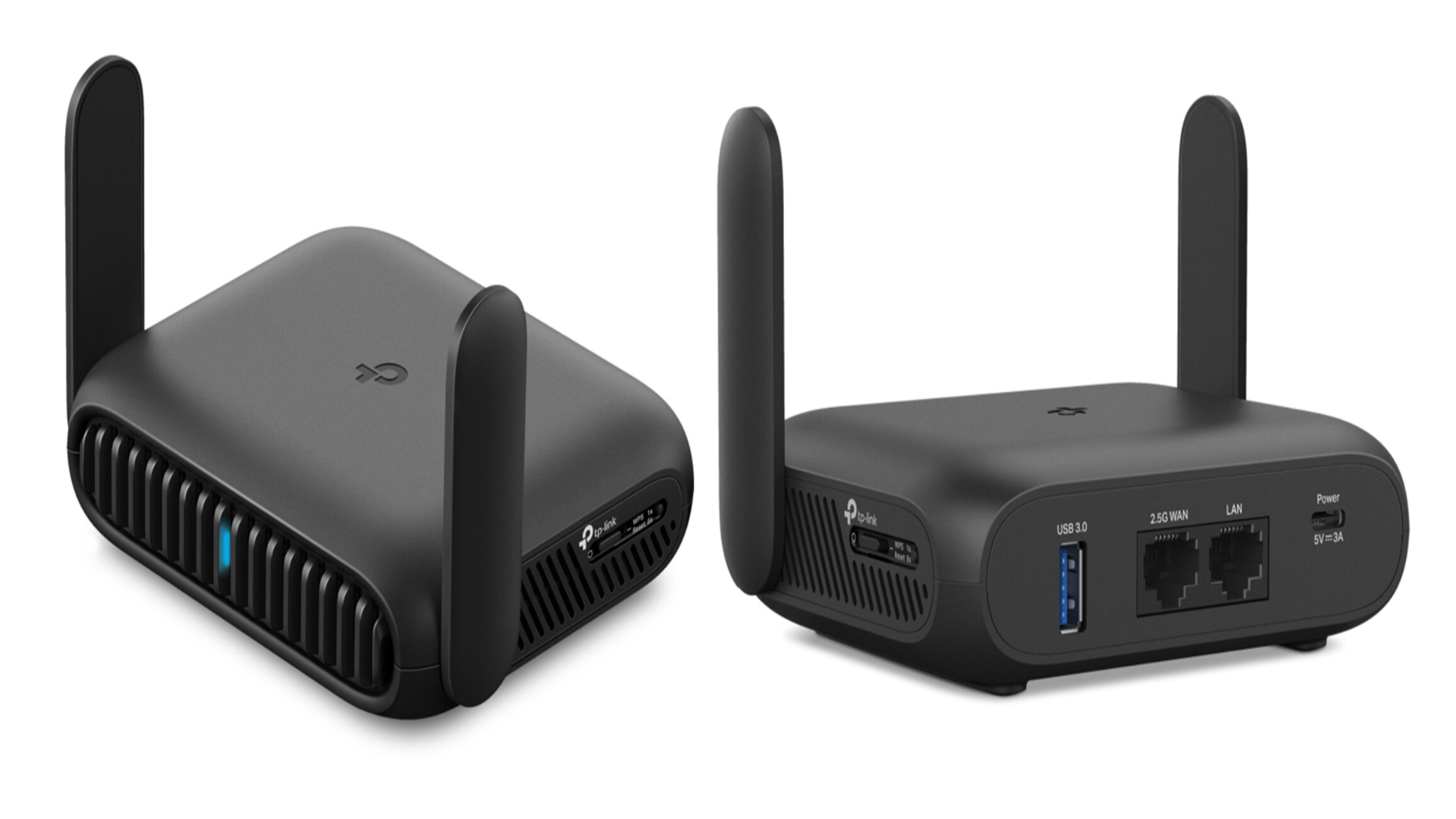
Credit: www.techradar.com
Troubleshooting Offline Router Issues
Dealing with a dual band router that won’t connect to the internet can be frustrating, especially when you rely on it daily. Troubleshooting offline router issues requires a clear understanding of where the problem lies—whether it’s the router itself, your devices, or the internet service. Let’s dive into practical ways to identify and fix common offline problems to get your network back on track quickly.
Connectivity Problems
When your router is offline, check the physical connections first. Are all cables plugged in securely? Sometimes a loose Ethernet cable or a disconnected power supply can cause the entire network to go down.
Next, restart your router and modem. Power cycling often clears temporary glitches that block connectivity. Have you noticed how simply unplugging your router for 30 seconds can solve mysterious connection drops?
Look at the router’s indicator lights—do they show normal activity? A red or blinking light can hint at specific issues like no internet signal or hardware failure. If your devices connect to the router’s Wi-Fi but can’t access the internet, the problem might be with your internet service provider (ISP).
Network Performance Tips
Even without internet, your dual band router can create a local network. To improve this experience, make sure your devices are connected to the right band—2.4 GHz offers longer range, while 5 GHz provides faster speeds at shorter distances.
Keep your router’s firmware updated. Manufacturers release updates to fix bugs and improve performance, which can prevent offline issues before they start. Did you know some routers allow automatic updates? Enabling this feature can save you time and headaches.
Minimize interference by placing your router away from walls, microwaves, and cordless phones. A clear signal path improves local network speed, making file sharing or streaming from local servers smoother—even when the internet is down.
- Use a Wi-Fi analyzer app to find less crowded channels.
- Change your router’s channel settings to reduce interference.
- Limit the number of devices connected simultaneously to boost performance.
Have you tried these tips and still face issues? Sometimes, resetting the router to factory settings helps but remember to back up your configurations first. Troubleshooting offline problems is a process of elimination—patience pays off.

Credit: www.amazon.ca
Frequently Asked Questions
Can A Dual Band Router Work Without Internet?
Yes, a dual band router can work without internet. It allows devices to connect locally for file sharing and network gaming. However, online browsing and streaming require an active internet connection.
How Does A Dual Band Router Function Offline?
Offline, a dual band router creates separate 2. 4 GHz and 5 GHz Wi-Fi networks. Devices communicate within the network, enabling local connectivity without accessing the internet.
Can Devices Connect To Wi-fi Without Internet On A Dual Band Router?
Yes, devices can connect to the router’s Wi-Fi without internet. They access local network resources but cannot browse the web or use internet-based apps.
Is Internet Necessary For Dual Band Router’s Network Features?
Internet is not necessary for basic network features. Dual band routers support local file sharing, printing, and media streaming without internet access.
Conclusion
A dual band router can work without internet for local tasks. It helps connect devices within your home or office network. You can share files or print documents without an internet connection. Streaming from local media is also possible. The router still manages wireless signals on both bands.
Internet access is needed only for online activities. So, the router remains useful even offline. Understanding this can help you use your device better. Keep your network running smoothly, with or without internet.