Are you wondering if your portable router can work without a SIM card? You’re not alone.
Many people rely on portable routers to stay connected on the go, but what happens when there’s no SIM inside? Understanding how your device functions without a SIM can save you time and frustration. You’ll discover exactly what a portable router can do without a SIM card and how to make the most of it.
Keep reading to unlock the full potential of your device, even when you don’t have cellular service.

Credit: www.eiotclub.com
How Portable Routers Work
Portable routers provide internet access by creating a small Wi-Fi network anywhere. They connect to the internet and share the connection with multiple devices. These routers are compact and easy to carry, perfect for travel or remote work.
Understanding how they work helps in knowing their limitations and benefits. The core function depends on hardware and connectivity methods.
Key Components Of Portable Routers
- Processor:Handles data processing and network management.
- Wi-Fi Module:Broadcasts wireless signals to devices nearby.
- Battery:Provides power for use without plugs.
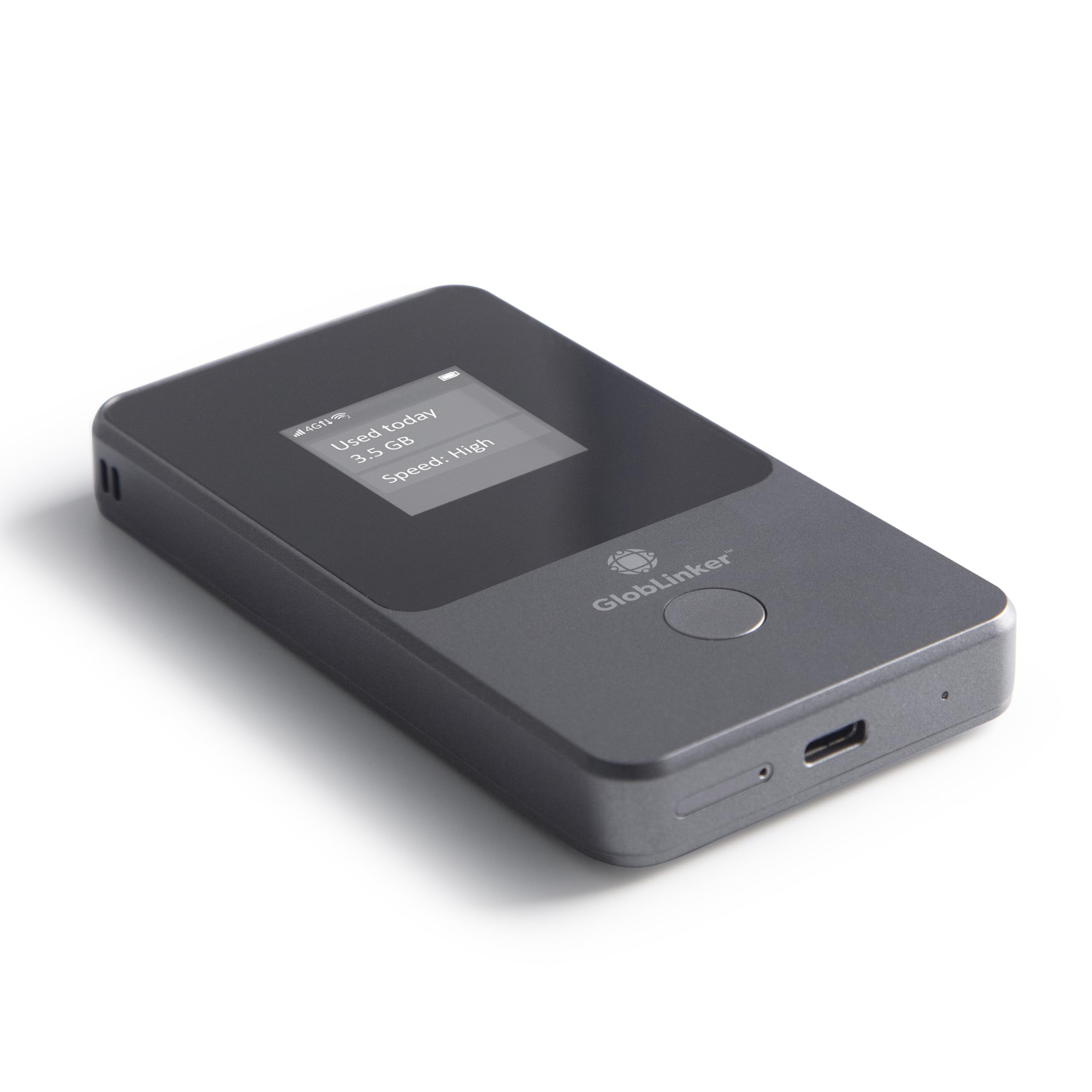
- SIM Card Slot:Allows cellular connection for internet access.
- Ethernet Port:Enables wired internet connection when available.
These parts work together to create a portable internet hub. The router receives internet data and sends it wirelessly to your devices.
Role Of Sim Cards In Connectivity
SIM cards connect the router to cellular networks like 3G, 4G, or 5G. They carry the subscription details needed to access mobile internet.
Without a SIM card, portable routers cannot connect to cellular data directly. They lose the main source of internet if no other connection exists.
Some routers offer alternative connections, such as Ethernet or USB tethering. This allows internet sharing without a SIM card but limits mobility.
Credit: www.amazon.com
Using Portable Routers Without Sim Cards
Using a portable router without a SIM card is possible, but it changes how you connect to the internet. Many people think a SIM card is essential for these devices, but that’s not always true. Depending on your setup, you can use your portable router in different ways that don’t require mobile data.
Wi-fi Only Mode
Some portable routers let you connect to existing Wi-Fi networks instead of using a SIM card. This means your router acts like a Wi-Fi repeater, extending the signal to multiple devices. It’s great if you’re in a place with a stable Wi-Fi connection but want more control over your network.
For example, I once used a portable router without a SIM card during a conference. The venue’s Wi-Fi was spotty, but the router helped me connect multiple devices seamlessly. Have you ever needed a better Wi-Fi setup without adding extra data costs?
Connecting Via Ethernet Or Usb
Some portable routers support wired connections through Ethernet or USB ports. You can plug the router into a wired internet source and then share that connection wirelessly with your devices. This method is useful if you have access to a wired network but want to avoid running cables everywhere.
Imagine you’re in a hotel room with only an Ethernet port. Instead of connecting each device directly, you plug the portable router into the Ethernet, creating a personal Wi-Fi hotspot. This setup simplifies device management and often improves security.
Benefits Of Using Portable Routers Without Sim
Using a portable router without a SIM card has several advantages. It allows you to connect multiple devices without extra cellular costs. You can use it with existing Wi-Fi networks or wired internet sources. This flexibility makes it a smart choice for many users. Portable routers without SIM cards can be very useful in different situations.
Cost Savings
Portable routers without SIM cards save money on data plans. There is no need to pay for mobile internet services. You avoid extra charges for roaming or data overuse. Using free or existing Wi-Fi networks reduces monthly expenses. This option suits users who want reliable internet without extra fees.
Flexibility In Network Options
These routers work with various internet sources. You can connect them to public Wi-Fi, home broadband, or office networks. They create a private network for your devices. This setup offers more control over your connections. You can switch networks without changing SIM cards or providers. It is ideal for travelers or people who move often.
Limitations Without A Sim Card
Using a portable router without a SIM card might seem like a convenient option, but it comes with some clear limits. Without the SIM, your device loses a major function — connecting to cellular networks. This affects how and where you can use your router effectively.
No Cellular Data Access
Your portable router depends on a SIM card to tap into cellular networks for internet access. Without it, you cannot connect to 4G, 5G, or any mobile data service. This means no internet access unless you find another source, like Wi-Fi.
Imagine you’re traveling and relying on the router to get online. Without a SIM, your device won’t provide internet anywhere outside of a Wi-Fi zone. This can be frustrating if you need reliable, on-the-go connectivity.
Reduced Mobility
One of the biggest perks of a portable router is using it anywhere. Without a SIM card, this mobility shrinks drastically. You’re limited to locations where a fixed internet connection or Wi-Fi is available.
This limitation can affect your work or entertainment plans, especially if you frequently move between places without stable Wi-Fi. Have you ever found yourself stuck without internet just because your router wasn’t ready for cellular use?
Alternative Connectivity Options
Portable routers can connect to Wi-Fi networks without a SIM card. They share internet from a wired source or another Wi-Fi signal. This makes them useful in places with existing internet connections but no mobile data.
In today’s digital world, staying connected is essential. Portable routers provide this connectivity on the go. But can they work without a SIM card? Absolutely. There are alternative ways to connect without a SIM. Let’s explore some options that keep you online.Using Public Wi-fi
Public Wi-Fi is a readily available option. Many places offer free Wi-Fi access. Cafes, libraries, and airports are common spots. Connecting your portable router to public Wi-Fi is simple. Just search for available networks. Choose the one you trust. Then connect. Ensure the network is secure to protect your data. Use a VPN for extra safety. This keeps your information private.Tethering From Smartphones
Smartphone tethering is another effective option. Most smartphones allow this feature. It turns your phone into a mobile hotspot. First, enable hotspot mode on your device. Then, connect your portable router to the phone’s network. This method uses your phone’s data plan. Monitor your data usage to avoid extra charges. Tethering is flexible and convenient. It provides a strong internet connection for your router.Choosing The Right Portable Router
Choosing the right portable router is key to getting reliable internet access on the go. A good router fits your needs and works with your devices easily. It can save you time and frustration while traveling or working remotely.
Look for a router that offers a balance of speed, battery life, and ease of use. The right features ensure you stay connected without constant interruptions. Also, check if the router supports the networks and devices you plan to use.
Features To Look For
- Battery life that lasts through your trips or workdays
- Support for fast network speeds like 4G LTE or 5G
- Easy setup and user-friendly interface
- Secure connection options such as WPA3 encryption
- Multiple device support for sharing internet with friends or coworkers
- Compact and lightweight design for easy portability
Compatibility Considerations
Check if the portable router works with your mobile carrier. Some routers need a SIM card from certain providers to connect.
Also, confirm the router supports your device types. It should work with smartphones, laptops, and tablets without extra adapters.
Consider the network bands and frequencies the router uses. These must match those offered in your travel areas or home country.
Lastly, think about software updates and customer support. Reliable updates keep your router secure and compatible with new devices.

Credit: www.eiotclub.com
Frequently Asked Questions
Can A Portable Router Work Without A Sim Card?
Yes, a portable router can work without a SIM card by connecting to Wi-Fi networks. However, it won’t provide cellular internet. It functions as a Wi-Fi repeater or access point when no SIM is inserted.
How Does A Portable Router Function Without Sim?
Without a SIM, the router relies on existing Wi-Fi sources. It shares internet via Wi-Fi or Ethernet but cannot access mobile data. Its role shifts to extending or distributing current internet connections.
Can I Use A Portable Router As A Regular Wi-fi Router?
Yes, you can use it as a regular Wi-Fi router if connected to a broadband modem. The SIM is only necessary for cellular internet, not for local network distribution.
What Happens If My Portable Router Has No Sim Card?
Without a SIM, the router won’t connect to mobile networks. It can still create a local Wi-Fi network if connected to other internet sources, but no cellular data is available.
Conclusion
A portable router usually needs a SIM card to connect to mobile networks. Without a SIM, it cannot access cellular data on its own. Still, it can work if connected to Wi-Fi or a wired internet source. This makes it useful in some situations, but limited for mobile use.
Always check your router’s features before buying. Understanding how it works helps you avoid surprises later. Choose the right device for your internet needs and stay connected wherever you go.