Are you planning to spend time in a quiet, rural area but worried about staying connected? You might be wondering if a travel router can actually work where the signal is weak or spotty.
The idea of having reliable internet, even miles away from the city, sounds like a game-changer. But is it really possible? You’ll discover how a travel router can boost your connection in rural places, what challenges you might face, and simple tips to make the most of your device.
Keep reading to find out how you can stay online no matter where you are.

Credit: www.zdnet.com
Travel Routers In Rural Settings
Travel routers bring internet access to remote spots. They help share a single connection with multiple devices. In rural settings, they offer a simple way to stay connected. Yet, rural areas have unique challenges for internet use. Understanding how travel routers work helps set the right expectations. It also guides better choices for rural internet access.
How Travel Routers Operate
Travel routers connect to an existing internet source. This source can be a hotel Wi-Fi, a wired Ethernet port, or a mobile hotspot. The router creates a private Wi-Fi network. Devices like phones, tablets, and laptops connect to this network.
Travel routers often include features such as:
- Wi-Fi signal boosting for better coverage
- Multiple device connections at once
- Easy setup through apps or web interfaces
- Security options like password protection
These features make travel routers handy for sharing internet in many locations.
Common Connectivity Challenges In Rural Areas
Rural areas often have weaker internet infrastructure. This leads to slower speeds and less reliable connections. Some common issues include:
- Limited or no wired broadband options
- Weak cellular signals for mobile hotspots
- Frequent signal drops or interruptions
- Distance from cell towers or internet hubs
Travel routers depend on the quality of the original internet source. In rural settings, this source may be weak or unstable. This limits the travel router’s ability to provide strong Wi-Fi. Users might experience slower speeds or connection losses.

Credit: www.eiotclub.com
Choosing The Right Router
Choosing the right travel router for rural areas is essential for a stable internet connection. Not all routers perform well in locations with weak signals or limited network options. Selecting a device with suitable features improves connectivity and user experience.
Key Features To Consider
- Strong signal range to cover wide spaces
- Support for multiple connection types like 4G, 5G, and Wi-Fi
- Battery life for use during power outages
- Compact and lightweight design for easy transport
- Easy setup and user-friendly interface
- Security features such as WPA3 encryption
Compatibility With Rural Networks
Rural areas often rely on specific network providers or limited technologies. Ensure the router supports the local cellular bands and frequencies. Check if the router can connect to slower networks like 3G or specialized rural broadband. Some routers offer dual SIM slots to switch between carriers easily. Confirm the device works with satellite internet if that is your option.
Boosting Signal Strength
Boosting the signal strength of a travel router is key in rural areas. Weak signals often cause slow internet or dropouts. Small changes can improve your connection and make online tasks easier.
Placement Strategies
Where you place your travel router matters a lot. Keep it near a window or higher up on a shelf. Avoid thick walls or metal objects that block signals. Open spaces help the router send and receive signals better.
Try to position the router closer to the outdoor antenna or the source of the internet signal. This reduces interference and loss. Sometimes moving just a few feet can make a big difference.
Using External Antennas
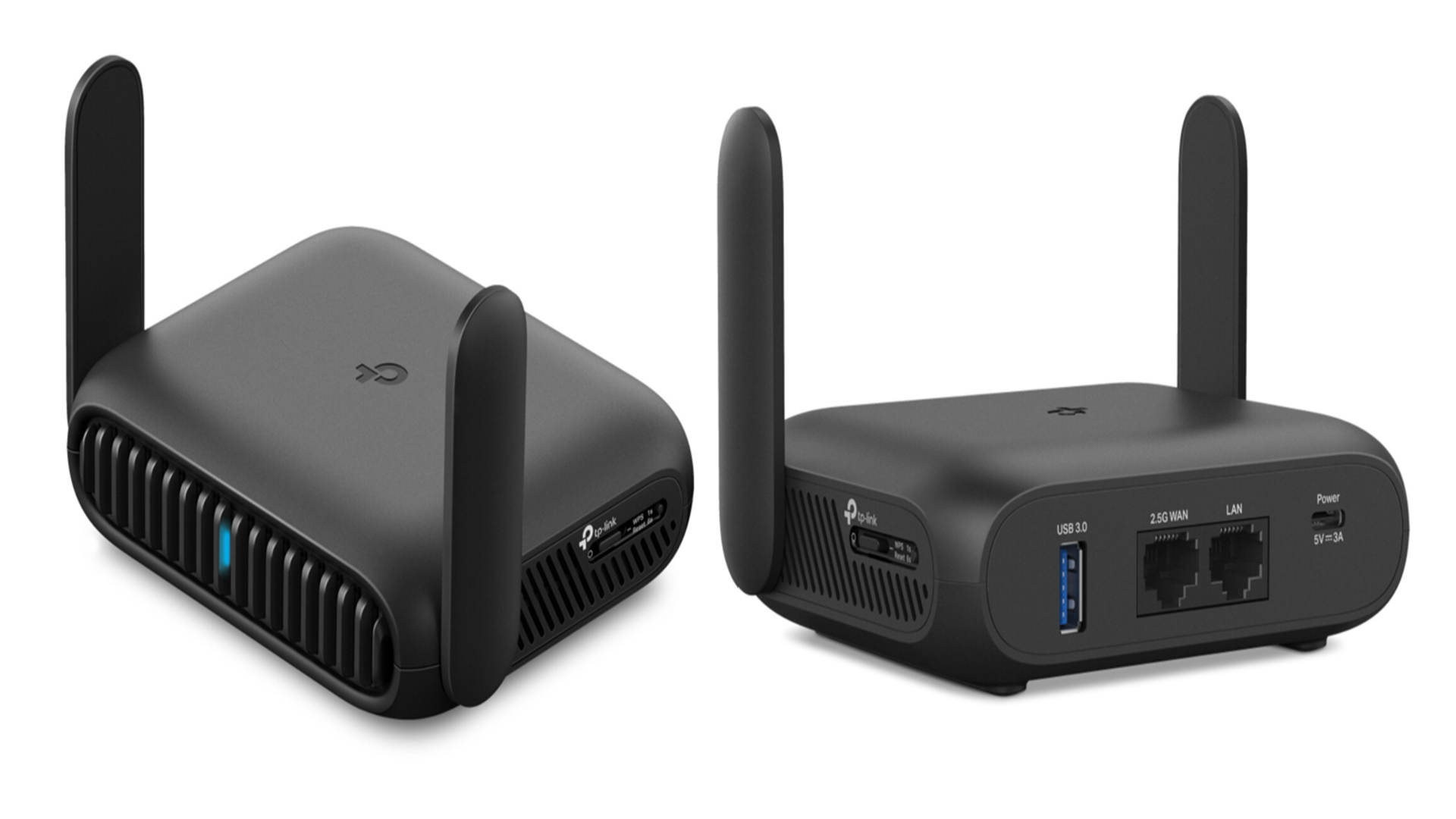
External antennas can boost the router’s range and strength. Many travel routers support these antennas for better reception. You can choose directional antennas to focus on one signal source.
Some antennas connect via USB or a special port on the router. Use antennas designed for rural or low-signal areas. They help catch weak signals and improve speed and stability.
Credit: www.techradar.com
Alternative Connectivity Options
Travel routers in rural areas might face connectivity challenges. But, alternative options exist. These alternatives ensure reliable internet access, even in remote locations. Rural travelers can benefit from various connectivity solutions. Below are some effective options.
Mobile Hotspots
Mobile hotspots offer internet through cellular networks. They are portable and easy to use. Users can connect multiple devices simultaneously. Check for network coverage in the area before relying on them. Many service providers offer plans tailored for rural areas.
Satellite Internet Integration
Satellite internet reaches even the most remote areas. It uses satellites to provide connectivity. This option requires a satellite dish and modem. The setup might be costly, but it’s reliable. Ensure clear skies for optimal performance. Satellite internet is a dependable choice for rural connectivity.
Power Solutions For Remote Use
Power solutions are key for using a travel router in rural areas. Without steady electricity, staying connected can be tough. Portable power options keep your devices running anywhere. These solutions bring convenience and independence from traditional power sources.
Battery Packs And Solar Chargers
Battery packs offer a simple way to power travel routers. They store electricity and provide multiple charges. Look for packs with high capacity and fast output.
Solar chargers are great for sunny, remote spots. They convert sunlight into energy to recharge battery packs or devices directly. Choose foldable and lightweight models for easy transport.
- Battery packs provide backup power on the go.
- Solar chargers work well in open, sunny areas.
- Combining both extends your power supply time.
Energy Efficiency Tips
Saving power helps extend your connection in rural zones. Lower router brightness and disable unused features. Turn off the router when not in use.
Use wired connections instead of Wi-Fi when possible. This reduces energy use and improves speed. Position the router in an open area for better signal and less power strain.
- Lower screen brightness and disable extra features.
- Turn off the router during breaks.
- Use wired connections to save energy.
- Place the router in open spaces for efficiency.
Troubleshooting Common Issues
Troubleshooting common problems helps keep your travel router working well in rural areas. Rural locations often have weaker signals and unstable connections. These issues can slow down your internet or cause frequent drops. Simple fixes can improve your experience and save time.
Improving Slow Speeds
Slow internet speeds in rural areas can frustrate many users. Start by checking your router’s position. Place it near a window or higher spot to catch better signals. Avoid walls or metal objects that block signals.
Changing the Wi-Fi channel can reduce interference from other devices. Use your router’s settings to pick a less crowded channel. Updating the router’s firmware also helps. Manufacturers release updates to fix bugs and improve speed.
- Move router closer to the window or open space
- Switch to a less crowded Wi-Fi channel
- Update router firmware regularly
- Limit the number of devices connected
- Restart the router to clear temporary issues
Resolving Connection Drops
Connection drops are common in rural areas due to weak signals. Check the antenna on your travel router. Adjust or replace it to boost reception. Keep the router away from other electronics that may cause interference.
Sometimes, resetting the network settings can solve frequent drops. Make sure your SIM card or network provider is active and has good coverage. Use an external antenna or signal booster for better stability.
- Adjust or replace the router’s antenna
- Keep router away from electronic devices
- Reset network settings on the router
- Check SIM card and network coverage
- Use an external antenna or signal booster
Frequently Asked Questions
Can A Travel Router Improve Rural Internet Connectivity?
Yes, a travel router can enhance rural internet by boosting signal strength. It helps share connections and extends Wi-Fi range efficiently.
What Type Of Travel Router Works Best In Rural Areas?
Travel routers with strong antennas and 4G/5G support work best. They provide stable internet even where wired connections are weak.
Do Travel Routers Need A Sim Card For Rural Use?
Some travel routers require SIM cards to access mobile networks. This is essential for internet access in areas without wired broadband.
How Does A Travel Router Connect In Remote Locations?
Travel routers connect via cellular signals, satellite, or wired lines. They create local Wi-Fi networks for multiple devices in rural settings.
Conclusion
Travel routers can help bring internet to rural areas. They boost weak signals and create Wi-Fi networks. Still, the connection depends on nearby cell towers. Power sources and weather may affect performance too. Choose a travel router with good range and battery life.
Test it before long trips to avoid surprises. This tool offers a simple way to stay online away from cities. It makes rural travel and work easier and more connected.