Are you tired of slow, insecure internet when you travel? You might have heard about travel routers and VPNs, but can they actually work together?
Imagine having a single device that keeps your connection fast, safe, and private no matter where you are. If you want to protect your data and enjoy smooth browsing on the go, understanding how a travel router works with a VPN is key.
Keep reading, and you’ll discover simple ways to boost your online security and freedom while traveling.
Credit: blog.flashrouters.com
Travel Routers And Vpn Basics
Travel routers and VPNs serve different purposes but work well together. Travel routers help create a personal Wi-Fi network anywhere. VPNs protect your internet data and privacy. Understanding how each works helps see their combined value.
What Is A Travel Router
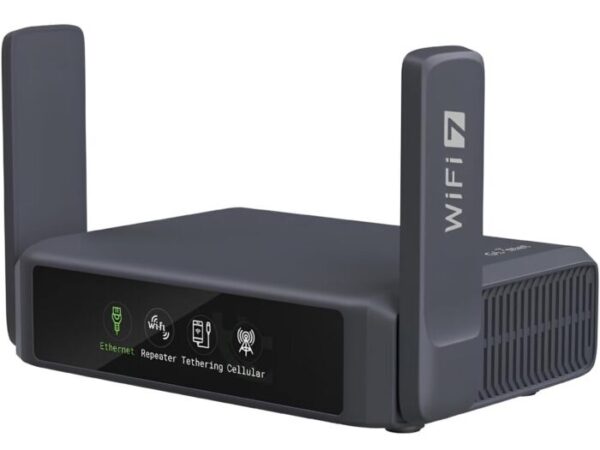
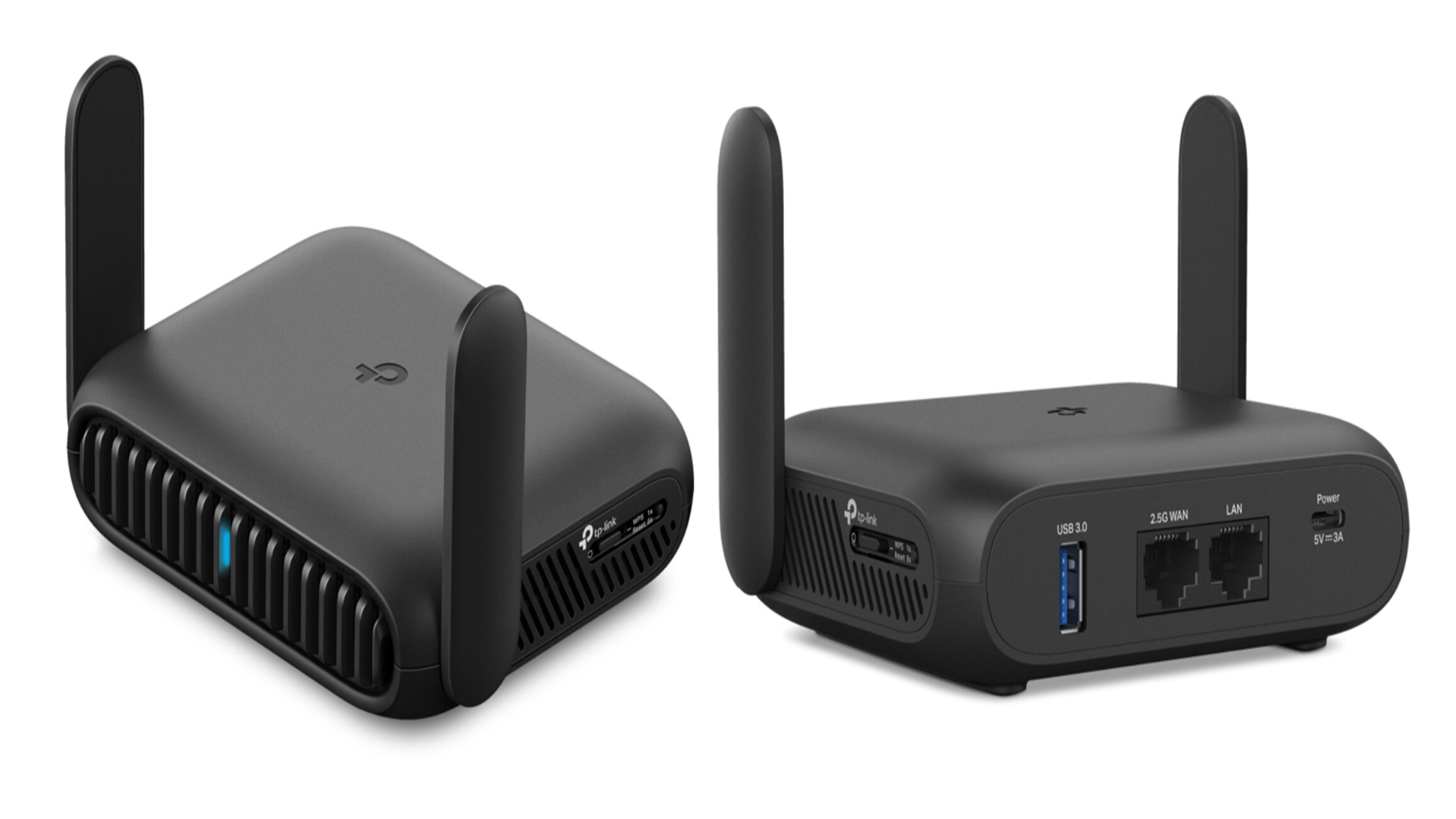
A travel router is a small device that creates a Wi-Fi hotspot. It connects to hotel or public wired internet. Then it shares the connection wirelessly with your devices. It often includes features like network security and easy setup.
Travel routers make it simple to connect multiple devices. They improve Wi-Fi signal strength and add a layer of protection. You can carry one in your bag and use it anywhere.
How Vpns Enhance Security
A VPN, or Virtual Private Network, encrypts your online activity. It hides your real IP address and location. This keeps your data safe from hackers and spying.
Using a VPN on public Wi-Fi is important. Public networks are often unsafe and open to attacks. VPNs create a secure tunnel for your data. This prevents others from intercepting your information.
VPNs also allow access to region-blocked content. They can improve privacy by masking your browsing habits. Many travelers use VPNs to stay safe and private online.

Credit: blog.flashrouters.com
Compatibility Of Travel Routers With Vpns
Travel routers offer a handy way to connect multiple devices on the go. Using a VPN with these routers adds a security layer to your internet connection. Not all travel routers support VPNs directly. Compatibility depends mainly on the router’s firmware and the VPN protocols it can handle.
Router Firmware And Vpn Support
Firmware controls how a travel router operates. Some routers come with built-in VPN support. These allow users to set up VPN connections easily through the router’s interface.
Routers with custom firmware like DD-WRT or OpenWRT offer more VPN options. Users can install various VPN clients on these systems. This expands compatibility with different VPN providers.
Check the router’s specifications to confirm VPN support. Firmware updates can also add or improve VPN features. Without proper firmware, a travel router may not work well with VPNs.
Types Of Vpn Protocols Compatible
VPN protocols define how data is encrypted and sent. Travel routers support different types of VPN protocols. Common protocols include:
- OpenVPN:Widely supported and secure. Many travel routers work with OpenVPN.
- PPTP:Older and faster but less secure. Some routers still offer PPTP support.
- L2TP/IPsec:A balance between speed and security. Often available on travel routers.
Choosing a VPN protocol depends on the router’s compatibility and user needs. OpenVPN is generally recommended for strong security. Confirm that your travel router supports the VPN protocol your provider uses.
Setting Up Vpn On A Travel Router
Setting up a VPN on a travel router enhances your online security and privacy. It creates a safe connection for all your devices through one router. This setup is useful for travelers who often use public Wi-Fi. It encrypts data and hides your IP address, keeping your internet activities private.
The process involves choosing a VPN service, configuring the router, and resolving common issues. Each step is important for a smooth VPN experience on your travel router.
Choosing The Right Vpn Service
Select a VPN that supports router connections. Check if it offers easy-to-use setup guides. Ensure it has strong encryption and a no-logs policy. Look for fast servers worldwide to keep your internet speed stable. Confirm the VPN allows multiple devices on one account. Some popular VPNs offer dedicated router apps or firmware.
Configuring Vpn On Popular Router Brands
Different routers have unique VPN setup processes. Follow the official guides for your router brand for best results.
- Asus:Use the built-in VPN client in the router’s firmware. Enter your VPN username and server details.
- Netgear:Access the router’s admin panel and find VPN settings. Upload VPN configuration files if required.
- TP-Link:Some models support OpenVPN. Import the VPN config file and activate the service.
- Linksys:Use the OpenVPN client on the router’s interface. Add your VPN credentials and server info.
Always save settings and reboot the router after configuration. Test the VPN connection on your devices to confirm it works.
Troubleshooting Common Setup Issues
VPN connection problems may arise during setup. Check these common issues:
- Incorrect VPN login details cause connection failure. Double-check username and password.
- Wrong server address leads to errors. Verify the server info matches your VPN provider’s details.
- Firmware may need an update for VPN compatibility. Visit the router’s support page.
- Some ISPs block VPN traffic. Try changing the VPN protocol (e.g., from UDP to TCP).
- Router firewall settings might block the VPN. Adjust firewall rules or temporarily disable the firewall.
Restart your router after each change. Contact your VPN’s support team if problems persist.
Credit: www.techradar.com
Benefits Of Using Vpn With Travel Routers
Using a VPN with a travel router keeps your internet connection safe on public Wi-Fi. It helps protect your privacy and access blocked content while traveling. This setup offers secure browsing wherever you go.
When traveling, using a VPN with a travel router can significantly enhance your online security and accessibility. Not only does it shield your data from prying eyes, but it also provides seamless access to your favorite content across the globe. Let’s explore the distinct benefits of combining VPNs with travel routers and how this combo can elevate your travel experience.Enhanced Privacy On Public Wi-fi
Public Wi-Fi networks, like those in airports and cafes, are notorious for being unsecured. Connecting to them without protection can expose your personal information to hackers. By using a VPN with your travel router, your data is encrypted, ensuring your online activities remain private and secure. Imagine sipping coffee at a bustling Parisian café while shopping online. With a VPN, you can do so without worrying about your credit card details being intercepted. This peace of mind is invaluable, especially when accessing sensitive information.Bypassing Geo-restrictions
Have you ever been frustrated by those “This content is not available in your region” messages? A VPN can help you bypass these geo-restrictions by masking your IP address. This allows you to access content as if you were in a different location. Picture yourself in a hotel room in Tokyo, eager to catch up on your favorite shows from back home. With a VPN connected through your travel router, you can stream seamlessly, as if you never left your living room.Securing Multiple Devices Simultaneously
Traveling often means carrying multiple devices—laptops, smartphones, tablets. Securing each one individually can be cumbersome. A travel router with VPN capabilities provides a one-stop solution to protect all your devices at once. Consider a family vacation where everyone is connected to the hotel Wi-Fi. With a VPN-enabled travel router, each device benefits from enhanced security without any extra setup. It’s convenient and ensures everyone in your group is protected. Using a travel router with a VPN not only boosts your security but also enhances your overall travel experience. How will you ensure your online safety on your next adventure?Limitations And Challenges
Using a travel router with a VPN offers strong privacy but comes with certain limits. These challenges affect how well the setup works and user experience. Understanding these issues helps users make smart choices.
Reduced Internet Speeds
VPNs encrypt data, which can slow internet speed. Travel routers often have less power than home routers. This limits the router’s ability to handle VPN encryption fast. Users may notice slower downloads and streaming buffering. Choosing a router with a strong processor can help, but speed loss is common.
Compatibility Limitations
Not all travel routers support all VPN protocols. Some routers work only with specific VPN apps or services. Setting up a VPN may require technical knowledge. Firmware updates or custom installations might be needed. This can confuse users without tech skills. Checking router and VPN compatibility before buying is important.
Power And Portability Concerns
Travel routers are designed to be small and portable. This size limits battery life and power options. Running a VPN uses more energy, reducing battery time. Some routers need constant power from USB or wall chargers. Carrying extra power sources adds to travel bulk. Finding a balance between size and power is key.
Best Practices For Secure Travel
Traveling with a VPN-enabled travel router adds a layer of protection for your data. Secure travel means staying safe from hackers and keeping your information private. Simple steps can help maintain strong security while you move between locations.
Regular Firmware Updates
Keep the router’s firmware up to date. Updates fix security holes and improve performance. Check the manufacturer’s website often for the latest versions. Install updates as soon as they become available. An updated router resists new threats better.
Strong Passwords And Encryption
Use strong, unique passwords for your travel router and VPN. Avoid common words or simple sequences. Combine letters, numbers, and symbols for better strength. Enable WPA3 or WPA2 encryption on the router. Encryption keeps your data safe from eavesdroppers.
Backup And Recovery Options
Set up backup settings for your travel router configuration. Save VPN profiles and passwords securely. A backup helps restore your setup quickly if the router resets. Keep recovery options ready to avoid losing access during travel.
Frequently Asked Questions
Can A Travel Router Support Vpn Connections?
Yes, many travel routers support VPN connections. They can encrypt your traffic and secure your internet on the go. However, compatibility depends on the router’s firmware and VPN protocol support.
How To Set Up Vpn On A Travel Router?
To set up VPN, access your router’s admin panel. Enter VPN server details and credentials provided by your VPN service. Save and activate the VPN to secure all connected devices automatically.
Does Using Vpn On A Travel Router Slow Internet Speed?
Using a VPN on a travel router may reduce internet speed slightly. Encryption and routing overhead cause minor delays, but a good VPN and router minimize this impact effectively.
Can A Travel Router Protect Multiple Devices Via Vpn?
Yes, a travel router with VPN protects all connected devices. It creates a secure network, encrypting data from smartphones, laptops, and tablets simultaneously.
Conclusion
A travel router can work well with a VPN. It helps keep your connection safe and private. Setting it up might take some time but is worth the effort. You can enjoy secure internet access anywhere you go. This combo protects your data on public Wi-Fi networks.
Remember to choose a router that supports VPN features. This way, you stay protected without extra devices. Safe travel and secure browsing go hand in hand. A travel router with VPN is a smart choice for online safety.